1
MAX® 5000XL Web Server User’s Manual
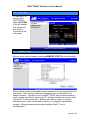
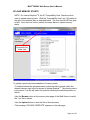
Return to the TEST RESULTS screen and select one item from the displayed
results table. You can select a range of items by holding down the shift key.
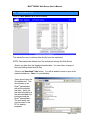
Click on Download Tests With Graphs button. You will be asked to save or
open a file named testgraphs.csv. Save it to your desktop.
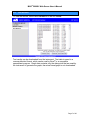
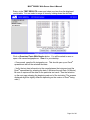
• Once saved, open the file testgraphs.csv. This should open up an Excel®
spreadsheet with all the selected test data.
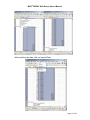
• Verify the test data information is the same between the instrument and the
Excel® spreadsheet by selecting the data % Moisture through Rate (%/Minute).
Be sure to capture all the data for the particular test result. See the selection
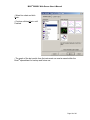
on the next page showing the beginning and end of the test data. (The screens
displayed might be slightly different depending on the version of Excel® being
used.)
Page 16 of 20