1
Step 4 Checking Operations with the Diagnosis Program ................................................................... 18
What is the Diagnosis Program?...................................................................................................... 18
Check Method.................................................................................................................................... 18
Using the Diagnosis Program........................................................................................................... 19
Setup Troubleshooting ............................................................................................................................. 21
Symptoms and Actions ..................................................................................................................... 21
If your problem cannot be resolved................................................................................................. 21
3.
EXTERNAL CONNECTION
23
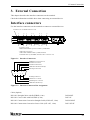
Interface connectors.................................................................................................................................. 23
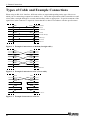
Types of Cable and Example Connections ............................................................................................ 24
4.
FUNCTIONS
25
Communication Function......................................................................................................................... 25
Serial Data Transmission.................................................................................................................. 25
RS-232C Control Lines..................................................................................................................... 25
Send and Receive Data Buffers........................................................................................................ 25
Setting the Baud Rate........................................................................................................................ 26
5.
ABOUT SOFTWARE
27
About Sample programs........................................................................................................................... 27
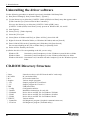
Uninstalling the driver software.............................................................................................................. 28
CD-ROM Directory Structure ................................................................................................................. 28
6.
ABOUT HARDWARE
29
Hardware specification............................................................................................................................. 29
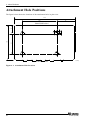
Attachment Hole Positions ...................................................................................................................... 30
iv
COM-4(USB)