1
Step 4: Monitor Reports
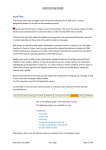
Click on ‘Sent Campaigns Report’
Reports can also be searched by ‘Campaign’ or a ‘Date Range’.
To view a detailed report, select a report and click on 'View Details'.
The report shows the details of who Opened the email, Clicked on the links, Pages
Visited, Phrases of Interest, Time Spent on each Page, Time of Visit, Unsubscribed,
Bounced, Reason for Bounce
Reports can be downloaded in .CSV format
LeadFormix
Confidential