1
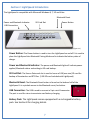
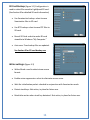
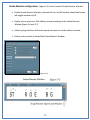
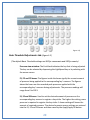
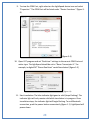
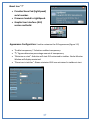
Selected Keys: Keys selected for sensitivity adjustment will become darkened
and provide an approximate sensor location. The amount of sensors on
individual keys will vary.
Apply/Apply All: When selecting “Apply”, the settings will be saved to the
individual key being adjusted. If “Apply All” is selected, the settings will be
saved and applied to all keys.
Single-Key Threshold Theory of Operation
Due to the experience of the creator of the LightSpeed, a Single-Key Threshold option was
added. When using the LightSpeed on the job, he began getting the word "approximate"
translating unexpectedly (the initial P- was defined as “approximate”). Unbeknownst to
him, his left middle finger was ever so slightly touching the initial P-. Raising the Basic
Threshold to account for unintentional initial P- at times would result in the initial P- not
showing up in other combinations such as STPH or TPH.
The Single-Key Threshold feature was added to help eliminate unintentional key touches
when a single key is struck. The user only needs to raise the Single-Key Thresholds on the
keys that are being struck unintentionally and are the sole key being used during a steno
stroke.
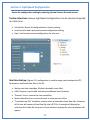
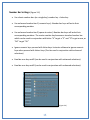
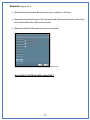
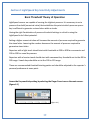
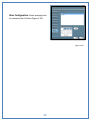
Single-Key Threshold Adjustments tab: (figure 4-2)
(The Default Single-Key Threshold settings are 500 for consonants and 300 for vowels)
Single-Key Threshold boxes, indications and sensor settings are identical to Basic Threshold
adjustments.
21