1
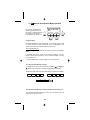
9.3 Options menu 4 of 4
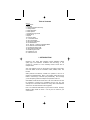
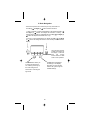
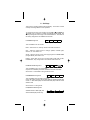
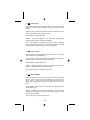
This menu changes :
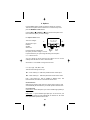
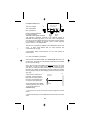
OPTIONS MENU 4 OF 4
-
USE Å OR Æ FOR
MORE OPTIONS
Auto compensation
Man compensation
AUTO
+
MAN
Quantum calibrates Qflashes
to American National
SET
MODE
Standards Institute (ANSI) standards
/OK
with laboratory equipment traceable to the National Institute of
Standards and Technology (NIST). From time to time, photographers
may wish to fine tune Qflash exposures to match their exposure meters,
to compensate for variations in cameras or films, to match particular
styles, for effects, or for individual taste.
There are two compensations available- one for Manual and one for Auto
mode.
In QTTL modes Qflash does not control exposure and
compensation will not apply.
“Compensation” affects overall exposure, not fill or ratio settings of
various modes.
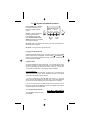
9.4.1 Auto mode Qflash Compensation
This procedure will calibrate Qflash to a reflected light flash meter you
use and trust. Note that only reflected light measurements are reliable
for auto exposure settings.
This is because auto mode flashes read reflected light from the scene
and subject. In order to compare those readings to a meter, the meter
must also be reading the same reflected light. The reflected light is
affected by the subject and background, and the incident light reading
will not typically provide the same reading (unless the subject is an 18%
gray card).
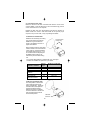
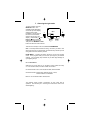
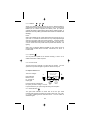
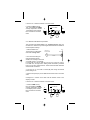
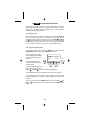
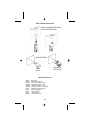
WALL
1.Place the Trio 10 feet from a
blank wall. The wall should be
larger than the metering area of
the meter, and preferably a wall
of continuous tone (blank wall).
TRIO SET TO
AUTO MODE
10 FEET
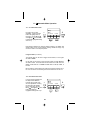
2.Place flash meter next to Qflash
Trio facing the blank wall. Be sure
to set the flash meter for a
reflected reading.
METER
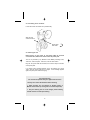
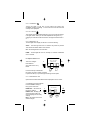
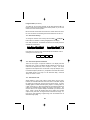
3. Turn the Trio on, set the mode to Auto (A) and change the f/ number
to F8.0
4. Set the film speed (iso) on the Qflash and the flash meter to the same
value.
19