1
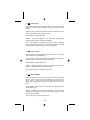
14. M Manual Mode Operation
14.1 On camera Manual Mode
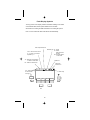
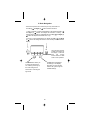
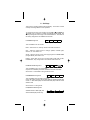
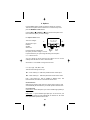
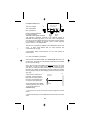
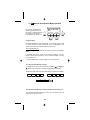
F/number, ISO are sent to the
flash from the camera. Only the
power setting is user adjustable.
-
MAN 1/8
F 5.6 7
7.7 FT
FIRE
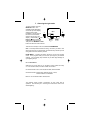
Press the Set button to highlight
the power setting. Use the
Left (-) Å and Right (+) Æ
arrow buttons to adjust the
power down or up.
GN 55
ISO
OPT
MODE
/OK
SAVE
200
+
RADIO
SET
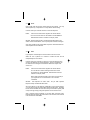
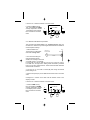
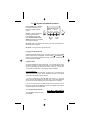
Power settings are adjustable in
1/3 steps from full power to 1/32nd power like this: 1/1, 1/1-, 1/2+, 1/2,
1/2- …… 1/32.
The distance in the display shows the correct subject to camera distance
for proper exposure. (Provided the correct reflector is set in the Options.
See section 9.5)
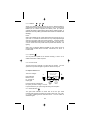
Using the Radio
The internal radio can be used to trigger remote flashes, or room lights,
set radio to SYNC.
Or the radio can be used to control the light output of remote Qflashes,
set radio to LINK. The remote flash can be another Trio in RL mode or a
Qflash model 5d-R set to Linked to Local with an FW7Q, FW8R, or
FW10w.
Be sure that the channel and zones match the channel and zones set on
the Trio. See section 8.0 for setting the Channel and Zones on the Trio
14.2 Off camera Manual Mode
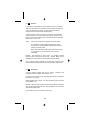
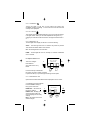
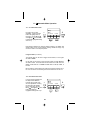
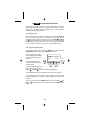
For the off-camera operation Power, F/number, ISO are all user
adjustable. Pressing the Set button will highlight them in that order. Use
the left Å and right Æ arrow buttons to adjust the highlighted setting up
or down.
Using the Radio
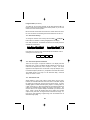
To enable the Trio to be fired remotely set the internal radio to RX. A
FW9T or FW10w must be located at the camera position, or you can use
another Trio at the camera position.
Be sure that the channel and zones match the channel and zones set on
the Trio. See section 8.0 for setting the channel and zones on the Trio
27