1
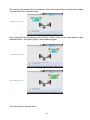
Following the instructions, press ESC again to close SureAlignTM Alignment software. Press
any other key to close the dialog window and go back main screen. After exiting SureAlignTM
Alignment S software, the computer will turn off automatically within 10 seconds.
Please do NOT switch off power supply directly to shut down the computer.
Switching off power directly may affect proper operation of the Microsoft
Windows system.
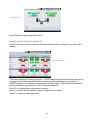
Press ESC under SureAlignTM Alignment Software main menu screen to
close software.
Press F10 under any window to get Help of software
Software Settings
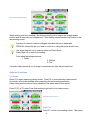
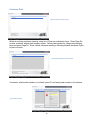
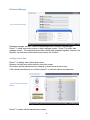
Figure 27 Aligner Management Screen
SureAlignTM Aligner Alignment Settings
Press F11 under main menu screen to enter T SureAlignTM Aligner Manager Screen.
In this window, you can choose from aligner setting, aligner maintenance, manage aligner,
customer database and upgrade database as well as personalize the aligner on the printout.
The following section provides detailed instructions regarding these settings.
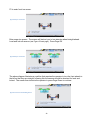
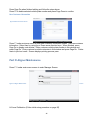
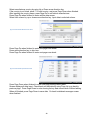
Aligner Setup
Figure 28 Aligner Setup
27