1
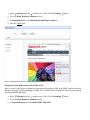
About This Manual
1
17
About this DotNetNuke Manual
17
Content Overview
17
DotNetNuke Installation Wizard
19
About the Installation Wizard
19
Using the Auto Method of the Installation Wizard
19
Using the Custom Method of the Installation Wizard
23
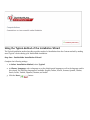
Using the Typical Method of the Installation Wizard
35
Creating a Custom Installation Setup
44
Managing Your User Account
46
Signing Up for a User Account
46
Signing up as a Registered User
46
Signing up as a Registered User with a Security Code
47
Logging In and Out
49
Logging into a Site
49
Logging Out of a Site
50
Remembering Login Credentials
50
Retrieving your Password
51
Managing Your Profile
52
Changing your Password
52
Managing your Profile Photo
53
Managing your User Credentials
54
Managing your User Profile
55
Subscribing to Member Services
58
Subscribing to a Member Service
58
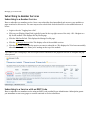
Subscribing to a Service with an RSVP Code
58
Subscribing to a Service with an RSVP Link
59
Configuring DotNetNuke Host Settings
61
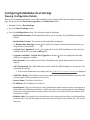
Viewing Configuration Details
61
Configuring Host Details
62
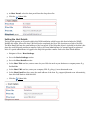
Setting the Host Portal
62
Setting the Host Details
63
Configuring Proxy Settings
64
Configuring Proxy Settings
64
Setting the Web Request Timeout Period
64
Configuring SMTP Server Settings
65
Setting the SMTP Server and Port
65
Testing Outgoing Email Settings
66
Other Settings
66
Setting the Site Log Storage
66
Setting the Site Log Buffer
67
Setting the Site Log History
67
Setting the Auto-Unlock Time for User Accounts
68
Managing Allowable File Extensions
69
Enabling/Disabling the Scheduler
70
Disabling/Enabling Event Log Buffer
71
Setting the Online Help URL
71
Enabling/Disabling Online Module Help
72
Creating And Managing Portals
About the Portals Page
74
74
Adding a Parent Portal
75
Adding a Child Portal
77
Exporting a Portal Template
79
Editing Portal Host Settings
81
Installing And Allocating Modules
84
Installing Available Extensions
84
Installing a New Module
85
Enabling/Disabling Premium Module
89
Assigning/Unassigning Premium Modules to Portals
91
Building Your Portal And Adding Content
Configuring Site Settings For A Portal
92
92
About the Site Settings Page
92
Site Details
94
Setting the Site Title
94
Setting the Site Description
94
Displaying the Site Title in the Copyright Notice
95
Creating a Unique Copyright Notice
95
Appearance
Setting the Site Logo
Payment Settings
Setting the Payment Processor
Other Settings
96
96
97
97
98
Setting the Primary Administrator
98
Setting the Default Language
99
Setting the Portal TimeZone
99
Using the Site Wizard
100
Working with the Control Panel
105
About the DNN Control Panels
105
Overview of the RibbonBar
106
Common Tasks Tab
106
Current Page Tab
108
Admin Tab
109
Host Tab
110
Overview of the Iconbar
111
Page Functions
111
Module Insertion
111
Common Tasks
111
Maximizing/Minimizing the Control Panel
112
Setting Control Panel Mode
113
Adding and Managing Pages
116
About Pages
116
Viewing Any Page
116
Adding Pages
116
Inserting a Page (RibbonBar)
116
Adding a Page via the Page Settings Page
117
Adding a New Page from a Template
119
Inserting a User Profile Page
121
Manage Pages
122
Viewing Any Page
122
Moving Page Location
122
Copying a Page
123
Copying Design to Children Pages
124
Option One - Using the Ribbonbar
124
Option Two -Using the Ribbonbar or Iconbar
124
Copying Permissions to Descendant Pages
125
Option One - Using the Ribbonbar
126
Option Two - Using the Ribbonbar or Iconbar
126
Exporting a Page
127
Importing a New Page
129
Replacing the Current Page with a Page Template (Import Page)
130
Deleting a Page
131
Option One - Directly from the Control Panel
131
Option Two - Via the Site Settings Page
132
Manage Settings
About Page Permissions
132
132
Professional Edition Permissions
133
Community Edition Permissions
134
Editing Page Settings
135
Basic Settings for New Pages
136
Basic Settings for Existing Pages
138
Setting Page Permissions
140
Setting Advanced Settings for New Pages
144
Advanced Settings for Existing Pages
147
Localization Settings for New Pages
150
Adding and Managing Modules
150
About Modules
150
Module Basics
151
About Module Basics
151
Adding a New Module
151
Adding an Existing Module (RibbonBar)
153
Adding an Existing Module (Iconbar)
154
Editing Module Title Inline
156
Adding Module Content
157
Editing Module Content
158
Deleting Module Content
159
Deleting a Module
159
Managing Modules
160
About the Module Menu
160
Opening the Module Menu
161
Exporting Module Content
162
Viewing Module Help
163
Importing Module Content
164
Moving a Module to a New Pane
165
Moving Module Position in Same Pane
166
Viewing Online Help
167
Refreshing Module Content
168
Viewing/Editing Module Settings
168
Managing Module Settings
169
About Module Settings
169
Module Settings
170
Basic Settings
170
Setting the Module Title
170
Setting Module Tags
171
Setting Module Permissions
171
About Module Permissions
174
Page Settings
Basic Settings
176
176
Setting Module Content Alignment
176
Setting Module Background Color
177
Setting Module Border Width
179
Setting Visibility of Module Content
181
Setting a Module as a WebSlice
184
Overriding the Default Container
185
Localization Settings
About Localization Settings
Managing Content for Individual Modules
HTML Pro
186
186
187
187
About the HTML /HTML Pro Module
187
Administrators
188
Enabling/Disabling Inline Editor
188
Troubleshooting: Image Not Displaying
188
Troubleshooting: Image Not Displaying
189
Module Editors
189
Adding/Editing Text Inline
189
Adding Basic Text
190
Adding Rich Text
191
Pasting HTML
193
Adding Replacement Tokens
195
HTML Replacement Tokens
197
Previewing Content
198
Managing My Workflow Tasks
200
Approving or Rejecting Content
201
Publishing a Draft
202
Rolling Back Content
204
Module Settings
204
Adding a Workflow State
204
Adding a Workflow
205
Changing the Version History Setting
205
Deleting a Workflow
206
Editing a Workflow State
206
Enabling/Disabling Token Replacement
207
Setting a Workflow as Default for Site
207
Setting a Workflow
208
RadEditor
209
About the RadEditor
209
Check Spelling
210
Formatting Code Block
211
Modifying Editor Size
214
Using the Resource Manager
215
Viewing Word and Character Count
217
Toolbars
218
Actions Toolbar
218
Color and CSS Toolbar
219
Fonts and Font Size Toolbar
220
Formatting Toolbar
220
Paragraph Toolbar
221
Resources Toolbar
221
Tables and Tools Toolbar
222
Managing Images and Media
223
Inserting a Document
223
Setting Document Properties
224
Inserting Flash
224
Inserting Media
225
Inserting Images
227
Editing an Image
228
Working with the Image Editor
228
Creating an Image Map
231
Setting Image Properties
233
Editing an Image Map
234
Managing Links and Anchors
235
Adding an Email Link
235
Adding a Page Link
236
Adding a URL Link
236
Editing a Link
236
Deleting a Link
237
Creating an Anchor
237
Editing an Anchor
237
Linking to an Anchor
238
Deleting an Anchor
238
Managing Tables
238
Inserting a Table
238
Editing a Table
240
Setting Table Properties
241
Setting Cell Properties
243
Setting Table Accessibility
246
Using the Table Wizard
247
Setting the Table Design
248
Using the Style Builder
249
Deleting a Table
250
Managing Templates
251
Inserting a Template
251
Saving a Template
252
Banners
254
About the Banners Module
254
About Banner Types
255
Displaying a Banner
257
Editing Banner Options
258
Displaying Banners Horizontally
259
Displaying Banners Vertically
259
Setting Banner Spacing
260
Setting the Banner Border
Feed Explorer
261
262
About the Feed Explorer Module
262
Manage Settings
263
Displaying DNN Solutions in the Feed Explorer
263
Displaying News in the Feed Explorer
265
Displaying Custom OPML using a Custom URL or File
266
Displaying Custom OPML using Custom Text
267
Setting the Feed Explorer Theme
268
Restoring Deleted Content
269
Module Editors
269
About the Recycle Bin Module
269
Restoring Deleted Modules
270
Restoring Deleted Pages
271
Adding Privacy and Terms of Use Statements
272
Configuring the Portal Language Settings
272
Example: Editing Privacy and Terms of Use Statements
273
Working With Files And Images
275
About the File Manager Module
275
Working with Folders
277
Navigating to and Selecting Folders
277
Adding a New Folder
277
Assigning Folder Permissions by Role
278
Assigning Folder Permission to a User
279
Removing Folder Permissions
280
Deleting a Folder
281
Working with Files
282
Navigating Files in the File Manager
282
Selecting Files
283
Filtering Files
284
Reordering Files
284
Refreshing Files
285
Copying Files
285
Moving Files
286
Uploading a Single File
287
Uploading Multiple Files
288
Unzipping Compressed Files
289
Downloading a File
290
Deleting a File
290
Deleting Multiple Files
291
Adding Search Capabilities To Your Site
292
About the Search Admin Module
292
Re-Indexing Searched Content
292
Including Common Words in Searches
293
Including Numbers in Searches
293
Setting the Maximum Word Length for Searches
294
Setting Minimum Word Length for Searches
294
Submitting Your Site To Search Engines
295
About the Sitemap Module
295
Configuring the Sitemap Settings
296
Setting the Sitemap Providers
298
Submitting Site to Google
299
Submitting Site to Yahoo! or Bing
299
Managing Site Access Using Security Roles
301
About the Security Roles Module
301
About Security Roles in DNN
301
About Security Role Settings
302
Adding a Security Role (Basic Settings)
302
Creating a Membership Service
304
Editing a Security Role
306
Deleting a Security Role
307
Adding a Role Group
308
Editing a Role Group
309
Deleting a Role Group
309
Editing a User's Security Role Access
310
Setting Module Permissions
311
Setting Page Permissions
313
Managing User Accounts
318
About the User Accounts Module
318
Enabling/Disabling User Registration
318
Adding a User Account
319
Editing a User Account
321
Unauthorizing a User Account
322
Authorizing An Unauthorized User
324
Deleting a User Account
324
Adding a User to a Security Role
325
Editing a User's Security Role Access
326
Deleting a User from a Security Role
327
Forcing a Password Change
328
Managing a User Profile
328
Managing a User's Password
331
Managing Vendors, Banners And Affiliates
333
About the Vendors Module
333
Vendor Accounts
333
Adding a New Vendor
333
Editing Vendor Account Details
335
Deleting a Vendor Account
337
Vendor Banners
338
Adding a Text Banner to a Vendor
338
Adding an Image Banner to a Vendor
341
Editing a Vendor Banner
344
Enabling/Disabling Banner Advertising
344
Emailing Banner Status to Vendor
345
Viewing the Clicks and Views for a Banner
345
Affiliate Accounts
346
Overview of Vendor Affiliates
346
Adding an Affiliate Referral Account
346
Sending Notification of Affiliate Referral Account
347
Sending Newsletters To Site Members
About the Newsletters Module
349
349
Sending a Basic Newsletter
351
Sending a Newsletter with Tokens
354
Managing Site Design
Setting Page Layout & Design
358
358
Installing a Skin or Container Package
358
Uploading/Installing a Host Skin
358
Setting the Host Skin
358
Setting the Edit Skin
359
Setting the Portal Skin
360
Setting the Edit Skin
361
Setting Module Layout & Design
362
Uploading/Installing a Host Container
362
Setting the Host Container
363
Setting the Edit Container
364
Setting the Edit Container
365
Module Container Settings
366
Setting a Module Icon
366
Setting Container Visibility
368
Setting Module Printing
369
Setting Module Syndication
371
About this Manual
About this DotNetNuke Manual
DNN Version: DNN Professional Edition 5.5+, and DNN Community Edition 5.5+
Purpose: This manual provides instructions on how to set-up, create and maintain one or more web sites using
DNN.
Audience: This manual is written to assist users of all levels with using, building and maintaining DNN sites.
About DotNetNuke
DotNetNuke (DNN) is an open source Portal and Content Management Framework, based on Microsoft's .NET
technology. DNN offers a robust, extensible and fully functional framework for the development of a broad range
of commercial portal applications.
DNN is a world leading open source portal and content management framework, adopted by thousands of organizations worldwide.
Typically, portals provide a single web front-end to the many applications within an organization. For example, it
may present critical information from HR, Finance, Marketing, Customer Service, etc all from one web site. Connected back-end systems also provide businesses with the opportunity to combine information and more easily
assist.
About DotNetNuke Corp
Who is DotNetNuke Corp?
DotNetNuke Corp. (or DNN Corp.) is the creator of DotNetNuke®, the most widely adopted framework for building web sites and web applications on Microsoft ASP.NET. Using DotNetNuke, businesses can quickly develop
and deploy interactive, dynamic public web sites, intranets, extranets, and web applications. DNN Corp. provides
this framework in both “Community” and “Professional” editions. Founded in 2006, DNN Corp. is privately held.
Our Mission
Our mission is to create entrepreneurial opportunities around the world by providing a superior open source web
application framework that cultivates a passionate developer community as well as a prosperous commercial ecosystem.
More Information
http://www.dotnetnuke.com/About/Overview/tabid/822/Default.aspx
Content Overview
A summary of the sections of this manual and what you will find in each section.
1. About This Manual: Provides a brief overview of the content of this manual and DNN.
2. DotNetNuke Installation Wizard: Installing DotNetNuke using the Installation Wizard.
3. Managing Your User Account: How you and all site visitors can create and manage their user account
and subscribe to members services.
4. Configuring DotNetNuke Host Settings: This section covers the main setting required to configure
the settings of the Host portal; proxy and SMTP settings for this installation; as well as default settings for
additional portals.
5. Creating and Managing Portals: How to create additional portals within this installation and modify
the default hosting settings for each.
6. Installing and Allocating Modules: How to install additional modules and select which portals they
are available to.
7. Building Your Portal: This section covers the main settings required to set up your portal (site settings)
and shows how to quickly build a site using the Site Wizard. It details how to build a site by adding pages
and modules as well as common tasks such as managing files using the File Manager. Finally, this section
details how to configure content staging ( Only available in DotNetNuke Enterprise Edition ) and upload
staged content.
8. Adding Search Capabilities To Your Site: How to add search capabilities to your site and get your
site listed on search engines.
9. Working With Files And Images: How to use the File Manager to upload and manage files such as
images, documents, etc which can be viewed and/or downloaded from your site.
10. Managing Site Access Using Security Roles: How to use one of DNN's core functionality which is
controlling which users can view which pages and modules on the site. This section also show how to
create services which user's can subscribe to access.
11. Managing User Accounts: How to create and manage user accounts for your site members.
12. Managing Vendors, Banners And Affiliates: How to create and manage vendors accounts and vendor affiliate accounts as well as create banners which can be displayed using the Banners module.
13. Sending Newsletters To Site Members: How to send basic and personalized email messages to
selected users and security roles.
14. Managing Site Design: The basics of setting site wide, page and module designs.
DotNetNuke Installation Wizard
About the Installation Wizard
DotNetNuke has an easy to use Installation Wizard which helps you configure your DNN web site. There are
three different installation methods provided:
l
l
l
Custom: The "Custom" installation method provides you with the ability to completely customize your DotNetNuke installation. Select this option if you wish to control which optional components get installed.
"Creating a Custom Installation Setup" and "Using the Custom Method of the Installation Wizard"
Typical: The "Typical" installation method makes some "typical" choices for you. "Using the Typical
Method of the Installation Wizard"
Auto: The "Auto" installation method bypasses the Wizard completely and uses the legacy Auto-Install procedure. "Using the Auto Method of the Installation Wizard"
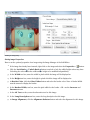
The DNN Installation Wizard
Using the Auto Method of the Installation Wizard
How to use the Auto installation method which bypasses the Wizard and uses the legacy Auto-Install procedure.
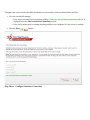
Step One - DotNetNuke Installation Wizard
Complete the following settings:
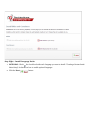
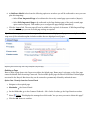
1. At Select Installation Method, select Auto.
2. At Choose Language, select a language to set the default portal language as well as the language used in
this wizard. The following languages are available: English, Italian, French, German, Spanish, Catalan,
Dutch, Polish, Turkish, Japanese, Russian, and Arabic.
3. Click the Next
button.
Step Two - Installing DotNetNuke
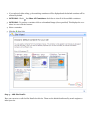
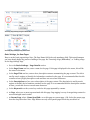
The installation Status Report will run. Once the installation is completed the Installation Complete message is displayed.
1. Click the Click Here To Access Your Portal link to go to the newly installed portal.
Note: The Host and Administrator accounts use default details which require immediate updating. See "Changing
your Password"
Host Account
Username: host
Password: dnnhost
Administrator Account
Username: admin
Password: dnnadmin
Using the Custom Method of the Installation Wizard
The Custom installation method provides full customization during your DotNetNuke installation. Note: Images
used in this tutorial will vary slightly to your version.
For details on enabling optional skins, containers and languages during your custom install "Creating a Custom
Installation Setup" before beginning this tutorial.
Step One - DotNetNuke Installation Wizard
Complete the following settings:
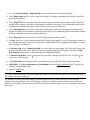
1. At Select Installation Method, select Custom.
2. At Choose Language, select a language to set the default portal language as well as the language used in
this wizard. The following languages are available: English, Italian, French, German, Spanish, Catalan,
Dutch, Polish, Turkish, Japanese, Russian, and Arabic.
3. Click the Next
button.
Step Two - Checking File Permissions
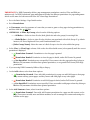
This page runs a test to ensure this DNN installation can successfully create and delete folders and files.
1. View the success/fail message:
l
l
If the test is successful a success message reading "Your site passed the permissions check" is
displayed below the File Permissions Summary section.
If the test is unsuccessful, a message detailing possible error is displayed. Fix the errors to continue.
2. Click the Next
button.
Step Three - Configure Database Connection
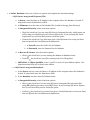
1. At Select Database, select one of these two options and complete the associated settings:
l
SQL Server 2005/2008 (Express) File:
a. At Server, enter the Name or IP Address of the computer where the Database is located. If
using Oracle enter the Data Source (SID).
b. At Filename, enter the name of the Database File (located in the App_Data Directory).
c. At Integrated Security, select from these options:
l
l
Check the check box if you are using SQL Server's Integrated Security, which means you
will be using your Windows account to access SQL Server. If you are using SQL Server
Express then you will most likely need to check this option.
Uncheck the check box if you have been given a UserId/Password to access your Database and provide the UserId/Password combination.
i. At User ID, enter the UserID for the Database.
ii. At Password, enter the Password for the Database.
d. At Run as db Owner, select from these options:
l
Check
l
Uncheck
the check box if you are running the database as Database Owner
the check box you will be running as the User ID specified.
e. OPTIONAL. At Object Qualifier, enter a "prefix" to use for all your database objects - this
helps ensure that there are no object name clashes.
l
or SQL Server 2005/2008 Database:
a. In the Server text box, enter the Name or IP Address of the computer where the Database is
located. If using Oracle enter the Data Source (SID).
b. In the Database text box, enter the Database name.
c. At Integrated Security, select from these options:
l
l
Check the check box if you are using SQL Server's Integrated Security and will be
using your Windows account to access SQL Server. If you are using SQL Server Express
then you will most likely need to check this option.
Uncheck the check box if you have been given a UserId/Password to access your Database and provide the UserId/Password combination.
i. In the User ID text box, enter the UserID for the Database.
ii. In the Password text box, enter the Password for the Database.
d. At Run as db Owner, select from these options:
l
Check
the check box if you are running the database as Database Owner
l
Uncheck
the check box if you will be running as the User ID specified.
e. OPTIONAL. In the Object Qualifier text box, enter a "prefix" to use for all your database
objects - this helps ensure that there are no object name clashes.
2. Click the Next
button.
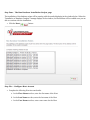
Step Four - The Run Database Installation Scripts page
The installation of the database scripts will be running with the results displaying in the window below. When the
"Installation of Database Complete" message displays in the window, the Next button will be enabled once you are
able to continue with the installation.
1. Click the Next
button.
Step Five - Configure Host Account
1. Complete the following Host Account details:
a. In the First Name text box, enter the first name of the Host.
b. In the Last Name text box, enter the last name of the Host.
c. In the User Name text box, enter a user name for the Host.
d. In the Password text box, enter a password for the Host.
e. In the Confirm Password text box, re-enter the password for the Host.
f. In the Email Address text box, enter the email address of the Host.
2. Complete the SMTP Server Settings:
a. In the Server text box, enter your SMTP server name or IP address.
b. At Authentication, select the required authentication method from Anonymous, Basic or
NTLM.
c. At Enable SSL, select from these option:
l
Check
l
Uncheck
3. Click the Next
the check box to enable SSL (secure socket layers) for secure pages.
the check box to disable.
button.
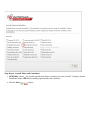
Step Six - Install Optional Modules
1. OPTIONAL. Check the check box beside each of the modules to be installed. Note: You can install
these or other modules at any time once installation is completed.
2. Click the Next
button.
Step Seven - Install Skins and Containers
1. OPTIONAL. Check the check box beside each skin or container you want to install. "Creating a Custom
Installation Setup" for details on enabling optional skins and containers.
2. Click the Next
button.
Step Eight - Install Language Packs
1. OPTIONAL. Check the check box beside each Language you want to install. "Creating a Custom Installation Setup" for details on how to enable optional languages.
2. Click the Next
button.
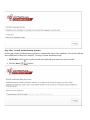
Step Nine - Install Authentication Systems
On this page a number authentication systems are automatically selected for installation. You can also add and
select additional Providers to be installed. "Creating a Custom Installation Setup"
1. OPTIONAL. Check
2. Click the Next
the check box beside each authentication system you want to install.
button.
Step Ten - Install Providers
DotNetNuke uses a provider module for extensions. On this page a number of providers are automatically selected
for installation. You can also select additional Providers to be installed. "Creating a Custom Installation Setup"
1. OPTIONAL. Check
2. Click the Next
the check box beside each of the providers you wish to install.
button.
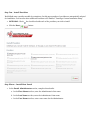
Step Eleven - Install Host Portal
1. In the Portal Administrator section, complete these details:
a. In the First Name text box, enter the Administrator's first name.
b. In the Last Name text box, enter the Administrator's last name.
c. In the User Name text box, enter a user name for the Administrator.
d. In the Password text box, enter a password for the Administrator.
e. In the Confirm Password text box, re-enter the password for the Administrator.
f. In the Email Address text box, enter the Administrator's email address.
2. In the Portal Properties section, complete these details:
a. In the Portal Title text box, enter a title for the portal.
b. At Template, select a template for the portal.
3. Click the Next
button.
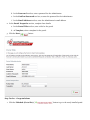
Step Twelve - Congratulations
1. Click the Finished (Go to Site)
button to go to the newly installed portal.
Using the Typical Method of the Installation Wizard
The Typical installation method provides a quicker method of installation than the Custom method by making
some "typical" choices during your DotNetNuke installation.
Step One - DotNetNuke Installation Wizard
Complete the following settings:
1. At Select Installation Method, select Typical.
2. At Choose Language, select a language to set the default portal language as well as the language used in
this wizard. The following languages are available: English, Italian, French, German, Spanish, Catalan,
Dutch, Polish, Turkish, Japanese, Russian, and Arabic.
3. Click the Next
button.
Step Two - Checking File Permissions
1. Click the Test Permissions
button to test that this DNN installation can successfully create and delete folders and files. If the test is successful a success message reading "Your site
passed the permissions check" is displayed at File Permissions Summary.
2. Click the Next
button.
Step Three - Configure Database Connection
1. At Select Database, select one of the following options and complete the associated settings:
l
SQL Server 2005 (Express) File:
a. At Server, enter the Name or IP Address of the computer where the Database is located. If
using Oracle enter the Data Source (SID).
b. At Filename, enter the name of the Database File (located in the App_Data Directory).
c. At Integrated Security, select from these options:
l
Check the check box if you are using SQL Server's Integrated Security, which means
you will be using your Windows account to access SQL Server. If you are using SQL
Server Express then you will most likely need to check this option.
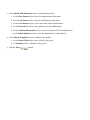
l
Uncheck the check box if you have been given a UserId/Password to access your Database and provide the UserId/Password combination.
i. At User ID, enter the UserID for the Database.
ii. At Password, enter the Password for the Database.
d. At Run as db Owner, select from these options:
l
Check
the check box if you are running the database as Database Owner
l
Uncheck
the check box you will be running as the User ID specified.
e. OPTIONAL. At Object Qualifier, enter a "prefix" to use for all your database objects - this
helps ensure that there are no object name clashes.
l
or SQL Server 2000/2005 Database:
a. In the Server text box, enter the Name or IP Address of the computer where the Database is
located. If using Oracle enter the Data Source (SID).
b. In the Database text box, enter the Database name.
c. At Integrated Security, select from these options:
l
l
Check the check box if you are using SQL Server's Integrated Security and will be
using your Windows account to access SQL Server. If you are using SQL Server Express
then you will most likely need to check this option.
Uncheck the check box if you have been given a UserId/Password to access your Database and provide the UserId/Password combination.
1. In the User ID text box, enter the UserID for the Database.
2. In the Password text box, enter the Password for the Database.
d. At Run as db Owner, select from these options:
l
Check
the check box if you are running the database as Database Owner
l
Uncheck
the check box if you will be running as the User ID specified.
e. OPTIONAL. In the Object Qualifier text box, enter a "prefix" to use for all your database
objects - this helps ensure that there are no object name clashes.
2. Click the Test Database Connection
button. If the test is successful
message reading "Connection Success" is displayed. If the test is unsuccessful an error message is displayed.
3. Click the Next
button.
Step Four - Run Database Installation Scripts
The installation of the database scripts will be running with the results displaying in the window below. When the
"Installation of Database Complete" message displays in the window, the Next button is enabled and you can continue with the installation.
1. Click the Next
button.
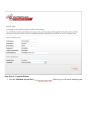
Step Five - Configure Host Account
1. Complete the following Host Account details:
a. In the First Name text box, enter the first name of the Host.
b. In the Last Name text box, enter the last name of the Host.
c. In the User Name text box, enter a user name for the Host.
d. In the Password text box, enter a password for the Host.
e. In the Confirm Password text box, re-enter the password for the Host.
f. In the Email Address text box, enter the email address of the Host.
2. Complete the SMTP Server Settings:
a. In the Server text box, enter your SMTP server name or IP address.
b. At Authentication, select the required authentication method from Anonymous, Basic or NTLM.
c. At Enable SSL, select from these option:
l
Check
l
Uncheck
the check box to enable SLL (secure socket layers) for secure pages.
the check box to disable.
d. Click the Test SMTP Settings
3. Click the Next
button.
Step Six - Install Host Portal
button to test the SMTP Server Settings.
1. In the Portal Administrator section, complete these details:
a. In the First Name text box, enter the Administrator's first name.
b. In the Last Name text box, enter the Administrator's last name.
c. In the User Name text box, enter a user name for the Administrator.
d. In the Password text box, enter a password for the Administrator.
e. In the Confirm Password text box, re-enter the password for the Administrator.
f. In the Email Address text box, enter the Administrator's email address.
2. In the Portal Properties section, complete these details:
a. In the Portal Title text box, enter a title for the portal.
b. At Template, select a template for the portal.
3. Click the Next
button.
Step Seven - Congratulations
1. Click the Finished (Go to Site)
button to go to the newly installed portal.
Creating a Custom Installation Setup
DNN allows you to modify what happens during the installation process by simply adding or removing files in the
Install folder. During the installation process DNN looks in the folders under Install to see if there are any new
files that need to be processed during the installation. You can modify how DNN installs by adding or removing
files from these sub-folders.
Here's how to include one of these add-ins to your DNN Custom Method installation:
1. Download DNN Installation zip file from the DotNetNuke.com web site.
2. Unzip the installation file.
3. In the unzipped installation file, go to the Install folder. This folder contains a number of sub-folders.
Some of these folders contain aspects of DNN that can be modified during the installation process.
4. Add one of the below zip files to the correct sub-folder to make it available during installation:
l
Authentication Systems: Add authentication system zip files to the Install/AuthSystem folder.
l
Containers: Add container package zip files to the Install/Container folder.
l
Languages: Add language resource package zip files to the Install/Languages folder.
l
Modules: Add module installation zip files to the Install/Module folder. In this folder you can see
there are some modules with a .resources extension and some with a .zip extension. The ones with a
.zip extension are automatically installed and the ones with .resources are available in a check box list
for you to decide during the install process if they get installed.
l
Providers: Add provider zip files to the Install/Provider folder.
l
Skins: Add skin package zip files to the Install/Skin folder.
Managing Your User Account
Signing Up for a User Account
Signing up as a Registered User
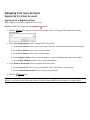
How to sign up to become a registered user of a site.
Mandatory fields are indicated by the Required
button.
1. Click the Register link (typically located in the top right corner of the page). This opens the User Registration page.
2. In the User Registration section, complete all of these fields:
a. In the User Name text box, enter a user name. Your user name is private and cannot be changed.
b. In the First Name text box, enter your first name.
c. In the Last Name text box, enter your last name.
d. In the Display Name text box, enter the name you want to be displayed to other site members.
e. In the Email Address text box, enter a valid email address.
3. In the Enter a Password section, complete all of these fields:
a. In the Password text box, enter your password. Note: Passwords are case sensitive.
b. In the Confirm Password text box, re-enter your password.
4. Click the
Register link.
Tip: Depending on the set up of the site, you may be automatically logged in and your account details displayed, or you may need to open your welcome email to obtain additional information to complete login.
Signing up as a Registered User
Signing up as a Registered User with a Security Code
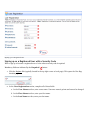
How to sign up to become a registered user of a site when a security code is required.
Mandatory fields are indicated by the Required
button.
1. Click the Register link (typically located in the top right corner of each page). This opens the User Registration page.
2. In the User Registration section, complete all of these fields:
a. In the User Name text box, enter a user name. Your user name is private and cannot be changed.
b. In the First Name text box, enter your first name.
c. In the Last Name text box, enter your last name.
d. In the Display Name text box, enter the name you want to be displayed to other site members.
e. In the Email Address text box, enter a valid email address.
3. In the Enter a Password section, complete all of these fields:
a. In the Password text box, enter your password. Note: Passwords are case sensitive.
b. In the Confirm Password text box, re-enter your password.
c. At Security Code, enter the code displayed as a picture in the text box below.
4. Click the
Register link.
Tip: Depending on the set up of the site, you may be automatically logged in and your account details displayed, or you may need to open your welcome email to obtain additional information to complete login.
Signing up as a Registered User with a Security Code
Logging In and Out
Logging into a Site
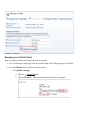
How to login to a site using the typical basic login method.
1. Click the Login link to display the Account Login module (also titled the User Log In module). This link is
typically located in the top right corner of each page - OR - Navigate to an Account Login module.
2. In the User Name text box, enter your user name.
3. In the Password text box, enter your password.
4. Click the Login
button.
Tip: Mouse over or click the Help
login help.
Logging into a Site
Related Topics:
l
See "Logging in with LiveID"
l
See "Logging in with OpenID"
icons displayed beside the User Name and Password fields to view
l
See "Logging in with a Security Code"
l
See "Logging in with a Verification Code"
l
See "Logging in with a Verification Code and a Security Code"
Logging Out of a Site
How to log out of a site and cancel the Remember Login setting.
1. Click the Logout link which is typically located in the top right corner of each page.
Tip: The action of logging out automatically cancels the Remember Login setting. To exit a site without logging
out, simply close your web site browser. This does not cancel the Remember Login setting.
Remembering Login Credentials
How to set a site to remember your login credentials. Selecting the Remember Login will automatically log you
into that site next time you visit it. This feature adds a cookie to your computer so it will not work on another
computer. It is also portal specific so it will not log you in to other portals within this DNN installation. Note: At
the time of writing this setting expired after 24 hours.
1. Click the Login link (which typically located in the top right corner) - OR - Navigate to an Account Login
module.
2. In the User Name text box, enter your user name.
3. In the Password text box, enter your password.
4. OPTIONAL. Enter your verification code or the security code if required.
5. Check
the Remember Login check box.
6. Click the Login
button.
Tip: To exit a site, simply close your web site browser. If you click the Logout link you will need to login next
time.
Related Topic:
l
See "Enabling Remember Me on Login Control"
Retrieving your Password
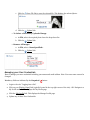
If you forget your password you can have it sent to the email address associated with your user account.
1. Click the Login link or navigate to an Account Login module.
2. Click the Forgot Password ? link. This opens the Retrieve Password page.
3. In the User Name text box, enter your user name.
4. OPTIONAL. If the Security Code field is displayed, enter the code displayed as a picture into the Security Code text box.
5. Click
l
6. Click
Send Password. If the password is successfully send, the following message is displayed:
Password Has Been Sent To Your Email Address.
Proceed to Login to go to the User Login module.
Retrieving your Password
Managing Your Profile
Changing your Password
How to update the password associated with your user profile.
1. Login to the site. "Logging into a Site"
2. Click on your [Display Name] link (typically located in the top right corner of the site) - OR -Navigate to a
My Profile module. This displays the My Profile page.
3. Click the Edit Profile link. This displays the Manage Profile page.
4. Click the
Manage Password link.
5. In the Change Password section, update the following fields:
a. In the Current Password text box, enter your current password.
b. In the New Password text box, enter your new password.
c. In the Confirm Password text box, re-enter your new password.
6. Click the
Change Password link.
Changing your Password
Managing your Profile Photo
How to manage the photo associated with your user profile.
1. Go to the Manage Profile page of the My Profile module. See "Managing your User Profile"
2. Go to the Photo field and select from these options:
l
To Upload a Image:
a. Click the
Upload File link.
b. Click the Browse... button and select the file from your computer.
l
c. Click the
Save File link to save the selected file. This displays the selected photo.
d. Click the
Update link.
To Select a Previously Uploaded Image:
a. At File, select the required photo from the drop-down list.
b. Click the
l
Update link.
Remove all Images:
a. At File, select <None Specified>.
b. Click the
Update link.
Managing your User Credentials
How to manage your user credentials including your names and email address. Note: Your user name cannot be
changed.
Mandatory fields are indicated by the Required
button.
1. Login to the site. "Logging into a Site"
2. Click on your [Display Name] link (typically located in the top right corner of the site) - OR -Navigate to a
My Profile module. This displays the My Profile page.
3. Click the Edit Profile link. This displays the Manage Profile page.
4. Update any of these User Credentials:
a. In the First Name text box, edit your first name.
b. In the Last Name text box, edit your last name.
c. In the Display Name text box, edit the name you want to be displayed to other site members.
d. In the Email Address text box, edit your email address.
5. Click the
Update link.
Managing your User Credentials
Managing your User Profile
How to manage all your personal user details including your name, contact details, biography, photo, time zone
and preferred locale. The fields used in this example are typical for a US based site, however sites in other countries will typically use local names for address fields, etc. You can also set the visibility of each field. Public sets a
field as visible to anyone who is able to view your user profile, Members Only sets a field as visible to authenticated site members, Admin Only sets a field as visible to Administrators only.
Mandatory fields are indicated by the Required
button.
1. Login to the site. "Logging into a Site"
2. Click on your [Display Name] link (typically located in the top right corner of the site) - OR -Navigate to a
My Profile module. This displays the My Profile page.
3. Click the Edit Profile link.
4. Click the
Manage Profile link.
5. Complete or edit any of the following fields and select the Visibility of each field:
a. In the Prefix text box, enter a prefix for the name. E.g. Mrs
b. In the First Name text box, enter the first name. E.g. Elizabeth
c. In the Middle Name text box, enter the first name. E.g. Angela
d. In the Last Name text box, enter the first name. E.g. Smith
e. In the Suffix text box, enter a suffix for the name. E.g. MD
f. In the Unit text box, enter a unit number. E.g. Flat 2
g. In the Street text box, enter the street address. E.g. 101 Blackburn Road
h. In the City text box, enter the city. E.g. New York
i. In the Region text box, enter/select the region. E.g. New York
j. At Country, select a country from the drop-down box.
k. In the Postal Code text box, enter/select the postal code. E.g. 11111
l. In the Telephone text box, enter your telephone number.
m. In the Cell/Mobile text box, enter your mobile number.
n. In the Fax text box, enter your facsimile number.
o. In the Website text box, enter your web site URL. E.g. www.domain.com
p. In the IM text box, enter you instant messenger id. E.g. [email protected]
q. At Photo, select, upload or remove a photo or image for your profile. See "Managing your Profile
Photo"
r. In the Biography Editor, enter a biography.
s. At Time Zone, select a time zone from the drop-down box.
t. At Preferred Locale, select the name of your locale from the drop-down box.
i. Select one of these options:
6. Click the
l
Display English Name, select to display your locale in English. E.g. Italy.
l
Display Native Name: Select to display the native spelling of your locale. E.g. Italia.
Update link.
Tip: The list of available languages are managed using the Languages module.
Managing your User Profile
Subscribing to Member Services
Subscribing to a Member Service
How to subscribe to a members service. Once a user subscribes they immediately gain access to any modules or
pages restricted to this service. The user may need to refresh their web site browser to view additional areas of
access.
1. Login to the site. "Logging into a Site"
2. Click on your [Display Name] link (typically located in the top right corner of the site) - OR - Navigate to a
My Profile module. This displays the My Profile page.
3. Click the Edit Profile link. This displays the Manage Profile page.
4. Click the
Manage Services link. This displays a list of the available services.
5. Click the Subscribe link beside the service you want to subscribe to. This displays the "You have successfully
subscribed to the [Service Name] role" message at the top of the module.
Tip: Where a fee is charged for the service you will be redirected to the payment Web site to complete the payment process.
Subscribing to a Member Service
Subscribing to a Service with an RSVP Code
How to subscribe to a members service using an RSVP code provided by an Administrator. Subscription grants
you immediate access to any pages or content restricted to service subscribers.
1. Login to the site. "Logging into a Site"
2. Click on your [Display Name] link (typically located in the top right corner of the site) - OR - Navigate to a
My Profile module. This displays the My Profile page.
3. Click the Edit Profile link. This displays the Manage Profile page.
4. Click the
Manage Services link. This displays a list of the available services.
5. In the RSVP Code text box, enter the code supplied to you.
6. Click the Subscribe link to the right of the RSVP Code text box. This displays the following messages:
You have successfully subscribed to the [Service Name] role.
You have been successfully added to the role(s) associated with the RSVP Code entered. In order to get
access to the new services you will need to Logout and then Login to the site again.
7. Logout and then Login to the site to gain access to the new services.
Tip: Where a fee is charged for the service you will be redirected to the payment web site to complete the payment process.
Subscribing to a Service with an RSVP Code
Subscribing to a Service with an RSVP Link
How to subscribe to a members service using an RSVP link provided by an Administrator. Subscription grants you
immediate access to any pages or content restricted to service subscribers.
1. Login to the site. "Logging into a Site"
2. Enter the RSVP link into the Address window or your web site browser - OR - click on the RSVP link in an
email message. E.g. http//www.domain.com/Default.aspx?rsvp=rsvpcode&portalid=0
3. Logout and then Login to the site to gain access to the new services.
Configuring DotNetNuke Host Settings
Viewing Configuration Details
How to view Configuration details for your DNN installation. Most of these fields cannot be editable using this
page. Exceptions are the Check For Upgrades? and Notify Host? fields.
1. Navigate to Host > Host Settings.
2. Go to the Basic Settings section.
3. Go to the Configuration section. The following details are displayed:
l
l
l
l
l
l
l
DotNetNuke Product: The DotNetNuke product you are running. E.g. DotNetNuke Professional
Edition
DotNetNuke Version: The version of this DotNetNuke installation.
At Display Beta Message?, Check
ning version is a Beta release.
At Check For Upgrades?, Check the check box to set this DNN Installation to check the DotNetNuke web site for new framework upgrades.
Upgrade Available?: If Check For Upgrades is checked
whenever an upgrade is available.
.NET Framework: The .NET Framework version which this DNN installation is running on. This
is specified through IIS.
If the current Framework is not being used, the Update Site to current Framework is displayed.
ASP.NET Identity: The Windows user account under which this DNN installation is running. This
account requires folder permissions on the server.
l
Server Name: The Name of the Server.
l
IP Address: The IP Address of the Server.
l
l
, an icon is displayed at this field
Data Provider: The provider name which is identified as the default data provider in the web.config file.
l
l
the check box to display a message indicating that the run-
Permissions: Code Access Security is used to minimize the attack surface however some aspects of
DotNetNuke need different permissions to fulfill their tasks. When retrieving data from the database
Reflection is needed and when accessing outside web sites such as with the News feed module WebPermission is needed.
Relative Path: If the portal is in a virtual directory the relative path from the root is displayed here
as shown below. The site this image was taken from was running on Vista Ultimate IIS 7 as a Virtual
Directory.
l
l
l
l
Physical Path: The physical path is the path to the root of the portal. This is the Server.MapPath
result.
Server Time: Displays the current date and time of the web server.
GUID: The GUID (Global Unique Identifier) is a unique identifier that can be used by module developers to create unique licenses per portal.
Is Web Farm?: If this check box is checked then this DNN installation is running in a web farm
configuration. This setting can be enabled or disabled in the root configuration file for your portal.
Viewing Configuration Details
Configuring Host Details
Setting the Host Portal
By default, DNN loads the first portal created as the default. Changing the portal selected here changes which portal is loaded by default. The Host portal is also the portal associated with the Host skin object.
1. Navigate to Host > Host Settings.
2. Go to the Basic Settings section.
3. Go to the Host Details section.
4. At Host Portal, select the host portal from the drop-down list.
5. Click the
Update link.
Setting the Host Portal
Setting the Host Details
The host title appears on all portals within this DNN installation which have a skin that includes the [HOSTNAME] skin token. Where the host URL field is also completed, the Host Title functions as a link to the URL.
The Host Email field sets the email address of the host portal. If the Help skin object is included in the skin it displays the word Help and provides an emailto: link to the Portal Administrator for normal logged in registered
users. If a portal administrator is logged in the Help link provides a mailto: link to the Host Email address.
1. Navigate to Host > Host Settings.
2. Go to the Basic Settings section.
3. Go to the Host Details section.
4. In the Host Title text box, enter a name for your Web site such as your business or company name. E.g.
DotNetNuke
5. In the Host URL text box, enter your company URL. E.g. http://www.dotnetnuke.com
6. In the Host Email text box, enter the email address of the host. E.g. [email protected]. Alternatively,
leave this field blank to hide this field.
7. Click the
Update link.
Setting the Host Details
Configuring Proxy Settings
Configuring Proxy Settings
This setting may be required by your hosting provider to enable certain modules such as the RSS News Feed to
process outgoing web requests.
1. Navigate to Host > Host Settings.
2. Go to the Advanced Settings section.
3. Maximize
the Proxy Settings section.
4. In the Proxy Server text box, enter the proxy server IP address. E.g. 192.1.2.102. Enter the domain or IP
address if you are using a proxy server.
5. In the Proxy Port text box, enter the proxy port address. E.g. 8021
6. In the Proxy Username text box, enter the username provided by your hosting provider.
7. In the Proxy Password text box, enter the password provided by your hosting provider.
8. Click the
Update link.
Configuring Proxy Settings
Setting the Web Request Timeout Period
How to set the web request time out period for all portals. A web request can exist for a set period of time and if
this time is exceeded the web page requesting browser is returned an error that the page is unavailable.
1. Navigate to Host > Host Settings.
2. Go to the Advanced Settings section.
3. Maximize
the Proxy Settings section.
4. In the Web Request Timeout text box, enter the time period in seconds the web request should timeout
after. E.g. Enter 60 to set to 60 seconds.
5. Click the
Update link.
Setting the Web Request Timeout Period
Configuring SMTP Server Settings
Setting the SMTP Server and Port
How to set the SMTP Server address and an alternate port for new portals. SMTP (Simple Mail Transfer Protocol)
is the mail server which sends outgoing mail.
1. Navigate to Host > Host Settings.
2. Go to the Advanced Settings section.
3. Maximize
the SMTP Server Settings section.
4. In the SMTP Server and port text box, enter one of the following options:
l
Enter the SMTP address. E.g. mail.dotnetnuke.com
l
Specify an alternate port by adding a colon and the port number. E.g. smtp.dotnetnuke.com:587
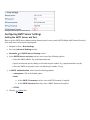
l
Enter the SMTP server name only to use default port number. E.g. 25
5. At SMTP Authentication, select from the following options:
l
Anonymous. This is the default option.
l
Basic
a. In the SMTP Username text box, enter a SMTP Username if required.
b. In the SMTP Password text box, enter a SMTP Password if required
l
NTLM
6. Click the
Update link.
Setting the SMTP Server and Port
Testing Outgoing Email Settings
How to test the outgoing mail settings for all portals.
1. Navigate to Host > Host Settings.
2. Go to the Advanced Settings section.
3. Maximize
the SMTP Server Settings section.
4. Click the Test link to send a test email to the Host account. One of the following results is displayed:
l
If the test is successful the Email Sent Successfully message is displayed.
l
If the test is not successful, a message describing the error is displayed.
Tip: If you used the web.config workaround to send emails without a SMTP server, look in the folder specified
for the .eml file.
Testing Outgoing Email Settings
Other Settings
Setting the Site Log Storage
How to set the storage location for the site log. The Log file can be stored in one of two methods.
1. Navigate to Host > Host Settings.
2. Go to the Advanced Settings section.
3. Maximize
the Other Settings section.
4. At Site Log Storage, select from the following options:
l
Database: Stores the Site Log data in the DNN Database.
l
File System: Stores the Site Log data in the default directory under the portals subdirectory.
5. Click the
Update link.
Setting the Site Log Storage
Setting the Site Log Buffer
This setting controls the Site Log Buffer for all new sites. The Site Log Buffer exists to allow Site Log Events (e.g.
Logins, Navigation, etc) to be collected into a buffer before being sent to the database. By default this is set at 1
item, which means that the buffer will be sent to the database when it has one event in it. For example if the Site
Log Buffer is set to 20 items, then 20 log events will need to occur before the buffer will be sent to the database.
1. Navigate to Host > Host Settings.
2. Go to the Advanced Settings section.
3. Maximize
the Other Settings section.
4. In the Site Log Buffer text box, enter the number of items to buffer before sending them to the database.
5. Click the
Update link.
Setting the Site Log Buffer
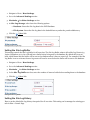
Setting the Site Log History
How to set the default Site Log history time period for all new sites. This setting can be managed on existing portals via Host > Portals Page.
1. Navigate to Host > Host Settings.
2. Go to the Advanced Settings section.
3. Maximize
the Other Settings section.
4. In the Site Log History text box, enter the number of days. E.g. 20.
5. Click the
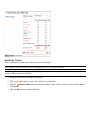
Update link.
Setting the Site Log History
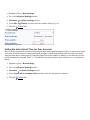
Setting the Auto-Unlock Time for User Accounts
How to set the auto-unlock time period following multiple unsuccessful attempts to login to a user account. After
an account is locked out due to unsuccessful login attempts, it can be automatically unlocked with a successful
authentication after a certain period of time has elapsed. Enter the number of minutes to wait until the account
can be automatically unlocked. Enter "0" to disable the auto-unlock feature. Auto-unlock is set to 10 minutes by
default.
1. Navigate to Host > Host Settings.
2. Go to the Advanced Settings section.
3. Maximize
the Other Settings section.
4. In the Auto-Unlock Accounts After text box, enter the time period in minutes.
5. Click the
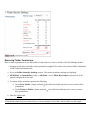
Update link.
Setting the Auto-Unlock Time for User Accounts
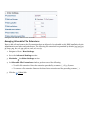
Managing Allowable File Extensions
How to add, edit and remove the file extensions that are allowed to be uploaded to this DNN installation by site
Administrators and other authorized users. The following file extensions are permitted by default: jpg, jpeg, jpe,
gif, bmp, png, doc, xls, ppt, pdf, txt, xml, xsl, css, zip.
1. Navigate to Host > Host Settings.
2. Go to the Advanced Settings section.
3. Maximize
the Other Settings section.
4. In Allowable File Extensions window, perform one of the following:
l
To add a file extension: Enter the extension preceded by a comma ( , ). E.g. ,fla,wma
l
To remove a file extension: Remove the three letter extension and the preceding comma ( , ).
5. Click the
Update link.
Managing Allowable File Extensions
Enabling/Disabling the Scheduler
How to enable or disable the Scheduler on all portals and set the scheduler mode.
1. Navigate to Host > Host Settings.
2. Go to the Advanced Settings section.
3. Maximize
the Other Settings section.
4. At Scheduler Mode, select from the following:
l
l
l
Disabled: Select to disable the scheduler.
Timer Method: Select to maintain a separate thread to execute scheduled tasks while the worker
process is alive.
Request Method: Select to execute tasks when HTTP Requests are made.
5. Click the
Update link.
Enabling/Disabling the Scheduler
Disabling/Enabling Event Log Buffer
How to enable or disable the Event Log Buffer for all new portals.
1. Navigate to Host > Host Settings.
2. Go to the Advanced Settings section.
3. Maximize
the Other Settings section.
4. At Event Log Buffer, select from the following options:
l
Check
l
Uncheck
5. Click the
the check box to enable.
the check box to disable.
Update link.
Disabling/Enabling Event Log Buffer
Setting the Online Help URL
How to set the URL for the Online Help service for all portals. This is the URL associated with the Online Help
button accessed via module menus. Leave this field blank to remove Online Help for the Admin/Host areas of
DotNetNuke. The default setting is to the Online Help provided by DNN Corp which is located at http://www.dotnetnuke.com/About/DotNetNukeOnlineHelp/tabid/787/Default.aspx.
1. Navigate to Host > Host Settings.
2. Go to the Advanced Settings section.
3. Maximize
the Other Settings section.
4. In Help URL text box, choose one of these options:
a. To set a custom URL: Enter the URL to your help resource.
b. To disable Online Help: Leave this field blank.
c. To restore Online Help URL to the default DotNetNuke Online Help: Enter http://www.dotnetnuke.com/default.aspx?tabid=787.
5. Click the
Update link.
Setting the Online Help URL
Enabling/Disabling Online Module Help
How to enable or disable online help option on the module menu. If enabled, a Help URL for the module will
need to be added in the Module Definitions (See Host Settings, Module Definitions). For custom modules, this
URL should be provided by the module development company.
1. Navigate to Host > Host Settings.
2. Go to the Advanced Settings section.
3. Maximize
the Other Settings section.
4. At Enable Module Online Help, select from these options:
l
Check
l
Uncheck
5. Click the
the check box to enable.
the check box to disable.
Update link.
Online Module Help Enabled
Creating and Managing Portals
About the Portals Page
The Portals page allows the Host to create and maintain all portals within this DNN installation. It also allows the
Host to generate a template of an existing portal for duplication on another DNN portal installation.
The portals page displays a list of all existing portals including the following details of each:
l
Portal Title: The Title of the portal as set on the Admin > Site Settings page.
l
Portal Aliases: The http aliases for the portal.
l
Users: The number of Registered Users for the portal.
l
Disk Space: The amount of space in Mega Bytes (MB) allocated to the portal.
l
Hosting Fee: The monthly fee set for the portal.
l
Expires: The date when hosting for this portal is set to expire.
What is the difference between a parent and child portal?
l
l
A Parent portal is associated with a unique URL. E.g. http://www.dotnetnuke.com. This generally involves
purchasing a Domain Name from an Internet Registrar, setting the Primary/Secondary DNS entries to
point to the Hosting Providers DNS Server, and having your Hosting Provider map the Domain Name to
the IP Address of your account. You can also use the IP Address of your site without a Domain Name (i.e.
65.174.86.217). If you need to have multiple Domain Names pointing to the same portal then you can add
multiple aliases in the portal edit interface. Do not create a Parent Portal until all of the DNS mappings are
in place or else you will not be able to access your portal.
A Child portal is a sub portal of your Hosting Provider account. Child portals are accessed by entering the
URL address which includes a Parent domain name followed by the portals name. E.g. www.dotnetnuke.com/directory. An example of a valid Child Portal Name is www.dotnetnuke/portalname. A Child
portal can be converted into a Parent portal at any time by adding a Portal Alias entry.
Note: Portals are created using the default setting as defined on the Host Settings module (such as hosting fee,
hosting space, site log history, etc). Once a portal has been created, these properties can be modified for individual portals.
The Portals Page
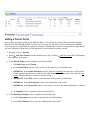
Adding a Parent Portal
How to add a new parent portal to this DNN installation. New portals are created with the default settings as
defined in the Host Settings module. E.g. host fee, host space, site log history. These settings can be modified
once the portal is created. When the portal is created the Administrator receives a message with the login details
you have provided for them however their password is not included for security reasons.
1. Navigate to Host > Portals.
2. Select
Add New Portal from the module menu - OR - click the
the Add New Portal page.
Add New Portal link. This displays
3. In the Portal Setup section, complete the following fields:
a. At Portal Type, select Parent.
b. In the Portal Alias text box, enter an alias for the portal. E.g. www.domain.com
c. OPTIONAL. In the Home Directory text box, click the Customize link and enter a new location
for this portals home directory (relative to the DNN installation root directory). Note: Click the Customize link a second time to return to default setting.
d. OPTIONAL. In the Title text box, enter the name of the portal. E.g. MyWebsite.
e. OPTIONAL. In the Description text box, enter description of the portal.
f. OPTIONAL. In the Keywords text box, enter the key words for the portal separated by a comma (
, ).
g. At Template, select a template from the drop-down list.
4. In the Security Settings section, complete the following fields:
a. In the Username text box, enter a username for the Administrator.
b. In the First Name text box, enter the Administrator's first name.
c. In the Last Name text box, enter the Administrator's last name.
d. In the Email text box, enter the Administrator's email address.
e. In the Password text box, enter a password for the Administrator.
f. In the Confirm text box, re-enter the password for the Administrator.
5. Click the
Create Portal link.
Adding a Parent Portal
Adding a Child Portal
How to add a new child portal to this DNN installation. New portals are created with the default settings as
defined in the Host Settings module. E.g. host fee, host space, site log history. These settings can be modified
once the portal is created. When the portal is created the Administrator receives a message with the login details
you have provided for them however their password is not included for security reasons.
1. Navigate to Host > Portals.
2. Select
Add New Portal from the module menu - OR - Click the
the Add New Portal page.
Add New Portal link. This displays
3. In the Portal Setup section, complete the following fields:
a. At Portal Type, select Child.
b. In the Portal Alias text box, enter an alias for the portal. E.g. www.domain.com/Child.
Note: Child Portal names must be unique.
c. OPTIONAL. In the Home Directory text box, click the Customize link and enter a new location
for this portals home directory (relative to the DNN installation root directory).
Note: Click the Customize link a second time to return to default setting.
d. OPTIONAL. In the Title text box, enter the name of the portal. E.g. MyChildWebsite.
e. OPTIONAL. In the Description text box, enter description of the portal.
f. OPTIONAL. In the Keywords text box, enter the key words for the portal separated by a comma (
, ).
g. At Template, select a template from the drop-down list.
4. In the Security Settings section, complete the following fields:
a. In the Username text box, enter a username for the Administrator.
b. In the First Name text box, enter the Administrator's first name.
c. In the Last Name text box, enter the Administrator's last name.
d. In the Email text box, enter the Administrator's email address.
e. In the Password text box, enter a password for the Administrator.
f. In the Confirm text box, re-enter the password for the Administrator.
5. Click the
Create Portal link.
Adding a Child Portal
Exporting a Portal Template
How to export a portal template for use with the Site Wizard or when creating a new portal. The portal template
includes all portal pages, pages settings and module settings. Module content for modules which allow import/export can optionally be included.
1. Navigate to Host > Portals.
2. Select
Export Portal Template from the menu - OR - click the
Export Portal Template link.
3. At Portal, select the portal to be exported as a template.
4. In the Template File Name text box, enter a name to save the new template portal as. E.g. Small Business
5. In the Template Description text box, enter a description of the portal template. E.g. Five page web site
for a small business. Pages are: Home, Products, Services, About Us, Contact Us.
6. At Include Content, select from the following options:
l
l
Check the check box to copy portal content to the template. This will copy the content of any modules which have export/import capabilities.
Uncheck
the check box to NOT copy the portal content.
7. Click the Export Template link. The address where the exported template file/s are now saved is displayed.
The template file has a .template extension. If you included the portal content a second file with a .template.resources extension is also saved.
8. OPTIONAL. Go to the saved template files and save them to your local computer for future use.
Tip: See Host > File Manager for details on how to import a portal template for use in another DNN installation.
Exporting a Portal Template
Editing Portal Host Settings
How to edit hosting settings including hosting space, page quota, user quota, site log history and premium modules for a portal.
1. Navigate to Host > Portals.
2. Click the Edit
button beside the title of the required portal. This opens the Edit Portals page.
3. Maximize
the Advanced Settings section.
4. Maximize
the Host Settings section.
5. At Expiry Date, click the Calendar link and select the date that hosting contract for this portal expires.
6. In the Hosting Fee text box enter the monthly hosting fee for this site.
7. In the Disk Space text box, enter the available disc space in Megabytes (MB) allowed for this portal - OR Leave this field blank for unlimited space.
8. In the Page Quota text box, enter the maximum number of pages allowed for this portal. Leave this field
blank for unlimited pages.
9. In the User Quota text box, enter the maximum number of users allowed for this portal. Leave this field
blank for unlimited user accounts.
10. In the Site Log History (Days) text box, enter the number of days that Site Log activity is kept for this
portal.
11. At Premium Modules, perform the following to add or remove premium modules on this site:
l
To add a premium module to the portal:
1. Click on the module name in the Available Modules list.
2. Click the Add Module
l
button. The module is now listed in the Selected Modules list.
To add all premium modules to the portal:
1. Click on the module name in the Available Modules list.
2. Click the Add All Modules
list.
l
button. All modules are now listed in the Selected Modules
To remove a premium module from the portal:
1. Click on the module name in the Selected Modules list.
2. Click the Remove Module
ules list.
l
button. The module is now removed from the Selected Mod-
To remove all premium modules from the site:
1. Click on the module name in the Selected Modules list.
2. Click the Remove All Modules
Modules list.
12. Click the
Update link.
button. All modules are now removed from the Selected
Editing Portal Host Settings
Installing and Allocating Modules
Installing Available Extensions
How to batch install one or more extensions which are available on your DNN installation. Extensions include
modules, skins, containers, languages and authentication systems (E.g. Active Directory, CardSpace, LiveID and
OpenID). Once an extension is installed can be managed and allocated to one or more portals using the Host >
Extensions page.
1. Navigate to Host > Extensions.
2. Select
Install Available Extensions from the Extensions module menu - OR - Click the
Available Extensions link at the base of the module.
3. Go to the Available Modules section.
4. Check
the check box beside each module to be installed.
5. Go to the Available Skins section.
6. Check
the check box beside each skin to be installed.
7. Go to the Available Containers section.
8. Check
the check box beside each container to be installed.
9. Go to the Available Languages section.
10. Check
the check box beside each language to be installed.
11. Go to the Available Authentication Systems section.
12. Check
13. Click the
the check box beside each authentication system to be installed.
Install Selected Extensions link.
Install
Installing Selected Extensions
Related Topics:
l
See "Installing a New Module"
Installing a New Module
How to install a new module to your DNN installation.
1. Navigate to Host > Module Definitions.
2. Select Install Module from the module menu - OR - lick the Install Module link.
3. On the Install New Package page complete the following fields:
a. At Ignore File Restrictions, select one of the following:
l
l
Uncheck
to observe file restrictions.
Check the check box to ignore file restrictions. Checking this option will display the message
"WARNING: You have elected to ignore the check for restricted file types. This action poses a
possible security risk for your site, and you should only do this if the package you are installing
is from a trusted source."
b. Click the Browse... button and select the module zip file from your computer.
c. Click the
Next link.
4. On the Package Information page:
a. Review the information about this package.
b. Click the
Next link.
5. On the Release Notes page:
a. Review the release notes for this package.
b. Click the
Next link.
6. On the Review License page:
a. Review the license for this package.
b. OPTIONAL. If available, check the Accept Terms check box to accept the license terms of this package.
c. Click the
Next link.
7. On the Package Installation Report page:
a. Review the results of the package installation which details the success or failure of the upload.
8. Click the
Return link to return to the Module Definitions page.
Installing a Module
Related Topics:
l
See "Installing Available Extensions"
Enabling/Disabling Premium Module
How to set a module as premium using the Module Definitions page. Premium modules can then be assigned
(made available for insertion) on selected portals. When a module is set as premium it is selected (assigned) to all
existing portals and can then be assigned/unassigned from these portals as required. Once a module is set as
premium, it will be a premium module on all newly created portals. I.e. It will not be auto-assigned to newly
created portals.
1. Navigate to Host > Module Definitions.
2. Click the Edit
button beside the required module.
3. Go to the Extension Settings section.
4. At Is Premium Module? select from these options:
l
Check
l
Uncheck
5. Click the
the check box to set the module as premium.
the check box to set the modules as not premium.
Update Desktop Module link located at the base of the Extension Settings section
Enabling/Disabling Premium Module
Assigning/Unassigning Premium Modules to Portals
How to assign or unassign a premium module on one or more portals. This tutorial assumes the module has
already been set as premium. Note: Premium modules are not auto-assigned to a portal when it is created.
1. Navigate to Host > Module Definitions.
2. Click the Edit
button beside the required module.
3. Go to the Extension Settings section.
4. At Is Premium Module? choose from these options:
l
l
l
l
To assign the module to a portal, click on the portal name in the Available list and click the Add
button.
To assign the module to all portals, click the Add All
button.
To remove the premium module from one portal, click on the portal name in the Assigned list and
click the Remove
button.
To remove the premium module from all portals, click the Remove All
5. Click the
Cancel link to return to the Module Definitions page.
Assigning/Unassigning Premium Modules to Portals
button.
Building Your Portal and Adding Content
Configuring Site Settings For A Portal
About the Site Settings Page
The Site Settings page enables Administrators to configure basic and advanced site settings including design, advertising, payment, DNN usability, and user registration settings, etc. Where two or more languages are enabled on a
site, different site settings can be configured for each language as required.
SuperUsers have access to additional Advanced Settings sections called Portal Aliases, SSL Settings and Host Settings. See "Editing Portal Host Settings" and other tutorials in the "Creating and Managing Portals > Managing
Portals" section of this manual. See "Editing Portal Host Settings"
Note: For details on using the Stylesheet Editor see the "Managing Site Design" section of this manual. See
"About the Stylesheet Editor"
The Site Settings Page
Site Details
Setting the Site Title
How to set the site title which is displayed in the title bar of the web site browser.
Tip: This title is also used as a tool tip when a user places their mouse over the site logo. See "Setting the Site
Logo"
1. Navigate to Admin > Site Settings - OR - Select Site
from the Control Panel.
2. OPTIONAL. At Select Language, select which language you wish to update. This field only displays
when multiple languages are enabled.
3. Go to the Basic Settings - Site Details section.
4. In the Title text box, enter a title for the site.
5. Click the
Update link.
The Site Title
Setting the Site Description
How to set the description used by search engines to index this site.
1. Navigate to Admin > Site Settings - OR - Select Site
from the Control Panel.
2. OPTIONAL. At Select Language, select which language you wish to update. This field only displays
when multiple languages are enabled.
3. Go to the Basic Settings - Site Details section.
4. In the Description text box, enter a description for this site.
5. Click the
Update link.
Setting the Site Description
Displaying the Site Title in the Copyright Notice
How to set the copyright notice for the site to automatically display the current year and the site title. This tutorial explains how to display the Site Title and a copyright notice for the current year. E.g. If the title of your site is
My Web site, leave the field blank to display Copyright (c) 2009 My Web site. If the Title field is blank,
the copyright notice will display the text Copyright (c) 2009.
The copyright notice displays on pages where the applied skin contains the [COPYRIGHT] skin object. In the
default DNN skin, the copyright notice appears at the bottom each page.
1. Navigate to Admin > Site Settings - OR - Select Site
from the Control Panel.
2. OPTIONAL. At Select Language, select which language you wish to update. This field only displays
when multiple languages are enabled.
3. Go to the Basic Settings - Site Details section.
4. In the Copyright text box, leave the field blank.
5. Click the
Update link.
Displaying the Site Title in the Copyright Notice
Creating a Unique Copyright Notice
How to create a unique copyright notice for this site. The copyright notice displays on pages where the applied
skin contains the Copyright skin object. In the default DNN skin, the copyright notice appears at the bottom each
page.
1. Navigate to Admin > Site Settings - OR - Select Site
from the Control Panel.
2. OPTIONAL. At Select Language, select which language you wish to update. This field only displays
when multiple languages are enabled.
3. Go to the Basic Settings - Site Details section.
4. In the Copyright text box, enter your copyright text.
5. Click the
Update link.
A Unique Copyright Notice
Appearance
Setting the Site Logo
How to set the logo for this site. The site logo displays on pages where the applied skin contains the Logo skin
object. A site logo is typically displayed in the top left corner of all site pages, as it is in the default DNN skins.
1. Navigate to Admin > Site Settings - OR - Select Site
from the Control Panel.
2. OPTIONAL. At Select Language, select which language you wish to update. This field only displays
when multiple languages are enabled.
3. Go to the Basic Settings section.
4. Maximize
the Appearance section.
5. At Logo, select an existing image file - OR - Upload a new image file.
6. Click the
Update link.
The Site Logo
Payment Settings
Setting the Payment Processor
How to configure payment processing for this site. This enables you to receive payment from users who subscribe
to Member Services (roles) on this site. PayPal is the only payment processor included by default, however your
DNN developer can configure DNN to work with other providers. This tutorial uses PayPal as the example.
Tip: Enabling the sandbox allows test orders to be sent to the payment gateway without taking live transactions.
1. Navigate to Admin > Site Settings - OR - Select Site
from the Control Panel.
2. OPTIONAL. At Select Language, select which language you wish to update. This field only displays
when multiple languages are enabled.
3. Maximize
the Advanced Settings section.
4. Maximize
the Payment Settings section.
5. At Currency, select the currency to process payments with.
6. At Payment Processor, select a payment processing company from the drop-down list. E.g. PayPal
7. Click Go To Payment Processor WebSite and sign up for an account.
8. In the Processor UserId text box, enter the UserID code provided by PayPal.
9. In the Processor Password text box, enter the Password provided by PayPal.
10. OPTIONAL. In the PayPal Return URL text box, enter the page URL that subscribers are redirected to
after payment. Leave blank to return to the Home page.
11. OPTIONAL. In the PayPal Cancel URL text box, enter page URL that subscribers are redirected if payment is canceled. Leave blank to return to the Home page.
12. At Use Sandbox?, select from these options
l
Check
l
Uncheck
13. Click the
the check box to enable PayPal Sandbox.
the check box to disable Sandbox and enable live transactions.
Update link.
Setting the Site's Payment Processor
Other Settings
Setting the Primary Administrator
How to set the primary administrator for this site. This Administrator receives email notification of member activities such as new registrations, unregistered accounts and feedback submitted using the Feedback module (unless
this is overridden on the Feedback module).
Tip: To create new Administrators, add a new user account ( See "Adding a User Account" ) and then add the
user to the Administrators security role ( See "Adding a User to a Security Role" ).
1. Navigate to Admin > Site Settings - OR - Select Site
from the Control Panel.
2. OPTIONAL. At Select Language, select which language you wish to update. This field only displays
when multiple languages are enabled.
3. Maximize
the Advanced Settings section.
4. Maximize
the Other Settings section.
5. At Administrator, select the display name of the required administrator.
6. Click the
Update link.
Setting the Primary Administrator
Setting the Default Language
How to set the default language of this site. This language is allocated to site members upon registration, as well as
when a regional language selected by a user is unavailable. Note: Changing the default language doesn't update the
language allocated to existing users. Only English (US) is supplied by default, however other languages are freely
available from the DotNetNuke.com web site.
For more on languages See "About the Languages Module".
1. Navigate to Admin > Site Settings - OR - Select Site
from the Control Panel.
2. OPTIONAL. At Select Language, select which language you wish to update. This field only displays
when multiple languages are enabled.
3. Maximize
the Advanced Settings section.
4. Maximize
the Other Settings section.
5. At Default Language, select the default language.
6. Click the
Update link.
Setting the Default Language
Setting the Portal TimeZone
How to set the time zone for this site. This sets all time related information on this site including the default setting for the CurrentDate skin object.
1. Navigate to Admin > Site Settings - OR - Select Site
from the Control Panel.
2. OPTIONAL. At Select Language, select which language you wish to update. This field only displays
when multiple languages are enabled.
3. Maximize
the Advanced Settings section.
4. Maximize
the Other Settings section.
5. At Portal TimeZone, select the time zone for this site.
6. Click the
Update link.
Setting the Portal TimeZone
Using the Site Wizard
Step 1 - Site Configuration Wizard
This page provides an introduction to the Site Wizard. Have a read and then click the
Next link.
Step 2 - Choose a Template for your site
This step enables you to choose a site template. Templates contain pages with modules which may or may not
include content.
To skip this step, click the
Next link.
To build the site from an existing template, complete the following steps:
1. At Build your site from a template (below), check
able templates.
the check box. This displays a list of the avail-
2. Click on the name of a template to select it. This displays a description of the selected template.
3. Choose one of the following options to set how duplicate modules will be handled:
l
Ignore - Places a copy of any duplicated modules on the same page.
l
Replace - Deletes the existing copy of the duplicate content and replaces it with the templated copy.
l
Merge - Combines the existing information and template information into one module.
4. Click the
Next link.
Step 3 - Select a Skin for your Site
Here you can select a skin to be applied to the site pages. This will not override settings on individual pages.
To keep the current skin, click the
Next link.
To select a new skin, complete the following steps:
1. To preview a skin, click on the thumbnail image (where provided). This will display the skin in a new web
site browser.
2. Select a skin.
3. Click the
Next link.
Step 4 - Choose a Default Container for your site
Here you can select the default containers that will be applied to the module on the site. This will not override settings on individual modules.
To keep the current container, click the
Next link.
To select a new default container, follow the steps below:
1. If you selected a skin at Step 3, the matching containers will be displayed and the default container will be
selected by default.
2. OPTIONAL. Check
the Show All Containers check box to view all of the available containers.
3. OPTIONAL. To preview a container click on a thumbnail image (where provided). This displays the container in a new web site browser.
4. Select a container.
5. Click the
Next link.
Step 5 - Add Site Details
Here you can enter or edit the Site Details for this site. These are the default details used by search engines to
index your site.
1. In the Name/Title text box, enter the name or title to be applied to the site. This will show in visitors
browser window titles.
2. In the Description text box, enter description to be applied to the site. This will be the description that
Internet search engines will display to visitors. The site must be submitted to these search engines.
3. In the KeyWords text box, enter keywords to be applied to the site. This will be what the Internet search
engines look for if you choose to submit your site to them.
4. At Logo, select or upload a logo. See the Common Tools > Link Control for more details.
5. Click the
Finish link. A message reading "If you changed the skin for your site, it should change when
you leave this page" is displayed.
6. Click on the Home page to view any skin or module changes and to view any new pages or modules added
using a template.
Final page of the Site Wizard
Working with the Control Panel
About the DNN Control Panels
DNN includes two Control Panels - the RibbonBar (DNN Professional Edition only) and the Iconbar which enable the Host, SuperUsers, Administrators, Page Editors and Content Editors (optional) to access and perform a
range of content management, and administrative tasks.
Administrators can configure usability settings for the Control Panel. See the Admin Pages > Usability Setting section.
Hosts can set which Control Panel used. "Setting the Control Panel".
Both types of Control Panels include the following quick links:
l
The
Admin and
Host links (top right) provides Administrators and SuperUsers with one click
access to the Admin Console page and the Host Console page respectively.
Related Topics:
l
"Overview of the Iconbar"
l
See "Overview of the RibbonBar"
The RibbonBar Control Panel logged in as Host
The Iconbar Control Panel logged in as Host
Overview of the RibbonBar
The RibbonBar displays site management tools grouped under these three categories: Common Tasks, Current
Page, Admin and Host. The Common Tasks and Current Page tabs are displayed on pages where users have editing permissions; the Admin tab is displayed to users in the Admin role; and the Host tab is displayed to the Host
and SuperUsers.
Here is an overview of the four sections of the RibbonBar:
Common Tasks Tab
Displays these commonly performed tasks:
Description
Actions Section
Link to edit current page settings.
Edit
See "Editing Page Settings"
Visible When
Link to create a new page.
See "Adding a Page via the Page Settings Page"
Insert Page Section
User has Add Page permission.See "Adding a Page
via the Page Settings Page"
New
Add
Page
Adds a page to the site.
See "Inserting a Page (RibbonBar)"
User has Manage Settings permission
User has Add Page permission
Insert Module Section
Adds a module to the page.
User has Add Content permission.
Add
See "Adding a New Module" and "Adding an Exist- Enabled if the current page is not an Edit page
Module
ing Module (RibbonBar)"
(E.g. Page Settings)
Common Tasks Tab
Current Page Tab
Description
Visible When
Settings Section
Link to edit current page
settings.
User has Manage Settings permission
Edit
See "Editing Page Settings"
Actions Section
Link to copy current
page. See "Copying a
User has Copy Page permission
Copy
Page"
Delete
Link to delete current
page. See "Deleting a
Page"
User has Delete Page permission. Enabled if the current page is not a
special page. I.e. Admin / Host pages and pages in use under Site Settings > Advanced Settings > Page Management.
Import
Link to import a page.
See "Importing a New
Page"
User has Import Page permission.See "Importing a New Page"
Link to export a page.See
User has Export Page permission.See "Exporting a Page"
"Exporting a Page"
Update Current Page Section
Add new page.
See "Inserting a Page
User has Add Page permission.
(RibbonBar)"
Copy Actions Section
Copy current page permission to children
Copy
pages.
User has Manage Settings permission. Enabled if page has child pages.
Permissions See "Copying Perto Children* missions to Descendant
Pages"
Export
Copy current page design
(skin and container setCopy
tings) to children.
User has Manage Settings permission. Enabled if page has child pages.
Design to
See "Copying Design to
Children*
Children Pages"
Help Section
Link (new window) to
Help URL defined in
If Help URL is set. See "Setting the Online Help URL"
Help
Host Settings
* For Page Editors: Will only update child pages which the page editor has permission to edit.
Current Page Tab
Admin Tab
Description
Settings Section
Site Settings
Link to Site Settings. See "About the Site Settings Page"
Link to Admin Console. See "Overview of the Admin Pages"
Console
User Security Section
Users
Link to Admin > Users Account. See "About the User Accounts Module"
User Roles
Link to Admin > User Roles. See "About the Security Roles Module"
Add User
Link to Admin > Users > Add User. See "Adding a User Account"
Add Role
Manage Section
Link to Admin > User Roles > Add Role. See "Adding a Security Role (Basic Settings)"
Pages
Link to Admin > Pages. See "About the Tabs module"
File Manager
Link to Admin > File Manager. See "About the File Manager Module"
New Page
Link to Admin > Pages > Add Page. See "Adding a Page"
Upload File
Features Section
Link to Admin > File Manager > Upload File. See "Uploading a Single File"
News Letters
Link to Admin > Newsletters. See "About the Newsletters Module"
Extensions
Link to Admin > Extensions. See "About the Extensions Module"
Skins
Link to Admin > Skins. See "About the Skins Module"
Languages
Logs Section
Event Log
Site Log
Restore Section
Recycle Bin
Link to Admin > Languages. See "About the Languages Module"
Link to Admin > Event Log. See "About the Log Viewer Module"
Link to Admin > Site Log. See "About the Site Log Module"
Link to Admin > Recycle Bin.See "About the Recycle Bin Module"
Admin Tab
Host Tab
Description
Settings Section
Host Settings
Console
Manage Section
Link to Host Settings. See "About the Host Settings Page"
Link to Host Console. See "About the Host Pages"
Super Users
Link to Host > Super Users. See "About the Host Page"
File Manager
Link to Host > File Manager. See "About the File Manager Module"
Extensions
Link to Host > Extensions. See "About the Extensions Module"
Sites
Information Section
Link to Host > Portals. See "About the Portals Page"
Dashboard
Link to Host > Dashboard. See "Viewing Dashboard Information"
What's New
Link to Host > What's New. See "About the What's New Module"
Web Servers
Link to Host > Professional Features > Manage Web Servers. See "About the Web Ser
Support
Tools Section
Link to Host > Technical Support. Opens the DNN Professional Support Ticket system
Scheduler
Link to Host > Scheduler. See "About the Schedule Page"
SQL
Link to Host > SQL. See "About the SQL Page"
Integrity*
Switch Site Section**
Switch Site
Marketplace Section
Marketplace
Link to Host > Application Integrity page. See "About the File Integrity Checker Mod
Allows switching to different portals. See "Switching Sites"
Link to Host > Marketplace. See "About the Marketplace Module"
* Only available in DotNetNuke Professional Edition
** May require login to the new site
Host Tab
Overview of the Iconbar
The Iconbar Control Panel provides a single interface from which authorized users can access page and module
management tools, shortcuts to six common administration tasks and quick links to the Administration and Host
pages.
The Iconbar Control Panel logged in as Host
Page Functions
The Page Functions section (left) is accessible to Page Editors, Administrators and SuperUsers. It enables users
to add new pages (See "Adding a Page via the Page Settings Page"), edit settings for the current page (See "Editing
Page Settings"), delete the current page (See "Deleting a Page"), copy the current page See "Copying a Page"),
export the current page (See "Exporting a Page") and import a page (See "Importing a New Page"). Note: Page
Editors will have access to one or more of these tools according to the permissions granted to them. Access will
change depending on the permissions for the current page.
Module Insertion
Tip: Users must be authorized to deploy a module and be a page editor to add a module to a page.
Common Tasks
Page Editors can access this icon:
l
Help
button which links to the DNN Online Help URL set by the host. This option is disabled if no
help link is provided.
Administrators and Hosts can access these additional icons:
l
Site: Opens the Admin > Site Settings page. See "About the Site Settings Page"
l
Users: Opens the Admin > User Account page. See "About the User Accounts Module"
l
Roles: Opens the Admin > Security Roles page. See "About the Security Roles Module"
l
Files: Opens the Admin > File Manager page.See "About the File Manager Module"
l
Help: Opens the Online Help resource associated with the site.
l
Extensions: Opens the Admin > Extensions page. See "About the Extensions Module"
The Iconbar Control Panel (as displayed to the Host)
Maximizing/Minimizing the Control Panel
How to maximize or minimize the main section of the Control Panel. This functionality isn't available to Module
Editors. The default visibility is set by Administrators. "Setting Control Panel Visibility".
1. In the top right hand corner of the Control Panel, select from these options:
l
Click the Minimize button to hide the Control Panel.
l
Click the Maximize button to display the Control Panel.
Minimized RibbonBar logged in as Host
Maximized RibbonBar logged in as Host
Setting Control Panel Mode
How to set the mode of the Iconbar Control Panel.
1. At Mode, select from the following options:
l
l
View: View the page with module editing tools hidden. This option shows you how the page appears
to site visitors.
Edit: Displays all module editing tools available to the current user. E.g. Module menu, add/edit
links, Settings button.
Important. This option must be selected to edit the page.
l
Layout: Displays the layout of page panes and any modules within those panes. Module content is
hidden. This option enables you to view the design of the page skin without the distraction of module
content.
Setting the Control Panel mode
Adding and Managing Pages
About Pages
DNN sites are created by adding one or more pages and then adding modules which display content onto those
pages. This section provides information on viewing, adding and managing pages. Additional functionality is available to Administrators and SuperUsers using the Pages (Tabs) module. See "About the Tabs module"
Related Topics:
l
See "About Page Permissions"
Viewing Any Page
How to view any page within a site, including those which are not included in the menu.
l
l
Option One: If the page is visible (included) in the menu, then navigate to the page using the site menu.
Option Two: If the page is hidden (not included in the menu), click on a link to the hidden page. Authorized users can create a page link using the Links module. See "Setting a Page Link"
Adding Pages
Inserting a Page (RibbonBar)
How to add a page to a site using the RibbonBar. Note: If content localization is enabled, this task adds a page
which is a neutral culture and will be the same for all languages. This tutorial assumes you are viewing the site in
its default language.
1. Maximize
the Control Panel.
2. Go to the Common Tasks tab.
3. Go to the Insert Page section.
4. In the Name text box, enter a name for the page. This is the name which appears in the menu. Skip to
Step 7 accept the default options which adds this page to the save level of the menu after (to the right of)
the current page.
5. OPTIONAL. At Template, select the page template for this page. The Default template is selected by
default.
6. OPTIONAL. At Include In Menu, check
Uncheck the check box to hide the page.
the check box to include this page in the menu - OR -
7. OPTIONAL. At Insert, select from these options:
l
l
l
Skip this step to add the page after (to the right of) the page you are currently on.
Select to add the page either Before (to the left of) or After (to the right of) the page name selected
in the second drop-down box. This adds the page on the same level in the menu.
Select to add the page as a Child Of the page name selected in the second drop-down box.
8. Click the Add Page button. The page will now be added and set as visible to Administrators only. This
allows you to add content to the page before setting it as viewable by one or more user roles. See "Setting
Page Permissions"
Adding a Page using the RibbonBar
Adding a Page via the Page Settings Page
How to add a new page to a site.
1. Maximize
the Control Panel.
2. On the RibbonBar, select the Common Tasks tab and then select
Page Functions section and then select
Add.
New - OR - On the Iconbar, go the
3. Go to the Basic Settings - Page Details section.
4. In the Page Name text box, enter a name for the page. This is the name which appears in the menu.
Note: Page Name is the only mandatory field.
5. OPTIONAL. Complete Permissions if displayed. Note: If permissions are not displayed, the new page
will inherit the permissions of its parent page. If Permissions are displayed but not set then the page will be
visible to Administrator's only. See "Setting Page Permissions"
6. Recommended. Complete the other basic settings for this page. "Basic Settings for New Pages"
7. In the Localization section, select the required option. See "Localization Settings for New Pages". Note:
The Localization section only displays if content localization is enabled. See "About Content Localization".
8. OPTIONAL. Complete advanced page settings as required. "Setting Advanced Settings for New Pages"
9. Click the
Adding a New Page
Related Topics:
Update link.
l
See "Adding a Page to Secondary Language"
Adding a New Page from a Template
How to add a new page based on an existing page template. This option allows you to configure page settings
before the new page is displayed on the site. Note: The Localization section only displays if content localization is
enabled. See "About Content Localization".
1. Maximize
the Control Panel.
2. On the RibbonBar, select the Common Tasks tab and then select
Page Functions section and then select
Add
New - OR - On the Iconbar, go the
3. Go to the Basic Settings - Page Details section.
4. In the Page Name text box, enter a name for the page. If this page is displayed in the menu, this will be
the name in the menu.
5. At Template Folder, select the folder of your File Manager where the template is located. This will enable the template field below and populate the drop-down list with all templates within this folder.
6. At Page Template, select a template from the drop-down list.
7. Complete the remaining basic settings as required. "Basic Settings for New Pages"
8. In the Localization section, select the required option. See "Localization Settings for New Pages"
9. OPTIONAL. Complete advanced page settings as required. "Setting Advanced Settings for New Pages"
10. Click the
Update link.
Adding a new page from a template
Related Topics:
l
See "Adding a Page to Secondary Language"
Inserting a User Profile Page
How to add a user registration/profile page to a site using the RibbonBar.
1. Maximize
the Control Panel.
2. Go to the Common Tasks tab.
3. Go to the Insert Page section.
4. In the Name text box, enter a name for the page. E.g. Profile
5. At Template, select UserProfile as the page template for this page.
6. At Include In Menu, check the check box to include this page in the menu - OR - Uncheck the
check box to hide the page. Typically you would uncheck the check box so the page is only accessible
when the user clicks their [Display Name] link to go to their profile.
7. OPTIONAL. At Insert, select from these options:
l
l
l
Skip this step to add the page after (to the right of) the page you are currently on.
Select to add the page either Before (to the left of) or After (to the right of) the page name selected
in the second drop-down box. This adds the page on the same level in the menu.
Select to add the page as a Child Of the page name selected in the second drop-down box.
8. Click the Add Page button.
9. Go to Admin > Pages or to a Tabs module.
10. Select the new page and click the Edit Selected Page
button.
11. At Permissions, grant All Users permission to View the page.
12. Click the
Update link.
Adding a User Profile Page using the RibbonBar
Manage Pages
Viewing Any Page
How to view any page within a site, including those which are not included in the menu.
l
l
l
Option One: If the page is visible (included) in the menu, then navigate to the page using the site menu.
Option Two: If the page is hidden (not included in the menu), click on a link to the hidden page. Authorized users can create a page link using the Links module.
Option Three: See "Viewing any Page (Tabs Module)"
Moving Page Location
How to move a page to a new location on the site menu.
Admin Tip: Additional options are available to Administrators. See "Moving Page Position in Menu"
1. Go to the required page. See "Viewing Any Page".
2. Maximize
the Control Panel.
3. On the RibbonBar, go to either the Current Page or the Common Tasks tab and select
the Iconbar, go the Page Functions section and select
Settings.
Edit - OR - On
4. Go to the Basic Settings - Page Details section.
5. At Parent Page, select a new parent page, or select <None Specified> to change this page to a parent
page.
6. Click the
Update link.
Moving the position of a page
Copying a Page
How to copy any existing page including modules and optional module content. Note: Page Name is the only mandatory field
Note: The Localization section only displays if content localization is enabled. See "About Content Localization".
1. Maximize
the Control Panel.
2. On the RibbonBar, go to the Current Page tab and select
tions section and select
Copy
Copy - OR - On the Iconbar, go the Page Func-
3. Go to the Basic Settings - Page Details section.
4. In the Page Name text box, enter a name for the new page. The page name is displayed in the menu.
5. Complete additional basic settings for this page. "Basic Settings for New Pages"
6. Go to the Copy Page section complete the following fields:
a. At Copy From Page, select the page be copied.
b. At Specify Modules, complete the following steps for each module:
c. To copy a module:
i. In the module title text box, enter a new module title if required.
ii. Select one of the following options:
1. New: This will add the module without any content.
2. Copy: This will add the module with an independent copy of the module content. Modifying copied content doesn't update the content of the original module. Note: This
option will be disabled for modules which don't have content which can be copied such
as the Feedback and Account Login modules.
3. Reference: This will add the module with a referenced version of the copied content.
Modifying referenced content updates both copies of the module.
d. To NOT copy a module:
a. Uncheck
the check box beside any module you do NOT want copy.
7. In the Localization section, select the required option. See "Localization Settings for New Pages"
8. OPTIONAL. Complete the advanced page settings as required. "Setting Advanced Settings for New Pages"
9. Click the
Update link. You are now taken to the new page.
Copying a page
Copying Design to Children Pages
How to copy the design applied to a page to all of its child (descendant) pages. This applies the Page Skin and Page
Container settings of the parent page to all child pages. This setting is only available for existing pages with child
pages.
Option One - Using the Ribbonbar
1. Navigate to the required parent page.
2. Maximize
the Control Panel.
3. Go to the Current Page tab.
4. Select
Copy Permissions to Children. This displays Confirm message box which reads "Skin and container will be replaced for all children of this page. Are you sure you want to continue?"
5. Click the OK button to confirm.
Copying page and module design to child pages directly from the RibbonBar
Option Two -Using the Ribbonbar or Iconbar
1. Navigate to the required parent page.
2. Maximize the Control Panel.
3. On the RibbonBar, go to either the Current Page or the Common Tasks tab and select
the Iconbar, go the Page Functions section and select
Settings.
Edit - OR - On
4. Go the Advanced Settings - Appearance section.
5. At Copy Design to Descendants, click the Copy Design link.
6. Click the
Update link.
Copying page and module design to child pages on the Page Settings page
Copying Permissions to Descendant Pages
How to copy the permissions applied to a parent page to all of its descendant (child) pages. This applies the Permissions set for viewing and editing pages. This setting is only displayed for pages with existing child pages.
Option One - Using the Ribbonbar
1. Navigate to the required parent page.
2. Maximize
the Control Panel.
3. Go to the Current Page tab.
4. Select
Copy Design to Children. This displays Confirm message box which reads "Skin and container
will be replaced for all children of this page. Are you sure you want to continue?"
5. Click the OK button to confirm.
Option Two - Using the Ribbonbar or Iconbar
1. Navigate to the required parent page.
2. Maximize the Control Panel.
3. On the RibbonBar, go to either the Current Page or the Common Tasks tab and select
the Iconbar, go the Page Functions section and select
Settings.
4. Go the Basic Settings - Page Details section.
5. At Copy Permissions to Descendants, click the Copy Permissions link.
6. Click the
Update link.
Edit - OR - On
Copying permissions to descendant pages
Exporting a Page
How to export a page. This enables you to create a page template which you can then import. This option is only
available on the Iconbar Control Panel.
1. Navigate to the required page. "Viewing Any Page"
2. Maximize
the Control Panel.
3. On the RibbonBar, go to the Current Page tab and select
Functions section and select
Export
Export - OR - On the Iconbar, go the Page
4. At Folder, select a folder of the site's File Manager where the exported page will be stored.
5. In the Template Name text box, the name of the exported page is displayed. You can either use this as
the name of the page template or change it to a new name.
6. In the Description text box, enter a description of the page you are exporting. This description is exported
with the page template. Typically the description provides a brief overview of the page and (if included) it's
content.
7. OPTIONAL. At Include Content?, check the check box to include module content - OR - Uncheck
the check box to add the modules without any content.
8. Click the
created.
The Export Page page
Export button. This displays a message with the path where the page template has been
The exported page is saved in the site's File Manager
Importing a New Page
How to add a new page using the Import function. This enables you to apply a page template that has previously
been exported. The new page is added to the site before user can change the page settings. This tutorial can only
be performed using the Iconbar Control Panel.
1. Maximize
the Control Panel.
2. On the RibbonBar, go to the Current Page tab and select
Functions section and select
Import
Import- OR - On the Iconbar, go the Page
3. At Folder, select the folder of your File Manager where the template is located. This enables the template
field below and populates the drop-down list with all templates within this folder.
4. At Template, select a template from the drop-down list. This displays a description of the selected template providing more details of the template.
5. At Import Mode, select Create A New Page.
6. In the Page Name text box, the name of the template will be displayed. You can choose to enter a new
page name or use this name,
7. At Parent Page, select <None Specified> to set this page as a parent page - OR - Select the parent page
from the drop-down box. Note: Page Editors can only select parent pages which they are editors of.
8. At Insert Page, select from these options to choose the location of the new page in the menu:
l
l
Select a page from the drop-down box and then select to add the new page either Before or After
that page in the menu on the current level.
Select Add to End to add the new page to the end of the menu on the current level.
9. At Redirect Mode? select from the following options to set where you will be redirected to once you complete this importing:
a. Select View Imported Page to be redirected to the newly created page upon creation (Import).
b. Select Edit Imported Page to be redirected to the Page Settings page of the newly created page
upon creation (Import). This enables you to configure the page settings immediately.
10. Click the Import link.
Tip: View the new page to ensure that any modules that are set to display on all pages are not duplicated. This
may occur if the selected template includes modules that are displayed on all pages.
Importing a New Page
Replacing the Current Page with a Page Template (Import Page)
How to replace the modules on the current page with a page template. This option is only available on the Iconbar control panel.
1. Maximize
the Control Panel.
2. On the RibbonBar, go to the Current Page tab and select
Functions section and select
Import.
Import - OR - On the Iconbar, go the Page
3. At Folder, select the folder of your File Manager where the template is located. This will enable the template field below and populate the drop-down list with all templates within this folder.
4. At Template, select a template from the drop-down list. The description of the selected template will be
displayed providing you with more details of the template.
5. At Import Mode, select Replace The Current Page.
6. At Redirect Mode? select from the following options to set where you will be redirected to once you complete this importing:
l
l
Select View Imported Page to be redirected to the newly created page upon creation (Import).
Select Edit Imported Page to be redirected to the Page Settings page of the newly created page
upon creation (Import). This enables you to configure the page settings immediately.
7. Click the Import link. The new page will now be added to the top level of the menu. If Edit Imported Page
was selected at Step 6 you can now edit page settings as required.
Tip: View the new page to ensure that any modules that are set to display on all pages are not duplicated. This
may occur if the selected template includes modules that are displayed on all pages.
Replacing the Current Page with a Page Template (Import Page)
Deleting a Page
How to delete a page from a site. Pages set as either the Splash page, Home page, Login page, or the User page
cannot be deleted until the setting is removed. The last visible portal page can also not be deleted. Deleted pages
are stored in the Recycle Bin where they can be restored or permanently deleted by authorized users.
Option One - Directly from the Control Panel
1. Navigate to the required page.
2. Maximize
the Control Panel.
3. On the RibbonBar, go to the Common Tasks tab - OR - On the Iconbar, go the Page Functions section.
4. Select
Delete. This displays the message box which reads "Are you sure you want to delete this page?"
5. Click the OK button to confirm.
Deleting a page using the RibbonBar
Deleting a page using the Iconbar
Option Two - Via the Site Settings Page
1. Navigate to the required parent page.
2. Maximize
the Control Panel.
3. On the RibbonBar, go to either the Current Page or the Common Tasks tab and select
the Iconbar, go the Page Functions section and select
Settings.
Edit - OR - On
4. Click the Delete link located at the base of the page. This displays the message box which reads "Are you
sure you want to delete this page?"
5. Click the OK button.
Related Topics:
l
See "About the Recycle Bin Module"
l
See "Deleting a Page from a Secondary Language"
Manage Settings
About Page Permissions
How to set access to view, edit and manage pages and page content setting permissions by roles and/or usernames. This tutorial provides an overview of the different page permissions available. For full details See "Setting
Page Permissions".
IMPORTANT: In DNN Community edition, page management permissions consist of only two settings: View
Page and Edit Page. In DNN Professional, page management has ten permissions.
Professional Edition Permissions
Only available in DotNetNuke Professional Edition
Here is the full list of page permissions available in Professional Edition:
l
l
l
l
l
View: View permissions enable users to view the page.
Add: Users with Add permissions for a page can add child pages to that page. They cannot add any parent
pages, and they cannot add child pages to any other pages.
Add Content: Users with Add Content permissions for a page can edit content on the page. These users
can add, move and delete modules, as well as manage the content and settings for modules on the page.
Copy: Users with Copy permission can make a copy any page they can view. The new page can only be a
child of the page they have copy permissions for.
Delete: Users with Delete permissions can delete the page. If the page has child pages they are also deleted
when the parent is deleted, however the user does not automatically have Delete permissions for these
child pages.
l
Export: Users with Export permissions can export the page.
l
Import: Users with Import permissions can import a page.
l
l
l
Manage Settings: Users with Manage Settings permissions can change the page settings. Users can edit
all of the settings on the Settings page, except for the permissions section which will not be visible.
Navigate: Users with Navigate permissions can view a page in the navigation menu. Users can have this
permission without view permissions, in which case they will not be able to view any content on the page
but the page will be visible in the menu.
Full Control: Users with Full Control permissions have full administrative rights for the page. This permission is the same as the Edit Page permission in the Community Edition.
Page Permissions in DNN Professional Edition
Community Edition Permissions
Here is the list of page permissions available in Community Edition:
l
View Page: View permissions enable users to view the page.
l
Edit Page: Edit permissions give users full administrative rights for the page.
Page Permissions in DNN Community Edition
Editing Page Settings
How to edit the settings of the current page.
1. Go to the required page. See "Viewing Any Page".
2. Maximize
the Control Panel.
3. On the RibbonBar, go to the Common Tasks tab and select
Edit - OR - On the Iconbar, go the Page
Functions section and select
Settings. This opens the Page Settings page.
4. Edit page settings as required. See "Basic Settings for Existing Pages", and "Advanced Settings for Existing
Pages"
5. Click the
Update link.
Accessing Page Setting using the RibbonBar
Accessing Page Settings using the Iconbar
Basic Settings for New Pages
How to set the basic page settings. Note: The Page Name field is the only mandatory field. This tutorial assumes
you have already begun the process of adding a new page. See "Inserting a Page (RibbonBar)", or "Adding a Page
via the Page Settings Page"
1. Go to the Basic Settings - Page Details section.
2. In the Page Name text box, enter a name for the page. If this page is displayed in the menu, this will be
the name in the menu.
3. In the Page Title text box, enter a short, descriptive sentence summarizing the page content. The title is
used by search engines to identify the information contained on the page. It is recommended that the title
contains at least 5 highly descriptive words and does not exceed 200 characters.
4. In the Description text box, enter a description of the page content. The description is used by search
engines to identify the information contained on the page. It is recommended that the description contains
at least 5 words and does not exceed 1000 characters.
5. In the Keywords text box, enter key words for this page separated by comma.
6. At Tags, select one or more tags associated with this page. Page tagging is a way of categorizing content for
more meaningful search results.
7. At Parent Page, select <None Specified> to set this page as a parent page - OR - Select the parent page
from the drop-down box. Note: Page Editors can only select parent pages which they are editors of.
8. At Insert Page, select from these options to choose the location of the new page in the menu:
l
l
Select a page from the drop-down box and then select to add the new page either Before or After
that page in the menu on the current level.
Select Add to End to add the new page to the end of the menu on the current level.
9. OPTIONAL. Page templates allow you to add modules with optional content to a new page. Complete the
following to use a template for this page:
i. At Template Folder, select the folder where the required template is located.
ii. At Page Template, select the required template.
10. At Include In Menu?, check
check box to hide the page.
the check box to include this page in the menu- OR - Uncheck
the
11. At Permissions, set the permissions to view and manage this page. "Setting Page Permissions"
Tip: When setting Permissions, change the selection at Filter By Group to set permissions for any of the related
roles.
Basic Settings for New Pages
Basic Settings for Existing Pages
How to set the basic setting for existing pages on the Page Settings page. See "Editing Page Settings". Note: The
Page Name field is the only mandatory field.
1. Go to the Basic Settings - Page Details section and edit any of the following settings.
2. In the Page Name text box, enter a name for the page. If this page is displayed in the menu, this will be
the name in the menu.
3. In the Page Title text box, enter a short, descriptive sentence summarizing the page content. The title is
used by search engines to identify the information contained on the page. It is recommended that the title
contains at least 5 highly descriptive words and does not exceed 200 characters.
4. In the Description text box, enter a description of the page content. The description is used by search
engines to identify the information contained on the page. It is recommended that the description contains
at least 5 words and does not exceed 1000 characters.
5. In the Keywords text box, enter key words for this page separated by comma.
6. At Tags, select one or more tags associated with this page. Page tagging is a way of categorizing content for
more meaningful search results. Note: Tags can be created by users (See "Tagging Page Content") or editors
(See "Creating a Vocabulary").
7. At Parent Page, select <None Specified> to set this page as a parent page - OR - Select the parent page
from the drop-down box. Note: Users can only select parent pages which they have been granted Add,
Full Control permissions for (Edit permissions in Community Edition)
8. At Include In Menu?, check
check box to hide the page.
the check box to include this page in the menu - OR - Uncheck
the
9. At Permissions, set the permissions to view and manage this page. See "Setting Page Permissions"
10. OPTIONAL. At Copy Permissions to Descendants, click the Copy Permissions link. "Copying Permissions to Descendant Pages"
11. Click the Update link.
Tip: When setting Permissions, you can change the selection at Filter By Group and set permissions for any of
the related roles before updating.
For Example: In the below screen capture, permission have been set to enable All Users to view the page,
members of the Page Editors role to edit the page, and the user with the username Jack has been denied permission to edit the page. This means that Jack will not be able to edit the page even if he is a member of the Page
Editor role.
Basic page settings when adding a new page
Setting Page Permissions
How to set page permissions by username and roles. This tutorial assumes you are on the Page Settings page of a
page. Note: Access to view and set page permissions is only available to Administrators and users with Edit/Full
Control permissions for the page. See "About Page Permissions"
IMPORTANT: In DNN Community edition, page management permissions consist of View and Edit permissions only. In DNN Professional, page management includes ten different permissions for page management
which are the same for both users and roles. See "About Page Permissions"
1. Go to the Basic Settings - Page Details section.
2. Go to Permissions.
3. At Username, enter the username of a user that you want to grant or deny page viewing permissions to,
and then click the
Add link.
4. OPTIONAL. At Filter By Group, select from the following options:
l
l
l
< All Roles >: Select to view all roles (both global role and roles groups) in one single list.
< Global Roles >: Select to view all roles which are not associated with a Role Group. E.g. Administrators, All Users, Registered Users, and Unauthenticated Users.
[Role Group Name]: Select the name of a Role Group to view the roles within that group.
5. In the View (or View Page) column, click on the check box beside a user/role repeatedly until the correct
permission is displayed.
l
Permission Granted:: Permission to view the page is granted.
l
Permission Denied: Permission to view the page is denied, unless Full Control is granted.
l
Not Specified: Permissions are not specified. Users cannot view the page unless they belong to
another role/username which has been granted permission, or are granted Full Control/Edit Page
permissions.
6. If you are using DNN Community Edition, Skip to Step 15.
7. In the Add column, select from these options:
l
l
l
Permission Granted: Users with Add permissions for a page can add child pages to that page.
They cannot add any parent pages, and they cannot add child pages to any other pages.
Permission Denied: Permission to add child pages is denied, unless Full Control is granted.
Not Specified: Permissions are not specified. Users are unable to add pages unless they belong to
another role/username which has been granted permission.
8. In the Add Content column, select from these options:
l
Permission Granted: Users with Add Content permissions for a page can edit content on the
page. These users can add, move and delete modules, as well as manage the content and settings for
modules on the page.
l
l
Permission Denied: Permission to add and manage module content is denied, unless Full Control is granted.
Not Specified: Permissions are not specified. Users are unable to view the page unless they
belong to another role/username which has been granted permission.
9. In the Copy column, select from these options:
l
l
l
Permission Granted: Users with Copy permission can make a copy any page they can view.
The new page can only be a child of the page they have copy permissions for.
Permission Denied: Permission to copy the page is denied, unless Full Control is granted.
Not Specified: Permissions are not specified. Users are unable to copy the page unless they
belong to another role/username which has been granted permission.
10. In the Delete column, select from these options:
l
l
l
Permission Granted: Users with Delete permissions can delete the page. If the page has child
pages they are also deleted when the parent is deleted, however the user does not automatically have
Delete permissions for these child pages.
Permission Denied: Permission to delete the page is denied, unless Full Control is granted.
Not Specified: Permissions are not specified. Users are unable to delete the page unless they
belong to another role/username which has been granted permission.
11. In the Export column, select from these options:
l
l
l
Permission Granted: Users with Export permissions can export a page.
Permission Denied: Permission to export the page is denied, unless Full Control is granted.
Not Specified: Permissions are not specified. Users are unable to export the page unless they
belong to another role/username which has been granted permission.
12. In the Import column, select from these options:
l
Permission Granted: Users with Import permissions can import a page.
l
Permission Denied: Permission to import the page is denied, unless Full Control is granted.
l
Not Specified: Users cannot import the page unless Full Control/Edit permission is granted.
13. In the Manage Settings column, select from these options:
l
Permission Granted: Users with Manage Settings permissions can change the page settings.
Users can edit all of the settings on the Settings page, except for the permissions section which will
not be visible.
l
l
Permission Denied: Permission to manage settings the page is denied, unless Full Control is
granted.
Not Specified: Permissions are not specified. Users are unable to manage settings for the page
unless they belong to another role/username which has been granted permission.
14. In the Navigate column, select from these options:
l
l
l
Permission Granted: Users with Navigate permissions can view a page in the navigation menu.
Users can have this permission without view permissions, in which case they will not be able to view
any content on the page but the page will be visible in the menu.
Permission Denied: Permission to navigate to the page is denied, unless Full Control is
granted.
Not Specified: Permissions are not specified. Users are unable to navigate to the page unless
they belong to another role/username which has been granted permission.
15. In the Full Control (or Edit Page) column, select from these options:
l
Permission Granted: Users with Full Control permissions have full administrative rights for
the page. This permission is the same as the Edit Page permission in the Community Edition. This
role overrides other settings.
l
Permission Denied: Permission to delete the page is denied, unless Full Control is granted.
l
Not Specified: Permissions are not specified.
16. Click the
Update link.
Page Permissions ain DNN Professional Edition
Setting Advanced Settings for New Pages
An overview of the advanced settings for new pages. All advanced page settings are optional. This tutorial assumes
you are in the process of adding a new page or editing an existing page. See "Adding a Page via the Page Settings
Page", or "Editing Page Settings"
1. Maximize the Advanced Settings section.
2. In the Appearance section, complete any of the following optional settings:
a. At Icon, select an image to be displayed beside the page name in the menu. This is also used as the
Small Icon in the Console module.
b. At Large Icon, select an image to be displayed as the Large Icon for the Console module.
c. At Page Skin, select Host or Site to view the associated skins and then select a skin from the
drop down list. If <Use Portal Default> is selected, the default Portal Skin is used.
d. At Page Container, select Host or Site to view the associated containers and then select a container from the drop down list. If <Use Portal Default> is selected, the default Portal Container
is used.
e. At Disabled, select from these options:
l
l
Check the check box if the page name is not a link. I.e. When you click on the page
name in the menu nothing happens. Typically this option is selected for Parent pages
and provides a way for users to navigate to a Child page.
Unchecked the check box for this page name to be a link to the page. This is the
default option.
f. At Refresh Internal (seconds), enter the interval to wait between automatic page refreshes.
(E.g. Enter "60" for 1 minute or 60 seconds.) Leave field blank to disable.
g. At Page Header Tags enter any tags (i.e. meta-tags) that should be rendered in the "HEAD" tag
of the HTML for this page.
3. In the Other Settings, the following OPTIONAL settings are available:
a. At Secure? check the check box to force this page to use a secure connection or secure socket
layer (SSL). This option requires the Administrator to configure the SSL Settings on the Admin >
Site Settings page.
b. At Site Map Priority, enter the desired priority (between 0 and 1.0). This helps determine how
this page is ranked in Google with respect to other pages on your site (0.5 is the default).
c. At Start Date, click the Calendar link and select the first date the page is viewable.
d. At End Date, click the Calendar link and select the last date the page is viewable. Note: Expired
pages can be viewed by Administrators via the Admin > Pages page.
e. OPTIONAL. At Link URL, to set this page to be a navigation link to another resource, select or
add the Link here. See "About the Link Control"
f. At Permanently Redirect?, check the check box to notify the client that this page should be
considered as permanently moved. This would allow Search Engines to modify their URL's to
directly link to the resource. Note: This setting is ignored if the Link Type is set to None.
4. Click the
Update link.
Advanced settings for new pages
Advanced Settings for Existing Pages
How to set the advanced settings for existing pages on the Page Settings page. See "Editing Page Settings". All
advanced page settings are optional.
1. Maximize the Advanced Settings section.
2. In the Appearance section, complete any of the following optional settings:
a. At Icon, select an image to be displayed beside the page name in the menu. This is also used as the
Small Icon in the Console module.
b. At Large Icon, select an image to be displayed as the Large Icon for the Console module.
c. At Page Skin, select Host or Site to view the associated skins and then select a skin from the
drop down list. If <Use Portal Default> is selected, the default Portal Skin is used.
d. At Page Container, select Host or Site to view the associated containers and then select a container from the drop down list. If <Use Portal Default> is selected, the default Portal Container
is used.
e. At Copy Design to Descendants, click the Copy Design link. "Copying Design to Children
Pages"
f. At Disabled, select from these options:
l
l
Check the check box if the page name is not a link. I.e. When you click on the page
name in the menu nothing happens. Typically this option is selected for Parent pages
and provides a way for users to navigate to a Child page.
Uncheck
option.
the check box for this page name to be a link to the page. This is the default
g. At Refresh Internal (seconds), enter the interval to wait between automatic page refreshes.
(E.g. Enter "60" for 1 minute or 60 seconds.) Leave field blank to disable.
h. At Page Header Tags enter any tags (i.e. meta-tags) that should be rendered in the "HEAD" tag
of the HTML for this page.
3. In the Cache Settings section, set the following optional setting:
a. At Output Cache Provider, select the provider to use for this page.
4. In the Other Settings, the following settings are available:
a. At Secure?, select from these options:
l
l
Check the check box to force this page to use a secure connection (SSL). This option will
only be enabled if the host has enabled SSL. See "Setting Portal SSL Settings".
Uncheck
the check box remove use of SSL connection.
b. In the Site Map Priority text box, enter the desired priority (between 0 and 1.0). This helps
determine how this page is ranked in Google with respect to other pages on your site (0.5 is the
default).
c. At Start Date, click the Calendar link and select the first date the page is viewable.
d. At End Date, click the Calendar link and select the last date the page is viewable. Note: Expired
pages can be viewed by Administrators via the Admin > Pages page. See "Viewing any Page (Tabs
Module)"
e. At Link URL, to set this page to be a navigation link to another resource, select or add the link
here. See "About the Link Control"
f. At Permanently Redirect?, check the check box to notify the client that this page should be
considered as permanently moved. This would allow Search Engines to modify their URL's to
directly link to the resource. Note: This setting is ignored if the Link Type is set to None.
5. Click the
Update link.
Advanced settings for existing pages
Localization Settings for New Pages
How to set the localization setting for new pages on the Page Settings page. Note: The Localization section only
displays if content localization is enabled. See "About Content Localization"
In the Localization section, select from the following:
l
l
l
Create Single Neutral Culture Page: Select to create a single page which is shared for all languages.
Create in Current Culture only: Select to create a page for the language you are currently viewing the
site in.
Create Localized Versions of Page: Select to a version of this page for each language. This is the
default option.
Setting Localization Settings for New Pages
Adding and Managing Modules
About Modules
DNN uses a modular design system to display content on a page. One or more modules are added to each site page
to create and manage the site content. There are many different types of modules, each managing a different type
of site content or site administrative tasks.
Your Host can install additional modules. Additional modules can be purchased from the Snowcovered.com.
Related Topics:
l
See "About Module Settings" and the related section for details on setting the module settings which are
common to all modules
l
See "Installing Available Extensions"
l
See "Installing a New Module"
A page which has the Search Input, HTML and Media modules added to it
Module Basics
About Module Basics
All users can perform the following actions on modules, however these actions may be disabled on one or more
modules.
l
See "Minimizing and Maximizing Content"
l
See "Printing Content"
l
See "Subscribing to Syndicated Content"
l
See "Tagging Page Content"
Adding a New Module
How to a new module to a page using the RibbonBar. Adding a new module inserts a module without content
into the current page.
Tip: You must be authorized to deploy a module and have the appropriate page editing permissions to add a
module to a page.
Important. If content localization is enabled, See "Adding a Module to all Languages" or "Adding Modules to a
Secondary Language Only" as required.
1. Maximize the Control Panel.
2. On the RibbonBar, select the Common Tasks tab and at Add Module select New - OR - On the Iconbar,
go the Module Insertion section and select Add New Module.
3. At Module, select the module to be added. E.g. HTML Pro
4. OPTIONAL. In the Title text box, enter a Title for the module. E.g. Products. If no title is entered, the
name of the module is used by default. E.g. About Us
5. OPTIONAL. At Visibility, select from the following options:
l
l
Same As Page: This sets the module as visible to all roles/users who can view this page. This is the
default setting.
Page Editors Only: The sets module as only visible only to the roles/user who can edit this page.
Select this option if you want to add content and configure the module settings before others can
view the module.
6. OPTIONAL. At Pane, select the pane you want to insert the module into. The module is added to the Content Pane by default. The names of other panes will depend upon the skin applied to this page. If you select
a pane other than the Content Pane, the position of the pane is briefly shown on the page.
7. OPTIONAL. At Insert, select the placement of the module from the first drop-down box. One or more of
the following options is available, depending on the number of modules located in the selected pane:
l
Top: Select to add the module above all existing modules within the selected pane. Skip to Step 9.
l
Above: Select to add the module above another chosen module within the selected pane.
a. At Module, select the module the new module will be added above.
l
Below: Select to add the module below another module within the selected pane.
a. At Module, select the module the new module will be added below.
l
Bottom: This adds the module below all existing modules within the selected pane. This is the
default option.
8. Click the Add Module button on the RibbonBar - OR - Click the
Add Module To Page link on the
Iconbar. For modules that enable you to add content, "Adding Module Content"
Tip: When you add the module listed as Users & Roles, three separate modules (Security Roles, My Profile and
User Accounts) are added to the page. These modules do not need to be used on the same page. You can delete
one or all of them, or move them to different pages as you like.
Adding a New Module using the RibbonBar
Adding a New Module using the Iconbar
Adding an Existing Module (RibbonBar)
How to add an existing module to the current page using the RibbonBar. The module content is shared so if you
update the content on one module the content in the other module also updates. Important. You cannot add an
existing module to the page where it already exists.
Tip: You must be authorized to deploy a module and have the appropriate page editing permissions to add a
module to a page.
1. Maximize
the Control Panel.
2. Select the Common Tasks tab and at Add Module select Existing.
3. At Page, select the page where the existing module is located.
4. At Module, select the module to be added. Note: Selecting the module here appends either 'with content'
or 'without content' to the Copy Module field below depending on whether the selected module supports
copying of content.
5. OPTIONAL. At Visibility, select from the following options:
l
l
Same As Page: This sets the module as visible to all roles/users who can view this page. This is the
default setting.
Page Editors Only: The sets module as only visible only to the roles/user who can edit this page.
Select this option if you want to add content and configure the module settings before others can
view the module.
6. OPTIONAL. At Pane, select the pane you want to insert the module into. The module is added to the Content Pane by default. The names of other panes will depend upon the skin applied to this page. If you select
a pane other than the Content Pane, the position of the pane is briefly shown on the page.
7. OPTIONAL. At Insert, select the placement of the module from the first drop-down box. One or more of
the following options is available, depending on the number of modules located in the selected pane:
l
Top: Select to add the module above all existing modules within the selected pane. Skip to Step 9.
l
Above: Select to add the module above another chosen module within the selected pane.
a. At Module, select the module the new module will be added above.
l
Below: Select to add the module below another module within the selected pane.
a. At Module, select the module the new module will be added below.
l
Bottom: This adds the module below all existing modules within the selected pane. This is the
default option.
8. At Copy Module, select from these options:
l
l
Check the check box to create an independent instance of this module. This new module contains
both the settings and (where applicable) the content of the existing module however you can modify
this module without affecting the existing module.
Uncheck the check box to display the existing module on this page. This module shares the settings and (where applicable) the content of the existing module and modifying either instance will
update both versions.
9. Click the Add Module button.
Related Topics:
l
"Adding Module Content"
Adding an Existing Module using the RibbonBar
Adding an Existing Module (Iconbar)
How to add an existing module to the current page using the Iconbar. The module content is shared so if you
update the content on one module the content in the other module also updates.
Important. You cannot add an existing module to the page where it already exists.
Tip: You must be authorized to deploy a module and have the appropriate page editing permissions to add a
module to a page.
1. Maximize
the Control Panel.
2. Go the Module Insertion section and select Add Existing Module.
3. At Page, select the page where the existing module is located.
4. At Module, select the module to be added.
5. OPTIONAL. At Visibility, select from the following options:
l
l
Same As Page: This sets the module as visible to all roles/users who can view this page. This is the
default setting.
Page Editors Only: The sets module as only visible only to the roles/user who can edit this page.
Select this option if you want to add content and configure the module settings before others can
view the module.
6. OPTIONAL. At Pane, select the pane you want to insert the module into. The module is added to the Content Pane by default. The names of other panes will depend upon the skin applied to this page. If you select
a pane other than the Content Pane, the position of the pane is briefly shown on the page.
7. OPTIONAL. At Insert, select the placement of the module from the first drop-down box. One or more of
the following options is available, depending on the number of modules located in the selected pane:
l
Top: Select to add the module above all existing modules within the selected pane. Skip to Step 9.
l
Above: Select to add the module above another chosen module within the selected pane.
a. At Module, select the module the new module will be added above.
l
Below: Select to add the module below another module within the selected pane.
a. At Module, select the module the new module will be added below.
l
Bottom: This adds the module below all existing modules within the selected pane. This is the
default option.
8. Click the
Add Module To Page link. For modules that enable you to add content.
Related Topics:
l
"Adding Module Content"
Adding an Existing Module using the Iconbar
Editing Module Title Inline
How to edit the title of a module inline. Note: If this setting has been disabled, the title can instead be edited by a
Page Editor on the Module Settings page. See "About Module Settings".
1. Place your mouse over the module title to be edited. This displays the Edit
title.
2. Click the Edit
3. Edit the title.
button. This enables inline title editing.
button above the module
Click the Update
button to save your changes - OR - Click the Cancel
button to cancel your changes.
Editing Module Title Inline
Adding Module Content
How to add content to a module. This tutorial demonstrates how content is typically added to modules, however
this is not typical of all modules. For detailed tutorials on add content to different module types, see the "Managing Individual Modules" and "Advanced Site Management" sections of this manual.
Tip: If the Control Panel is displayed, ensure EDIT mode is selected.
1. Select Add [Item] from the
the base of the module).
2. Complete the form fields.
3. Click the
Update link.
Adding module content
module menu - OR - Click the
Add [Item] link (typically located at
Editing Module Content
How to edit module content. This tutorial demonstrates how content is typically edited on modules, however this
is not applicable to all modules. For detailed information on editing content for individual module types, see the
"Managing Individual Modules" section of this manual.
Tip: If the Control Panel, ensure EDIT mode is selected.
Editing modules with a single content item such as the HTML and IFrame modules:
1. Select
Edit [Item] from the module menu - OR - click the
the base of the module). This opens the Edit page for this module.
Edit [Item] link (typically located at
2. Edit the fields.
3. Click the
Update link.
Editing modules with multiple items such as the Announcements and Links modules:
1. Click the Edit
button located beside the content to be edited. This opens the edit page for this module.
2. Edit the fields.
3. Click the
Update link.
Editing Module Content
Related Topics:
l
See "Editing (Translating) Localized Module Content"
l
See "Editing the Content of Shared Modules"
Deleting Module Content
How to delete module content. This tutorial demonstrates how content is typically deleted from a module, however this is not applicable to all modules. For full details on deleting content for individual module types, see the
"Managing Individual Modules" section.
Tip: If the Control Panel, ensure EDIT mode is selected.
1. Click the Edit
button located beside the content to be deleted.
2. Click the Delete link. This displays a dialog box which reads "Are You Sure You Wish To Delete This Item?"
3. Click the OK button to confirm deletion.
Tip: To delete content from modules with a single content item such as the HTML and IFrame modules you
can either remove all the content or simply delete the module.
Deleting Module Content
Deleting a Module
How to delete a module from a page.
Tip: Deleted modules are stored in the Recycle Bin.
1. Select Delete from the
Module?" is displayed.
module menu. A dialog box asking "Are You Sure You Want To Delete This
2. Click the OK button to confirm.
Deleting a Module
Related Topics:
l
See "Delete Modules from Secondary Language"
Managing Modules
About the Module Menu
An overview of the tools available from the module menu, also known as the module action menu. This menu enables users with the correct permissions to add and edit module content, delete or move modules, import/export
module content, print module content, and view a Syndicated URL of the module content. The menu also provides access to the Module Settings page where users can set module specific setting such as view and edit permissions and design settings can be configured.
Icon Name
Add/Edit [Item]
Export Content
Import Content
Syndicate
Help
Online Help
Print
Function
Add a new record to the module or edit the existing content.
Export content from the module. This content can then be imported to
a new instance of the same module type. This option is not available on
all modules.
Import content to the module. Content must first be exported from
another instance of the same module type. This option is not available
on all modules.
The Syndicate option enables users to view a syndicated feed of the module content. This feed can be downloaded to your computer or displayed
in another module such as the News Feeds (RSS) module. Syndication
must be enabled on the Module Setting page of a module.
Displays an overview of the purpose of the module as well as basic help
on using the module. If Online Help is enabled, a link to view more help
is displayed. The Host can also view technical details of the module such
as the module creator and module version.
Opens the advanced Online Help as set by the Host in a new web site
browser. Note: This setting may be disabled.
Provides a print friendly copy of the module content for printing. Print
must be enabled on the Module Setting page of a module.
Icon Name
View Source
Settings
Delete
Refresh
(None) Move
Function
Enables the Host to view and update the source files for a module.
IMPORTANT. Requires advanced knowledge of ASP.net and DNN.
Opens the module settings page for this module.
Delete the module. Administrators are able to restore modules from the
Recycle Bin.
Refreshes the module with the latest content.
Move the module to a new pane on the current page, or to a new position within the current pane.
The Module Menu
Opening the Module Menu
How to open the Module Menu, also known as the Module Action Menu.
Tip: If the Control Panel is displayed, ensure Mode is set to Edit.
1. Mouse over the module menu. This opens the drop-down menu. The range of actions displayed will
depend upon your access to this module.
Opening the Module Menu
Exporting Module Content
How to export module content. Exported content can then be imported it into another module of the same type.
E.g. You can only import content from a Links module into another Links module. Examples of modules which
permit importing/exporting include the Announcements, Documents, FAQs, Help, Links, Media, Repository, Survey, HTML, User Defined Table and XML modules.
1. Select
Export Content from the
module menu. This opens the Export Module.
2. At Folder, select the folder where you want to save the exported content.
3. In the File text box, enter a name for the export file. Note: The module type is entered by default. It is useful to keep this as the start of the file name so you can easily identify the module type in the future. E.g.
Links_Sponsors_December2011
4. Click the Export link. This creates an XML file which is saved to the selected folder.
Exporting Module Content
Viewing Module Help
How to read an overview of the module's purpose as well as basic help on using a module. Technical information
is also displayed to Host users.
1. Select
Help from the
module menu. This opens the Module Help page for this module.
2. OPTIONAL. Click the View Online Help link to view detailed help for this module online. This opens the
Online Help resource in a new Web site browser.
3. Click the Cancel link to return to the module.
Viewing Module Help
The Module Help Page
Importing Module Content
How to import module content. Content must first be exported from a module of the same type. E.g. You can
only import content from a Links module into another Links module. Examples of modules which have importing/exporting include the Announcements, Documents, FAQs, Help, Links, Media, Repository, Survey, HTML,
User Defined Table and XML modules.
1. Select
Import Content from the
module menu. This opens the Import Module.
2. At Folder, select the folder where exported file is located from the drop-down list.
3. At File, select the file name from the drop-down list.
4. Click the Import link.
Tip: If the module already contains content, the imported content is merged with the existing content.
Importing Module Content
Moving a Module to a New Pane
How to move a module to another pane on the same page.
1. Mouse over the
module menu.
2. Mouse over the Move option.
3. Select Move To [PaneName] from the available options. The pane names and number of panes listed
depends upon the panes included in the skin set for this page. Typical options are:
l
Move To TopPane
l
Move To LeftPane
l
Move To ContentPane
l
Move To RightPane
l
Move To BottomPane
Moving a Module to a New Pane
Moving Module Position in Same Pane
How to move a module to a new position in the same pane.
1. Mouse over the
module menu.
2. Mouse over the Move option.
3. Select a Move [Position] from the available options. These options depend upon the number of modules
located in the pane. Typical options are:
l
Move Top: Moves the module to the top position in this pane
l
Move Up: Moves the module down one position in this pane
l
l
Move Down: Moves the module down one position in this pane
Move Bottom: Moves the module to the bottom position in this pane
Moving a module to a new position in the same pane
Viewing Online Help
How to view the Online Help web site associated with your site. This option may not be available on your site. By
default, this opens the free resource called DNN Online Help which is maintained by DNN Corp.
Here's how to read basic help on using the current module:
1. Select
Online Help from the
browser.
Viewing Online Help
module menu. This opens the Online Help web site in a new Web site
Refreshing Module Content
How to refresh module content.
1. Select
Refresh from the
module menu.
Viewing/Editing Module Settings
How to access the Module Settings page of any module. This page provides Page Editors and Administrators with
access to configure a wide range of module options such as permissions, design and layout.
Tip: Ensure Mode is set to Edit on the Control Panel.
1. Select
Settings from the
module menu - OR - Click the Settings
2. Edit one or more settings as required and then click the
Update link.
button.
The Module Settings page
Managing Module Settings
About Module Settings
All modules include a Module Settings page which enables authorized users to modify basic settings related to the
module content (e.g. module title, module header and footer, module start and end dates) and module permissions (e.g. which roles or users are able to view and manage the module). This page also controls more
advanced settings related to the design of the module (containers, borders, printing) and site wide module settings.
All modules have a Settings page which is accessed by clicking the Settings option in the module menu, or by clicking the Settings
button at the base of the module. The Module Settings page enables authorized users to modify basic module settings related to the module content (e.g. module title, module header and footer, module start
and end dates) and module permissions (e.g. which roles are able to view and edit a module). This page also controls more advanced settings related to the design of the module (containers, borders, printing) and site wide module settings.
The page is divided into these three major sections:
l
l
l
Module Settings: Settings relating to the Module content. Module Settings are settings which are the
same on all pages where the Module appears. This section includes module permissions where access to
view, edit and manage the module is set. Some modules have additional permissions to add/edit and manage module content. This section is divided into Basic Settings, Advanced Settings and Added to Pages.
Page Settings: Settings specific to this particular occurrence of the module for this page. This section is
divided into Basic Settings and Advanced Settings.
Module Specific Settings: Several modules have additional settings which are specific to this module
type. This section is typically named according to the module type. E.g. This section is named Links Settings on the Links module. Modules which have specific settings include the Announcements, Documents,
Events, FAQs and many more.
Module Settings
Basic Settings
Setting the Module Title
How to edit the module title via the Module Settings page. You may also be able to edit to title inline. See "Editing
Module Title Inline".
Tip: The Display Container? setting must be checked for this setting. If it isn't, the Title cannot be viewed.
Tip: The Title only displays if the container applied to the module includes the [TITLE] skin token.
1. Select
Settings from the
module menu - OR - Click the Settings
2. Go to the Module Settings - Basic Settings section.
3. In the Module Title text box, edit the module title.
4. Click the
Update link.
button.
The Module title
Setting Module Tags
How to associate one or more tags with a module.
1. Select
Settings from the
module menu - OR - Click the Settings
button.
2. Go to the Module Settings - Basic Settings section.
3. At Tags, select one or more tags to be associated with this page. Page tagging is a way of categorizing content for more meaningful search results. Note: Tags can be created by users (See "Tagging Page Content")
or editors (See "Creating a Vocabulary").
4. Click the
Update link.
Setting Module Permissions
How to set permissions to view and edit a module. Permission can be granted or denied for a role or for an
individual user. Additional permission types are available on some modules such as the Events module.
Only available in DotNetNuke Professional Edition
Fine grain management of modules is available In Professional Edition by providing these additional settings:
Delete, Import, Export, Manage Settings, and Full Control.
1. Select
Settings from the
module menu - OR - Click the Settings
button.
2. Go to the Module Settings - Basic Settings section.
3. Go to the Permissions field and select from the following options.
4. OPTIONAL. In the Username text box, enter the username of a user to whom you wish to grant or deny
module permissions, and then click the
Add link. Repeat for additional usernames.
5. OPTIONAL. At Filter By Group, select from the following options:
l
l
l
< All Roles >: Select to view all roles (both global and group roles) in one single list.
< Global Roles >: Select to view all roles which are not associated with a Role Group. This includes
Administrators, All Users, Registered Users, and Unauthenticated Users.
[Role Name]: Select the name of a Role Group to view the roles within that group.
6. OPTIONAL. At Inherit View permissions from Page, select from these options:
l
l
Check the check box if the users authorized to view this module are the same as the page it is
located on. This displays the Security Roles image in the View (or View Module) column indicating
that the view security is 'locked'. Skip to step 7.
Uncheck the check box to set different permissions for viewing this module than set for the page it
is located on. If you choose to uncheck this option, the check boxes at View Module will become
available.
7. In the View (or View Module) column, click on the check box beside a role/username repeatedly until
the correct permission is displayed. The following options are available:
l
Not Specified: Permissions are not specified. Users cannot view the module unless they belong
to another role/username which has been granted permission, or are granted Full Control permissions. Note: Users with Edit Module permissions in DNN Community Edition cannot view the
module.
l
Permission Granted: Users can view the module.
l
Permission Denied: Users cannot view the module, unless Full Control is granted.
8. If you are using DotNetNuke Community Edition, Skip to Step 14.
9. In the Edit Content column, click on the check box beside a role/username repeatedly until the correct
permission is displayed. The following options are available:
l
Not Specified: Permissions are not specified. Users cannot edit content unless they belong to
another role/username which has been granted permission, or are granted Full Control permissions.
l
Permission Granted: Users can edit content.
l
Permission Denied: Users cannot edit content, unless Full Control is granted.
10. In the Delete column, click on the check box beside a role/username repeatedly until the correct permission is displayed. The following options are available:
l
Not Specified: Permissions are not specified. Users cannot delete the module unless they belong
to another role/username which has been granted permission, or are granted Full Control permissions.
l
Permission Granted: Users can delete the module.
l
Permission Denied: Users cannot delete the module, unless Full Control is granted.
11. In the Export column, click on the check box beside a role/username repeatedly until the correct permission is displayed. The following options are available:
l
Not Specified: Permissions are not specified. Users cannot export the module unless they belong
to another role/username which has been granted permission, or are granted Full Control permissions.
l
Permission Granted:: Users can export the module.
l
Permission Denied: Users cannot export the module, unless Full Control is granted.
12. In the Import column, click on the check box beside a role/username repeatedly until the correct permission is displayed. The following options are available:
l
Not Specified: Permissions are not specified. Users cannot import the module unless they
belong to another role/username which has been granted permission, or are granted Full Control permissions.
l
Permission Granted: Users can import the module.
l
Permission Denied: Users cannot import the module, unless Full Control is granted.
13. In the Manage Settings column, click on the check box beside a role/username repeatedly until the correct permission is displayed. The following options are available:
l
Not Specified: Permissions are not specified. Users cannot manage module settings unless they
belong to another role/username which has been granted permission, or are granted Full Control permissions.
l
Permission Granted: Users can manage module settings.
l
Permission Denied: Users cannot manage module settings, unless Full Control is granted.
14. In the Full Control ( or Edit Module ) column, click on the check box beside a role/username repeatedly until the correct permission is displayed. The following options are available:
Not Specified: Permissions are not specified.
l
l
Permission Granted: Users have full control to view the module, manage module content and
manage module settings. Note: In DNN Community Edition, View Module permissions must also be
granted.
l
15. Click the
Permission Denied: Users are denied full control.
Update link.
Tip: When setting Permissions, you can change the selection at Filter By Group and set permissions for any of
the related roles before updating.
For Example: In the below screen capture, permission to view the module are inherited from the page and permission to edit the module has been granted to all Registered Users, apart from the user with the username John.
Setting module permissions
About Module Permissions
How to set access to view, edit and manage module content by roles and/or usernames. Here you will find an
overview of the different module permissions available. For full details See "Setting Module Permissions"
IMPORTANT: In DNN Community edition, module management permissions consist of only two settings: View
and Edit. In DNN Professional, module management has seven permissions.
Professional Edition Module Permissions:
Only available in DotNetNuke Professional Edition
Here is the full list of module permissions available in Professional Edition:
l
View: Users can view the module.
l
Edit Content: Users with Edit Content permissions can edit the module content.
l
Delete: Users with delete permissions can delete the module through the module menu.
l
l
l
l
Export: Users with export permissions will be able to export the content of the module through the module menu.
Import: Users with import permission can import content for the module through the module menu.
Manage Settings: Users with Manage Settings permissions can change any of the module's settings
except for the permissions.
Full Control: This is the same as the edit permission from previous versions. Users with full control permissions have full administrator rights for the module.
Module Permissions in DNN Professional Edition
Community Edition Module Permissions:
Here is the list of module permissions available in Community Edition:
l
View Module: Enable users to view the module on the page.
l
Edit: Give users full control to edit the module.
Module Permissions in DNN Community Edition
Page Settings
Basic Settings
Setting Module Content Alignment
How to set the alignment of module content.
Tip: This setting doesn't override the alignment of content formatting using the Rich Text Editor of the HTML
module.
1. Select
Settings from the
2. Maximize
module menu - OR - Click the Settings
the Page Settings section.
3. Go to the Basic Settings section.
4. At Alignment, select Left, Center, Right or Not Specified.
5. Click the
Update link.
button.
Alignment of module content
Setting Module Background Color
How to set the background color of a module.
Tip: The look of this setting is dependent on the design of the module container applied to the module.
1. Select
Settings from the
2. Maximize
module menu - OR - Click the Settings
the Page Settings section.
3. Go to the Basic Settings section.
button.
4. In the Color text box, enter a color name or hex number. E.g. Navy or #CFCFCF. Find Color code charts at
http://www.w3schools.com/Html/html_colors.asp.
5. Click the
Update link.
Module with background color set
Setting Module Border Width
How to set the border width on a module.
1. Select
Settings from the
2. Maximize
module menu - OR - Click the Settings
button.
the Page Settings section.
3. Go to the Basic Settings section.
4. In the Border text box, enter a number to set the width of the border in pixels. E.g. 1 = 1 pixel width.
Leave this field blank for no border.
5. Click the
Update link.
Tip: Uncheck the Display Container? check box to see how the border looks without a module container.
Border set to 1
Setting Visibility of Module Content
How to enable or disable the Maximize/Minimize button on a module. This button is typically displayed in top
right corner of the module container. When content is minimized only the module title, header and footer are visible. IMPORTANT: The Display Container? setting must be checked to enable this function. If it is not, the
Maximize/Minimize button cannot be viewed.
Tip: The icon image is only displayed if the container applied to the module includes the [VISIBILITY] skin
token.
1. Select
Settings from the
2. Maximize
module menu - OR - Click the Settings
button.
the Page Settings section.
3. Go to the Basic Settings section.
4. At Collapse/Expand, select from the following options:
l
Maximized: Module content is displayed (maximized) and the Minimize
l
Minimized: Module content is hidden (minimized) and the Maximize
l
None: Module content is displayed. No button is displayed.
button is displayed.
button is displayed.
5. At Display Container?, check
6. Click the
Update link.
the check box to display the module container.
Maximized (Expanded) Content
Minimized (Collapsed) Content
Setting a Module as a WebSlice
How to set a module as a Web Slice. A Web Slice is a snippet of information (in this case the content of a module)
that a user can subscribe to using some web site browsers such as Internet Explorer 8 (IE8). Content within Web
Slices are automatically updated by IE8 and can be view directly from the Favorites toolbar.
1. Select
Settings from the
2. Maximize
module menu - OR - Click the Settings
button.
the Page Settings section.
3. Go to the Basic Settings section.
4. At Is a WebSlice?, select from these options:
l
Check
the check box to set the module as a WebSlice. This displays the following settings:
a. In the Web Slice Title text box, enter a title for the Web Slice - OR - Leave blank to use the
module title.
b. At Web Slice Expires: Enter a date when the Web Slice will expire - OR - Leave blank to use
the End date . See "Working with the Calendar".
c. In the Web Slice TTL text box, enter the Time to Live (TTL) for this web slice in minutes OR - Leave blank to use the default to the cache time (converted as minutes).
l
Uncheck
5. Click the
the check box to set the module as not a WebSlice.
Update link.
Setting a Module as a WebSlice
Overriding the Default Container
How to set a module container which will override the default container set for the site.
1. Select
Settings from the
2. Maximize
module menu - OR - Click the Settings
button.
the Page Settings section.
3. Go to the Basic Settings section.
4. At Module Container, select from the following to view the associated containers:
l
l
Host: Populates the drop-down box with a list of all module containers uploaded by the Host. These
containers are available to all sites.
Site: Populates the drop-down box with a list of the module containers with are available to this site.
5. Select a module container from the drop-down list.
6. OPTIONAL. Click the Preview link to view the container applied to the module. If this option is selected
you will need to repeat the above steps again.
7. Click the
Update link.
Localization Settings
About Localization Settings
The Localization section only displays if content localization is enabled.
For full details on working with this section See "About Content Localization"
Managing Content for Individual Modules
HTML Pro
About the HTML /HTML Pro Module
The HTML module (known as the HTML Pro module in DNN Professional Edition) displays basic text, rich text
or HTML. This module typically uses a Rich Text Editor (See "About the Rich Text Editors") to enable editors to
add content including images, flash, and script. The module can be set to replace tokens with user or portal specific information such as user details, portal name etc.
Tip: A basic version of this module called the HTML module is provided with the DNN Community Edition, and
is typically titled the Text/HTML module.
Workflow
The module offers workflow support and includes two default configurations - Direct Publish and Content Staging. Direct Publish maintains the legacy behavior of the module and allows content to be published directly to the
site. Content Staging allows the author to save and view content in a staging area prior to publishing.
Advanced Workflow Management enables you to create your own content staging workflow's to suit your business needs. Only available in DotNetNuke Professional Edition
Version History
Another feature added to the module which directly correlates to the workflow feature is the version history
which displays information regarding each version of the HTML module's content. Included in the version history table is the ability to preview and "rollback" to any of the versions listed on the table. Finally an item history
table contains more detailed information about the history of either the current version, or the version that is currently being previewed.
Module Version: 05.02.00
Minimum DNN Version: 05.02.00
The HTML Pro module
Administrators
Enabling/Disabling Inline Editor
How to enable or disable inline editing. If selected, this setting enables authorized users to perform basic editing
of HTML module content directly on the page. Inline editing also enables authorized users to edit module titles
on the page. These inline editing features are offered in addition to the usual methods for editing content and
module titles.
1. Navigate to Admin > Site Settings - OR - Select Site
2. Maximize
the Advanced Settings section.
3. Maximize
the Usability Settings section.
4. At Inline Editor Enabled, check
it.
from the Control Panel.
the check box to enable inline editing - OR - Uncheck
to disable
5. Click the Update link.
Enabling the inline editor
Editing content inline
Troubleshooting: Image Not Displaying
An image will not display in the HTML modules if it is set as hidden. You must be an Administrator of this site to
remove the hidden property from a file.
1. Navigate to Admin > File Manager - OR - Click
Files in the Control Panel.
2. Click the Rename File button beside the file to be edited.
3. Uncheck
the H: check box to remove the hidden property from the file.
4. Click the Save Changes button to save your changes.
Troubleshooting: Image Not Displaying
An image will not display in the HTML modules if it is set as hidden. You must be an Administrator of this site to
remove the hidden property from a file.
1. Navigate to Admin > File Manager - OR - Click
Files in the Control Panel.
2. Click the Rename File button beside the file to be edited.
3. Uncheck
the H: check box to remove the hidden property from the file.
4. Click the Save Changes button to save your changes.
Module Editors
Adding/Editing Text Inline
How to add and edit text inline on the HTML module. Note: Inline editing may not be enabled.
1. Hover your mouse over the content of the HTML module. An Edit
2. Click the Edit
button will appear.
button.
3. Add or edit content as required. A tool bar with a number basic text formatting tools and link insertion is
available.
4. Click the Save
changes.
button to save your changes - OR - Click the Cancel
button to cancel your
Note: If Content Staging is enabled, this new content will require publishing before it is displayed. "Publishing a
Draft"
Inline text editing
Related Topics:
l
See "Enabling/Disabling Inline Editing"
Adding Basic Text
How to add basic text including basic HTML using the Basic Text Box of the HTML module.
1. Select Edit Content from the HTML module menu - OR - Click the Edit Content link.
2. At Editor, select the Basic Text Box radio button above the Editor. This displays the Editor as a Basic
Text Box. Content displays as HTML.
3. At Render Mode (below the Editor), select Text.
4. Click inside the Editor and then enter or paste (Ctrl + V) your text.
5. OPTIONAL. Click the
Preview link.
6. OPTIONAL. At Publish?, check the check box to publish - OR - Uncheck the check box if the content is not yet ready for publishing. Note: This field only displays when Content Staging is enabled. "Setting a Workflow"
7. Click the
Save link.
Tip: Strike the Enter key on your keyboard to create a line break. HTML tags can be used.
Adding basic text
Adding Rich Text
How to add rich text to the HTML module.
1. Select Edit Content from the HTML module menu - OR - Click the Edit Content link.
2. At Editor, select the Rich Text Editor radio button. This displays the content as rich text.
3. Enter your text, insert images, links, etc.
4. OPTIONAL. Click the
Preview link.
5. OPTIONAL. At Publish?, check the check box to publish - OR - uncheck the check box if the content is not yet ready for publishing. Note: This field only displays when Content Staging is enabled. "Setting a Workflow"
6. Click the
Save link.
Related Topics:
l
See "About the RadEditor"
l
See "About the FCK Editor"
Adding rich text to the HTML module
Pasting HTML
How to paste HTML into the HTML module.
1. Select Edit Content from the HTML module menu - OR - Click the Edit Content link.
2. Select the Basic Text Box radio button above the Editor. This displays the Editor as a Basic Text Box.
Content is displayed as HTML.
3. At Render Mode (which is displayed at the base of the Editor), select Html.
4. Paste in your Html.
5. OPTIONAL. Click the
Preview link.
6. OPTIONAL. At Publish?, check the check box to publish - OR - Uncheck the check box if the content is not yet ready for publishing. Note: This field only displays when Content Staging is enabled. "Setting a Workflow"
7. Click the
Save link.
Tip: HTML can also be pasted into the Raw Render Mode
Pasting HTML
Adding Replacement Tokens
How to add replacement tokens into the HTML module. "Enabling/Disabling Token Replacement"
1. Select Edit Content from the HTML module menu - OR - Click the Edit Content link.
2. Enter the replacement token into the Rich Text Editor. E.g. [User:FirstName] [User:LastName]
3. OPTIONAL. Click the
Preview link. This displays the content with token replacement enabled in the
Preview Content section below.
4. OPTIONAL. At Publish?, check the check box to publish - OR - Uncheck the check box if the content is not yet ready for publishing. Note: This field displays if Content Staging is enabled. "Setting a Workflow"
5. Click the
Save link.
Replacement tokens display the first and last name of the logged in user
HTML Replacement Tokens
The list of replacement tokens for the HTML module.
Token
Example
Token Description
[Portal:Currency]
USD
Displays the portal currency
set on the Site Settings page
Displays the portal descript
set on the Site Settings page
[Portal:Description]
[Portal:Email]
[email protected]
Displays the email address o
primary Administrator as se
Site Settings page.
[Portal:FooterText]
Copyright 2009 by My Website
Displays the copyright text in the Copyright field on th
Settings page.
[Portal:HomeDirectory]
/Portals/0/MyWebsite/
Portal (relative) Path of Ho
Directory.
[Portal:LogoFile]
logo.gif
Portal Path to Logo file. E.g
logo.gif
[Portal:PortalName]
My Website
The portal description as se
Site Settings page.
[Portal:TimeZoneOffset]
-480
Difference in minutes betw
tal default time and UTC.
[User:DisplayName]
John Smith
The display name of the use
[User:Email]
[email protected]
The email address of the us
[User:FirstName]
John
The first name of the user.
[User:LastName]
Smith
The last name of the user.
[User:Username]
Smithy
The username of the user.
User Tokens
Membership Tokens
[Membership:Approved]
Yes / No
Indicates if the user is appr
[Membership:CreatedDate] 10/4/2007 1:08 PM
Displays the date and time w
the user registered on the s
[Membership:IsOnline]
Yes / No
Indicates if the user is curre
online
[Tab:Description]
Welcome to My Website
Displays the description of
rent page.
[Tab:FullUrl]
http://www.domain.com/Services/tabid/73/Default.aspx
Displays the full URL of the
page.
[Tab:IconFile]
icon.gif
Page relative path to icon fi
[Tab:KeyWords]
health, wellbeing, yoga, yoga classes,
Displays the keywords for t
rent page.
[Tab:TabName]
Home
Page name
Page (Tab) Tokens
[Tab:TabPath]
Page relative path
[Tab:URL]
Page URL
Date Tokens
[DateTime:Now]
10/17/2007 9:08 AM
Current date and time.
&lP;7or2aP&A.D.P;
For date/time and numeric
you can also append a strin
defined by the .NET framew
for example:
Current date/time formatte
according to , e.g. [DateTime:Now|f} displays curre
in short format (does not ap
expressions of calculated co
[Ticks:Now]
633282985407609550
CPU tick count for current
[Ticks:Today]
633282624000000000
CPU tick count since midni
[Ticks:TicksPerDay]
864000000000
CPU ticks per day (for calcu
[DateTime:Now| ]
Tick Tokens
Previewing Content
How to preview either the current content or previous versions of content in an HTML module.
For either workflow you may feel you want to preview the content before saving/publishing it.
1. Select
l
Edit Content from the HTML module menu - OR - Click the
OPTION ONE - Previewing content currently displayed in the RTE:
1. Click the
l
Edit Content link.
Preview link. This displays the content in the Preview Content section below.
OPTION TWO:
1. This option provides more information about the content and lets you preview the content for
previous versions (as well as the current one).
2. Maximize
the Version History section.
3. Locate the version you wish to preview.
4. Click the Preview Content
button beside the required version. This displays the content
in the Preview Content section below. The Item History section displays information for that
version.
Previewing content
Managing My Workflow Tasks
How to view and update content that required reviewing before it can be published using the HTML module.
Note: This task requires that Workflow is NOT set to direct publish. "Setting a Workflow"
1. Select
My Work from the HTML module menu. This displays the My Work page and a list of the content to be reviewed and published.
2. Click on one of the listed [Page Name] links. This displays the selected module.
3. You can now choose to edit, preview and/or publish the unpublished content. "Publishing a Draft", or you
can rollback to a previous version. "Rolling Back Content".
Managing your workflow tasks
Approving or Rejecting Content
This section applies to the Content Approval workflow only. Once a user adds new content to a Content Approval
HTML module, content edits must either approve or reject the content before it can be published.
Only available in DotNetNuke Professional Edition
1. Go to the HTML module.
2. Select
Approve or
Reject from the HTML module menu - OR - Click the
link. This displays the new content in the "Review Content" page.
Approve or
Reject
3. In the Comment text box, add a comment. For rejections the comment should explain why the content
has been rejected.
4. Click the Review link to finish the approval/rejection. From this page you can view the Item History table
for this version of content, and preview the content awaiting approval.
Approving or Rejecting Content
Publishing a Draft
How to publish a draft of content using the HTML module. Note: This tutorial only applies to the Content Staging
workflow only.
1. Go to the HTML module.
l
OPTION ONE:
1. Select
Publish from the HTML module menu - OR - Click the
Publish link.
l
OPTION TWO:
1. Select
Edit Content from the HTML module menu - OR - Click the
Edit Content link.
2. OPTIONAL. Edit content as required.
3. OPTIONAL. Click the
Preview link.
4. At Publish?, check the check box to publish - OR - Uncheck
not yet ready for publishing.
5. Click the
Save link.
Publishing content using the Edit Content page
the check box if the content is
Rolling Back Content
How to rollback to a previous content version using the HTML module.
Note: This task requires that Workflow is NOT set to direct publish. "Setting a Workflow"
1. Select
Edit Content from the HTML module menu - OR - Click the
2. Maximize
Edit Content link.
the Version History section.
3. Locate the required version.
4. OPTIONAL. Click the Preview
button to preview a version.
5. Click the Rollback Content
button. The selected version is published immediately, even if the version
was initially a draft (Content Staging).
6. Click the
Cancel link to return.
Rollback Content
Module Settings
Adding a Workflow State
How to add a new state to a workflow for a HTML module.
Only available in DotNetNuke Professional Edition
1. Select
Settings from the module menu - OR - Click the Settings
button.
2. Go to the HTML Module Settings section.
3. Click the Manage Workflows link. This opens the Manage Workflows page. You can now do any of the following:
4. Go to the Workflow section.
5. At Workflow, select the required workflow from the workflow drop-down box.
6. Go to the States section.
7. Click the Add New State link.
8. Go to the State Configuration section.
9. In the State text box, enter a name for the workflow.
10. At Reviewers, to add reviewers for the state select them using the permissions grid.
11. At Notify?, check the check box to set the reviewers specified at Permissions to receive an email notification once a version reaches this state. For the published state the author of the version will receive an
email notification once it is published.
12. At Active?, check
the check box to enable this new state - OR - Uncheck the check box to disable.
13. Click the Save link.
Adding a Workflow
How to add a workflow to the HTML module.
Only available in DotNetNuke Professional Edition
1. Select
Settings from the
module menu - OR - Click the Settings
button.
2. Go to the HTML Module Settings section.
3. Click the Manage Workflows link. This opens the Manage Workflows page. You can now do any of the following:
4. Go to the Workflow section.
5. Click the Add New Workflow link.
6. In the Workflow text box, enter a new for this workflow.
7. In the Description text box, enter a description of this workflow.
8. Click the Save link. This saves the new workflow and adds the default workflow states of Draft and Published. "Adding a Workflow State" to add one or more new states to this workflow.
Changing the Version History Setting
How to change the version history settings for a HTML module. This setting applies to how many versions are
kept in memory for the workflow selected
Only available in DotNetNuke Professional Edition
1. Select
Settings from the
module menu - OR - Click the Settings
button.
2. Go to the HTML Module Settings section.
3. Click the Manage Workflows link. This opens the Manage Workflows page.
4. Maximize the Version History section.
5. In the History text box, enter the new number of versions to be kept in memory in the History text box.
If the new number is lower than what was originally set, then the number of versions available will not
change until content for the module has been saved (content does not have to be changed, just saved).
6. Click the Save link.
Deleting a Workflow
How to set an existing workflow as active or inactive for the HTML module. This sets the workflow as inactive on
the site and removes it from the list of Workflows in the HTML Module Settings section.
Only available in DotNetNuke Professional Edition
1. Select
Settings from the
module menu - OR - Click the Settings
button.
2. Go to the HTML Module Settings section.
3. Click the Manage Workflows link. This opens the Manage Workflows page.
4. Go to the Workflow section.
5. At Workflow, select the required workflow from the workflow drop-down box.
6. At Deleted? check the check box to set the workflow as inactive.
7. Click the Save link.
Editing a Workflow State
How to edit an existing state in a workflow for a HTML module.
Only available in DotNetNuke Professional Edition
1. Select
Settings from the
module menu - OR - Click the Settings
button.
2. Go to the HTML Module Settings section.
3. Click the Manage Workflows link. This opens the Manage Workflows page. You can now do any of the following:
4. Go to the Workflow section.
5. At Workflow, select the required workflow from the workflow drop-down box.
6. Go to the States section.
7. Click the Edit button beside the state to be edited.
8. Go to the State Configuration section and edit any of the following as required:
a. In the State text box, edit the workflow name.
b. At Reviewers, select permissions are required.
c. At Notify?, check the check box to set the reviewers specified at Permissions to receive an
email notification once a version reaches this state. For the published state the author of the version will receive an email notification once it is published.
d. At Active?, check
able.
the check box to enable this new state - OR - Uncheck the check box to dis-
9. Click the Save link.
Enabling/Disabling Token Replacement
How to enable or disable token replacement on the HTML module. Token replacement enables you to replace
tokens like "[object:property|format]" for objects Tab, Module, Portal Settings or User with the appropriate environment values. Note: Inline editing and module caching are displayed if Token replacement is used.
1. Select
Settings from the
2. Maximize
module menu - OR - Click the Settings
button.
the HTML Module Settings section.
3. At Replace Tokens, select from these options:
l
Check
l
Uncheck
the check box to enable full token replacement.
the check box to disable token replacement. Any tokens will display as text.
4. Click the Update link.
Enabling token replacement
Setting a Workflow as Default for Site
How to set a workflow as the default for the site using the HTML module. This option is only available to Administrators.
Tip: To set a new workflow whether it is for an individual module or you wish to set the default for the site an
HTML module must first be added to some page on your site.
1. Go to any HTML module.
2. Select
Settings from the
module menu - OR - Click the Settings
button.
3. Go to the HTML Module Settings section.
4. At Workflow, select the workflow you wish to use. "Setting a Workflow"
5. At Set As Default Workflow For Site?, select from these options:
l
Check
l
Uncheck
the check box to set this as the default for the whole site.
the check box to set this workflow for this module only.
6. Click the Update link.
Setting a workflow as the default for a site
Setting a Workflow
How to set the workflow on an HTML module. Note: Administrators can also set a workflow as the site default.
"Setting a Workflow as Default for Site"
Tip: Whether it is for an individual module or you wish to set the default for the site an HTML module must
first be added to some page on your site.
1. Select
Settings from the
module menu - OR - Click the Settings
2. Go to the HTML Module Settings section.
button.
3. At Workflow, select the workflow you wish to use from these options:
l
l
l
Direct Publish: With the direct publish workflow any content that is saved on the "Edit Content" page or through the inline editor will be immediately visible to all users with permissions to
view the module. Editing users will be able to see the content for both view and edit mode.
Content Staging: Content staging allows content to be saved as a draft before it is published.
Draft content will only be visible when edit mode is selected by users who can edit the module/page. In view mode the most recent published version of content will be displayed instead of
the draft. This is the same for users with view permissions only. "Publishing a Draft"
Content Approval: Content Approval is similar to Content Staging but it adds an extra "Ready
for Approval" state between the draft and published states. This allows reviewers to monitor and
either approve or reject any content added before it is actually published to the site. Only available
in DotNetNuke Professional Edition
4. Click the Update link.
Setting a workflow for this module
RadEditor
About the RadEditor
The RadEditor is the default Rich Text Editor (RTE) used in DNN 5.4+. RTE's are used on the edit page of numerous modules such as the HTML, FAQ's, Announcements and Events modules.
The RadEditor provides an extensive number text editing tools as well as managing image, link and object insertion. Tools include: Paste as plain Text, Paste from Word, Find and Replace, Insert Flash, Insert Page Break, Maximize Editor size to full screen, and customizing editor options.
Amongst other features, the RadEditor offers superior resource (image, Flash, etc) management, table management and table design, as well as content templating than the FCK Editor.
The RadEditor
Check Spelling
How to check spelling using the RADEditor.
1. Place your cursor inside the Editor.
2. Click the AJAX Spellchecker
icon. This starts spell checking. Misspelled words are highlighted in yellow. The first misspelt word is ready to perform one of the following actions against:
l
l
Choose Suggested: Select the correct word from the list of suggested words.
Ignore/Ignore All: Select to ignore this word and continue with spell checking.
l
l
Change Manually: Select and enter word into the provided text box then click the Change
Manually icon.
Add to Dictionary: Select to add the word to your dictionary.
3. Repeat for each misspelt word.
4. Click the Finish Spellchecking button when you are finished - OR - Cancel to exit Spell checking mode.
Tip: Edit any misspelt word by clicking on it.
Spell Checking using the RadEditor
Formatting Code Block
How to insert a code block in the RADeditor Rich Text Editor
1. Place your cursor where you want to place the code block.
2. Click the Format Code Block
button. This opens the Format Code Block window.
3. In the Paste Source Code Below text box, paste the source code.
4. In the Options section:
5. OPTIONAL. In the Max Snippet Width text box, set the maximum width of the code block in either
pixels or as a percentage. Do this by either typing a value into the text box or by using the Increase and
Decrease buttons. The value will automatically be saved as pixels unless you enter the percentage symbol
(%) into the text box. E.g. Enter 100px or 100 to set the width as 100 pixels, or enter 100% to set the width
as 100%. Leave blank for no specified width.
6. OPTIONAL. In the Max Snippet Height text box, set the maximum height of the code block in either
pixels or as a percentage. Leave blank for no specified width.
7. At Select Language, select the language of the code block from these options: Markup - (x)HTML, XML,
ASPX, ..."; Javascript, CSS, C#, CPP, VB, Php, SQL, Delphi, or Python.
8. At Display Line Numbers, check the check box to display line numbers for each line of code - OR uncheck the check box to disable numbering.
9. OPTIONAL. Click the Preview button to preview the code in the Preview window below.
10. Click the OK button to insert the code block.
Modifying Editor Size
How to increase or decrease the size of the RADEditor.
1. Position your mouse over the bottom right corner of the Editor until it becomes a two directional arrow.
2. Click and drag the Editor larger or smaller as desired. Release when the desired size is displayed.
Modifying Editor Size
Using the Resource Manager
How to navigate to, select or manage folders and files using the Resource Manager of the RADEditior. The
Resource Manager is commonly used for the Image Manager, Document Manager, Flash Manager, Media Manager and Template Manager tools of the RADEditor.
Note: Access to some tools is restricted by role.
The Resource Manager consists of the following toolbar and windows: Resource Manager Toolbar, Folder Window, Filename Window, Preview/Properties Window.
Resource Manager Toolbar
Tool
Icon
Description
Back
Go back by one folder in the Folders window.
Forward
Move forward by one folder in the Folders window.
Refresh
Refresh to retrieve newly updated files.
New Folder
Delete
Upload
In the Folders window, select the parent folder and then click the New Folder
button.
Select the image or folder to be deleted and then click the Delete button. This displays a dialog box which reads "Are you sure you want to delete the selected file?
The selected file may be in use. If deleted, some pages will not be displayed properly. Press "OK" to confirm deletion." Click OK to confirm.
In the Folders window, select the folder where the file will be uploaded to and
then click the Upload
button.
Folder Window: This window displays the folders of the File Manager using a hierarchical tree structure.
Select a folder to view its sub-folders and/or files in the Filename Window. Folders can be moved by dragging into
a different folder. Right click a folder to perform Delete, Rename, New Folder or Upload.
Filename Window: Displays a list of the folders and/or files within the selected folder. Select a file to view a
preview and/or properties information in the Preview/Properties Window. Files can be moved by dragging into a
different folder. Right click an image or folder to perform Delete, Rename, New Folder or Upload.
Tip: Click the Collapse/Expand the left pane button to hide/show the Folder Window. This is useful once
you have navigated to the required folder as it provides additional space to view files details.
Preview/Properties Window: Displays a preview and/or properties of the selected file. Properties can be modified as required.
Viewing Word and Character Count
The number of words and characters inside the RADEditor is displayed in the bottom right corner. These are
updated each time you click inside the editor after a modification.
Toolbars
Actions Toolbar
The actions toolbar of the RADEditor has the following tools:
Tool
Print (CTRL + P)
Icon Description
Print all Editor content. Depending on your computer set-up you
may be able to print to a printer and/or create an XPS document.
Print Options:
Tool
Icon Description
l Print All Linked Documents: Creates separate printouts
for each link. E.g. Page links display the page. Document
content is not printed in full.
Select All (CTRL + A)
Print Table of Links: A reference table of any links is
appended to the printout.
Click to enable Spell checking mode. Misspelled words are highlighted in yellow. See "Check Spelling"
Find, Find And Replace, or Find And Replace All. Options
include Match Case, Match Whole Words, and search up or
down from current cursor position.
Select all content within the Editor.
Cut (CTRL + X)
Cut selected content.
Copy (CTRL + V)
Copy selected content.
Paste (CTRL + P)
Paste cut or copied content.
Provides these paste options: Paste: Paste From Word; Paste
from Word, Strip Font; Paste Plain Text; and Paste As Html.
OPTION ONE: Click the Undo icon to undo the last action.
OPTION TWO: Click the Arrow icon to view a list of previous
actions and undo multiple actions at one time.
OPTION ONE: Click Redo icon to redo the last action.
OPTION TWO: Click the Arrow icon to view a list of previous
actions and redo multiple actions at one time.
l
AJAX Spellchecker
Find & Replace (CTRL + F)
Paste Options
Undo (CTRL + Z)
Redo (CTRL + Y)
Color and CSS Toolbar
The Color and CSS toolbar of the RADEditor has the following tools:
Tool
Foreground Color
Background Color
Icon
Description
OPTION ONE: Click the Arrow icon to open the color picker and
then select the required foreground color for the selected content.
OPTION TWO: Click the Foreground Color icon to apply the
used last color to the content.
OPTION ONE: Click the Arrow icon to open the color picker and
then select the required background color for the selected content.
OPTION TWO: Click the Background Color icon to apply the
used last color to the selected content.
Tool
Apply CSS Class
Icon
Description
Select the CSS Class to be applied to the selected content.
Click the Arrow icon to select the type of formatting to be
stripped from the selected content.
Format Stripper
Fonts and Font Size Toolbar
The Fonts and Font Size toolbar of the RADEditor has the following tools:
Tool
Icon
Paragraph Style
Description
Set the paragraph style for the selected
text.
Font Name (CTRL + SHIFT + F)
Set the font for the selected text.
Real Font Size (CTRL + SHIFT + P)
Set the font size in pixels for the
selected text.
Formatting Toolbar
The Formatting toolbar of the RADEditor has the following tools:
Tool
Text Formatting
Bold (CTRL + B)
Icon Description
Add/remove bolding to selected content.
Italicize (CTRL + I)
Add/remove italics to selected content.
Underline (CTRL + U)
Add/remove underline to selected content.
Strikethrough
Alignment
Align Left
Add/remove strikethrough to selected content.
Align Center
Center align the selected content.
Align Right
Right align the selected content.
Justify
Justify align the selected content.
Remove Alignment
Indent and Lists
Indent
Remove alignment formatting from selected content.
Outdent
Outdent selected content.
Numbered List
Create a numbered list.
Left align the selected content.
Indent selected content.
Tool
Bullet List
Other
Icon Description
Create a bullet list.
Click to show or hide all table borders. This is useful where table borders are not displayed.
Click to open the XHTML Validator window. At the very top of the
window, select the radio button to set the type of XHTML validation
you wish to perform. This displays the validation results and details.
Show/Hide Borders
XHTML Validator
Paragraph Toolbar
The Paragraph toolbar of the RADEditor has the following tools:
Tool
SuperScript
Icon Description
Transforms selected content to superscript.
Subscript
Transforms selected content to subscript.
New Paragraph
Inserts a new paragraph.
Insert Groupbox
Inserts a group box. Use to layout forms and to label sections of your content.
Horizontal Rule
Inserts a horizontal line.
Insert Date
Inserts the current date according to your computer.
Insert Time
Inserts the current time according to your computer.
Enables you to insert and format a block of code and have it render as text. See
"Formatting Code Block"
Format Code Block
Resources Toolbar
The Resources toolbar of the RADEditor has the following tools:
Tool
Image Manager (CTRL + G) *
Document Manager *
Flash Manager *
Media Manager *
Icon Description
Opens the Image Manager which enables you to insert images
into the Editor. The properties tab enables you to set properties
of the image to be inserted.
Opens the Document Manager which enables you to insert a document link into the Editor. Additional link settings are available.
Opens the Flash Manager which enables you to insert Flash (
*.swf ) into the Editor. The properties tab enables you to set properties of the flash to be inserted.
Opens the Media Manager which enables you to insert media
into the Editor. The properties tab enables you to set properties
of the media to be inserted.
Tool
Template Manager *
Save Template
Hyperlink Manager (CTRL + K) *
Remove Link (CTRL +SHIFT + K)
Icon Description
Opens the Template Manager which enables you to insert a template ( *.htmtemplate ) into the Editor.
Save the content in the Editor as a new template.
Insert a link, anchor or email link. Additional settings are available.
Removes a link from selected content.
* These tools provide access your portal's File Manager where, depending on your authorization level, you can
also create folders, as well as upload and manage files.
Related Topics:
l
See "Managing Allowable File Extensions"
Tables and Tools Toolbar
The Tables and Tools toolbar of the RADEditor has the following tools:
Tool
Insert Symbol
Insert Table
Insert Code Snippet
Set Absolute Position
Image Map Editor
Convert to Lower Case
Convert to Upper Case
Icon Description
OPTION ONE: Click the Arrow icon to open the symbol gallery and then select the required symbol to be inserted.
OPTION TWO: Click the Insert Symbol icon to insert the
symbol that was inserted previously.
Click on the number of rows/columns to insert a basic table OR - Select Table Wizard to design a more complex table.
Inserts a predefined code snippet.
Select the image and then click the icon. Drag the image to
the required absolute position.
Opens the Image Map Editor where you can configure a
image map for this image.
Transforms selected text to lower case.
Transforms selected text to upper case.
Module Manager
Toggle Full Screen Mode (F11)
Track Changes
About RadEditor
Select to toggle Editor to/from full screen mode.
Click to view the changes between your initial content and
current content. Content changes are marked up with green
background for new content and red strikethrough for
deleted content.
Opens the About RadEditor window which has a link more
information on the RadEditor.
Managing Images and Media
Inserting a Document
How to insert a document using the RADEditor.
1. Click the Document Manager
button. This opens the Document Manager.
2. Navigate to and select the required document. See "Using the Resource Manager"
3. OPTIONAL. In the Link Text text box, modify the text associated with this document. The filename is
used by default.
4. OPTIONAL. At Target select the target window for this link.
5. OPTIONAL. In the Tooltip text box, enter a tool tip to be displayed when a user mouses over this link.
6. OPTIONAL. At CSS Class, select a class for the document link.
7. Click the Insert button.
Tip: Additional document properties are available. See "Setting Document Properties"
Inserting a Document
Setting Document Properties
How to set/edit the optional properties of documents inserted using the RADEditor.
1. Insert the document.
2. Right-click on the document and click the Properties...
button. This opens the Hyperlink Manager.
3. Edit the link as required.
4. Click the OK button.
Inserting Flash
How to insert Flash media using the RADEditor.
1. Click the Flash Manager
button. This opens the Flash Manager.
2. Navigate to and select the required Flash. See "Using the Resource Manager"
3. OPTIONAL. Click the Properties tab and set the properties.
a. At Specify Class ID, select from these options:
l
Check
the check box to set a class for this media. This reveals the Class ID text box.
i. In the Class ID text box, enter the name of the CSS class to be applied to this Flash.
ii. Uncheck the Specify Class ID check box to hide the Class ID field and ensure all
other fields can be set.
l
Uncheck
the check box to use the default class.
b. In the Width text box, enter a pixel value to set the Flash width. Leave this field blank to use the
width defined by the Flash.
c. In the Height text box, enter a pixel value to set the Flash height. Leave this field blank to use the
height defined by the Flash.
d. At Quality, select High, Medium or Low as the quality of the Flash.
e. At Play, check the check box to auto play the Flash - OR - Uncheck
must select to play the Flash.
the check box if the user
f. At Loop, check the check box to automatically loop the Flash movie repeated - OR - Uncheck
the check box if the user must select to replay the Flash.
g. At Flash Menu, check
to hide it.
the check box to display the Flash menu - OR - Uncheck
the check box
h. At Transparent, check
box to disable.
the check box for a transparent background - OR - Uncheck
the check
i. At HTML Align, select the HTML alignment.
j. At Flash Align, select the Flash alignment.
k. At Background Color, select No Color for no background color or select a color from the dropdown box.
4. Click the Insert button.
Tip: You cannot edit the properties of Flash once it has been inserted. To modify Flash, simply delete it and
reinsert it with the required properties.
Inserting Flash
Inserting Media
How to insert media (such as sound and movie files) using the RADEditor.
1. Click the Media Manager
button. This opens the Media Manager.
2. Navigate to and select the required media. See "Using the Resource Manager"
3. OPTIONAL. Click the Properties tab and set the properties.
a. At Specify Class ID, select from these options:
l
Check
the check box to set a class for this media. This reveals the Class ID text box.
i. In the Class ID text box, enter the name of the CSS class to be applied to this Flash.
ii. Uncheck the Specify Class ID check box to hide the Class ID field and ensure all
other fields can be set.
l
Uncheck
the check box to use the default class.
b. In the Width text box, enter the pixel value to set the media width. Leave blank to use the actual
media size.
c. In the Height text box, enter the pixel value to set the media height. Leave blank to use the actual
media size.
d. At Align, select the alignment.
e. At Properties select a property to view more information on that property and select Yes or No as
required. Repeat for each property as required.
4. Click the Insert button.
Tip: You cannot edit the properties of media once it has been inserted. To modify media, simply delete it and
reinsert it with the required properties.
Inserting Media
Inserting Images
How to insert an image using the RADeditor.
1. Click the Image Manager (CTRL + G)
button. This opens the Image Manager.
2. Navigate to and select the required image. See "Using the Resource Manager"
3. OPTIONAL. Use the Best Fit, Actual Size, Zoom In and Zoom Out buttons to modify the previewed
image - these changes cannot be saved.
4. OPTIONAL. Click the Image Editor button to edit the image. See "Working with the Image Editor"
5. OPTIONAL. Click the Properties tab and set image properties. See "Setting Image Properties"
6. Click the Insert button.
Editing an Image
How to edit an image inserted in the RADeditor Rich Text Editor.
1. Select the image to be edited.
2. Right-click on the image and select Properties....
l
l
To change images: At Image Src, click the Image Src
new image.
button and then locate and select the
Modify any other properties as required. See "Setting Image Properties"
3. Click the OK button.
Tip: The new image will inherit the properties of the previous image.
Working with the Image Editor
How to use the Image Editor tool in the Image Manager of the RADEditor.
1. Navigate to the required image and click on the filename in the Filename window.
2. Click the Image Editor
button. This opens the Image Editor.
3. Select from these editing options:
a. At Opacity, drag the slider to the preferred percentage (%) - OR - Enter the opacity percentage into
the % text box.
b. In the Resize section:
i. At Constrain proportions? check the check box to lock the width/height ratio - OR Uncheck the check box to allow the width and height to be modified independently.
ii. At Width and/or Height, drag the slider to the preferred image size - OR - Click the Decrease
and Increase buttons. The pixel size is displayed in the respective Px text boxes to the right.
c. At Flip, select a direction to flip the image from these options: None, Flip Horizontal, Flip Vertical, or Flip Both.
d. At Rotate, select from None, 90°, 180°, or 270°.
e. At Crop, click the Enable Crop button. This displays a red box which defines the area to be
cropped. You can now define the area to be cropped:
i. In the X and Y text boxes, enter the X (vertical) and Y (horizontal) coordinates for the crop
area.
ii. In the Width and Height text boxes, enter the width and height in pixels for the crop area.
4. In the Save As... text box, a new name for this edited image is displayed. It is in the format of filename_thumb. Modify this name as desired. Tip: Remove the _thumb from the file name to override the
original file. The image will be saved as a .jpg extension file.
5. At Overwrite If File Exists?, check the check box to overwrite a file that exists with the name
entered in the Save As... text box - OR - Uncheck the check box if you don't want to override an existing file. This enables warning message if the filename already exists.
6. Click the Save button.
7. Problem Solving. If a message box reading "A file with a name same as the target already exists!" is displayed, this is preventing you from overwriting an existing image. Repeat Steps 4 and 6.
Tip: When Cropping an image drag and resize the crop area on the preview image.
Creating an Image Map
How to create an image map using the RADEditor.
1. Insert an image.
2. Right click on the image and click the Image Map Editor
window.
button. This opens the Image Map Editor
3. To create an area:
a. At Select Area Shape, select either Rectangle or Circle.
b. Click the New Area button. This displays a gray box defining the area.
c. Move and resize the area as required. This updates the Define Area Properties fields for Left, Width,
Top and Height.
d. OPTIONAL. In the URL text box, enter the Url to open when a user clicks on this Area.
i. At Target, select the target for the Url.
l
Target: No target is set and the link will open in the same window.
l
New Window: Will open a new window.
l
Parent Window: If web page consists of frames, the link will open in the parent frame.
l
Same Window: The link will open in the same window.
l
Browser Window: The link will open in the same window.
l
Search Pane:
l
Media Pane:
e. OPTIONAL. In the Alt Text text box, enter the text to be displayed for this area.
f. Click the Update Area button.
4. Repeat Step 3 to add additional area.
5. These additional editing options are available:
l
To edit an existing area, click on it in the preview window, edit the properties as required and then
click the Update Area button.
l
To remove an area, click the Remove Area button.
l
To remove all areas, click the Remove All button.
6. Click OK to save.
Creating an Image Map
Setting Image Properties
How to set the optional properties of an image using the Image Manager of the RADEditor.
1. If the image has already been inserted, right-click on the image and select the Properties...
button.
2. Click the Lock Ratio / Unlock Ratio button to unlock or lock the width/height ratio at any time.
Unlocking the ratio enables the width and/or height to be modified independently.
3. In the Width text box, enter the width in pixels which the image will be displayed as.
4. In the Height text box, enter the height in pixels which the image will be displayed as.
5. At Border Color, click the Color Picker button and select the border color. Note: A Border Width
must be entered to display the border.
6. In the Border Width, text box, enter the pixel width for the border - OR - use the Increase and
Decrease arrows.
7. In the Alt Text text box, enter the alternative text for this image.
8. In the Long Description text box, enter the long description for this image.
9. At Image Alignment, click the Alignment Selector button and select the alignment for this image.
10. At Margin, set any of these fields:
1. In the Top text box, enter a pixel value or use the Increase and Decrease arrows to set the top
margin.
2. In the Bottom text box, enter a pixel value or use the Increase and Decrease arrows to set the
bottom margin.
3. In the Right text box, enter a pixel value or use the Increase and Decrease arrows to set the
right margin.
4. In the Left text box, enter a pixel value or use the Increase and Decrease arrows to set the left
margin.
11. At CSS Class, select a class for this image.
12. Click the OK button.
Setting Image Properties
Editing an Image Map
How to edit an image map using the RADEditor.
1. Select the mapped image.
2. Click the Image Map Editor
button - OR - Right click on the image and click the Image Map
Editor
button. This opens the Image Map Editor window.
3. Add, edit/update and delete mapped areas as required. See "Creating an Image Map"
4. Click OK to save.
Creating an Image Map
Managing Links and Anchors
Adding an Email Link
How to add an email link to text or an image using the RADEditor. Clicking the link opens the user's email program with the selected email address in the Send To field.
1. Highlight the text/object for the link - OR - Place you cursor where you want to insert the link.
2. Click the Hyperlink Manager (CTRL + K)
button. This opens the Hyperlink Manager.
3. Go to the E-mail tab.
4. In the Address text box, enter the email address.
5. In the Link Text text box, enter the email address.
6. In the Subject text box, enter a subject which will populate the subject field of the email message.
7. OPTIONAL. At CSS Class, select a class for the link - OR - Select Clear Class to use the default class.
8. Click the OK button.
Adding a Page Link
How to insert a link to a site page using the RADEditor.
1. Highlight the text/object for the link - OR - Place you cursor where you want to insert the link.
2. Click the Hyperlink Manager (CTRL + K)
button. This opens the Hyperlink Manager.
3. At Page, select the site page to link to. This displays the page URL in the URL field.
4. In the Link Text text box, enter/edit the text for this link. Note: This option isn't available for images and
media.
5. OPTIONAL. At Target, select the target window for this link.
6. OPTIONAL. At Existing Anchor, select an existing anchor.
7. OPTIONAL. In the Tooltip text box, enter a tool tip to be displayed when a user mouses over this link.
8. OPTIONAL. At CSS Class, select a class for the link- OR - Select Clear Class to use the default class.
9. Click the OK button.
Adding a URL Link
How to insert a link to a URL located on another web site using the RADEditor.
1. Highlight the text/object for the link - OR - Place you cursor where you want to insert the link.
2. Click the Hyperlink Manager (CTRL + K)
button. This opens the Hyperlink Manager.
3. In the URL text box, enter the URL address for this link.
4. In the Link Text text box, enter/edit the text for this link. Note: This option isn't available for images and
media.
5. OPTIONAL. At Target, select the target window for this link.
6. OPTIONAL. In the Tooltip text box, enter a tool tip to be displayed when a user mouses over this link.
7. OPTIONAL. At CSS Class, select a class for the link - OR - Select Clear Class to use the default class.
8. Click the OK button.
Editing a Link
How to edit a link in the RADeditor.
1. Select the linked text or object.
2. Click the Hyperlink Manager (CTRL + K)
button. This opens the Hyperlink Manager.
3. Edit the link as required.
4. Click the OK button.
Deleting a Link
How to delete a link from the RADEditor.
1. Select the linked text or object.
2. Click the Remove Link (CTRL + SHIFT + K)
button.
Creating an Anchor
How to create an anchor using the RADEditor.
1. Highlight the text/object for the anchor - Place you cursor where you want to insert the anchor.
2. Click the Hyperlink Manager (CTRL + K)
button. This opens the Hyperlink Manager.
3. Go to the Anchor tab.
4. In the Name text box, enter an anchor name.
5. Click the OK button.
Editing an Anchor
How to edit an anchor in the RADeditor.
OPTION ONE: Use this option when the anchor has been created by first selecting text or an object.
1. Select the anchored text or object.
2. Click the Hyperlink Manager (CTRL + K)
button. This opens the Hyperlink Manager.
3. Edit the anchor as required.
4. Click the OK button.
OPTION TWO: Use this option when the anchor has been added to the editor by placing the cursor in a location.
1. Select the HTML tab.
2. Locate the anchor HTML which will look something like <a name="anchor name"></a>
3. Edit the anchor name as required.
Linking to an Anchor
How to create a link within the current copy by using an anchor using the RADEditor. This tutorial used an existing anchor. See "Creating an Anchor"
1. Highlight the text/object to be linked to the anchor.
2. Click the Hyperlink Manager (CTRL + K)
button. This opens the Hyperlink Manager.
3. OPTIONAL. In the Link Text text box, enter/edit the link text as required.
4. At Existing Anchor, select the anchor name.
5. OPTIONAL. At Target, select the target for this link - OR - Select None to use the existing window.
6. OPTIONAL. In the Tooltip text box, enter the text to be displayed when a user mouses over the link.
7. OPTIONAL. At CSS Class select the CSS class to use.
8. Click the OK button.
Deleting an Anchor
How to delete an anchor (bookmark) from the RADEditor.
OPTION ONE: Use this option when the anchor has been created by first selecting text or an object.
1. Select the linked text or object.
2. Click the Remove Link (CTRL + SHIFT + K)
button.
OPTION TWO: Use this option when the anchor has been added to the editor by placing the cursor in a location.
1. Select the HTML tab.
2. Locate and delete the anchor HTML which will look something like <a name="anchor name"></a>
Managing Tables
Inserting a Table
How to insert a table using the RADEditor.
1. Place you cursor where you want to insert the table.
2. Click the Insert Table
button.
3. Select for these options:
l
To insert a basic table, move your cursor to highlight the number of rows or columns for the
table and then click to select it. This displays the basic table in the Editor.
l
To design a more complex table, click the Table Wizard button. See "Setting the Table
Design"
Editing a Table
How to edit a table using the right click menu or the Table Wizard of the RADEditor.
1. Place your cursor inside the table. Note: If you want to use the drop-down menu to modify the table design
(rather than the Table Wizard) then place your cursor in the cell where you want to perform the modification.
2. Right click. This displays the drop-down menu.
3. Select an option to modify the rows, columns or cells of the table - OR - Select
Cell Properties to use the Table Wizard to modify the table.
4. Click the OK button.
Table Properties or
Editing a table
Setting Table Properties
How to set the optional properties of a new or existing table using the Table Wizard of the RADEditor.
1. Open the Table Wizard. See "Inserting a Table" - OR - Right click on an existing table and select
Properties.
Table
2. Go to the Table Properties tab and set any of these optional settings:
3. In the Dimensions section:
a. In the Height text box, set the table height in either pixels or as a percentage by either typing a value
into the text box or by using the Increase and Decrease buttons. The value will automatically
be saved in pixels unless you enter the percentage symbol (%) into the text box. E.g. Enter 100px or
100 to set the height as 100 pixels, or enter 100% to set the height as 100%. Leave blank for no specified height.
b. In the Width text box, set the table width in either pixels or as a percentage as for height. Leave
blank for no specified width.
4. In the Layout section:
a. In the Cell Spacing text box, enter a number to set the pixel spacing between cells - OR - Use the
Increase and Decrease buttons.
b. In the Cell Padding text box, enter a number to set the pixel padding between cells - OR - Use the
Increase and Decrease buttons.
c. At Alignment, click the arrow of the Alignment Selector button and select the table alignment.
d. At Background Color, click the Color Picker
e. At Style Builder, click the Style Builder
Style Builder"
button and select the background color.
button and build one or more styles. See "Using the
f. At CSS Class, select a class for the content of this table.
g. At Back Image, click the Image SRC
button and select a background image for the table.
h. In the Id text box, enter an Id reference for this table.
5. In the CSS Class Layout section:
a. Select a CSS layout design from the drop-down box. The design is displayed in the Preview window
below.
b. At Apply Special Formats To, check/uncheck one or more check box to apply/remove one or
more styles as desired. The changes can be viewed in the Preview window below.
6. OPTIONAL. Select a new tab to set additional properties.
7. Click the OK button.
Setting Table Properties
Setting Cell Properties
How to set the optional cell properties of a new or existing table using the Table Wizard of the RADEditor.
1. Open the Table Wizard. See "Inserting a Table" - OR - Right click on an existing table and select
Properties.
Table
2. Go to the Cell Properties tab.
3. At Preview, select which cells you want to set the properties of:
l
l
To select a single cell, click on that cell. The selected cell is highlighted.
To select multiple cells, hold down the Ctrl key and click on each required cell - OR - click the Select
All link and then hold down the Ctrl key and click on one or more cells to deselect them. The
selected cells are highlighted.
4. At Cell Properties, set any of the following:
a. In the Height text box, set the cell height in either pixels or as a percentage by either typing a value
into the text box or by using the Increase and Decrease buttons. The value will automatically
be saved in pixels unless you enter the percentage symbol (%) into the text box. E.g. Enter 100px or
100 to set the height as 100 pixels, or enter 100% to set the height as 100%. Leave blank for no specified height.
b. In the Width text box, set the cell width in either pixels or as a percentage as for height. Leave blank
for no specified width.
c. At Content Alignment, click the arrow of the Alignment Selector button and select the alignment of content.
d. At Background, click the Color Picker
button and select the background color.
e. At Style Builder, click the Style Builder
Style Builder"
button and build one or more styles. See "Using the
f. At CSS Class, select a class for this/these cells.
g. At Back Image, click the Image SRC
button and select a background image for the table.
h. In the Id text box, enter an Id reference for this/these cells.
i. At No Text Wrapping, check the check box to disallow text within this/these cells from wrapping to another line - OR - uncheck the check box to allow text to wrap.
5. Click the OK button to save or go to another tab of the Table Wizard to set more properties.
Setting Cell Properties
Setting Table Accessibility
How to set the accessibility of a new or existing table using the Table Wizard of the RADEditor.
1. Open the Table Wizard. See "Inserting a Table" - OR - Right click on an existing table and select
Properties.
Table
2. Go to the Accessibility tab and set any of these Accessibility Options:
a. In the Heading Rows text box, enter the number of rows which are headings. A maximum of five
(5) is allowed.
b. In the Heading Columns text box, enter the number of columns which are headings. A maximum
of five (4) is allowed.
c. In the Caption text box, enter a caption for the table. The caption displays above the table.
d. At Caption Alignment, click the arrow of the Alignment Selector button and select the alignment of the caption.
e. In the Summary text box, enter a summary of the table contents. The table summary isn't displayed
on the page, but can be read using accessibility tools such as text readers.
f. At Associate Cells With Headers, check
uncheck the check box to disable.
the check box to associate cells with headers - OR -
g. OPTIONAL. Select a new tab to set additional properties.
3. Click the OK button.
Setting Table Accessibility
Using the Table Wizard
How to design a table using the Table Wizard of the RADEditor.
1. Click the Insert Table
button.
2. Select Table Wizard. This opens the Table Wizard on the Table Design tab. A table of two columns by
two rows is displayed as the basis for your design.
3. OPTIONAL. Select a cell. This enables the Increase and Decrease buttons which are available to
change the design.
4. Select an Increase or Decrease button to modify the table design. You can choose to add columns and
rows, as well as span columns and rows.
5. OPTIONAL. Change tabs to set other properties.
6. Click the OK button.
Setting the Table Design
How to set the design a table using the Table Wizard of the RADEditor.
1. Open the Table Wizard. See "Inserting a Table" - OR - Right click on an existing table and select
Properties.
Table
2. Go to the Table Design tab. If you are adding a new table, a table of two columns by two rows is displayed
as the basis for your design. If you are editing an existing table, your current design is displayed.
3. To modify the table, perform any of these actions:
l
To add a column: At Columns, click the Increase
l
To remove a column: At Columns, click the Decrease
l
To insert a column span: select a cell and then at Column Span, click the Increase
l
To remove a column span: select a cell and then at Column Span, click the Decrease
l
To add a row: At Rows, click the Increase
l
To remove a row: At Row, click the Decrease
l
To insert a row span: select a cell and then at Row Span, click the Increase
l
To remove a row span: select a cell and then at Row Span, click the Decrease
button.
button.
button.
4. OPTIONAL. Select a new tab to set additional properties.
5. Click the OK button.
button.
button.
button.
button.
button.
Designing a Table
Using the Style Builder
How to create CSS styles for tables using the Style Builder of the RADEditor. The Style Builder can be accessed
from the Table Properties tab of the Table Wizard when adding or editing a table. See "Setting Table Properties"
1. At Style Builder, click the Style Builder button. This opens the Style Builder window. The Font tab will
be displayed.
2. Set the following Font properties:
a. Go to the Font Name section.
i. At Family, select the required font type.
b. Go to the Font Attributes section.
i. At Color, click the Color Picker button and select the font color.
ii. At Italics, select from these options:
l
Normal: No italics
l
Italics: Italics (text leans forward)
l
Oblique: Oblique italics (text leans backwards)
iii. At Small Caps, select from these options:
l
Normal: No capitalization
l
Small Caps: Small capitalization.
Deleting a Table
How to delete a table from the RADEditor.
OPTION ONE:
1. Click on the corner of the table to select it.
2. Strike the Delete button on your keyboard.
OPTION TWO:
1. Click on the corner of the table to select it.
2. Right click to view the drop-down menu.
3. Click the Delete Table
button.
OPTION THREE:
1. Place your cursor before or after the table.
2. Strike either the Backspace or Delete button on your keyboard respectively.
Deleting a Table
Managing Templates
Inserting a Template
How to insert a template using the RADEditor.
1. Place you cursor where you want to insert the template.
2. Click the Template Manager
button. This opens the Template Manager.
3. Navigate to and select the required template. See "Using the Resource Manager"
4. Click the Insert button.
Inserting a Template
Saving a Template
How to create and save a template using the RADEditor.
1. Create your template by adding text, images, tables, etc as desired.
2. Click the Save Template
button. This opens the Save As Template window.
3. At Folder, select the File Manager folder where you want to save this template.
4. In the File Name text box, enter a name for this template.
5. At Overwrite If File Exists?, check the check box to overwrite any template that exists with this template - OR - Uncheck the check box if you don't want to override an existing file. This enables warning
message if a template with this name already exists.
6. Click the Save button.
l
If there is no conflict with overwriting, the message "The template was saved successfully'" is displayed. Click OK to close the window.
l
If there is a conflict, the message "The following error was reported: The file already exists." is displayed. In this situation, repeat Steps 1-6 using a new File Name.
Saving a Template
Banners
About the Banners Module
The Banners module displays vendor banner advertising. Banners can be either a static or an animated image,
HTML or plain text, as well as script such as JavaScript. You can set the number of banners displayed in the module as well as set a number of layout options. Where more banners are available than the module is set to display
at one time, then different banners are displayed each time the page is visited.
Module Version: 01.00.00
Minimum DNN Version: 01.00.00
Related Topics:
l
See "About the Vendors Module"
l
See "Enabling/Disabling Banner Advertising"
About Banner Types
An overview of the different types of banners that can be associated with a vendor account and displayed using
the banners module. Five sizes of image banners are provided: Banner, MicroButton, Button, Block and Skyscraper. The Banner Type 'Banner' can be displayed either using a Banners module, or by adding the [BANNER]
skin object to the skin applied to the portal or to a page of the portal. The [BANNER] skin object can be enabled
or disabled on the Admin > Site Settings page and is a portal wide setting. This can be set to either Site or Host.
Below are examples of the industry standard sizes for banner images. These sizes are recommendations only.
Banner
468 x 60 pixel
This type of banner can be displayed
either using a Banners module, or it
can display where ever the [BANNER]
skin object is included in the skin
applied to a page. See "Enabling/Disabling Banner Advertising"
Micro Button
120 x 60 pixels
Button
120 x 90 pixels
Block
125 x 125 pixels
Skyscraper
120 x 600 pixels
Script Banner
Script type banners can contain javascript which is executed when the
banner is shown on the portal.
Text Banner
Text banners can be either plain text or
HTML. Stylesheet styles are applied.
Displaying a Banner
How to display banners of a using the Banners module. Banners must be added to a vendor account before they
can be displayed in the module. See the Vendors module for more details.
1. Select Banner Options from the module menu.
2. At Banner Source, select from these options:
l
l
Site: Displays banners managed on this site. These banners are exclusive to this site.
Host: Displays banners managed on the Host site (by your Host). These banners are available to
all sites within this DNN installation.
3. At Banner Type, select one of the available the banner types (Banner, MicroButton, Button, Block,
Skyscraper, Text, or Script) from the drop-down box. See "About Banner Types"
4. The following optional settings lets you control which banners display:
a. In the Banner Group text box, enter the banner group name. This sets this module to only display banners belonging to this group ( A group name can be enter when added banners) - OR Leave this field blank to display all banners regardless of group name.
b. In the Banner Count text box, enter the maximum number of banners to be displayed at one
time.
5. The following optional settings control how the banners displays in the module:
a. At Orientation, select Vertical or Horizontal to set how the banners are displayed in the module. Vertical is the default setting.
b. In the Border Width text box, enter a number to set the border width (pixels)- OR - Enter 0
(zero) for no border. No border is the default setting.
c. In the Border Color text box, enter a color for the border. E.g. DarkOrange. Border Width must
be set to enable this setting. See Reference > Color Codes and Names for more details. Note: A Border Width must be set for this field to work.
d. In the Cell Padding text box, enter a number to set the space between banners and the border.
Border Width must be set to enable this setting.
e. In the Row Height text box, enter a number to set the height for each banner cell (pixels).
f. In the Row Width text box, enter a number to set the pixel width for each banner cell.
6. In the Banner Click Through URL text box, enter an redirect page which applies to all banners in this
module.
7. Click the Update link.
Displaying Site Vendor Banners
Editing Banner Options
How to edit the settings applied to the Banners module.
1. Select Banner Options from the module menu.
2. Edit the options as required.
3. Click the Update link.
Editing Banner Options
Displaying Banners Horizontally
How to set the Banners module to display banners horizontally across the page.
1. Select Banner Options from the module menu.
2. At Orientation, select Horizontal.
3. OPTIONAL. In the Column Width text box, enter a number to set the width of each column cell. If
this setting is left empty the banners may not align evenly across the module.
4. Click the Update link.
Displaying Banners Horizontally
Displaying Banners Vertically
How to set the banners module to display banners vertically down the page.
1. Select Banner Options from the module menu.
2. At Orientation, select Vertical.
3. Click the Update link.
Displaying Banners Vertically
Setting Banner Spacing
1. How to set the width and height of the (invisible) table cells which each banner is displayed within.
2. Select Banner Options from the module menu.
3. In the Cell Padding text box, enter the pixel height of the row. The default value is 4
4. In the Row Height text box, enter the height for each banner cell. E.g. 100
5. In the Row Width text box, enter the width for each banner cell in pixels. E.g. 100
6. Click the Update link.
Banner Module Settings - Row Height
Image shows default spacing setting
Banners set with Cell Padding 4, Row Height 100
Setting the Banner Border
How to set the width and color of the border around each banner that is displayed in a banners module.
1. Select Banner Options from the module menu.
2. At Border Width, enter the pixel width of the border. E.g. 3
3. At Border Color, enter a hex number (#6495ED) or color code (CornflowerBlue) to set the color of the
border.
4. Click the Update link.
Tip: You may like to uncheck
the module container.
the Display Container? option on the Settings page of this module to hide
Setting banner borders
Banners with borders displayed
Feed Explorer
About the Feed Explorer Module
The Feed Explorer module allows users to browse RSS feeds using a tabbed user interface. There is a standard format for the content of the module that creates the Tabs (across the top of the module), Sections (below tabs),
Items (down the left hand side) and then displays the related content to the right of the items. This module displays DNN information by default but can also be configured to aggregate multiple RSS feeds from different
sources into one easy to use module.
Module Version: 01.00.00
The Feed Explorer module displaying Yahoo! news
Manage Settings
Displaying DNN Solutions in the Feed Explorer
How to display DNN Solutions using the Feed Explorer module. This enables users to obtain DNN modules, skins,
user manuals, video training and other DNN solutions - many of which have been verified as fully compatible
with DNN. Information is grouped using the following tabs:
l
Marketplace: This tab provides access to the DNN Marketplace (Snowcovered.com) which sells extensions for DNN. Many of these extensions have all been reviewed by DNN Corporation so you can be confident that they will not break or cause errors on your site. This tab is divided into three sections:
o
Modules: DNN modules for sale.
o
Skins: Skins and containers sale.
o
l
l
Other: Other DNN products for sale including components, eBooks, providers (including authentication systems and language packages) and DNN services (including DNN Sponsorship).
DNN: This tab displays a list of the current DNN core projects. Projects include Modules, Providers, Utility,
Core and Components which are developed and maintained by the core team and are available for free.
At the time of writing only the Modules section was completed. You can visit the project page of a module
by clicking on module name on the Modules tab.
About: Provides information about the Solutions Explorer and Snowcovered.com.
How to display DNN Solutions using the Feed Explore module:
1. Select
Settings from the
module menu - OR - Click the Settings
2. Go to the Feed Explorer Settings section.
3. At Content Source, select DotNetNuke Solutions Explorer.
4. Click the Update link.
button.
Yahoo, Google and BBC News are a preset Content Source option
Displaying News in the Feed Explorer
How to display news using the Feed Explorer module. This displays news from Yahoo!, Google and BBC news,
images, video, maps and more.
1. Select
Settings from the
module menu - OR - Click the Settings
button.
2. Go to the Feed Explorer Settings section.
3. At Content Source, select DotNetNuke Solutions Explorer.
4. Click the Update link.
Yahoo, Google and BBC News are a preset Content Source option
Displaying Custom OPML using a Custom URL or File
How to set the Feed Explorer to display any custom data by entering a URL to an OPML (Outline Processor
Markup Language) file or by uploading an OPML File. An OPML file is an XML file which contains markup
describing multiple RSS feeds.
1. Select
Settings from the
module menu - OR - Click the Settings
2. Go to the Feed Explorer Settings section.
3. At Content Source, select Custom OPML URL/File.
button.
4. In the Custom OPML URL/File text box, enter an absolute URL or file path. E.g. http://www.domain.com/portals/0/myopmlfile.xml
5. Click the Update link.
Displaying Custom OPML using Custom Text
How to display any custom RSS feed data by entering OPML (Outline Processor Markup Language) that is customized for the Feed Explorer module.
1. Select
Settings from the
module menu - OR - Click the Settings
button.
2. Go to the Feed Explorer Settings section.
3. At Content Source, select the Custom OPML Text radio button.
4. Edit the existing text in the Custom OPML Text text box - OR - Delete the existing text and paste in
your own text.
5. Click the Update link.
The sample below shows how to create the Tabs, Sections and items in the Feed Explorer. You can add as many
Tabs, Sections and Items as you like.
http://news.google.com/?output=rss" />
http://news.google.com/?output=rss" />
http://news.google.com/?output=rss" />
http://news.google.com/?output=rss" />
This OPML produces the below output in the Feed Explorer
Setting the Feed Explorer Theme
You can change the skin design applied to the Feed Explorer module. Two skins or themes are supplied by
default.
1. Select
Settings from the
module menu - OR - Click the Settings
2. Go to the Feed Explorer Settings section.
button.
3. At Theme, select a theme from the drop-down box.
4. Click the Update link.
Changing the Feed Explorer theme
Restoring Deleted Content
Module Editors
About the Recycle Bin Module
The Recycle Bin module stores all pages and modules that have been deleted from a site. These pages and modules can be restored to the portal or permanently removed.
The Pages Window
l
Pages are listed in the Recycle Bin by page name
l
Pages are listed in the order that they were deleted from most recently deleted to first deleted
The Modules Window
l
Modules are listed in the Recycle Bin by page name - module title. E.g. Home - Announcements
l
Modules are listed in the order that they were deleted from most recently deleted to first deleted
Restoring Modules and Pages
l
l
Restoring a page will restore it to its previous location on the site menu. All modules (including content)
will also be restored.
A module (including content) is restored to a selected page
Deleting Modules and Pages
l
Deletion is permanent
l
Page deletion includes modules and content
l
Module deletion includes content
Tip: It is recommended that unwanted pages and module are regularly deleted from the recycle bin. This will
ensures that the Recycle Bin doesn't become so large that Site Administrators must search through a large
number of modules and pages to find the required item.
The Recycle Bin
Restoring Deleted Modules
How to restore one or more deleted modules (including module content) to their original page using the Recycle
Bin module.
1. In the Modules window, click on the name of each module to be restored.
2. Click the Restore
button.
Restoring deleted modules to a page
Restoring Deleted Pages
How to restore one or more deleted pages to the site using the Recycle Bin module.
This restores the selected pages including any modules and module content on those pages prior to deletion. The
pages are restored to their previous location in the pages list and site menu.
Tip: You cannot restore a page whose parent page has also been deleted unless you restore the parent page
first.
1. In the Pages window, click on the name of each page to be restored.
2. Click the Restore
button.
Restoring deleted pages to the site
Adding Privacy and Terms of Use Statements
Configuring the Portal Language Settings
How to configure language settings for a single portal.
1. Go to a Languages module - OR - Navigate to Admin > Languages. This displays the list of available languages.
2. Click the
Language Settings link.
3. At Enable Browser Language Detection?, check
check box to disable.
the check box to enable - OR - Uncheck
the
4. At Use Paging in Editor?, select from these options:
l
Check the check box to enable paging which is disabled by default. Use paging to reduce the size of
the page.
a. At Editor Page Size enter the number of items to be displayed on each page of the editor.
The default setting is 10.
l
Uncheck
5. Click the
Related Topics:
the check box to disable paging.
Update link.
l
See "About the Pager Control"
Configuring the Portal Language Settings
Example: Editing Privacy and Terms of Use Statements
How to edit the Privacy statement and/or the Terms of Use Statements using the Languages module. No message
is displayed by default. See "Portal Privacy Text"
1. Go to a Languages module - OR - Navigate to Admin > Languages. This displays the Culture grid which
lists the available languages.
2. In the Static Resources - Portal column, click the Edit button beside the language file to be edited.
This displays GlobalResources.Portal-0.resx at Selected Resource File as the files ready for editing. Note:
This is where you will find the files most commonly desired for editing such as portal and email messages.
3. Find Resource Name: MESSAGE_PORTAL_PRIVACY.Text or MESSAGE_PORTAL_
TERMS.Text as desired. Note: If Paging is enabled then it may be located on a subsequent page. See "Configuring the Portal Language Settings"
4. To edit the message, perform one of the following options:
l
l
Edit the message body using HTML tags in the Localized Value text box below
- OR Click the Edit button. This displays dialog box which reads "All unsaved changes will be lost if you
continue. Are you sure you want to continue?"
i. Click the OK button.
ii. Enter your new message into the RTE ensuring you include the replacement tokens displayed
at Default Value.
iii. Click the Update link to return to the Language Editor.
5. OPTIONAL. To edit the subject associated with email message language files, edit the associated Subject
resource file which will be listed above the Body resource file.
6. Click the Update link.
7. OPTIONAL. Repeat all of the above steps to update this message for another language.
Working With Files And Images
About the File Manager Module
The File Manager Module enables the management of files on this site. This module allows authorized users to
upload new files, download files, delete files, and synchronize the file upload directory. It also provides information on the amount of disk space used and available.
This administration module can be added to any site page, and is also displayed on the Admin and Host menus.
Host Tip: The File Manager module located on the Host page provides the host with access to all files across all
portals within this DNN application.
The File Manager module
Working with Folders
Navigating to and Selecting Folders
Navigating to a folder within the File Manager:
n
To view a folder: Click the Maximize
button beside a folder to view its child folders.
n
To hide a folder: Click the Minimize
button beside a folder to close it and hide its child folders.
n
To select a folder: Click on a folder name to select it. The selected folder name is highlight with a gray
background color. The related files are then displayed in the Files List to the right.
Adding a New Folder
How to add folders to the File Manager module. The default security settings for new folders authorizes all users
to view the files within the folder. This is required to enable unauthenticated users to view files on the site such as
images displayed in modules or files added for download. Only Administrators are authorized to write (upload)
files to the folder. "Assigning Folder Permission to a User" and "Assigning Folder Permissions by Role" for more
details.
1. Navigate to and select the parent folder for the new folder. E.g. PortalRoot
2. On the Folders Toolbar, perform the following:
a. At Folders, select one of the following options from the drop-down box:
l
Standard - File System
l
Secure - File System
l
Secure - Database: Stores file content as a byte array in the database.
b. Enter a name for the new folder into the text box located on the Folders Toolbar. E.g. Documents
c. Click the
Add Folder button. The new folder is displayed in the Folders list.
Adding a new folder to the File Manager
Assigning Folder Permissions by Role
How to assign access to view folders and upload to folders of the File Manager. Administrators can assign folder
permissions to one or more security roles.
Here's a description of the two types of permissions available:
l
l
View Folder: This enables users within the permitted roles to view the files within this folder. If View
Folder permissions are not provided users cannot view these files. E.g. If an image is displayed in the Media
module only users who belong to role permitted to View Folder will be able to see the image.
Write to Folder: This enables users within the permitted roles to upload and delete files using the Link
Control on modules such as the Links module.
How to assign permissions:
1. Navigate to and select the folder to have permissions assigned. The name of the selected folder is displayed
in the Folders Information Bar.
2. Go to the Folder Security Settings section. The current permission settings are displayed.
3. OPTIONAL. At Permissions, select < All Roles > from the Filter By Group drop-down box (if displayed) to view all available roles.
4. In the View Folder column, check
files.
the check box beside each role to be granted permission to view
5. In the Write to Folder column, check
manage files.
6. Click the Update link.
Assigning folder permissions to one or more roles
the check box beside each role to be granted permission to
Assigning Folder Permission to a User
How to assign access to view folders and upload to folders of the File Manager module. Administrators can assign
folder permissions to one or more users.
Here's a description of the two types of permissions available:
l
l
View Folder: This enables users within the permitted roles to view the files within this folder. If View
Folder permissions are not provided users cannot view these files. E.g. If an image is displayed in the Media
module only users who belong to role permitted to View Folder will be able to see the image.
Write to Folder: This enables users within the permitted roles to upload and delete files using the Link
Control on modules such as the Links module.
How to assign permissions:
1. Navigate to and select the folder to have permissions assigned. The name of the selected folder is displayed
in the Folders Information Bar.
2. Go to the Folder Security Settings section. The current permission settings are displayed.
3. At Permissions, enter the username of the user into the Username text box.
4. Click the Add link. This adds the user's name to the Permission role list.
5. In the View Folder column, check
files.
the check box beside the user to grant them permission to view
6. In the Write to Folder column, check
write to the folder.
the check box beside the user to grant them permission to
7. Repeat Step 4-6 for to assign folder permission to additional users.
8. Click the Update link.
Assigning folder permissions to a user
Removing Folder Permissions
How to remove permission to view files within a folder and/or to write to a folder of the File Manager module.
1. Navigate to and select the folder to have permissions assigned. The name of the selected folder is displayed
in the Folders Information Bar.
2. Go to the Folder Security Settings section. The current permission settings are displayed.
3. OPTIONAL. At Permissions, select < All Roles > at the Filter By Group drop-down box (if displayed) to display all of the roles.
4. To remove folder permission perform the following:
a. In the View Folder column, uncheck
permissions.
the check box beside any role or user to remove their
b. In the Write to Folder column, uncheck
their permissions.
the check box beside any role or user to remove
6. Click the Update link.
Tip: If View Folder permissions are removed those users cannot view these files. E.g. If an image is displayed
in the Media module only users who belong to role permitted to View Folder will be able to see the image.
Removing folder permissions
Deleting a Folder
How to permanently delete empty folders from the File Manager.
Tip: A folder cannot be deleted if it has any child folders, or if it contains any files.
Tip: To keep files within the folder to be deleted you can move them to another folder, however you cannot
assign a different parent to a folder.
1. Navigate to and select the folder to be deleted.
2. Click on the Folder Name to select it for deletion. E.g. Subfolder
3. Click the
Delete Folder button. A dialog box asking "Delete Folder: [Folder Location:Folder Name]?"
is displayed.
4. Click the OK button to confirm deletion.
Deleting a folder from the File Manager
Working with Files
Navigating Files in the File Manager
By default the File Manager displays the first ten (10) files within the selected folder inside the Files Window.
When there is more than ten (10) files, the following options are displayed enabling you to navigate to the additional files as well as change the default number of files displayed.
l
l
l
Page 1 or 4: If there is more than one page of files associated with the selected folder, the number of
pages and the page number of the current page will be displayed along with the Items Per Page tool.
Items Per Page: Select a number to change the number of files displayed in the Files Window. This setting will default to ten ( 10 ) whenever the File Manager is refreshed.
Page Navigation: The following navigation buttons are displayed.
n
Move First
n
Move Previous
n
Move Next
button: Displays the next page of files.
n
Move Last
button: Displays the last page of files.
File Manager navigation
button: Displays the first page of files.
button: Displays the previous page of files.
Selecting Files
How to select one or more files in the File Manager module. Selecting files enables you to perform file management tasks such as copying and moving files. Here are the options for selecting files:
Select a File: Check
the check box to the right of the file to select it.
Deselect a File: Uncheck
the check box to the right of the file to deselect it.
Select All Files: Check the check box in the title bar of the Files List Window to select all of the displayed
files. Use the Items Per Page tool if you want to select more files at one time. This enables you to select up to 50
files at one time.
Deselect All Files: Uncheck
played files.
the check box in the title bar of the Files List Window to deselect all of the dis-
Filtering Files
How to filter the files using the File Manager module. This will display only files which match the entered criteria
and which are in the selected folder. The filter is applied to both the file name and the file extension.
Tip: You must remove the filter to view all files again. Do this by deleting the filter criteria from the text box
and clicking the Filter button.
1. Navigate to and select the required folder.
2. On the Files Toolbar, enter the filter criteria into the text box.
3. Click the Filter
button. All files containing the filter criteria are displayed in the Files Window.
4. OPTIONAL. Navigate to and select other folders to see the filter applied to those folders.
Filtering files
Reordering Files
How to reorder all files within a folder of the File Manager module.
Files can be reordered by file name, date or size.
1. In the Title Bar of the File List Window, click on title you want to reorder files by. I.e. File Name, Date or
Size.
Reordering files
Refreshing Files
How to refresh the files within a selected folder on the File Manager module.
This refreshes the file information in the database.
1. Navigate to and select the required folder.
2. Click the
Refresh button to refresh files.
Refreshing files
Copying Files
How to copy one or more files to another folder of the File Manager module.
1. Navigate to and select the folder where the files to be copied are located.
2. Check the check box beside each of the files to be copied or click the Select All
of the files displayed in the Files Window.
3. Click the
button to select all
Copy Files button. A dialog box asking "Copy Checked Files?" is displayed.
4. Click the Ok button to confirm. A list of the copied files is displayed and you will be asked to Select Destination Folder from the Folder Explorer.
5. Navigate to and select the folder you want to copy the files to. The name of the selected folder is displayed.
You are able to reselect a different folder at this step if required.
6. Click the Ok button.
Completing file copying
Moving Files
How to move selected files from one folder to another in the File Manager module.
Tip: You must have permission to write to both folders to perform this task.
1. Navigate to and select the folder where the files are located.
2. Check
the check box beside each of the files to be moved.
3. Click the
Move Files button. A dialog box asking "Move Checked Files?" is displayed.
4. Click the OK button. This displays a list of the selected files.
5. Navigate to and select the folder where the files will be moved to. The name of the selected folder is displayed. You are able to reselect a different folder at this step if required.
6. Click the Ok button.
Uploading a Single File
How to upload a single file to the File Manager module. These files can then be viewed on pages or linked to using
various modules such as Links, Documents, HTML Pro and User Defined Table.
Tip: An Administrator must grant you access to upload images to one or more folders. "Assigning Folder Permissions by Role" or "Assigning Folder Permission to a User"
1. Click the
Upload button.
2. Click the Browse... button and select a file.
3. At the drop-down box, select the folder which the file will be uploaded to. The default folder is the folder
that was selected when you clicked the upload button. If there aren't any folders listed in the drop-down
box this means the Administrator has not given you access to upload files.
4. Click the
Upload File link.
Uploading a single file
Related Topics:
l
See "Uploading Multiple Files"
Uploading Multiple Files
How to upload multiple files to the site using the File Manager module.
Files must be zipped (compressed) on your computer before you begin this tutorial.
Tip: An Administrator must grant you access to upload images to one or more folders. "Assigning Folder Permissions by Role" or "Assigning Folder Permission to a User"
1. Click the
Upload button.
2. Click the Browse... button and select a file.
3. At the drop-down box, select the folder which the files will be uploaded to. The default folder is the folder
that was selected when you clicked the upload button. If there aren't any folders listed in the drop-down
box this means the Administrator has not given you access to upload files.
4. At Decompress ZIP Files?, select from the following options:
l
l
Check the check box to decompress the files while uploading them. This adds both the ZIP file
and all the individual files to the selected folder.
Uncheck
required.
6. Click the
the check box to upload the file as a zipped folder. You can unzip the files later if
Upload File link.
Uploading a zipped folder of files
Unzipping Compressed Files
How to decompress a zipped folder of files in the File Manager module.
1. Navigate to and select the Folder containing the file to be unzipped.
2. Click the Unzip File button beside the file to be decompressed. A dialog box asking "UnZip Files(s):
[FileName]?" is displayed.
3. Click the OK button. A message asking you to select the destination folder from the Folder Explorer is displayed.
4. Navigate to and select the folder you want to unzip the files to. Note: To select the folder in which the zip
file is located you will need to select the folder name twice.
5. Click the OK button to confirm. The files are now unzipped in the selected folder. The original zip file is
still located in the original folder.
Downloading a File
How to download a file from the File Manager.
1. Navigate to Admin > File Manager - OR - Click
Files in the Control Panel.
2. Navigate to and select the folder containing the file to be downloaded.
3. Click the linked file name.
4. Save the file to your computer.
Downloading a file
Deleting a File
How to permanently delete one file from the File Manager module.
1. Navigate to and select the folder containing the file to be deleted.
2. Click the Delete File button beside the file to be deleted. A dialog box asking "Are You Sure You Wish
to Delete The File [ FileName ]?" is displayed.
3. Click OK to confirm deletion.
Deleting a file
Deleting Multiple Files
How to permanently delete multiple files from the File Manager module.
1. Navigate to and select the folder containing the files to be deleted.
2. Check the check box beside each of the files to be deleted - OR - Click the Select All button to
select all of the files currently displayed in the File List Window. "Selecting Files " for more options.
3. Click the
Delete Files button. This displays a list of the files selected for deletion.
4. Click the Ok button to confirm deletion.
Deleting multiple files
Adding Search Capabilities To Your Site
About the Search Admin Module
The Search Admin module enables authorized users to specify the settings associated with DNN's search capability which will be applied to this site.
Optional Settings:
l
Maximum and minimum word length when searching
l
Whether to include common words and numbers
l
Ability to re-index the search catalog (the content which is searched) if there has been significant changes
since the last indexing
The Search Admin module
Re-Indexing Searched Content
How to re-index the search content for maximum efficiency and to ensure all new content is included in searches
made on this site using the Search Admin module.
1. Click the
Re-Index Content link to re-index the search content for maximum efficiency.
Host Tip: The Host can use the Scheduler module (Host > Schedule) to configure the site to automatically reindex searchable content on a regular basis. The default configuration re-indexes content every 30 minutes.
Re-indexing searchable content
Including Common Words in Searches
How to set searches made on this site to include common words such as 'the' using the Search Admin module.
1. At Include Common Words, check the check box to search for common words.
2. Click the
Update link.
Including common words in site searches
Including Numbers in Searches
How to set searches made on this site to include numbers using the Site Admin module.
1. At Include Numbers, check the check box to include numbers in searches.
2. Click the
Update link.
Including numbers in searches
Setting the Maximum Word Length for Searches
How to set the default maximum word length for searches on this site using the Search Admin module.
1. In the Maximum Word Length text box, enter the maximum length word to search for as a numeric
value. E.g. 20
2. Click the
Update link.
Setting the maximum word length for searches
Setting Minimum Word Length for Searches
How to set the default minimum word length for searches on this site using the Search Admin module.
1. In the Minimum Word Length text box, enter the minimum length word to search for as a numeric
value. E.g. 3
2. Click the
Update link.
Setting the minimum word length for searches
Submitting Your Site To Search Engines
About the Sitemap Module
The Sitemap module enables authorized users (any user authorized to view the module), to configure a sitemap
which can be submitted to one or more Search Engines for improved search optimization.
Sitemap provider for DotNetNuke allows any DotNetNuke module to participate into the Google/Yahoo!/Bing
Sitemap generation for your site. Sitemap files generated by DotNetNuke Sitemap provider are fully compliant
with protocol specification published at: http://www.sitemaps.org/protocol.php
The Sitemap Module
Configuring the Sitemap Settings
How to configure the search engine settings and priorities using the Sitemap module.
1. Navigate to Admin > Search Engine Sitemap - OR - Go to a Sitemap module.
2. At Sitemap URL, here you can view the URL of your Sitemap as well as the Sitemap providers which are
enabled. E.g. http://ecozany.com/SiteMap.aspx
3. OPTIONAL. Go to the Base Page URL's Settings section. Here you can modify the basic settings that apply
to general DotNetNuke pages.
a. At Use page level based priorities?, select from these options:
l
l
Check the check box to set the priority for each page based on the hierarchical level of the
page. Top level (parent) pages will have a value of 1, second level (first level child pages) 0.9,
third level 0.8, (second level child pages), etc. This setting will not change the value stored in
the actual page but it will use the computed value when required.
Uncheck
the check box if you don't wish to use page level based priorities. Skip to step 3c.
b. In the Minimum Priority for pages text box, if Use page level based priorities? is checked,
this field allows you set the lowest priority that will be used on low level pages. You must provide a
valid number between 0.0 and 1.0.
c. At Include Hidden Pages? select from these options:
l
l
Check
the check box to include hidden pages (those not visible in the menu) in the Sitemap.
Uncheck
ting.
the check box to exclude hidden pages from the Sitemap. This is the default set-
d. Click the Refresh Sitemap Priorities link.
4. OPTIONAL. Go to the General Sitemap Settings section. Here you can configure the settings that
apply to all URL's included in the Sitemap.
a. In the Exclude URL's with a priority lower than text box, enter a number between 0.0 and
1.0 This option can be used to remove certain pages from the Sitemap. For example you can setup a
priority of -1 for a page and enter -1 here to cause the page to be excluded from the generated Sitemap.
b. At Days To Cache Sitemap For select from these options:
l
l
To enable Sitemap caching: Select the number of days (from 1 Day to 7 Days) the Sitemap is
cached for. This stops the Sitemap from being generated every time it is requested. This is especially necessary for big sites. If your site has more than 50.000 URL's the Sitemap will be
cached with a default value of 1 day.
To disable Sitemap caching: Set this value to zero. I.e. 0
c. Click the Save Sitemap Configuration link.
Configuring Sitemap Settings
Setting the Sitemap Providers
How to enable and configure one or more Sitemap providers to be used for your DNN site. DNN comes with a
default provider named coreSitemapProvider. It also uses a provider model to allow third-party modules to participate in Sitemap generation.
Host Tip: Providers should be added at installation. See "Creating a Custom Installation Setup"
1. Navigate to Admin > Search Engine Sitemap - OR - Go to a Sitemap module.
2. Below the Sitemap URL field, you can view details Sitemap provider which is in use.
3. Click the Edit link beside the Sitemap Provider to be modified.
4. At Enabled, select from these options:
l
Check
5.
the check box to enable this Sitemap provider. If only one provider is enabled, skip to Step
i. OPTIONAL. At Override Priority, check the check box to override the priority given to
pages crawled by a Sitemap provider - OR - Uncheck the check box to use the priority given
to pages crawled by a Sitemap provider.
ii. OPTIONAL. In the Priority text box, enter a numerical value to set the priority for this provider.
l
Uncheck
the check box to disable it.
5. Click the Update link.
Setting the Sitemap Providers
Submitting Site to Google
How to submit a site for indexing to the Google search engine using the Sitemap module. This tutorial assumes
you have already configured the Sitemap settings. See "Configuring the Sitemap Settings"
1. Navigate to Admin > Search Engine Sitemap - OR - Go to a Sitemap module.
2. Go to the Site Submission section.
3. At Search Engine, select Google.
4. When signing up with Google Webmaster Tools you will need to Verify your site ownership. Choose the
"Upload an HTML file" method from the Google Verification screen.
5. In the Verification text box, enter the filename displayed. I.e. google53c0cef435b2b81e.html
6. Click the Create link.
7. Return to Google and select the Verify button.
8. Return to the Sitemap module.
9. At Search Engine, click the Submit link.
Submitting Site to Google
Submitting Site to Yahoo! or Bing
How to submit a site for indexing to either the Yahoo! or Bing search engine using the Sitemap module.
1. Navigate to Admin > Search Engine Sitemap - OR - Go to a Sitemap module.
2. Go to the Site Submission section.
3. At Search Engine, select either Bing or Yahoo!.
4. Click the Submit link.
5. Repeat Steps 3-4 to submit the site to the other search engine if desired.
Submitting Sitemap to Yahoo! or Bing
Managing Site Access Using Security Roles
About the Security Roles Module
The Security Roles module enables the creation and management of security roles and security role groups. It also
permits authorized user to manage users within roles.
The Security Roles Module
About Security Roles in DNN
Default Security Roles
The Security Roles module has three (3) default Security Roles: Administrators, Registered Users and Subscribers.
l
l
l
Administrators: Members of this role have full access to manage this site. This includes access to add,
delete and edit all pages and modules on the site. Members of this role also have access to the Admin pages,
which enable users to access all of the Site Administration modules which other users can be authorized to
access as well as the additional Pages, Solutions Explorer, What's New, Pages and Site Settings pages. This
role cannot be deleted or modified.
Registered Users: Everyone who is a registered user of this site is a member of this role. Members of
this role can manage their User Profile and may be granted rights to view pages and modules which are
only displayed to logged in users. Registered user accounts can be set as either Authorized or Unauthorized.
If an account is Unauthorized, then the user cannot access pages/modules which are restricted to this role.
This role cannot be deleted or modified.
Subscribers: All Registered Users are automatically added to this role upon registration. ( i.e. this role is
set as Auto Assignment) Authenticated users can unsubscribe or re-subscribe to this role under
Membership Services on the My Profile module. The Administrator can choose to delete this role, or
change its settings as required. This role cannot be deleted.
Security Role Groups
The following terms are used throughout the DNN application. They refer to groups of users as well as their
status.
l
l
l
l
All Users: All Users refers to all site visitors regardless of whether they are logged in or registered on the
site. This term is used on page and module setting pages to enable them to be set as accessible to all users.
This term is not used on the Security Roles module.
Authenticated Users: An authenticated user is a registered user who is logged into the site.
Unauthenticated Users: An unauthenticated user is a site visitor who isn't logged into the site. This
term is used on page settings and module setting pages, but not on the Security Roles module. A typical
application for this user group would be to set a page or module as viewable to Unauthenticated Users, but
not to All Users. The when a users logs into the site the page or module would no longer be displayed. This
could be used for information about joining the site which isn't relevant to users who are already registered.
Module Deployer: A Module Deployer is any person or role who has been granted permission to add one
or more types of modules to site pages. This term is used on the Extensions module.
About Security Role Settings
Security Roles can be configured in a number of ways to change the way users can access roles. The following
options are available.
l
l
l
l
l
Public Role: Roles set as public enable all registered users to be able to subscribe or unsubscribe to the
role. Public Roles are managed by authenticated users under Membership Services on the My Profile module.
Private Role: When a role is not set as public, it is a private role. Only Administrators have access to manage user access to these roles, unless the role includes an RSVP Code.
RSVP Code: When a role includes an RSVP code, users can subscribe to the role by entering the code into
a text box under Manage Services on their profile. This provides a quick way to subscribe and also enables
subscriptions to be limited to those with the code if the role is set as Private.
RSVP Link: The RSVP link setting automatically adds a user to that role when they go to the RSVP link.
This provides a very easy way of subscribing to a role.
Auto Assignment: All registered users are automatically added to these roles upon registration. If the role
is also set as Public, users can unsubscribe and unsubscribe to it. If the role is set as Private, only Administrators can manage user access.
Adding a Security Role (Basic Settings)
How to add a basic security role to a site using the Security Roles module.
1. Select
Add New Role from the module menu.
2. In the Basic Settings section complete the following fields:
a. In the Role Name text box, enter a name for the Security Role.
b. In the Description text box, enter a brief description of the Security Role.
c. OPTIONAL. At Role Group, select a group for this role if desired.
d. At Public Role?, select one of the following options:
l
l
Check the check box if all users are able to view details of this role and subscribe to this
role. Users can subscribe to or unsubscribe from these roles when they manage their profile.
Uncheck the check box if the role is Private. Only Administrators can add a user to a private role unless it has an RSVP Code or RSVP Link (see below) which has been supplied to
the user.
e. At Auto Assignment?, choose from the following options:
l
Check
l
Uncheck
4. Click the Update link.
the check box if users are automatically assigned to this role.
the check box if users must be manually added to the role.
Adding a security role - basic settings
Creating a Membership Service
How to create a Membership Service using the Security Roles module. A Membership Service is a security role
which is set as Public. These roles are displayed to users when they manage their account under the Manage Services link on the Manage Profile page. For here users can view details of the available membership services and
elect to subscribe to or unsubscribe to them. A trial period, trial fee, service period, and service fee can also be set
for membership services. See "Adding a Security Role with a Fee"
1. Select
Add New Role from the module menu.
2. In the Basic Settings section complete the following fields:
3. In the Role Name text box, enter a name for the role.
4. In the Description text box, enter a brief description of the role.
5. OPTIONAL. At Role Group, select a role group for this role if required.
6. At Public Role?, check
the check box to set this role as a Membership Service.
7. OPTIONAL. At Auto Assignment, select from the following options:
l
Check
the check box to assign all users to this role. This includes both existing and new users.
l
Uncheck
the check box if users must subscribe to the role.
8. Click the Update link. The new role is now displayed as a member's service on the My Profile module.
Create a member service by checking Public Role
Member Services display on the Manage Profile page
Editing a Security Role
How to edit the settings and details of a security role using the Security Roles module.
1. If the required role is not displayed, at Filter By Role Group select the [Role Group Name] associated
with the role, or select < All Roles >.
2. Click the Edit
button beside the role to be edited.
3. Edit the settings as required.
4. Click the Update link.
Editing a role
Deleting a Security Role
How to permanently delete a security role from the Security Roles module. This will also delete the information
of which users were members of this role.
Tip: The Administrators and Registered Users roles cannot be deleted.
1. If the required role is not displayed, at Filter By Role Group select the [Role Group Name] associated
with the role, or select < All Roles >.
2. Click the Edit
button beside the role to be deleted.
3. Click the Delete link. This displays a dialog box which reads "Are You Sure You Wish To Delete This
Item?"
4. Click the OK button.
Deleting a role
Adding a Role Group
How to add a role group to a Security Role using the Security Roles module. Role Groups enable you to group multiple roles together, making them easier to manage. E.g. The Role Group called Staff could have the following
Security Roles associated with it: All Staff, Telemarketing, Marketing, Sales, Information Technology, etc. Roles
can be filtered by Role Group, which is useful on sites with lots of roles. Once a role group has been added, one or
more security roles can be added to the role group. "Adding a Security Role (Basic Settings)" and "Editing a Security Role".
1. Select
Add New Role Group from the module menu.
2. In the Group Name text box, enter a name for the Security Role Group. E.g. Staff
3. In the Description text box, enter a brief description of the Security Role Group.
4. Click the Update link.
Adding a Role Group
Editing a Role Group
How to edit a security role group using the Security Roles module.
1. At Filter By Role Group, select the role group from the drop-down box. This displays the Edit button.
2. Click the Edit
button. This opens the Edit Role Group page.
3. In the Group Name text box, edit the name of the role group.
4. In the Description text box, edit the role group description.
5. Click the Update link.
Editing a role group
Deleting a Role Group
How to delete a role group from the Security Roles module.
Tip: You must first remove all roles belonging to that role group. This can be achieved by editing each role associated with the Role Group and either changing the associated role group - OR - disassociating the role group
from all roles. E.g. selecting < Global Roles >. If a role group has associated roles, the delete option will not be
displayed.
1. At Filter By Role Group, select the role group from the drop-down box. This displays the Delete button.
2. Click the Delete
Item?"
button. This displays a dialog box which reads "Are You Sure You Wish To Delete This
3. Click the OK button.
Deleting a role group
Editing a User's Security Role Access
How to modify the dates a user is able to access a security role using the Security Roles module.
1. Click the Manage Users
button beside the role.
2. At User Name, select the required user from the drop-down box - OR - Enter the user's User Name into
the text box and click the Validate link. If the user name remains in the text box then it is 'valid'.
3. OPTIONAL. At Effective Date, click the
Calendar link and select the first date the user can access
this role. Where no date is selected access will be immediately granted.
4. OPTIONAL. At Expiry Date click the
Calendar link and select the last date the user can access this
role. Where no date is selected access will not expire.
5. At Send Notification?, select from the following options:
l
l
Check the check box to send a notification email to the user informing them of their new role
access. This is the default setting.
Uncheck
6. Click the
7. Click
the check box to add the user to the role without notifying them.
Update User Role link.
Cancel to return.
Related Topics:
l
See "Working with the Calendar"
Setting Module Permissions
How to set permissions to view and edit a module. Permission can be granted or denied for a role or for an
individual user. Additional permission types are available on some modules such as the Events module.
Only available in DotNetNuke Professional Edition
Fine grain management of modules is available In Professional Edition by providing these additional settings:
Delete, Import, Export, Manage Settings, and Full Control.
1. Select
Settings from the
module menu - OR - Click the Settings
button.
2. Go to the Module Settings - Basic Settings section.
3. Go to the Permissions field and select from the following options.
4. OPTIONAL. In the Username text box, enter the username of a user to whom you wish to grant or deny
module permissions, and then click the
Add link. Repeat for additional usernames.
5. OPTIONAL. At Filter By Group, select from the following options:
l
l
l
< All Roles >: Select to view all roles (both global and group roles) in one single list.
< Global Roles >: Select to view all roles which are not associated with a Role Group. This includes
Administrators, All Users, Registered Users, and Unauthenticated Users.
[Role Name]: Select the name of a Role Group to view the roles within that group.
6. OPTIONAL. At Inherit View permissions from Page, select from these options:
l
l
Check the check box if the users authorized to view this module are the same as the page it is
located on. This displays the Security Roles image in the View (or View Module) column indicating
that the view security is 'locked'. Skip to step 7.
Uncheck the check box to set different permissions for viewing this module than set for the page it
is located on. If you choose to uncheck this option, the check boxes at View Module will become
available.
7. In the View (or View Module) column, click on the check box beside a role/username repeatedly until
the correct permission is displayed. The following options are available:
l
Not Specified: Permissions are not specified. Users cannot view the module unless they belong
to another role/username which has been granted permission, or are granted Full Control permissions. Note: Users with Edit Module permissions in DNN Community Edition cannot view the
module.
l
Permission Granted: Users can view the module.
l
Permission Denied: Users cannot view the module, unless Full Control is granted.
8. If you are using DotNetNuke Community Edition, Skip to Step 14.
9. In the Edit Content column, click on the check box beside a role/username repeatedly until the correct
permission is displayed. The following options are available:
l
Not Specified: Permissions are not specified. Users cannot edit content unless they belong to
another role/username which has been granted permission, or are granted Full Control permissions.
l
Permission Granted: Users can edit content.
l
Permission Denied: Users cannot edit content, unless Full Control is granted.
10. In the Delete column, click on the check box beside a role/username repeatedly until the correct permission is displayed. The following options are available:
l
Not Specified: Permissions are not specified. Users cannot delete the module unless they belong
to another role/username which has been granted permission, or are granted Full Control permissions.
l
Permission Granted: Users can delete the module.
l
Permission Denied: Users cannot delete the module, unless Full Control is granted.
11. In the Export column, click on the check box beside a role/username repeatedly until the correct permission is displayed. The following options are available:
l
Not Specified: Permissions are not specified. Users cannot export the module unless they belong
to another role/username which has been granted permission, or are granted Full Control permissions.
l
Permission Granted:: Users can export the module.
l
Permission Denied: Users cannot export the module, unless Full Control is granted.
12. In the Import column, click on the check box beside a role/username repeatedly until the correct permission is displayed. The following options are available:
l
Not Specified: Permissions are not specified. Users cannot import the module unless they
belong to another role/username which has been granted permission, or are granted Full Control permissions.
l
Permission Granted: Users can import the module.
l
Permission Denied: Users cannot import the module, unless Full Control is granted.
13. In the Manage Settings column, click on the check box beside a role/username repeatedly until the correct permission is displayed. The following options are available:
l
Not Specified: Permissions are not specified. Users cannot manage module settings unless they
belong to another role/username which has been granted permission, or are granted Full Control permissions.
l
Permission Granted: Users can manage module settings.
l
Permission Denied: Users cannot manage module settings, unless Full Control is granted.
14. In the Full Control ( or Edit Module ) column, click on the check box beside a role/username repeatedly until the correct permission is displayed. The following options are available:
Not Specified: Permissions are not specified.
l
l
Permission Granted: Users have full control to view the module, manage module content and
manage module settings. Note: In DNN Community Edition, View Module permissions must also be
granted.
l
15. Click the
Permission Denied: Users are denied full control.
Update link.
Tip: When setting Permissions, you can change the selection at Filter By Group and set permissions for any of
the related roles before updating.
For Example: In the below screen capture, permission to view the module are inherited from the page and permission to edit the module has been granted to all Registered Users, apart from the user with the username John.
Setting module permissions
Setting Page Permissions
How to set page permissions by username and roles. This tutorial assumes you are on the Page Settings page of a
page. Note: Access to view and set page permissions is only available to Administrators and users with Edit/Full
Control permissions for the page. See "About Page Permissions"
IMPORTANT: In DNN Community edition, page management permissions consist of View and Edit permissions only. In DNN Professional, page management includes ten different permissions for page management
which are the same for both users and roles. See "About Page Permissions"
1. Go to the Basic Settings - Page Details section.
2. Go to Permissions.
3. At Username, enter the username of a user that you want to grant or deny page viewing permissions to,
and then click the
Add link.
4. OPTIONAL. At Filter By Group, select from the following options:
l
l
l
< All Roles >: Select to view all roles (both global role and roles groups) in one single list.
< Global Roles >: Select to view all roles which are not associated with a Role Group. E.g. Administrators, All Users, Registered Users, and Unauthenticated Users.
[Role Group Name]: Select the name of a Role Group to view the roles within that group.
5. In the View (or View Page) column, click on the check box beside a user/role repeatedly until the correct
permission is displayed.
l
Permission Granted:: Permission to view the page is granted.
l
Permission Denied: Permission to view the page is denied, unless Full Control is granted.
l
Not Specified: Permissions are not specified. Users cannot view the page unless they belong to
another role/username which has been granted permission, or are granted Full Control/Edit Page
permissions.
6. If you are using DNN Community Edition, Skip to Step 15.
7. In the Add column, select from these options:
l
l
l
Permission Granted: Users with Add permissions for a page can add child pages to that page.
They cannot add any parent pages, and they cannot add child pages to any other pages.
Permission Denied: Permission to add child pages is denied, unless Full Control is granted.
Not Specified: Permissions are not specified. Users are unable to add pages unless they belong to
another role/username which has been granted permission.
8. In the Add Content column, select from these options:
l
Permission Granted: Users with Add Content permissions for a page can edit content on the
page. These users can add, move and delete modules, as well as manage the content and settings for
modules on the page.
l
l
Permission Denied: Permission to add and manage module content is denied, unless Full Control is granted.
Not Specified: Permissions are not specified. Users are unable to view the page unless they
belong to another role/username which has been granted permission.
9. In the Copy column, select from these options:
l
l
l
Permission Granted: Users with Copy permission can make a copy any page they can view.
The new page can only be a child of the page they have copy permissions for.
Permission Denied: Permission to copy the page is denied, unless Full Control is granted.
Not Specified: Permissions are not specified. Users are unable to copy the page unless they
belong to another role/username which has been granted permission.
10. In the Delete column, select from these options:
l
l
l
Permission Granted: Users with Delete permissions can delete the page. If the page has child
pages they are also deleted when the parent is deleted, however the user does not automatically have
Delete permissions for these child pages.
Permission Denied: Permission to delete the page is denied, unless Full Control is granted.
Not Specified: Permissions are not specified. Users are unable to delete the page unless they
belong to another role/username which has been granted permission.
11. In the Export column, select from these options:
l
l
l
Permission Granted: Users with Export permissions can export a page.
Permission Denied: Permission to export the page is denied, unless Full Control is granted.
Not Specified: Permissions are not specified. Users are unable to export the page unless they
belong to another role/username which has been granted permission.
12. In the Import column, select from these options:
l
Permission Granted: Users with Import permissions can import a page.
l
Permission Denied: Permission to import the page is denied, unless Full Control is granted.
l
Not Specified: Users cannot import the page unless Full Control/Edit permission is granted.
13. In the Manage Settings column, select from these options:
l
Permission Granted: Users with Manage Settings permissions can change the page settings.
Users can edit all of the settings on the Settings page, except for the permissions section which will
not be visible.
l
l
Permission Denied: Permission to manage settings the page is denied, unless Full Control is
granted.
Not Specified: Permissions are not specified. Users are unable to manage settings for the page
unless they belong to another role/username which has been granted permission.
14. In the Navigate column, select from these options:
l
l
l
Permission Granted: Users with Navigate permissions can view a page in the navigation menu.
Users can have this permission without view permissions, in which case they will not be able to view
any content on the page but the page will be visible in the menu.
Permission Denied: Permission to navigate to the page is denied, unless Full Control is
granted.
Not Specified: Permissions are not specified. Users are unable to navigate to the page unless
they belong to another role/username which has been granted permission.
15. In the Full Control (or Edit Page) column, select from these options:
l
Permission Granted: Users with Full Control permissions have full administrative rights for
the page. This permission is the same as the Edit Page permission in the Community Edition. This
role overrides other settings.
l
Permission Denied: Permission to delete the page is denied, unless Full Control is granted.
l
Not Specified: Permissions are not specified.
16. Click the
Update link.
Page Permissions ain DNN Professional Edition
Managing User Accounts
About the User Accounts Module
The User Accounts module enables the creation and management of registered user's account, as well as assignment of security roles. The fields displayed on the module can be set, as well as the way user accounts are handled. See the Manage Profile Properties and User Settings sections. New profile properties can be created. This
Administration module can be deployed to any page by an authorized user. It is also displayed on the Admin >
User Accounts page.
Tip: The User Accounts module is different to the User Account module which enables Registered Users to
manage their account details and membership services.
The User Accounts module
Enabling/Disabling User Registration
How to disable or enable site visitors to apply to become a registered user of the site. Enabling user registration
displays the Register link on pages where the applied skin contains the Register skin object.
1. Navigate to Admin > Site Settings - OR - Select Site
from the Control Panel.
2. OPTIONAL. At Select Language, select which language you wish to update. This field only displays
when multiple languages are enabled.
3. Maximize
the Advanced Settings section.
4. Go to the Security Settings section.
5. At User Registration, select from the following:
l
l
l
l
None: Registration is disabled.
Private: Registering visitors can apply to become a site member. This creates a user account for
them, however access to the Registered User role is restricted until the account is authorized (See
"Authorizing An Unauthorized User" ). Note: The Primary Administrator receives email notification
of each new registration.
Public: Registering visitors gain immediate access to the Registered User security role.
Verified: Access to the Registered User role is conditional on the user verifying their account by
entering a verification code the first time they log in to the site. The verification code is emailed to
them in a welcome email when they register, thereby verifying the user's email address.
6. Click the
Update link.
Disabling User Registration
Adding a User Account
Hoe to add new users to the site using the User Accounts module.
Tip: Fields marked with a Required
icon are mandatory.
Tip: Usernames are unique; a new user cannot be added with an existing Username. When this occurs, the following message will be displayed below the registration fields upon clicking update: A User Already Exists For
the Username Specified. Please Register Again Using A Different Username. You will be required to modify the
User Name. Your portal may also be set to require unique passwords. Where this is the case you will receive a
similar warning message.
1. Select
Add New User from the User Accounts module menu - OR - Click the
This opens the Add New User page.
Add New User link.
2. In the User Name text box, enter a user name. The user name cannot be changed.
3. In the First Name text box, enter the person's first name.
4. In the Last Name text box, enter the person's last name.
5. In the Display Name text box, enter the name to be displayed to other site members. Note: This field
may not be displayed. See "Editing the User Account Settings "
6. In the Email Address text box, enter a valid email address.
7. At Authorize, select from the following options:
l
l
Check the check box if the user is authorized to access the portal. This will automatically provide access to the Registered User role and any roles set for Auto Assignment. This is the default
setting.
Uncheck the check box if the new user is not yet authorized to access the portal. The Administrator is required to authorize this account at a later date.
8. At Notify, select from the following options:
l
l
Check the check box to send a notification email to the user's email address. This is the default
setting.
Uncheck the check box if you don't wish to send notification. If the account is not authorized,
you may like to send the notification at a later time.
9. To create the user's password, select from these options:
l
To generate a random password, check
l
To create a password manually:
a. Uncheck
the Random Password check box.
the Random Password check box.
b. In the Password text box, enter a password.
c. In the Confirm Password text box, re-enter the same password.
10. Click the
Add New User link.
Adding a new user
Editing a User Account
How to edit the details of a user's account using the User Accounts module.
Tip: The user name field cannot be edited.
1. Find the user to be edited using a filter or by searching.
2. Click the Edit button beside their record. This opens the Edit User Accounts - Manage User Credentials page.
3. Edit one or more fields as required. Editable fields are the user's first name, last name, display name and
email address.
4. Click the Update link.
Tip: Additional options are also available on the
Manage Profile page.
Editing a user account
Unauthorizing a User Account
How to unauthorize a user account using the User Accounts module.
Unauthorized users are unable to login to the portal or thereby removing their access to all role restricted areas.
1. Find the user to be unauthorized using a filter or by searching.
2. Click the Edit
dentials page.
button beside their record. This opens the Edit User Accounts - Manage User Cre-
3. Click the UnAuthorize User link.
4. Click the Update link.
Unauthorizing a user account
The message displayed to unauthorized users attempting to login
Authorizing An Unauthorized User
How to authorize an unauthorized user account using the User Accounts module.
1. Click the Unauthorized link to display only unauthorized accounts and find the required account.
2. Click the Edit
button beside their record.
3. Click the Authorize User link. This display a message reading "
User successfully Authorized" at the
top of the Edit User Accounts module. The Authorized check box is now checked.
Authorizing an unauthorized user account
Deleting a User Account
How to permanently delete a user account from a site using the User Accounts module.
Tip: If you don't want to permanently delete the user, you can unauthorized their account instead. "Unauthorizing a User Account"
1. Find the user to be deleted using a filter or by searching.
2. Click the Delete button beside their record. This displays a dialog box which reads "Are You Sure You
Wish To Delete This Item?"
3. Click OK to confirm deletion.
Permanently deleting a user account
Adding a User to a Security Role
How to add a user to a Security Role using the User Accounts module.
1. Find the required user by using a filter or by performing a search.
2. Click the Manage Roles
button beside the required user account.
3. At Security Role, select the role this user is to be added to.
4. OPTIONAL. At Effective Date, click the
Calendar link and select the first date the user can access
this role. If no date is selected then access to this role is immediately granted.
5. OPTIONAL. At Expiry Date, click the
Calendar link and select the last date the user can access this
role. If no date is selected then access to this role will not expire.
6. At Send Notification?, select from the following options:
l
l
Check the check box to send a notification email to the user informing them of their new role
access. This is the default setting.
Uncheck
7. Click the
the check box to add the user to the role without notifying them.
Add User to Role link.
8. Repeat Steps 3-7 to add this user to additional roles.
9. Click the
Cancel link to return to the User Accounts page.
Adding a user to a security role
Related Topics:
l
See "Working with the Calendar"
Editing a User's Security Role Access
How to edit a user's access to a security role using the User Accounts module.
1. Find the required user account by using a filter or by performing a search.
2. Click the Manage Roles button beside the required user account. The details of the security roles this
user currently belongs to are listed on this page.
3. At Security Role, select the role this user is to be added to.
4. OPTIONAL. At Effective Date, click the
Calendar link and select the first date the user can access
this role. Where no date is selected access will be immediately granted.
5. OPTIONAL. At Expiry Date click the
Calendar link and select the last date the user can access this
role.Where no date is selected access will not expire.
6. At Send Notification?, select from the following options:
l
l
Check the check box to send a notification email to the user informing them of their new role
access. This is the default setting.
Uncheck
7. Click the
8. Click
the check box to add the user to the role without notifying them.
Update User Role link.
Cancel to return to the User Accounts page.
Related Topics:
l
See "Working with the Calendar"
Deleting a User from a Security Role
How to delete a user from a security role using the User Accounts module.
1. Locate the required user using a filter or by performing a search.
2. Click the Manage Roles
button beside the required user account.
3. At Send Notification?, select from the following options:
l
l
Check the check box to send a notification email to the user informing them that they have
been removed from the role. This is the default setting.
Uncheck
the check box to delete role access without sending a notification email.
4. Click the Delete
button beside the role the user is to be deleted from. This displays a dialog box which
reads "Are You Sure You Wish To Delete This Item?"
5. Click OK to confirm deletion.
6. Repeat Steps 5-6 to delete this user from additional roles.
7. Click
Cancel to return to the User Accounts page.
Deleting a user from a role
Forcing a Password Change
How to force a user to change their password next time they login to the site using the User Accounts module.
1. Find the required user using a filter or by searching.
2. Click the Edit
button beside their user account.
3. Click the
Force Password Change link. This removes the Force Password Change link and checks
the Update Password check box. A message reading "User must update password on next login" is also
displayed.
Managing a User Profile
How to manage all fields of a user's profile using the User Accounts module. Editable fields include address information, contact information, biography, time zone and preferred locale.
1. Find the user account to be edited using a filter or by searching.
2. Click the Edit
3. Click the
button beside their user account.
Manage Profile link.
4. Edit any fields as required.
5. Click the Update link.
Managing a user profile
Managing a User's Password
How to change or reset a user's password as well as view details regarding the user's current password settings
using the User Accounts module.
1. Find the user to be edited using a filter or by searching.
2. Click the Edit
3. Click the
button beside the required user account.
Manage Password link.
4. The following details regarding the user's password are displayed:
l
Password Last Changed: Displays the date the password was last changed.
l
Password Expires: Displays the date the password will expire, if any.
5. To change the password, perform the following in the Change Password section:
a. In the New Password text box, enter a new password.
b. In the Confirm Password text box, re-enter the new password.
7. To reset the password, perform the following in the Reset Password section:
a. Click the
Reset Password link. This generates a random password which is sent to the user's
email address.
8. Click the
Cancel link to return to the User Accounts page.
Managing a user password
Managing Vendors, Banners And Affiliates
About the Vendors Module
The Vendors module enables authorized users to create and manage vendor accounts, vendor banners and affiliate accounts. This Administration module can be deployed to any site page and provides users with view permissions can view Vendor details and users with edit permissions can manage vendor accounts, banners and
affiliate accounts. DNN comes with two Vendor directories: Site Vendors and Host Vendors. Site Vendors are
those managed using the Vendors module on any site page and using the Admin > Vendors page. Details of these
Vendors are unique to the site and banners cannot be displayed on other sites. Host Vendors are those managed
using the Vendors module on the Host > Vendors page. These banners are available to all portals within this DNN
installation.
Banner Advertising: Banner can be images, text or script. Each banner record records a number of statistics
including tracking of clicks, views and impressions. Multiple banners can be added to each vendor and can be displayed on pages using the Banners module. "About the Banners Module". They can also be displayed in a skin
using the [BANNER] token which is controlled by Administrators ( See "Enabling/Disabling Banner Advertising"
).
Affiliate Referrals: The Vendors module can be set up to track commission for banner advertising on other
portals and the commissions received for banner advertisement on the portal.
The Vendors Module
Vendor Accounts
Adding a New Vendor
How to add a vendor account using the Vendors module. Note: Mandatory fields are indicated with an asterisk ( *
). Where a check box is displayed beside a field, uncheck the check box to make the field optional or check
the check box to make the field mandatory.
1. Select
Add New Vendor from the module menu- OR -Click the
the Edit Vendors page.
Add New Vendor link. This opens
2. In the Vendor Details section, complete all of these fields:
a. In the Company* text box, enter the company name of the vendor.
b. In the First Name* text box, enter the first name of the contact person for the vendor.
c. In the Last Name* text box, enter the last name of the contact person for the vendor.
d. In the Email Address* text box, enter the email address of the contact person listed above.
4. OPTIONAL. In the Address Details section, the following optional fields are available:
a. In the Street text box, enter the street part of the Vendor's address. E.g. 10 Main Road
b. In the Unit # text box, enter the unit number. E.g. Unit 6, or Suite 6, etc.
c. In the City text box, enter the Vendor's city. E.g. Melbourne
d. At Country, select the Vendor's country.
e. In the Region text box, enter the Region/State/Province of the Vendor - OR - select from the drop
down list where available. (See Host > Lists for more details on creating regions for countries).
f. In the Postal Code text box, enter the Vendor's postal code. E.g. 31234
g. In the Telephone text box, enter the Vendor's telephone number. E.g. +61 3 9421 6555
h. In the Cell text box, enter the Vendor's cell (mobile) number. E.g. 0400 100 100
i. In the Fax text box, enter the Vendor's facsimile number. E.g. + 61 3 9421 6444
5. In the Other Details section, the following optional field is available:
a. In the Website text box, enter the Vendor's web site address. E.g. http://www.domain.com.
6. Click the Update link.
Tip: Field names for address details may vary depending on the language used on the site.
Tip: Once a new vendor is created the following additional settings will be available vendor logo, authorization, classifications, banner advertising, and affiliate referrals. To complete these additional fields, you
must edit the vendor record.
Adding a vendor account
Editing Vendor Account Details
How to edit the details of a vendor account in the Vendors module. If the vendor account has just been created a
logo field, additional settings are available.
2. Locate the required vendor account by selecting a filter or doing a search.
3. Click the Edit
button beside the required vendor account. This opens the Edit Vendors page.
4. Edit any of the below fields as required.
5. In the Vendor Details section, edit any of the required fields.
6. In the Address Details section, edit/complete any the address fields.
7. In the Other Details section, edit/complete any of the following optional fields:
a. In the Website text box, enter the Vendor's web site address. E.g. www.domain.com
b. At Logo, select or upload a logo for this vendor. See the Common Tools > Link Control section for
more details.
c. At Authorized, check the check box if the vendor account is authorized- OR - Uncheck the
check box if the vendor account is not authorized. This setting enables Administrator(s) to easily
identify unauthorized vendors however it doesn't prevent current banners from displaying in the
Banners module.
9. In the Vendor Classification section the follow optional fields are available but are not functional:
a. In the Classifications box, define the classifications for the Vendor. This setting is not currently
enabled.
b. In Key Words text box, enter key words for the Vendor.
10. Click the Update link.
Editing a vendor account
Deleting a Vendor Account
How to permanently delete a vendor account from the Vendors module.
1. Locate the required vendor account.
2. Click the Edit
button beside the required vendor.
3. Click the Delete link. This displays a dialog box which reads "Are You Sure You Wish To Delete This
Item?"
4. Click the OK button to confirm deletion.
Deleting a vendor account
Vendor Banners
Adding a Text Banner to a Vendor
How to add a text banner to a vendor account using the Vendors module.
1. Click the Edit
2. Maximize
button beside the required Vendor. This opens the Edit Vendor page.
the Banner Advertising section. This displays all banners associated with this vendor.
3. Click the Add New Banner link. This opens the Edit Banner page.
4. Complete the following banner fields:
a. In the Banner Name text box, enter the text to be displayed at the top of this banner. This text is
displayed as a link to the vendor's web site or to the URL, Page or File as set at the URL field
below.
b. At Banner Type, select Text.
c. OPTIONAL. In the Banner Group text box, enter a name to group this banner with other
banners. The banner group can then be entered into the banners module to set it to only display
banners in this group.
d. OPTIONAL. At Image/Link, select an image to be associated with this banner. The image isn't
displayed on the banner, instead the image name is displayed as a link to view the image. You can
also select URL to add a link to an image, file or page. The full URL will be displayed on the text
banner. See "About the Link Control" section for more details on setting links.
e. In the Text/Script text box, enter the text of the banner. HTML formatting can be used.
6. The following additional settings are available:
a. At URL select one of the following options:
l
l
l
l
Select URL ( A Link To An External Resource ) and leave the text box empty. This
sets the link to the Vendor's web site.
Select URL ( A Link To An External Resource ) and enter the URL users go to when
they click on the banner name. This URL also displays at the bottom of the banner.
Select Page (A Page On Your Site ) and select the page users go to when they click on
the banner name. The page number is also displayed at the bottom of the banner. E.g. 85
Select File (A File On Your Site ) and select the file the user go to when they click on
the banner name. The file ID number is also displayed at the bottom of the banner. E.g.
FileID=148.
b. In the CPM/Cost text box, enter the cost per 1000 Impressions or the once off cost. E.g. For
every 1000 impressions of the banner the vendor will charge the listed amount. Alternatively, the
Vendor may charge a flat fee for banner advertising.
c. In the Impressions text box, enter the number of impressions the banner will display for.
d. At Start Date, click the Calendar link and select the first date the banner is displayed.
e. At End Date, click the Calendar link and select the last date the banner is displayed.
f. At Criteria, select one of the following options:
l
l
And: Banner only expires if both the Impressions and the End Date has been met. I.e.
The banner has reached its number of clicks AND a banner has expired.
Or: Banner expires if either the Impressions or the End Date has been met. I.e. The
banner has reached its number of clicks OR the banner has expired.
7. Click the Update link.
Adding a text banner
How this banner looks in the Banners module with a one pixel border
Related Topics:
l
See "Working with the Calendar"
Adding an Image Banner to a Vendor
How to add an image banner to a vendor account using the Vendors module.
1. Locate the required vendor account by using a filter or by searching.
2. Click the Edit
3. Maximize
button beside the required Vendor. This opens the Edit Vendor page.
the Banner Advertising section. This displays all banners associated with this vendor.
4. Click the Add New Banner link.
5. Complete the following banner fields:
1. In the Banner Name text box, enter a name for this banner. If the Text/Script field below is left
blank then the Banner Name is the alternate text for the banner.
2. At Banner Type, select either Banner, MicroButton, Button, Block, or Skyscraper.
3. OPTIONAL. In the Banner Group text box, enter a name to group this banner with other
banners. The banner group can then be entered into the banners module to set it to only display
banners in this group.
4. At Image/Link, select the image for this banner. See "Setting a File Link".
5. The following optional settings are also available:
1. In the Text/Script text box, enter the text of the banner. This is the alternate text for this
banner and is displayed when a user mouses over the image.
2. At URL select one of the following options:
l
l
l
l
Select URL ( A Link To An External Resource ) and leave the text box
empty. This sets the link to the Vendors web site.
Select URL ( A Link To An External Resource ) and enter the URL user will
be taken to when they click on the banner name. This URL is also displayed below
the banner.
Select Page (A Page On Your Site ) and select the page users go to when they
click on this banner.
Select File (A File On Your Site ) and select the file to be displayed when a user
clicks on this banner.
3. In the CPM/Cost text box, enter the cost per 1000 Impressions or the once off cost. E.g.
For every 1000 impressions of the banner the Vendor will charge the listed amount.
Alternatively, the vendor may charge a flat fee for banner advertising.
4. In the Impressions text box, enter the number of impressions the banner will display
for. A impression is made each time a banner is displayed on the page.
5. At Start Date, click the Calendar link and select the first date the banner will be displayed.
6. At End Date, click the Calendar link and select the last date the banner will be displayed.
7. At Criteria, select one of the following options:
l
l
7. Click the Update link.
And: Banner only expires if both the Impressions and the End Date has been met.
I.e. The banner has reached its number of clicks AND a banner has expired.
Or: Banner expires if either the Impressions or the End Date has been met. I.e.
The banner has reached its number of clicks OR the banner has expired.
Adding an image banner
Two image banners displayed in the Banners module
Related Topics:
l
See "Working with the Calendar"
Editing a Vendor Banner
How to edit the properties of a banner using the Vendors module.
1. Locate the required vendor account by selecting a filter or doing a search.
2. Click the Edit
3. Maximize
button beside the required vendor account. This opens the Edit Vendors page.
the Banner Advertising section. This displays all banners associated with this vendor.
4. Click the Edit
button beside the banner to be edited.
5. Edit the required fields.
6. Click the Update link.
Editing a vendor banner
Enabling/Disabling Banner Advertising
How to enable or disable site wide banner advertising. If this feature is enabled, a single banner is displayed on
each site page where the skin object [Banner] is included in the page skin design. The banner displayed changes
to a new banner each time a page is refreshed or revisited. Note: This feature only works for banners whose type
is set as 'banner'.
1. Navigate to Admin > Site Settings - OR - Select Site
from the Control Panel.
2. OPTIONAL. At Select Language, select which language you wish to update. This field only displays
when multiple languages are enabled.
3. Go to the Basic Settings - Site Marketing section.
4. At Banners, select from these options:
l
l
l
None: Select to disable banner advertising.
Site: Select to enable banner advertising for vendors maintained on this site under Admin > Vendors, or using a Vendors module which has been added to a page.
Host: Select to enable banner advertising for vendors maintained on this installation under Host >
Vendors.
5. Click the
Update link.
Banner Advertising set as Disabled
Emailing Banner Status to Vendor
How to send a banner status report to the related vendor using the Vendors module. The report contains the following information: Banner Name, Banner Description, Image Name, Number of CPM/Cost, Number of Impressions, Start Date, End Date, Number of Views, and Number of Click Throughs.
1. Click the Edit
2. Maximize
button beside the required Vendor. This opens the Edit Vendor page.
the Banner Advertising section. This displays all banners associated with this vendor.
3. Click the Edit button beside the required banner.
4. Click the Email Status to Vendor link at the base of the module. A success or failure message is displayed
at top of the module letting you know if the email sent successfully.
5. Click the Cancel link to return to the Edit Vendor page.
Viewing the Clicks and Views for a Banner
How to view the number of times a banner has been viewed and clicked using the Vendors module.
1. Locate the required vendor account by using a filter or by searching.
2. Click the Edit
3. Maximize
including:
button beside the required Vendor. This opens the Edit Vendor page.
the Banner Advertising section. This displays all banners associated with this vendor
l
Views: The number of time a banner has been clicked on.
l
Clicks: The number of times a banner has been displayed on a page.
Viewing banner views and clicks
Affiliate Accounts
Overview of Vendor Affiliates
One or more affiliate accounts can be created for Vendors in the Vendors module. These accounts are used for
tracking advertising of this site on other web sites. DNN generates the link for other web sites to use, so that it
can track each time a visitor clicks through to the portal, from an advertising site, so that the difficulty in collecting information for commissions to be paid can be easily managed.
Adding an Affiliate Referral Account
How to add affiliate referral account to a vendor in the Vendors module. This generate a link which affiliates can
add to their web site. The number of clicks and acquisitions for the link is tracked within the Affiliate Referral
module, permitting the tracking of commission owing to the vendor.
1. Locate the required vendor account by selecting a filter or by doing a search.
2. Click the Edit
button beside the required vendor account. This opens the Edit Vendors page.
3. Maximize the Affiliate Referrals section. This displays any affiliate referral accounts associated
with this vendor.
4. Click the Add New Affiliate link.
5. OPTIONAL. At Start Date, click the Calendar link and select a start date.
6. OPTIONAL. At End Date, click the Calendar link and select an end date.
7. In the Cost Per Click ( CPC ) text box, enter the advertising charge. CPC is the commission paid to the
vendor when a visitor is referred to your site.
8. In the Cost Per Acquisition ( CPA ) text box, enter the advertising charge. CPA is the commission
paid to the vendor when a visitor becomes a member of your site.
9. Click the Update link.
Adding an affiliate account
Related Topics:
l
See "Working with the Calendar"
Sending Notification of Affiliate Referral Account
How to send an affiliate report email to an affiliate using the Vendors module. The report provides details of the
site they have been made an affiliate of and the URL link to be used.
1. Locate the required vendor account by selecting a filter or by doing a search.
2. Click the Edit
button beside the required vendor account. This opens the Edit Vendors page.
3. Maximize the Affiliate Referrals section. This displays any affiliate referral accounts associated
with this vendor.
4. Click the Edit
button beside the required record.
5. Click the Send Notification link.
6. Click the Cancel link to return to the Edit Vendors page.
Sending a notification email to an affiliate
Sending Newsletters To Site Members
About the Newsletters Module
The Newsletters module enables all users who are authorized to view the module to send bulk emails to all users
belonging to one or more security roles and/or to one or more email addresses. The module sends the newsletter
to each recipient separately to prevent recipients learning each other's details. Newsletters can be either plain text
or HTML format. Files and images can be attached to the email and replacement [TOKENS] can be included.
Once an email is sent, the Administrator will receive an email titled "Bulk Email Report for [Newsletter Subject]"
containing the following details:
n
The date and time when the bulk email operation commenced
n
Number of Email Recipients
n
Number of Email Messages
n
The date and time when the bulk email operation was completed
The Newsletters module
Sending a Basic Newsletter
How to send a newsletter without using replacement tokens or personalization using the Newsletters module.
1. Go to the Basic Settings section and complete these fields:
a. At Addressees complete one or both of these options:
i. At User Role(s), check the check box beside each of the roles to receive the newsletter. Note that users in multiple roles will only receive one copy of the newsletter.
ii. In the Additional Emails text box, enter each of the email addresses to receive the newsletter separated by a semi-colon ( ; ). E.g. [email protected];[email protected]
b. OPTIONAL. In the From text box, enter/modify the email address to be displayed in the From
field of this newsletter. If you are logged in to the site, the email address associated with your user
account is displayed here by default.
c. OPTIONAL. In the Reply To text box, enter the reply to email address for the email.
d. In the Subject text box, enter a subject title for the email.
e. In the Message section, enter the body of the newsletter into the editor. (Select Basic Text Box to
send a plain text email - OR - Select Rich Text Box to send an HTML email with formatting and
images)
2. OPTIONAL. Click the Preview Email link to preview the newsletter.
3. OPTIONAL. Maximize the Advanced Settings section to set any of the following optional settings:
i. At Attachment, select the required attachment. See "Setting a File Link "
ii. At Replace Tokens?, uncheck
the check box.
iii. At No Duplicate Addresses, select from these options:
l
l
Check
field.
the check box to remove duplicate addresses entered into the Additional Emails
Uncheck the check box to send duplicates entered into this field. Note: This does not
affect the User Role(s) field which will always remove duplicates.
iv. At Priority, select the priority of the email (High, Normal, Low) from the drop-down box. The
default setting is Normal.
v. At Send Method, select BCC: One Email To Blind Distribution List ( Not Personalized
).
vi. At Send Action, select from the following options:
l
l
Synchronous: Emails are all sent before your page refreshes. This method is suitable for
small mail outs of approximately 100 or less.
Asynchronous: This starts a separate thread (user process) to send emails. This method
is suitable for large mail outs of approximately 100 or more.
18. Click the Send Email link.
Tip: A Successful or Not Successful message is displayed after you click the Send Email link. For Synchronous send action, the message doesn't display until after all emails have been sent. For Asynchronous send
action, the message displays once the send action has successfully commenced.
Sending a basic newsletter
A Basic Newsletter as received by a recipient
Sending a Newsletter with Tokens
How to send a newsletter that includes replacement tokens using the Newsletters module.
Tip: If your message includes [TOKENS] you must check the Replace Tokens? check box and set the Send
Method field to TO: One Message Per Email Address ( Personalized ).
1. Go to the Basic Settings section and complete the following fields:
a. At Addressees complete one or both of these options:
i. At User Role(s), check the check box for each role to receive the newsletter. Note:
Users in multiple roles only receive one copy of the newsletter.
ii. In the Additional Emails text box, enter each of the email addresses to receive the newsletter separated by a semi-colon ( ; ). E.g. [email protected];[email protected]
b. OPTIONAL. In the From text box, enter/modify the email address to be displayed in the From
field of this newsletter. If you are logged in to the site, the email address associated with your user
account is displayed here by default.
c. OPTIONAL. In the Reply To text box, enter the reply to email address for the email.
d. In the Subject text box, enter a subject title for the email.
e. In the Message section, enter the body of the newsletter into the editor. (Select Basic Text Box to
send a plain text email- OR - Select Rich Text Box to send an HTML email with formatting and
images)
f. OPTIONAL. Click the Preview Email link to preview the newsletter.
2. Maximize the Advanced Settings section to set any of the following optional settings:
3. At Attachment, select the required attachment. See "Setting a File Link "
4. At Replace Tokens?, check
the check box.
5. At No Duplicate Addresses, select from these options:
l
l
Check
the check box to remove duplicate addresses entered into the Additional Emails field.
Uncheck the check box to send duplicates entered into this field. Note: This does not affect the
User Role(s) field which always removes duplicates.
6. At Priority, select the priority of the email (High, Normal, Low) from the drop-down box. Normal is
the default setting.
7. At Send Method, select To: One Message Per Email Address ( Personalized ).
8. At Send Action, select from the following options:
l
l
Synchronous: Emails are all sent before your page refreshes. This method is suitable for small
mail outs of approximately 100 or less.
Asynchronous: This starts a separate thread (user process) to send emails. This method is suitable for large mail outs of approximately 100 or more.
18. Click the Send Email link.
Tip: A Successful or Not Successful message is displayed after you click the Send Email link. For Synchronous send action, the message doesn't display until after all emails have been sent. For Asynchronous send
action, the message displays once the send action has successfully commenced.
Sending a newsletter with replacement tokens
A newsletter with replacement tokens
Managing Site Design
Setting Page Layout & Design
Installing a Skin or Container Package
How to install a skin or container package using the Extensions module. Installed skins are available to all sites
within this installation.
1. Navigate to Host > Extensions.
2. Select
Install Extension Wizard from the module menu - OR - Click the
ard link. This opens the Install Extension Wizard.
Install Extension Wiz-
3. Complete the wizard - See "Using the Install Extension Wizard".
Uploading/Installing a Host Skin
How to upload a legacy skin package to the Host skin directory from the Host Settings page.
1. Navigate to Host > Host Settings.
2. Go to the Basic Settings -Appearance section.
3. Click the
Upload Skin link. This opens the Install Legacy Skin Package page of the Host File Manager.
4. Click the Browse button.
5. Navigate to and select the skin package.
6. Click the
Install Legacy Skin Package link.
7. Click the
Return link to return to the Host Settings page.
Installing a Host Skin
Setting the Host Skin
How to set the skin used on host pages of this DNN installation.
1. Navigate to Host > Host Settings.
2. Go to the Basic Settings - Appearance section.
3. OPTIONAL. To upload a new skin "Uploading/Installing a Host Skin"
4. At Host Skin, complete the following:
a. Select one of the following skins directories:
l
Select Host to displays all skins uploaded to Host > Skins.
l
Select Site to displays all skins stored on the Admin > Extensions page of the current portal.
b. Select a skin from the drop-down box.
5. OPTIONAL. Click the
Preview link to preview the skin. This displays the current portal in a new
browser with the selected skin applied.
6. Click the
Update link.
Setting the Host Skin
Setting the Edit Skin
How to set the default skin applied to all edit pages of all portals within this DNN installation. This setting can be
overridden by Administrators via their Admin > Site Settings page.
1. Navigate to Host > Host Settings.
2. Go to the Basic Settings - Appearance section.
3. OPTIONAL. To upload a new skin."Uploading/Installing a Host Skin""Uploading/Installing a Host Container"
4. At Edit Skin, complete the following:
a. Select one of the following container directories:
l
Select Host to displays all skins uploaded to Host > Skins.
l
Select Site to displays all skins stored on the Admin > Extensions page of the current portal.
b. Select a skin from the drop-down box.
5. OPTIONAL. Click the
Preview link to preview the skin. This displays the current portal in a new
browser with the selected skin applied.
6. Click the
Update link.
Setting the Edit Skin
Setting the Portal Skin
How to set the default skin that is applied to all site pages including the Admin pages.
Tip: This setting can be overridden for individual site pages by setting the Page Skin field. See Page Settings Page Management for more details.
1. Navigate to Admin > Site Settings - OR - Select Site
from the Control Panel.
2. OPTIONAL. At Select Language, select which language you wish to update. This field only displays
when multiple languages are enabled.
3. Go to the Basic Settings section.
4. Maximize
the Appearance section.
5. At Portal Skin, select from the following skin directories:
l
Host: Displays skins available to all sites within this DNN installation.
l
Site: Displays skins available to this site only.
6. At Portal Skin, select a skin from the drop-down list, or select < None Specified > to use the default
skin selected by the Host.
7. OPTIONAL. Click the Preview link to preview the skin selected at Step 6 in a new web site browser.
8. Click the
Update link.
Setting the Portal Skin
Setting the Edit Skin
How to set the skin that is applied to the editing pages of the site. E.g. module editing pages, module settings
pages, page settings pages, etc.
Tip: Choose a skin with minimal design and images to speed up editing time!
1. Navigate to Admin > Site Settings - OR - Select Site
from the Control Panel.
2. OPTIONAL. At Select Language, select which language you wish to update. This field only displays
when multiple languages are enabled.
3. Go to the Basic Settings section.
4. Maximize
the Appearance section.
5. At Edit Skin, select from the following skin directories:
l
Host: Displays skins available to all sites within this DNN installation.
l
Site: Displays skins available to this site only.
6. At Edit Skin, select a skin from the drop-down list, or select < None Specified > to use the default edit
skin as set by the Host.
7. OPTIONAL. Click the Preview link to preview the skin selected at Step 6 in a new web site browser.
8. Click the
Update link.
Setting the Edit Skin
Setting Module Layout & Design
Uploading/Installing a Host Container
How to upload/install a legacy container package to the Host skin directory from the Host Settings page.
1. Navigate to Host > Host Settings.
2. Go to the Basic Settings - Appearance section.
3. Click the
Manager.
Upload Container link. This opens the Install Legacy Container Package page of the Host File
4. Click the Browse button.
5. Navigate to and select the container package.
6. Click the
Install Legacy Container Package link.
7. Click the
Return link to return to the Host Settings page.
Installing a Host Container
Setting the Host Container
How to set the module container which is applied to all modules on the host pages.
1. Navigate to Host > Host Settings.
2. Go to the Basic Settings - Appearance section.
3. OPTIONAL. To upload a new container "Uploading/Installing a Host Container"
4. At Host Container, complete the following:
a. Select one of the following container directories:
l
l
Select Host to displays all containers uploaded to Host > Skins.
Select Site to displays all containers stored on the Admin > Extensions page of the current portal.
b. Select a container from the drop-down box.
5. OPTIONAL. Click the
Preview link to preview the container. This displays the current portal in a new
browser with the selected container applied.
6. Click the
Update link.
Setting the Host Container
Setting the Edit Container
How to set the default container applied to modules on the edit pages of all portals within this DNN installation.
This setting can be overridden by Administrators via their Admin > Site Settings page.
1. Navigate to Host > Host Settings.
2. Go to the Basic Settings - Appearance section.
3. OPTIONAL. To upload a new container "Uploading/Installing a Host Container"
4. At Edit Container, complete the following:
a. Select one of the following container directories:
l
l
Select Host to displays all containers uploaded to Host > Skins.
Select Site to displays all containers stored on the Admin > Extensions page of the current portal.
b. Select a container from the drop-down box.
5. OPTIONAL. Click the
Preview link to preview the container. This displays the current portal in a new
browser with the selected container applied.
6. Click the
Update link.
Setting the Edit Container
How to set the container that is applied to the modules on the editing pages of the site. E.g. module editing pages,
module settings pages, page settings pages, etc.
Tip: Choose a container with minimal design and images to speed up editing time!
1. Navigate to Admin > Site Settings - OR - Select Site
from the Control Panel.
2. OPTIONAL. At Select Language, select which language you wish to update. This field only displays
when multiple languages are enabled.
3. Go to the Basic Settings section.
4. Maximize
the Appearance section.
5. At Edit Container, select from the following container directories:
l
Host: Displays containers available to all sites within this DNN installation.
l
Site: Displays containers available to this site only.
6. At Edit Container, select a container from the drop-down list, or select < None Specified > to use the
default edit container as set by the Host.
7. OPTIONAL. Click the Preview link to preview the container selected at Step 6 in a new web site browser.
8. Click the
Update link.
Setting the Edit Container
Module Container Settings
Setting a Module Icon
How to display an icon on a module. The icon can be any common image type such as a JPEG, or GIF. The icon
is typically displayed to the left of the module title. IMPORTANT: The Display Container? setting must be
checked to enable this function. If it is not, the Icon cannot be viewed.
Tip: The icon image is only displayed if the container applied to the module includes the [ICON] skin token.
1. Select
Settings from the
2. Maximize
module menu - OR - Click the Settings
button.
the Page Settings section.
3. Go to the Basic Settings section.
4. At Display Container?, check
the check box to display the module container.
5. At Icon, select from the following options:
l
l
l
None: Select for no icon.
Link Type: Select to choose an image which is located in your site's File Manager. See "Setting a
File Link", or "Uploading a File and Linking to the File".
System Image: Select to choose an icon which is part of your DotNetNuke application.
6. Click the
Update link.
Setting the module icon
Host Tip: System icons are stored in the Images folder of your DotNetNuke Installation
Tip: Select <None Specified> at File Name to remove the icon.
Setting Container Visibility
How to set the visibility of a container.
1. Select
Settings from the
2. Maximize
module menu - OR - Click the Settings
the Page Settings section.
3. Go to the Basic Settings section.
4. At Display Container?, select from the following options:
l
Check
l
Uncheck
the check box to display the module container.
the check box to hide the module container.
button.
5. Click the
Update link.
Note: The below images display the same Links module with the container displayed (top image) and hidden (bottom image). Note: A border has been set for the bottom Links module.
Setting Module Printing
How to set the visibility of the print button. This button enables users to print the module content and is typically
located in the bottom right corner of a module.
1. Select
Settings from the
2. Maximize
module menu - OR - Click the Settings
button.
the Page Settings section.
3. Go to the Basic Settings section.
4. At Display Container?, check
the check box to display the module container.
5. At Allow Print?, select from the following options:
l
Check
l
Uncheck
the check box to display the Print
button and allow printing
the check box to hide Print button and disallow printing.
6. Click the
Printing enabled
Update link.
Setting Module Syndication
How to enable or disable the RSS
button on the module. Enabling syndication enables users to create a XML
syndication of module content. The Syndication icon typically displays on the bottom right corner of the module
and is also displayed on the module menu.
Tip: The Display Container? setting must be checked to enable this function. If it is not, the RSS button cannot be viewed.
Tip: The icon image is only displayed if the container applied to the module includes the [ACTIONBUTTON]
skin token.
1. Select
Settings from the
2. Maximize
module menu - OR - Click the Settings
button.
the Page Settings section.
3. Go to the Basic Settings section.
4. At Display Container?, check
the check box to display the module container.
5. At Allow Syndicate?, select from the following options:
l
Check
l
Uncheck
the check box to display the RSS
button and allow syndication
the check box to hide RSS button and disallow syndication.
6. Click the
Syndicating content
Update link.