1
Scannex ip.buffer User Manual
© UK 2007-2012 Scannex Electronics Ltd. All rights reserved worldwide.
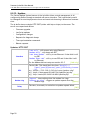
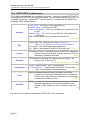
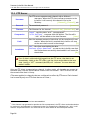
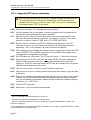
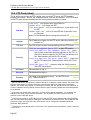
11.4. FTP Push (client)
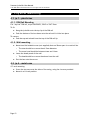
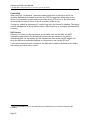
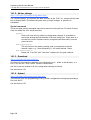
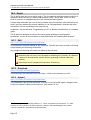
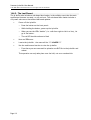
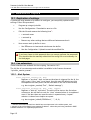
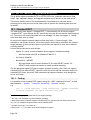
The ip.buffer can initiate an FTP transfer into a central FTP server. All FTP transfers
require two sockets – one for the command socket, and one for the data. The FTP transfer
in the FTP push delivery method uses the secure passive transfer for data 8.
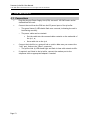
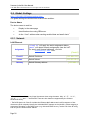
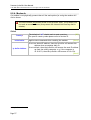
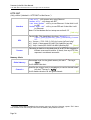
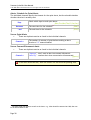
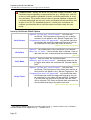
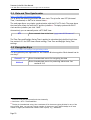
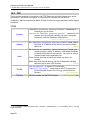
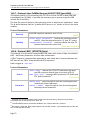
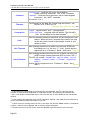
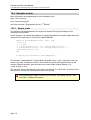
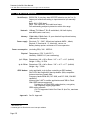
Interface
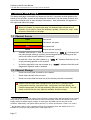
“LAN only” – will connect only using Ethernet
“Modem only” – will always use PPP
“LAN then Modem” – will try to use Ethernet. If that fails it will
try PPP
“Modem then LAN” – will try to use PPP and if that fails it will
try Ethernet.
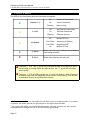
Note: For the Modem dial-out setup see section 8.2.5
[LAN only]
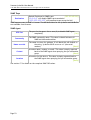
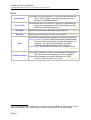
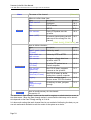
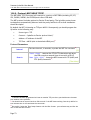
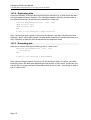
Address
The IP address or name for the FTP server that the ip.buffer will
connect to.9
[blank]
TCP Port
The TCP/IP port to start communicating with the FTP server. [21]
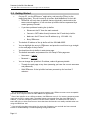
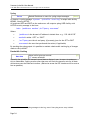
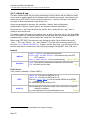
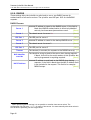
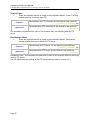
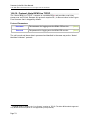
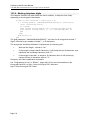
Security
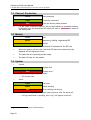
“FTP no encryption [port 21]” – a plain FTP session
“FTPS/TLS explicit (by command) [port 21]” – starts
with a plain connection and then upgrades to SSL/TLS. If
the server does not support SSL/TLS then the delivery will
fail. Data transfers will be SSL/TLS as well.
“FTPS/TLS implicit (by port) [port 990]” – starts with
an SSL/TLS connection. Data transfers will be SSL/TLS as
well.
“SFTP/SSH [port 22]” – connects using the SSHv2 protocol
with SFTP file transfer.
[No encryption]
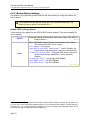
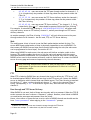
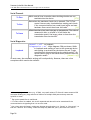
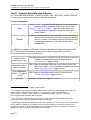
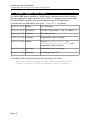
Username
The username to log in.
[username]
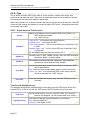
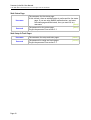
Password
The password to log in10.
[password]
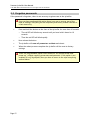
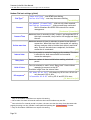
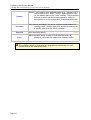
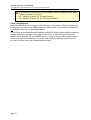
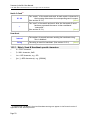
Directory
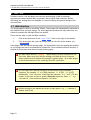
The name of an existing directory11 on the FTP server.
e.g. “/data/sitestore/”
[blank]
8
The FTP push client, the ip.buffer, requests the server to perform a PASV transfer. The server then
tells the client where to connect to and the client actively opens the data socket to the given
address. This means the ip.buffer can sit behind a firewall and still gain access to the FTP server. It
is secure inasmuch as the ip.buffer does not need to open a listening socket that could be hijacked
by an attacker.
9
In the case of a modem-only connection, you can use the special designator “$” to denote the
address of the other end of the PPP connection. This is helpful where the central FTP server
machine is also a RAS/PPP server.
10
If the Security option is “SFTP/SSH [port 22]” and the SFTP server authenticates using 'publickey'
then you may leave this password field blank. The publickey is attempted first, and if that fails the
password is used. Also note that some SFTP servers can be configured to authenticate BOTH
'publickey' AND 'password'
11
The directory must already exist on the server. The ip.buffer never attempts to create a directory
on the server.
Page 88