Download PDF Version - Product Documentation
Transcript
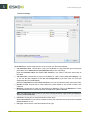
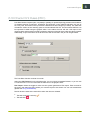
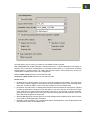
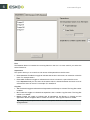
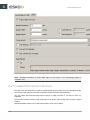
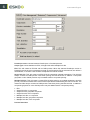
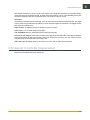
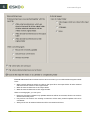
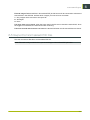
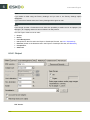
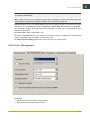
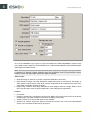
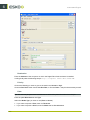
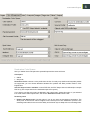
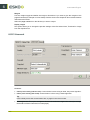
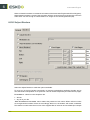
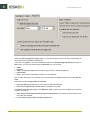
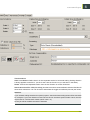
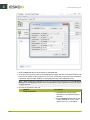
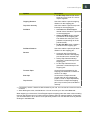
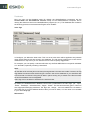
Automation Engine Note: Do not put 100% here as only the graphics inside the cut path count as fill. The margins, gutters etc. all count as waste. By default, the minimum fill is set to 75%. 10.If there is a due date linked to your graphics (see Add Parameters for Nesting on page 149), select what to do if the minimum fill hasn't been reached and the nesting hasn't been output by that date in Action when Due Date Expires: • Set Task Status to Error. • Force Nesting and Save to PDFPLA to output the nesting as a PDFPLA instead of as production files. You can then edit the PDFPLA manually in i-cut Layout (for example to print it on an offcut), or feed it back to the Create Nested Layouts task together with other graphics to fill the sheet a little more. • Force Nesting to output the sheet anyway. 6.24.3 Output Parameters The task will output: • • • • PDF print files, cutting files (in your desired format), nesting reports (optionally), XML files containing references to any non-nested graphics and their quantity. 1. In Save Print Files, select how to output the PDF print files: • as Single Files to have one single page PDF file per layout, • as 1 Multipage File to have one multipage PDF file containing all the layouts. Attention: If the dimensions of the different layouts vary (for example when using substrate-based nesting or the Fit option), the task cannot create a multipage output. Note: If multiple copies of the same layout need to be printed: • For single page output, the number of copies will be part of the PDF file name. • For multipage PDF output (and if the number of copies per page is less than 10), the same page will be inserted multiple times, using forms to prevent the file size from growing. 2. In Save Cutting Files, choose the cutting file format you want to generate (i-cut, HPGL, PDF, MFG or ACM). Note: When generating an ACM file (for a Kongsberg table), you can select Print Side Up, to cut with the print side visible. 185 6
Related documents
BackToCAD Print2CAD 2013 2U OCR
PDF Version - Product Documentation
Electronic Pet Fence System
PDF Version - Product Documentation
User Guide HP Indigo Labels and Packaging powered by EskoArtwork
FlexRip 12 Configurator - Product Documentation
DiskXtender UNIX, Release 2.5, FTP/NFS User Guide - ps
Plato User Manual - Product Documentation
Grapholas 5.5 User Guide - Product Documentation
PlatePrep User Manual - Product Documentation
User`s Manual