1
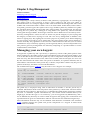
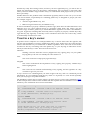
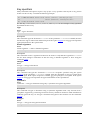
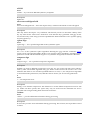
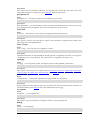
To decrypt a message the option --decrypt is used. You need the private key to which the
message was encrypted. Similar to the encryption process, the document to decrypt is input,
and the decrypted result is output.
blake% gpg --output doc --decrypt doc.gpg
You need a passphrase to unlock the secret key for
user: "Blake (Executioner) <[email protected]>"
1024-bit ELG-E key, ID 5C8CBD41, created 1999-06-04
9E98BC16)
(main
key
ID
Enter passphrase:
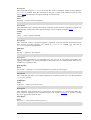
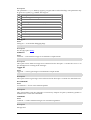
Documents may also be encrypted without using public-key cryptography. Instead, only a
symmetric cipher is used to encrypt the document. The key used to drive the symmetric cipher
is derived from a passphrase supplied when the document is encrypted, and for good security,
it should not be the same passphrase that you use to protect your private key. Symmetric
encryption is useful for securing documents when the passphrase does not need to be
communicated to others. A document can be encrypted with a symmetric cipher by using the -symmetric option.
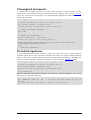
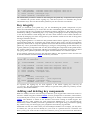
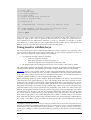
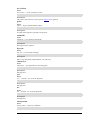
alice% gpg --output doc.gpg --symmetric doc
Enter passphrase:
Making and verifying signatures
A digital signature certifies and timestamps a document. If the document is subsequently
modified in any way, a verification of the signature will fail. A digital signature can serve the
same purpose as a hand-written signature with the additional benefit of being tamper-resistant.
The GnuPG source distribution, for example, is signed so that users can verify that the source
code has not been modified since it was packaged.
Creating and verifying signatures uses the public/private keypair in an operation different
from encryption and decryption. A signature is created using the private key of the signer. The
signature is verified using the corresponding public key. For example, Alice would use her own
private key to digitally sign her latest submission to the Journal of Inorganic Chemistry. The
associate editor handling her submission would use Alice's public key to check the signature to
verify that the submission indeed came from Alice and that it had not been modified since Alice
sent it. A consequence of using digital signatures is that it is difficult to deny that you made a
digital signature since that would imply your private key had been compromised.
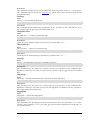
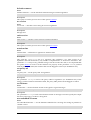
The command-line option --sign is used to make a digital signature. The document to sign is
input, and the signed document is output.
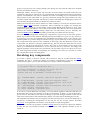
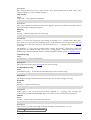
alice% gpg --output doc.sig --sign doc
You need a passphrase to unlock the private key for
user: "Alice (Judge) <[email protected]>"
1024-bit DSA key, ID BB7576AC, created 1999-06-04
Enter passphrase:
The document is compressed before signed, and the output is in binary format.
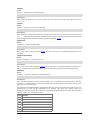
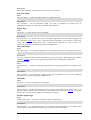
Given a signed document, you can either check the signature or check the signature and recover
the original document. To check the signature use the --verify option. To verify the signature
and extract the document use the --decrypt option. The signed document to verify and recover
is input and the recovered document is output.
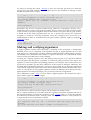
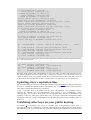
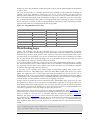
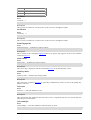
blake% gpg --output doc --decrypt doc.sig
gpg: Signature made Fri Jun
4 12:02:38 1999 CDT using DSA key ID
BB7576AC
gpg: Good signature from "Alice (Judge) <[email protected]>"
6/7