1
MICOM-2 (Basic) Operation
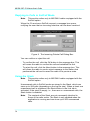
Setting the Clarifier
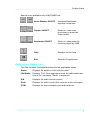
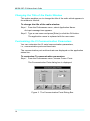
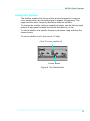
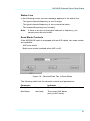
The clarifier enables fine tuning of the receive frequency to improve
voice quality when the incoming signal is slightly off frequency. The
upper and the lower frequency deviation limits are ±200Hz.
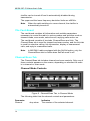
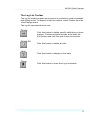
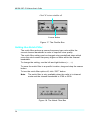
To change the clarifier setting in predefined steps, use the left and right
buttons to decrease/increase the clarifier deviation by 10 Hz.
To set the clarifier at a specific frequency deviation, drag and drop the
coarse button.
T
osett
hecl
ar
i
f
i
ert
oof
f
,cl
i
ckont
he“
0”di
gi
t
.
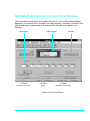
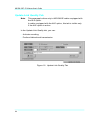
Click "0" to turn clarifier off
Coarse Button
Figure 8. The Clarifier Box
25