1
INSTALLATION
When the server starts, it checks the licenses in servermap.tcp. To verify that the licenses are valid, check the $SETCIM/sequelink/tcpsrv.log file.
GCS CLIENT INSTALLATION
To install a GCS client:
1. Log in to the system as the root user.
NOTE: For those installing the GCS client only (i.e., this was not
already done under Open Data Management Server Installation
(HP-UX)), delete the existing GCS directory before creating a new
one. Use the command rm -r gcs to delete the gcs directory.
2. Create a temporary directory to contain the tape distribution, if needed. A temp directory should exist from the SETCIM
installation procedure. If not, create the directory by entering
the command:
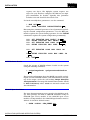
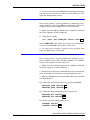
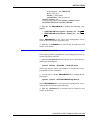
mkdir
/temp
Enter
where temp is the name of the directory being created.
3. Load the LSGCS client tape in the tape drive.
4. Change directories to the temporary directory using the
command:
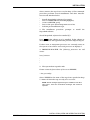
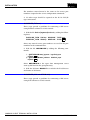
cd
/temp
Enter
5. Load the files from the tape into the temporary directory by
entering:
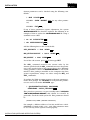
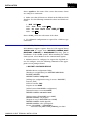
tar -xv
- or tar -xf
/dev/rmt/Nm
Enter
where /dev/rmt is the device name for the tape drive and Nm is
the tape drive logical unit number such as 0m. The command
loads a command file and directory structure into the temporary directory.
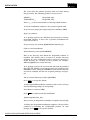
6. At the # prompt, start the installation command file by typing:
./odms_install_client.sh
The script generates various prompts and loads the GCS client
system.
WBPEEUI350003B0
GCS CLIENT INSTALLATION
3 - 51