1
INSTALLATION
®
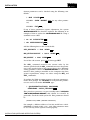
The numbers entered must be the same as the service port
numbers assigned in the server configuration commands.
4. No other steps should be required on the PC for TCP/IP
type connections.
VAX SERVER (TCPware)
These steps provide a guideline for connecting a VAX server
using TCPware software to a GCS console.
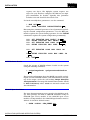
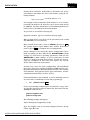
1. Edit the file device:[tcpware]services by adding the following lines:
BGCSLINK_TCPW 5201/tcp #GCSLINK TCP/IP
BDDELINK_TCPW 5202/tcp #DDELINK TCP/IP
Enter
Enter
where any unused service port numbers are used for the port
numbers in the command lines.
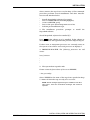
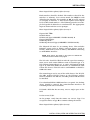
2. Edit the file SETCIM.RUN by adding the following commands:
$
@SETCIMCOM:start_bgcsnet bgcslink_tcpw
tcpware Enter
$ @SETCIMCOM:start_bddenet bddelink_tcpw
tcpware Enter
where SETCIM.RUN is the open data management server
start-up file found in the group directory.
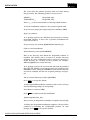
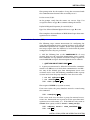
3. Edit the TCPware HOSTS file to include the IP addresses
and names of all clients.
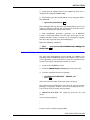
VAX SERVER (UCX and SETCIM 4.5A)
These steps provide a guideline for connecting a VAX server
using UCX software to a GCS console.
WINDOWS CLIENT TERMINAL INSTALLATION
3 - 62
WBPEEUI350003B0