1
INSTALLATION
®
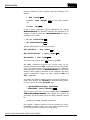
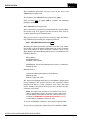
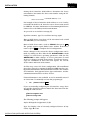
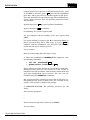
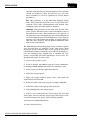
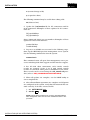
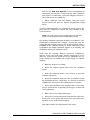
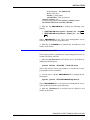
System parameters can be checked using the following commands:
$
MCR
SYSGEN
SYSGEN>
ter)
SHOW
SYSGEN>
EXIT
Enter
MAXBUF
Enter
(or any other parame-
Enter
If any of these parameters require adjustment, the system
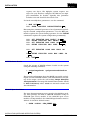
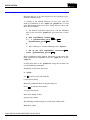
MODPARAMS.DAT file should be updated. The following is an
example of how to update the MODPARAMS.DAT file using a
standard screen editor.
$
set
$
edit
def
SYS$SYSTEM
Enter
MODPARAMS.DAT
Enter
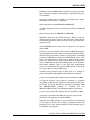
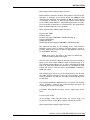
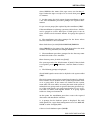
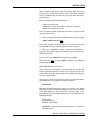
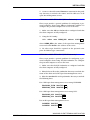
Add the following lines to the end of the file.
ADD_GBLPAGFIL
=
5860
!ODMS
Enter
19,912
!ODMS
MIN_VIRTUALPAGECNT
=
MIN_MAXBUF
!ODMS
=
4096
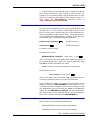
To end the edit session, press
Enter
Enter
Ctrl -Z,
then type EXIT.
The ADD_ command increases the current value by the
amount specified and the MIN_ command increases the parameter to the specified value if the current value is less. Explicitly
setting parameter values in MODPARAMS.DAT is not recommended, other packages installed on the computer may have
greater requirements. Always set values using the MIN_ and
ADD_ commands.
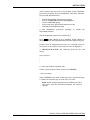
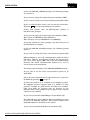
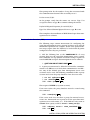
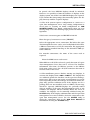
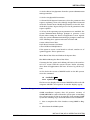
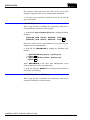
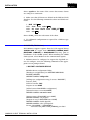
To update the VMS operating system to the new parameters,
from a DCL prompt, use AUTOGEN to verify that the parameters are correct. To invoke AUTOGEN, type:
$
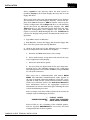
@SYS$UPDATE:AUTOGEN SAVPARAMS
GENPARAMS CHECK_FEEDBACK Enter
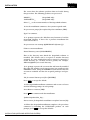
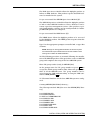
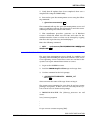
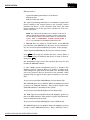
This procedure generates a report (usually named SYS$SYSTEM:AGEN$PARAMS.REPORT) that should be reviewed. In
particular, check the SCSI system ID. This parameter should
be:
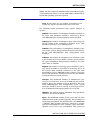
(DECNET area) x 1024 + (DECNET sub-address)
For example, a DECnet address of 10.188 would have a SCSSYSTEMID of 10428 (1024 x 10 + 188). This parameter must
be set correctly for the system to work properly.
INSTALLATION (OPEN VMS OPERATING SYSTEM)
3-4
WBPEEUI350003B0