1
11Message-kg.fm Page 120 Wednesday, November 3, 2004 9:37 PM
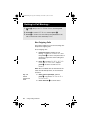
If the message cannot be delivered to the service
centre, you will see Message Failed, followed by
Resend? on the next line. You can:
Press O to resend the message.
or
Press C to abandon the attempt to send the
message at this time.
If you have not previously stored a service center
number, then you will see No Service Centre. See
“Enter Service Centre Number” on page 123 for
instructions on how to enter a service center
number.
Edit a Stored Message
You can edit a message that you have stored in the
outgoing messages list.
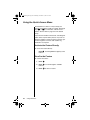
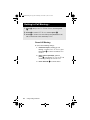
To edit a stored message:
1. Follow the steps in “Go to the Next
Message” on page 119 until you see the
message you want to edit, and then
press O.
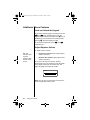
2. Press M until you see Edit Message and then
press O.
The message is copied to the message editor. You
will see the final portion of the message displayed in
the editing area. The cursor is placed at the end of
the message.
For instructions on how to edit a received message,
see “Edit a Received Message” on page 112.
120
Using Message Services