1
9505A-kgTOC.fm Page iii Wednesday, November 3, 2004 9:33 PM
Contents
Safety Information. . . . . . . . . . . . . . . . . . . . . . . . .7
Overview . . . . . . . . . . . . . . . . . . . . . . . . . . . . . . .13
Guide Overview . . . . . . . . . . . . . . . . . . . . . . . . .14
Phone Overview . . . . . . . . . . . . . . . . . . . . . . . .15
Indicators . . . . . . . . . . . . . . . . . . . . . . . . . . . . . .18
Accessories . . . . . . . . . . . . . . . . . . . . . . . . . . . .21
Getting Started . . . . . . . . . . . . . . . . . . . . . . . . . .25
Attaching the Satellite Antenna . . . . . . . . . . . . .26
What Is a SIM Card? . . . . . . . . . . . . . . . . . . . . .27
Installing/Removing the SIM Card . . . . . . . . . .28
Installing the Battery . . . . . . . . . . . . . . . . . . . . .30
Removing the Battery . . . . . . . . . . . . . . . . . . . .31
Charging the Battery . . . . . . . . . . . . . . . . . . . . .33
Checking Battery Charge Level . . . . . . . . . . . . .35
Battery Information . . . . . . . . . . . . . . . . . . . . . .36
Using Your Phone . . . . . . . . . . . . . . . . . . . . . . . .37
Startup Procedures . . . . . . . . . . . . . . . . . . . . . .38
Placing a Call. . . . . . . . . . . . . . . . . . . . . . . . . . .42
Receiving a Call. . . . . . . . . . . . . . . . . . . . . . . . .45
Additional Phone Features . . . . . . . . . . . . . . . .48
Using In-Call Features . . . . . . . . . . . . . . . . . . . .51
Muting a Call . . . . . . . . . . . . . . . . . . . . . . . . . . .52
Using the Menus . . . . . . . . . . . . . . . . . . . . . . . . .53
Using the Options Menu . . . . . . . . . . . . . . . . . .54
Using the Quick Access Menu. . . . . . . . . . . . . .56
Managing the Phone Book . . . . . . . . . . . . . . . . .59
Phone Book Menu . . . . . . . . . . . . . . . . . . . . . . .60
Organizing Your Phone Book . . . . . . . . . . . . . .61
Storing Names and Numbers . . . . . . . . . . . . . .63
Entering Names. . . . . . . . . . . . . . . . . . . . . . . . .65
Using Pauses in Numbers . . . . . . . . . . . . . . . . .67
Using Phone Number Prefixes . . . . . . . . . . . . .69
Locating Entries. . . . . . . . . . . . . . . . . . . . . . . . .70
Calling, Modifying, or Erasing an Entry . . . . . . .72
Checking Phone Book Capacity . . . . . . . . . . . .73
iii
9505A-kgTOC.fm Page iv Wednesday, November 3, 2004 9:33 PM
Preventing Access to the Phone Book . . . . . . . 74
Restricting Phone Use . . . . . . . . . . . . . . . . . . . 75
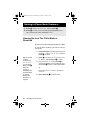
Viewing the Last Ten Calls Made or Received . 80
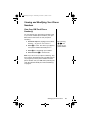
Viewing and Modifying Your Phone Numbers. . 81
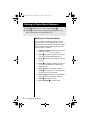
Using One-Touch Dialing . . . . . . . . . . . . . . . . . 83
Viewing Service Phone Numbers . . . . . . . . . . . 85
Using Calling Features . . . . . . . . . . . . . . . . . . . 87
Call Related Features Menu . . . . . . . . . . . . . . . 88
Forwarding Calls When Unavailable . . . . . . . . . 89
Forwarding All Your Calls . . . . . . . . . . . . . . . . . 90
Using Detailed Call Forwarding . . . . . . . . . . . . 92
Canceling All Forwarding . . . . . . . . . . . . . . . . . 94
Restricting Calls with Call Barring . . . . . . . . . . 95
Viewing the Battery Meter . . . . . . . . . . . . . . . 100
Viewing Signal Strength . . . . . . . . . . . . . . . . . 101
Deactivating Pending Call Drop Signal . . . . . . 102
Using Message Services . . . . . . . . . . . . . . . . . 103
Messages Menu . . . . . . . . . . . . . . . . . . . . . . . 104
Checking Your Voicemail . . . . . . . . . . . . . . . . 105
Managing Your Received Messages . . . . . . . 106
Accessing Received Messages . . . . . . . . . . . 108
Managing Outgoing Messages . . . . . . . . . . . . 113
Managing Other Message Settings . . . . . . . . 122
Customizing Phone Features . . . . . . . . . . . . . 127
Phone Setup Menu . . . . . . . . . . . . . . . . . . . . . 128
Managing Phone Ringer Settings . . . . . . . . . . 129
Locking and Unlocking Your Phone . . . . . . . . 131
Protecting the SIM Card . . . . . . . . . . . . . . . . . 133
Managing Other Security Settings . . . . . . . . . 135
Activating Extended Menus . . . . . . . . . . . . . . 137
Managing Time and Date Settings . . . . . . . . . 138
Selecting the Display Language . . . . . . . . . . . 141
Turning Lights On and Off. . . . . . . . . . . . . . . . 142
Setting Keypad Tones . . . . . . . . . . . . . . . . . . . 142
Managing Phone Settings . . . . . . . . . . . . . . . 143
Accessing the Network . . . . . . . . . . . . . . . . . . 147
Network Selection Menu. . . . . . . . . . . . . . . . . 148
iv
9505A-kgTOC.fm Page v Wednesday, November 10, 2004 5:08 PM
Registering With the Satellite Network . . . . . .149
Timing Your Calls . . . . . . . . . . . . . . . . . . . . . . .151
Call Meters Menu . . . . . . . . . . . . . . . . . . . . . .152
Showing Call Timers . . . . . . . . . . . . . . . . . . . .153
Setting Audible Call Timers . . . . . . . . . . . . . . .155
Showing the In-Call Timer . . . . . . . . . . . . . . . .157
Showing the Lifetime Timer . . . . . . . . . . . . . . .158
Customizing the Menu System . . . . . . . . . . . .159
Personalizing the Options Menu . . . . . . . . . . .160
Personalizing the Quick Access Menu . . . . . .162
Troubleshooting . . . . . . . . . . . . . . . . . . . . . . . .163
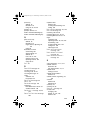
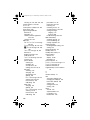
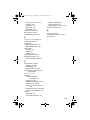
Index. . . . . . . . . . . . . . . . . . . . . . . . . . . . . . . . . 167
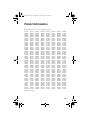
Patent Information. . . . . . . . . . . . . . . . . . . . . . .179
Declaration of Conformity . . . . . . . . . . . . . . . .180
Warranty Information . . . . . . . . . . . . . . . . . . . .181
v
9505A-kgTOC.fm Page vi Wednesday, November 3, 2004 9:33 PM
vi
03Safety-kg.fm Page 7 Tuesday, November 9, 2004 9:34 PM
Safety Information
Important: Read this information before using your satellite phone.
Exposure to Radio Frequency Signals
Your satellite telephone is a low power radio transmitter and receiver.
When it is ON, it receives and also sends out radio frequency (RF)
signals.
International agencies have set standards and recommendations for the
protection of public exposure to RF electromagnetic energy.
•
International Commission on Non-Ionizing Radiation Protection
(ICNIRP)1996
•
Verband Deutscher Elektrotechniker (VDE) DIN-0848
•
United States Federal Commission, Radio Frequency Exposure
Guidelines (1996)
•
National Radiological Protection Board of the United Kingdom, GS
11,1988
•
American National Standards Institute (ANSI) IEEE. C95. 1-1992
•
National Council on Radiation Protection and Measurements
(NCRP). Report 86
•
Department of Health and Welfare Canada. Safety Code 6
These standards are based on extensive scientific review. For example,
over 120 scientists, engineers, and physicians from universities,
government health agencies, and industry reviewed the available body of
research to develop the updated ANSI standard.
The design of your phone complies with these standards when used as
described under “Phone Operation” on page 9.
Safety Information
7
03Safety-kg.fm Page 8 Tuesday, November 9, 2004 9:34 PM
Specific Absorption Rate Data
This model phone meets international standards for exposure to
radio waves.
Your satellite phone is a radio transmitter and receiver. It is designed and
manufactured not to exceed limits for exposure to radio frequency (RF)
energy. These limits are part of comprehensive guidelines and
established permitted levels of RF energy for the general population. The
guidelines are based on standards that we developed by independent
scientific organizations through periodic and thorough evaluation of
scientific studies. The guidelines include a substantial safety margin
designed to assure the safety of all persons, regardless of age and
health.
The exposure standard for mobile phones employs a unit of
measurement known as the Specific Absorption Rate, or SAR. Under the
guidelines for this model, the SAR limit is 2.0 W/kg. *Tests for SAR were
conducted in accordance with CENELEC and FCC testing procedures
using standard operating positions with the phone transmitting at its
highest certified power level in all tested frequency bands. Although the
SAR is determined at the highest certified power level, the actual SAR of
the phone while operating can be well below the maximum value.
Before a phone model is available for sale to the public, it is tested to
confirm compliance with the guidelines. The tests are performed in
positions and locations (e.g., at the ear and worn on the body) that
conform to a uniform testing methodology determined by an expert
standards body. The highest SAR level recorded from this product was
0.357 mW/g for a 1g cube which was below the uncontrolled (i.e. general
population) limit. While there may be differences between the SAR levels
of various phones and at various positions, they all meet the
governmental requirements for safe exposure. Please note that
modifications to this product model could cause differences in the SAR
value for later products; in all cases, products are designed to be within
the guidelines.
Antenna Care
Use only the supplied or an approved replacement antenna.
Unauthorized antennas, modifications, or attachments could damage the
phone and may violate local agency regulations. When using remote
mount antenna, mount antenna at least 20 cm away from the user.
8
Safety Information
03Safety-kg.fm Page 9 Tuesday, November 9, 2004 9:34 PM
Phone Operation
Normal Operation: Hold the phone as you would any other telephone.
Rotate the antenna to either the left or right detent, and make sure the
antenna is fully extended. The antenna should be vertical to the ground
and have a clear unobstructed view of the sky.
Tips on Efficient Operation: For your phone to operate most efficiently:
•
Rotate and extend your antenna fully.
•
Make sure the antenna has a clear unobstructed view of the sky.
•
Do not touch the antenna unnecessarily when the phone is in use.
Contact with the antenna affects call quality and may cause the
phone to operate at a higher power level than otherwise needed.
•
Do not wear the phone on your body while making calls with the
headset accessory. Wearing the phone on the body can interfere
with proper phone operation, since the antenna requires a clear
unobstructed view of the sky to access the Iridium® satellite
network.
Batteries
Caution: All batteries can cause property damage, injury or burns if a
conductive material, such as jewelry, keys or beaded chains, touches
exposed terminals. The material may complete an electrical circuit and
become quite hot. To protect against such unwanted current drain,
exercise care in handling any charged battery, particularly when placing
it inside your pocket, purse or other container with metal objects.
Caution: Risk of explosion if battery is replaced by an incorrect type.
Dispose of used batteries according to instructions.
Driving
Check the laws and regulations on the use of wireless telephones in the
areas where you drive. Always obey them. Observe the following
guidelines when using your phone while driving.
•
Give full attention to driving—driving safely is your first
responsibility.
•
Use hands-free phone operation, if available.
•
Pull off the road and park before making or answering a call if
driving conditions so require.
Safety Information
9
03Safety-kg.fm Page 10 Wednesday, November 3, 2004 9:35 PM
Electronic Devices
Most modern electronic equipment is shielded from RF signals.
However, certain equipment may not be shielded against the RF signals
from your wireless phone.
Pacemakers
The Health Industry Manufacturers Association recommends that a
minimum separation of six inches (6") be maintained between a
handheld wireless phone and a pacemaker to avoid potential
interference with the pacemaker. These recommendations are
consistent with the independent research by and recommendations of
Wireless Technology Research.
Persons with pacemakers:
•
should ALWAYS keep the phone more than six inches from their
pacemaker when the phone is turned ON
•
should not carry the phone in a breast pocket
•
should use the ear opposite the pacemaker to minimize the
potential for interference
•
should turn the phone OFF immediately if you have any reason to
suspect that interference is taking place
Hearing Aids
Some digital wireless phones may interfere with some hearing aids. In
the event of such interference, you may want to consult your hearing aid
manufacturer to discuss alternatives.
Other Medical Devices
If you use any other personal medical device, consult the manufacturer
of your device to determine if it is adequately shielded from external RF
energy. Your physician may be able to assist you in obtaining this
information.
Turn your phone OFF in health care facilities when any regulations
posted in these areas instruct you to do so. Hospitals or health care
facilities may be using equipment that could be sensitive to external RF
energy.
Vehicles
RF signals may affect improperly installed or inadequately shielded
electronic systems in motor vehicles. Check with the manufacturer or its
representative regarding your vehicle. You should also consult the
manufacturer of any equipment that has been added to your vehicle.
10
Safety Information
03Safety-kg.fm Page 11 Wednesday, November 3, 2004 9:35 PM
Posted Facilities
Turn your phone OFF in any facility where posted notices so require.
Aircraft
Airline regulations prohibit using your phone while in the air. Check and
comply with the policy of your airline regarding the use of your phone
while the aircraft is on the ground.
Switch OFF your phone before boarding an aircraft.
Blasting Areas
To avoid interfering with blasting operations, turn your phone OFF when
in a “blasting area” or in areas posted: “Turn off two-way radio.” Obey all
signs and instructions.
Potentially Explosive Atmospheres
Turn your phone OFF and do not remove your battery when you are in
any area with a potentially explosive atmosphere. Obey all signs and
instructions. Sparks from your battery in such areas could cause an
explosion or fire resulting in bodily injury or even death.
Areas with a potentially explosive atmosphere are often but not always
clearly marked. They include, but are not limited to: fueling areas such as
gasoline stations; below deck on boats; fuel or chemical transfer or
storage facilities; areas where fuel odors are present (for example, if a
gas/propane leak occurs in a car or home); areas where the air contains
chemicals or particles, such as grain, dust, or metal powders; and any
other area where you normally would be advised to turn off your vehicle
engine.
For Vehicles Equipped with an Air Bag
An air bag inflates with great force. Do NOT place objects, including both
installed or portable wireless equipment, in the area over the air bag or in
the air bag deployment area. If in-vehicle wireless equipment is
improperly installed and the air bag inflates, serious injury could result.
Safety Information
11
03Safety-kg.fm Page 12 Tuesday, November 9, 2004 9:34 PM
12
Safety Information
04Intro-kg.fm Page 13 Wednesday, November 3, 2004 9:35 PM
Overview
This chapter provides an overview of this user’s guide, your new satellite
phone, and available accessories.
Export Compliance Information
This product is controlled by the export laws and regulations of the
United States of America. The U.S. Government may restrict the export
or re-export of this product to certain individuals and/or destinations. for
further information, contact the U.S. Department of Commerce, Bureau
of Industry and Security or visit www.bis.doc.gov.
13
04Intro-kg.fm Page 14 Wednesday, November 3, 2004 9:35 PM
Guide Overview
Key Presses
Key presses are represented in this guide using
symbols. A sequence of key presses may be shown
as follows:
MOC
This means you should press M followed by O
and then C, in sequence, not simultaneously.
Prompts and Messages
Your phone responds to key presses by displaying
either a prompt that guides you to the next action or
a message confirming that your action is complete.
Prompts and messages are represented in this
guide in LCD style, for example: Enter PIN or
Completed.
Tips
In the margins of this guide are useful hints and
ways to improve your phone’s performance.
14
Overview
04Intro-kg.fm Page 15 Tuesday, November 9, 2004 8:20 PM
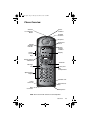
Phone Overview
Antenna
Lock Release
Button
Status
Indicator
Satellite
Antenna
Earpiece
Signal
Strength
Indicator
Volume
Control
Keys
Real-Time
Clock
Battery
Charge
Indicator
Display
Display Status
Indicators
Scroll Bar
Message
Key
Battery and
SIM
Compartment
Alphanumeric
Keypad
Headset Jack
Power
Connector
Data
Connector
Quick Access
Key
Microphone
Note: Phone shown with antenna in stowed position.
Overview
15
04Intro-kg.fm Page 16 Wednesday, November 3, 2004 9:35 PM
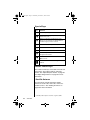
Special Keys
Key
Function
S
Turns the phone’s power on and off
O
Selects menu settings or options, or initiates
and answers calls
?
Takes you directly to the Messages menu,
where you can call your voicemail number or
read messages you have received
I
Stores numbers in the phone book
Q
Recalls numbers from the phone book
E
Enters the Quick Access menu
M
Enters the Options menu and scrolls forward
through menu features
C
Clears characters from the screen or exits the
Options menu
<
Scrolls backward or forward through menu
features
Volume Control Keys
The volume control keys are located on the left side
of the phone. They adjust earpiece and ringer
volume. See “Adjust Earpiece Volume” on page 48
and “Adjust Ringer Volume” on page 49 for more
information.
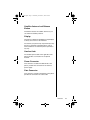
Satellite Antenna
You must rotate and fully extend the satellite
antenna to answer calls, make calls, and access
satellite services.* See “Holding the Phone” on
page 40 for more information.
*
16
Overview
Satellite products require a clear line of sight to satellite.
04Intro-kg.fm Page 17 Wednesday, November 3, 2004 9:35 PM
Satellite Antenna Lock Release
Button
This button releases the satellite antenna so you
can attach the auxiliary antenna.
Display
Your phone’s Liquid Crystal Display (LCD) displays
as many as four rows of 16 characters.
The LCD on your phone may respond slowly to key
presses in extremely cold temperatures. This is
normal and does not affect the phone operation in
any way.
Headset Jack
The headset jack located on the right side of the
phone provides a connection for an optional
headset.
Power Connector
This connector, located at the bottom left of the
phone, provides the connection for an external
power supply.
Data Connector
This connector, located on the bottom of the phone,
provides the connection for a data cable.
Overview
17
04Intro-kg.fm Page 18 Wednesday, November 3, 2004 9:35 PM
Indicators
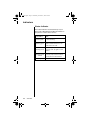
Status Indicator
The status indicator is located at the top of your
phone. This LED indicator provides information on
your phone’s current state of service.
If the LED is...
Alternating
red and green
A call is incoming.
Flashing green
You are receiving a signal from the
Iridium satellite network. You can
make and receive calls.
Flashing yellow
You are temporarily unable to make
or receive calls. Try again in a few
minutes.
Flashing yellow
and red
Your SIM card may be inserted
incorrectly, may not be inserted, or
you may be in a restricted area.
Flashing red
18
Overview
Then...
Service is not available.
04Intro-kg.fm Page 19 Wednesday, November 3, 2004 9:35 PM
Display Status Indicators and Icons
Indicator
rx
q
Description
Signal Strength Indicator
indicates the strength of the signal
from the network. The signal
strength indicator appears
continuously in the top left hand
corner of the display. The more
segments displayed in the bar
graph, the stronger the signal. Five
bars indicate full signal strength.
No bars indicate a weak signal.
Battery Charge Indicator
indicates the strength of the battery
charge. The more segments
displayed, the greater the battery
charge.
You can also check the strength of
the charge at any time through the
menu. See “Viewing the Battery
Meter” on page 100 for more
information.
12:00
Real Time Clock Indicator
displays the time in either 12-hour
or 24-hour format. See “Change
the Time Displayed” on page 139
for more information.
o
Message Indicator appears when
you receive a new message. It
flashes when the SIM card is full.
See “Getting to Received
Messages...” on page 109 for
additional information.
+
Satellite Mode Indicator appears
when your phone is in satellite
mode.
n
Home System Indicator appears
when the phone has successfully
registered with the Iridium satellite
system.
Overview
19
04Intro-kg.fm Page 20 Wednesday, November 3, 2004 9:35 PM
Indicator
m
No Service Indicator appears
when your phone is not capable of
placing or receiving calls.
k
In Use Indicator appears when a
call is in progress.
s
20
Overview
Description
Scroll Bar appears on the right of
the display when you are in a
menu. The button on the scroll bar
indicates where you are in the list.
z
Check Mark indicates a menu item
is currently selected.
w
Hourglass Icon appears in the
display when your phone has to
request settings from the network.
B...P
Quick Access Menu Icons allow
you to easily identify Quick Access
features as you scroll through the
Quick Access menu.
04Intro-kg.fm Page 21 Tuesday, November 9, 2004 8:20 PM
Accessories
Product appearance and specifications are subject
to change without notice.
Batteries
Lithium Ion Battery
•
•
*
Provides up to 3.6 hours of
talk time or 30 hours of
standby time*
Weighs 2.2 ounces/63 grams
All talk and standby times are approximate and
depend on network configuration, signal strength,
and the features selected.
If replacing the battery, the phone should be
switched off before removing the battery.
If you want to store the battery for a long period
store it in the fully charged state. Batteries that
have been stored in a discharged state for longer
than 6 months may not be rechargable.
Overview
21
04Intro-kg.fm Page 22 Wednesday, November 3, 2004 9:35 PM
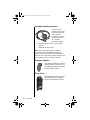
AC Travel Charger and International
Plug Kit
The AC travel
charger and
international plug kit
provides rapid charge
for optimal
performance and can
be used to power the
phone except when
the battery is fully
depleted. The battery
must be installed
when using charger to power phone.
•
Includes five international plug adapters for
use in Europe, United States of America and
Canada, United Kingdom, Australia and India.
•
Allows you to use the 9505A portable phone
while recharging the battery *
* The battery should not be allowed to fully
discharge.
22
Overview
04Intro-kg.fm Page 23 Wednesday, November 3, 2004 9:35 PM
Auto Accessory Adapter
Restores full battery power
for portable phone
operation from any
operating vehicle (using
standard 12-volt accessory
connector port).
Headset
The convenient headset
provides both an earphone and
microphone in one small piece
for simple hands-free and private
telephone conversations. The
headset plugs directly into the
jack on the right side of your
phone.
Lanyard Wrist Strap
The lanyard wrist strap is
made of nylon. It provides a
convenient way to carry your
phone.
Overview
23
04Intro-kg.fm Page 24 Wednesday, November 3, 2004 9:35 PM
Portable Auxiliary Antenna
From one car to
another, this compact
pocket-sized antenna
with convenient
magnetic mount goes
in every vehicle you
do, to provide
improved reception.
•
Reliable magnetic mount, ceramic patch
antenna
•
Attached 1.5-meter cable
Note: The use of wireless devices and their
accessories may be prohibited or restricted in
certain areas. Ensure antenna is mounted 20 cm
feet from user or passengers. Always obey the laws
and regulations on the use of these devices.
Antenna Adapter
This adapter provides the required
external antenna connection to use
your 9505A portable phone with the
portable auxiliary antenna.
Carry Case
This high-quality leather case helps
protect your phone. It includes a
belt clip and a lanyard wrist strap.
24
Overview
05GetStart-kg.fm Page 25 Wednesday, November 3, 2004 9:36 PM
Getting Started
Getting started with your new satellite phone is easy. Just insert your
phone’s SIM (Subscriber Identity Module) card and charge the battery.
This chapter shows you how.
25
05GetStart-kg.fm Page 26 Wednesday, November 3, 2004 9:36 PM
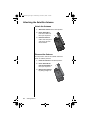
Attaching the Satellite Antenna
Attach the Antenna
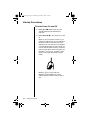
1. Attach the antenna in the down position.
2. Press and hold the
lock release button at
the top of the phone.
3
2
3. Push the antenna
until it clicks into place
and release the lock
release button.
Remove the Antenna
You may want to remove the satellite antenna to
attach an auxiliary antenna.
1. Place the antenna in the down position.
2. Press and hold the
lock release button at
the top of the phone.
3. Remove the antenna
by pulling straight out.
26
Getting Started
2
3
05GetStart-kg.fm Page 27 Wednesday, November 3, 2004 9:36 PM
What Is a SIM Card?
Your SIM (Subscriber Identity Module) card is a
small smart card that contains your service details
and memory for storing Phone Book entries and
messages.
Note: Your phone has limited functionality without
the SIM card.
SIM Card Protection
You may want to keep your SIM card in your wallet
or purse when you are not using your satellite
phone. This helps keep your personal information
secure and gives you access to your service even if
your phone is not available. If you forget your
phone, insert your SIM card into a friend’s phone to
access your personal service.
Caution: Do not bend or scratch your SIM card, and
avoid exposing your card to static electricity, water,
or dirt.
Getting Started
27
05GetStart-kg.fm Page 28 Wednesday, November 3, 2004 9:36 PM
Installing/Removing the SIM Card
The SIM card is stored in a recess in the battery
compartment. It is normally covered by the battery
when you use your phone.
Caution: Make sure your phone is powered off
before inserting or removing the SIM card. If you
don’t, you may damage the memory on your SIM
card.
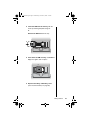
1. Turn your phone off by pressing and holding
the S key.
2. Remove the battery cover and battery.
(See “Removing the Battery” on page 31.)
3. Slide the SIM card tray to the left and lift up
the right side of the tray.
3
28
Getting Started
05GetStart-kg.fm Page 29 Wednesday, November 3, 2004 9:36 PM
4. Insert the SIM card into the tray with the
notch up and the gold plate facing out.
or
Remove the SIM card from the tray.
4
5. Push down the SIM card tray and slide the
tray to the right to lock it in place.
5
6. Replace the battery and battery cover.
(See “Insert the Battery” on page 30.)
Getting Started
29
05GetStart-kg.fm Page 30 Wednesday, November 3, 2004 9:36 PM
Installing the Battery
Insert the Battery
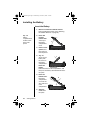
1. Remove or rotate the satellite antenna
before installing the battery. (See “Attaching
the Satellite Antenna” on page 26.)
Tip: The
battery
compartment is
located on the
back of the
phone.
2. Press and
hold the
release latch
at the top of
the battery
compartment
cover.
2
3
3. Pull the cover
upward, and
then remove it
from the phone.
4. Align the
4
arrows on the
battery with
the arrows in
the battery
compartment.
Insert the
battery,
bottom end first, into the compartment, and
then press the battery downward until it clicks
into place.
5. Insert the
bottom end of
the battery
compartment
cover into the
slots at the end
of the
compartment.
6. Snap the
cover down
into place.
30
Getting Started
6
5
05GetStart-kg.fm Page 31 Monday, November 15, 2004 4:33 PM
Removing the Battery
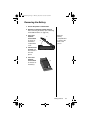
1. Ensure the phone is switched off.
2. Remove or rotate the satellite antenna
before removing the battery. (See “Attaching
the Satellite Antenna” on page 26.)
3. Press and
hold the
release latch
at the top of
the battery
compartment
cover.
Tip: The
battery
compartment is
located on the
back of the
phone
3
4
4. Pull the cover
upward, and
then remove it
from the
phone.
5. Press and
hold the
release latch
at the base of
the battery.
5
Getting Started
31
05GetStart-kg.fm Page 32 Monday, November 15, 2004 4:33 PM
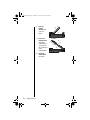
6. Pull the
battery
upward and
out of the
phone.
7. Insert the
bottom end of
the battery
compartment
cover into the
slots at the end
of the
compartment.
8. Snap the
cover down
into place.
32
Getting Started
6
8
7
05GetStart-kg.fm Page 33 Wednesday, November 3, 2004 9:36 PM
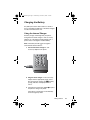
Charging the Battery
Any battery that hasn’t been used for a month or
more—including new batteries—should be charged
for about 3-4 hours before use.
Using the Internal Charger
A battery charger is built right into your phone.
Using either the travel charger or auto accessory
adapter, you can plug the handset directly into a
power source to charge the installed battery.
Note: The battery should only be charged in
environments between 0-450C.
1. Connect the travel charger or auto
accessory adapter to the phone.
2. Plug the travel charger or auto accessory
adapter into the appropriate power source.
The phone beeps, flashes the q (battery
charge) indicator, and displays Charging
Battery
3. If the phone is powered on, press S to place
the phone in charge-only mode.
If the phone is powered off, it automatically
enters charge-only mode.
Getting Started
33
05GetStart-kg.fm Page 34 Wednesday, November 3, 2004 9:36 PM
Note: You can still place and answer calls while
using the internal charger. If you wish to place or
answer a call:
Press S to exit charge-only mode and return
to normal operation.
Remember that talking on the phone uses
power, so charging takes more time.
34
Getting Started
05GetStart-kg.fm Page 35 Wednesday, November 3, 2004 9:36 PM
Checking Battery Charge Level
Low Battery Warning
When the battery level is low and only a few minutes
of talk-time remains, your phone signals you in two
ways:
•
Low Battery appears on the display
•
A warning tone (two double beeps) sounds
Note: To help maintain the best battery and phone
performance, recharge your battery as soon as
possible after you receive the low battery warning.
View Battery Meter
The q (battery charge) indicator appears
continuously in the upper right corner of the display.
You can also display a more detailed battery meter
at any time to check the charge level on your
battery. See “Viewing the Battery Meter” on
page 100 for more information.
Getting Started
35
05GetStart-kg.fm Page 36 Wednesday, November 3, 2004 9:36 PM
Battery Information
Maximizing Battery Life
Caution: To prevent injuries or burns, do not allow
metal objects to contact or short circuit the battery
terminals.
Caution: At extreme temperatures (eg., -10°C)
battery life capacity is significantly reduced.
To ensure maximum battery life and use your
battery to its fullest capacity, observe the following
guidelines.
•
Always use Iridium approved battery chargers
•
Always use Iridium approved batteries
•
Maintain the battery at or near room
temperature when charging
•
When you don’t plan on using a particular
battery for a while, store the battery
uncharged in a cool, dark, and dry place
•
To prolong the life of your batteries, avoid
exposing them to temperatures below -10°C
(14°F) or above 45°C (113°F)
•
Always take your phone with you when you
leave your car
Disposing of Batteries
To dispose of batteries, check with your local
recycling center for a battery recycler near you.
Never dispose of batteries in fire.
36
Getting Started
06Using-kg.fm Page 37 Wednesday, November 3, 2004 9:36 PM
Using Your Phone
Read this chapter to learn how to get up and running with your new
satellite phone.
37
06Using-kg.fm Page 38 Wednesday, November 3, 2004 9:36 PM
Startup Procedures
Turn the Power On and Off
1. Insert your SIM card if necessary. (See
“Installing/Removing the SIM Card” on
page 28.)
2. Press and hold S to turn the phone on and
off.
When you turn your phone’s power on, you
will hear the wakeup tone (or feel a vibration if
the vibrate mode is activated) and see the
wakeup screen. The wakeup screen displays
a short animated sequence that reminds you
to rotate and extend the antenna, and shows
how to hold the phone for best reception (see
illustration). You may see a number of other
power-on messages (described on pages
39-40).
When the m (no service) indicator
disappears and the n (home system)
indicator appears, you are ready to make a
call.
38
Using Your Phone
06Using-kg.fm Page 39 Wednesday, November 3, 2004 9:36 PM
Power-On Messages
Once your phone is powered on, you may see:
Message
Description
Searching...
The phone is attempting to establish
communications with the satellite
network. See “Accessing the
Network” on page 147.
Registering...
Your phone is registering with the
network. When the process is
complete, you will see Registered.
See “Accessing the Network” on
page 147.
Check Signal
Your phone is unable to establish
registration with the satellite
network. Move to a location with a
clear unobstructed view of the sky.
Invalid Account
Contact your service provider.
Enter Phone
Unlock Code
Your phone was locked after the last
use. Enter your four-digit unlock
code and press O to proceed. See
“Locking and Unlocking Your Phone”
on page 131.
Enter PIN
Enter the four- to eight-digit SIM
card PIN code provided by your
service provider and press O to
proceed. See “Protecting the SIM
Card” on page 133.
Insert Card
Power off your phone, make sure
your SIM card is inserted
completely, and then power your
phone on again.
Check Card
The SIM card is damaged or
inserted the wrong way.
Using Your Phone
39
06Using-kg.fm Page 40 Wednesday, November 3, 2004 9:36 PM
Message
Description
Blocked
If the SIM card PIN code is
incorrectly entered three times in a
row, your phone becomes blocked.
See “Unblock the PIN Code” on
page 134 for instructions on how to
unblock it.
! Blocked
If the SIM card PIN2 code is
incorrectly entered three times in a
row, some features (e.g., Fixed
Dialing) become blocked. See
“Unblock the PIN2 Code” on
page 136 for instructions on how to
unblock PIN2.
Bad Card
See Supplier
Your SIM card has been damaged or
incorrectly issued. Contact your
service provider for information.
Holding the Phone
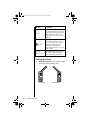
1. Rotate the antenna to either the left or right
detent. The antenna will stop here.
Left Detent
40
Using Your Phone
Right Detent
06Using-kg.fm Page 41 Wednesday, November 3, 2004 9:36 PM
2. Extend the antenna by pulling out on the end
of it.
2
1
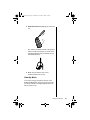
The antenna should be vertical to the ground
when you talk on the phone (as shown in the
following illustration from the wakeup screen
animated sequence).
3. Make sure the antenna has a clear
unobstructed view of the sky.
Standby Mode
To conserve energy, your phone may turn off its
display backlight when you have not pressed a key
for several seconds. The light reappears the next
time you press a key.
Using Your Phone
41
06Using-kg.fm Page 42 Wednesday, November 3, 2004 9:36 PM
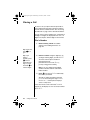
Placing a Call
To place a call, your phone must be powered on,
have a SIM card inserted, be unlocked, and be in
contact with the satellite network. See “Accessing
the Network” on page 147 for network information.
You can enter a phone number up to a maximum of
20 digits. The digits are displayed in two rows, 16
digits in the top line and four digits in the next line.
Dial a Number
1. Rotate and fully extend the satellite
antenna. “See Holding the Phone” on
page 40.
Tip: Press and
hold 0 to
get +
Tip: If you
make a
mistake, press
C once to
delete the last
digit, or press
and hold C to
clear all digits.
2. Enter the number using the digit keys. As
you begin entering digits, you will see Call?.
You must enter the phone number in
international format:
[international access code, 00, or +]
[country code] [phone number]
Note: If you are calling another Iridium
satellite subscriber, dial the subscriber’s
Iridium number.
3. Press O. You will see Calling followed by
the number you dialed.
You will see either the flashing message
Calling or the flashing messages Calling,
Registering..., and the phone will play a
series of setup tones.
If the call connects and is answered, Connected
appears on the display for a few seconds, followed
by End Call?.
42
Using Your Phone
06Using-kg.fm Page 43 Wednesday, November 3, 2004 9:36 PM
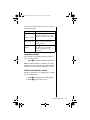
If the call does not connect, you may see one of the
following messages:
Message
Description
Busy Try Later
or
Please Try Later
The phone is unable to access the
network. Try again in a few minutes.
Restricted Area
The phone is unable to access the
network. Move to an area where
calls are allowed.
Redial?
Press O to redial the number
automatically. See “Automatic
Redial” on page 43 for more
information.
Automatic Redial
If the number or your network is busy, you will see
Redial? for five seconds.
Press O to redial the number automatically.
Note: Your phone makes a maximum of ten redial
attempts. If the call cannot be connected within this
maximum, you will see the message Redial Failed.
Redial Last Number Called
Whenever your phone is on standby, you can redial
the last number called:
1. Press O to display the last number dialed.
2. Press O again to place the call.
Using Your Phone
43
06Using-kg.fm Page 44 Wednesday, November 3, 2004 9:36 PM
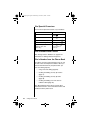
Dial Special Characters
You can insert special characters in your numbers:
To enter...
Then...
0
Press 0.
*
Press *.
+ (for international calls)
Press and hold 0.
® (for pause dialing)
Press and hold *.
supplementary service
numbers, PINs, and
unblocking
Press # or * one
or more times as
necessary.
Dial a Number With Pauses
See “Using Pauses in Numbers” on page 67 for
information on dialing numbers with pauses.
Dial a Number from the Phone Book
Your phone contains a phone book that you can use
to store names and telephone numbers. Once you
have stored information in your phone book, you
can save dialing steps by:
•
using one-touch dialing (page 83)
•
recalling and dialing an entry by location
(page 71)
•
recalling and dialing an entry by name
(page 70)
•
recalling and dialing one of the last ten
numbers called (page 80)
See “Managing the Phone Book” on page 59 for
information on how to store and retrieve names and
numbers from the phone book.
44
Using Your Phone
06Using-kg.fm Page 45 Wednesday, November 3, 2004 9:36 PM
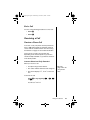
End a Call
Use one of the following procedures to end a call:
•
Press O
•
Press C
Receiving a Call
Receive a Phone Call
To receive a call, your phone must be powered on,
have a SIM card inserted, be unlocked, and be in
contact with the satellite network. See “Accessing
the Network” on page 147 for network information.
There are two scenarios for receiving calls
depending on the antenna position: (1) antenna
raised and fully extended, or (2) antenna stowed or
in the down position.
Antenna Raised and Fully Extended
When you receive a call:
•
Your phone rings and/or vibrates
•
The status indicator alternates red and green
•
The phone displays Call, Answer? on the next
line
Tip: See
page 130 to set
your phone’s
alert.
To answer the call:
Press O or any digit key (1 - 9, *
or #).
You will see Connected.
Using Your Phone
45
06Using-kg.fm Page 46 Wednesday, November 3, 2004 9:36 PM
If the call does not connect properly, you may see
one of the following messages:
Message
Description
Orient Antenna
You need to fully extend the
antenna upwards with a clear
unobstructed view of the sky.
Call Failed
The antenna is not properly
adjusted or the network signal is not
strong enough.
Antenna Stowed or in the Down Position
When you receive a call:
•
The phone chirps up to three times to alert
you of an incoming call
•
The phone displays Call Attempt
You must rotate and extend the antenna as quickly
as possible to receive the call.
Rotate and fully extend the antenna as
described in “Holding the Phone” on page 40
You will see Iridium Call Attempt. Do not
attempt to answer until the phone rings or
vibrates.
After several seconds, your phone will ring or
vibrate and display Call followed by Answer? on
the next line.
To answer the call:
Press O or any digit key (1 - 9, *
or #).
You will see Connected.
46
Using Your Phone
06Using-kg.fm Page 47 Wednesday, November 3, 2004 9:36 PM
If the call does not connect properly, you may see
the following message:
Message
Description
Orient Antenna
You need to fully extend the
antenna upwards with a clear
unobstructed view of the sky.
Call Failed
The antenna is not properly
adjusted or the network signal is not
strong enough.
End a Call
Use one of the following procedures to end a call:
•
Press O
•
Press C
Unanswered Calls
If you are away from your phone or choose not to
answer a call, your phone displays the message
Unanswered Call.
Personal Mailbox
Callers who are unable to reach you can leave
numeric, text, and voice messages. The next time
you register with the satellite network you will
receive these messages. Then you will have the
option of saving the message for later viewing.
For information on retrieving messages, see
“Accessing Received Messages” on page 108.
Using Your Phone
47
06Using-kg.fm Page 48 Wednesday, November 3, 2004 9:36 PM
Additional Phone Features
Lock and Unlock the Keypad
To prevent accidental usage of the phone, press the
# and * keys simultaneously to lock the
keypad. All keys with the exception of the S key are
disabled. You can still answer an incoming call by
pressing O when the keypad is locked.
To remove the keypad lock, press # and *
simultaneously.
Adjust Earpiece Volume
To adjust earpiece volume:
Tip: The
volume control
keys are
located on the
left side of the
phone.
•
Increase the volume by pressing the upper
volume control key
•
Decrease the volume by pressing the lower
volume control key
As you press the keys, the phone’s speaker
demonstrates the new volume level. The bar graph
in the display represents the volume level. The
higher the graph, the louder the volume.
Volume
Quit?
Note: You can also use the volume control keys to
scroll through Phone Book entries.
48
Using Your Phone
06Using-kg.fm Page 49 Wednesday, November 3, 2004 9:36 PM
Adjust Ringer Volume
To adjust the ringer volume:
Press E and then the up or down volume
control key
The phone sounds the new volume level as you
adjust it.
Note: You can also use the Phone Setup menu to
adjust ringer volume. See “Adjust the Ringer
Volume” on page 129 for more information.
Tip: The
volume control
keys are
located on the
left side of the
phone.
View Your SIM Card Phone Number
To retrieve and view your phone number from your
SIM card:
Press Q #
Notes: If you do not see your phone number, the
number has not been programmed onto your SIM
card. You can program your phone number onto
your SIM card by following the steps described in
“Modify Your Phone Number(s)” on page 82.
You can also use the Phone Book menu to view
your phone number. See “View Your SIM Card
Phone Number(s)” on page 81 for more information.
Using Your Phone
49
06Using-kg.fm Page 50 Tuesday, November 9, 2004 8:27 PM
50
Using Your Phone
07InCall-kg.fm Page 51 Wednesday, November 3, 2004 9:36 PM
Using In-Call Features
Read this chapter to learn how to use In-Call menu features. The In-Call
menu is displayed when you press M during a call.
51
07InCall-kg.fm Page 52 Wednesday, November 3, 2004 9:36 PM
Muting a Call
For privacy during a call, try muting the phone. You
hear the party on the other end, but the other party
does not hear you.
While in a call:
Tip: You can
also mute the
phone from the
Quick Access
menu. See
“Using the
Quick Access
Menu” on
page 56.
52
1. Press M until you see Turn Mute on or off.
2. Press O to select. You will see Mute.
To unmute a call:
1. Press M until you see Turn Mute on or off.
2. Press O to select.
Using In-Call Features
08Menus-kg.fm Page 53 Wednesday, November 3, 2004 9:37 PM
Using the Menus
Many of your phone’s features are organized into lists of options called
menus. There are three menus:
•
The main Options menu lets you select and/or adjust phone
features
•
The Quick Access menu gives you instant access to the menu
features you use most frequently
•
The In-Call menu gives you access to call-related features when
you are in a call
Some options give you access to additional lists of options called
submenus.
53
08Menus-kg.fm Page 54 Wednesday, November 3, 2004 9:37 PM
Using the Options Menu
The Options menu gives you access to your phone’s
features and options. You can not access this menu
during a call.
Navigate the Options Menu
Learning how to use just a few keys enables you to
move freely through the entire menu system.
If you want to...
Then...
enter the Options
menu
Press M. You will see the first
available submenu.
scroll through the
Options menu
•
Press M to scroll forward.
•
Press
<
to scroll
backward or forward.
select options and
submenus
exit features and
menus
54
Using the Menus
Press O to select a menu
option or submenu when that
option or submenu name is
displayed.
•
Press C to exit the feature
or submenu.
•
Press and hold C to exit
the Options menu.
08Menus-kg.fm Page 55 Wednesday, November 3, 2004 9:37 PM
How the Phone Responds
As you scroll through the Options menu, you will see
one of three questions on the bottom line of the
display.
If your phone
asks...
Then...
View Options?
Press O to enter the
Select?
Press O to select the
Quit?
Press O to exit the feature.
submenu.
displayed feature.
Display Messages and Indicators
If you see...
Then...
y Completed
This indicates a feature has been
activated.
! Failed
The display returns to the menu in a few
seconds.
Enter PIN
or
Enter Name
u Busy
Try Later
s
w
Enter requested information,
then press O.
You may have requested information
while your phone was completing
another task.
The scroll bar indicates where you are
in a menu.
Your phone may take a few seconds to
request settings from the network.
Customize the Options Menu
To personalize the Options menu—to hide and move
features—see “Move Menu Features” on page 160.
Using the Menus
55
08Menus-kg.fm Page 56 Wednesday, November 3, 2004 9:37 PM
Using the Quick Access Menu
The Quick Access menu is a way to keep your
favorite menu options readily accessible. Each digit
key, 1 to 9, is matched to a Quick Access
feature. See the table on page 57 for the default
setup.
If you know the number of the feature, activating that
option takes only two button presses! If you do not
know the number or want to review your options, just
scroll through the icon menu and read the tag
attached to each option.
Activate the Feature Directly
To access the feature directly:
Press E, and then press the digit key of the
feature.
Scroll to the Feature
To scroll to the feature:
1. Press E.
2. Press M to scroll through the available
features.
3. Press O to select a feature.
56
Using the Menus
08Menus-kg.fm Page 57 Wednesday, November 3, 2004 9:37 PM
Default Quick Access Settings
The following features (and associated icons) are
the default settings for the Quick Access menu.
Key
Icon
Quick Access Feature
1
B
Find Name searches your Phone
Book by the full name.
2
J
Mute mutes and unmutes a call in
progress.
3
R
Call Voicemail1 calls your voicemail
number to check your voicemail.
4
G
Battery Meter displays a fuel gauge
indicating charge. The more bars, the
greater the charge.
5
b
Lock Now locks your phone
immediately.
6
L
Vibrate On/off activates or
deactivates the vibrate alert function.
7
K
Read Messages displays the newest
message received.
8
9
f
Register Now initiates a search for
the Iridium satellite network. You
must wait three minutes between
registration attempts.
P
Forward On/Off1 activates or
deactivates unconditional call
forwarding depending on the current
setting.
1 You must subscribe to this network feature through your
service provider. Contact your service provider for additional
information.
Customize the Quick Access Menu
See “Personalizing the Quick Access Menu” on
page 162 for instructions on how to modify the
feature selection on the Quick Access menu.
Using the Menus
57
08Menus-kg.fm Page 58 Wednesday, November 3, 2004 9:37 PM
58
Using the Menus
09PhBook-kg.fm Page 59 Wednesday, November 3, 2004 9:37 PM
Managing the Phone Book
Your satellite phone can store up to 100 names and numbers, and your
SIM card expands memory capacity even more.
You can use the dedicated keys or the Phone Book menu to add and
retrieve numbers from the phone book. With the Phone Book menu you
can also access phone book maintenance and security features.
59
09PhBook-kg.fm Page 60 Wednesday, November 3, 2004 9:37 PM
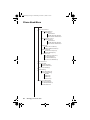
Phone Book Menu
Phone Book
Personal Numbers
Find Entry By Name
Enter Name:
Call Number
Modify Name Or Number
Erase Name And Number
Find Entry By Location
Enter Location:
Call Number
Modify Name Or Number
Erase Name And Number
Add Entry
Add To Phone Memory
Add To SIM Card Memory
Check Capacity
Check Phone Capacity
Check SIM Capacity
Prevent Access
No Memory Restrictions
To Phone Memory
To SIM Card Memory
To Phone & SIM Memory
Show Services
Last Ten Calls
Last Calls Made
Erase All Numbers
My Phone Number(s)
Fixed Dialing
View Fixed Dial List
Setup Fixed Dialing
On/Off
Edit Entry
Add Entry
Erase Entry
One-Touch Dial Setting
To Phone Memory
To SIM Card Memory
To Fixed Dial List
60
Managing the Phone Book
09PhBook-kg.fm Page 61 Wednesday, November 3, 2004 9:37 PM
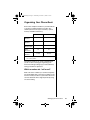
Organizing Your Phone Book
Each name and phone number in your Phone Book
is stored in a numbered memory location. The
satellite phone has two types of memory—phone
memory and SIM card memory.
Phone Memory
SIM Card Memory1
Personal
Numbers
100 entries
155 entries
Fixed Dial
Numbers
No entries
40 entries
Phone
Number Digits
32
20
Name
Characters
16
16
1-100
101-255
Location
Numbers
1 SIM card capacity varies depending upon the card issued by
your service provider.
Your phone’s memory can seem overwhelming if
you do not have a strategy for organizing your
Phone Book. Begin setting up your Phone Book by
asking yourself three questions:
Which numbers do I call most?
Make a list of the numbers you call most frequently.
You will probably want to store these numbers in the
first nine memory locations of your Phone Book. You
can then dial them with a single keystroke by using
one-touch dialing.
Managing the Phone Book
61
09PhBook-kg.fm Page 62 Wednesday, November 3, 2004 9:37 PM
When do I use these numbers?
Group the numbers on the list according to when
you use them. Most people call a different set of
numbers during the day than they do in the evening
and on weekends. You can switch one-touch dialing
to your phone’s memory (locations 1–9), your SIM
card’s memory (locations 101–109), or to your fixed
dial list (locations 1–9). Store your evening and
weekend numbers on one type of memory and your
daytime numbers on another.
Which numbers do I need to keep
secure?
Tip: If you have
many entries,
group them in
blocks of ten to
make them
easier to find.
62
Use your SIM card to store the numbers you need to
keep secure, like the numbers of friends and family
members. You can remove your SIM card and keep
it securely in your wallet or purse when you are not
using your phone. If you wish, you can even require
a PIN code every time your SIM card is inserted into
any phone. (To deactivate your PIN code, see
“Activate and Deactivate the SIM Card PIN Code”
on page 133.) Store more public numbers, like
business associates and travel agents in your
phone’s memory.
Managing the Phone Book
09PhBook-kg.fm Page 63 Wednesday, November 3, 2004 9:37 PM
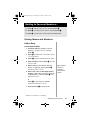
Getting to Personal Numbers...
1. Press M until you see Phone Book, and then press O.
2. Press M to scroll to Personal Numbers, and then press O.
3. Press M to scroll to one of the features described below.
Storing Names and Numbers
Add an Entry
Use the Options Menu
1. Follow the steps in “Getting to Personal
Numbers...” to get to Add Entry, and then
press O.
2. Press M to scroll to Add To Phone Memory or Add
To SIM Card Memory.
3. Press O to select. You will see Enter Number.
4. Enter a number, and then press O. You will
see Enter Name.
5. Enter a name (as described in “Entering
Names” on page 65), and then press O.
You will see Enter Location.
6. Enter a one-, two-, or three-digit location
number (1-100 for phone memory or 101-255
for SIM memory*), and then press O. You
will see Stored XXX.
Tip: Numbers
should be
entered in
international
format.
or
Press O to select the next available
location. You will see Stored XXX.
7. Press and hold C to exit the menu.
*
SIM memory is dependent on your SIM card.
Managing the Phone Book
63
09PhBook-kg.fm Page 64 Wednesday, November 3, 2004 9:37 PM
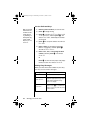
Use the Dedicated Keys
Tip: If you have
more than one
number for the
same person,
try attaching a
descriptive tag
to the name,
like Home, Office,
or Mobile.
1. Enter the phone number you want to store.
2. Press I to begin storing.
3. Press M to scroll to Add To Phone Memory or Add
To SIM Card Memory, and then press O. You
will see Enter Number, followed by the number
you entered.
4. Press O to accept the number. You will see
Enter Name.
5. Enter a name (as described in “Entering
Names” on page 65), and then press O.
You will see Enter Location.
6. Enter a one-, two-, or three-digit location
number, and then press O. You will see
Stored XXX.
or
Press O to store the entry in the next empty
memory location. You will see Stored XXX.
Adding Entry Messages
When you enter the location number for your entry,
you may see one of these messages:
64
Message
Description
Stored XXX
You have stored the entry.
Range XXX-XX
You have chosen a memory location
outside the appropriate range. Enter
a new number within the range
listed on the display.
Overwrite?
You have chosen an occupied
location. Press O to overwrite the
location or press any other key to try
another location.
Managing the Phone Book
09PhBook-kg.fm Page 65 Wednesday, November 3, 2004 9:37 PM
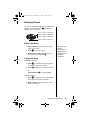
Entering Names
You can use the keypad to produce any letter in the
alphabet. For example, press 2 to enter the
letters A, B, or C, as shown:
press 1 time to insert an A
press 2 times to insert a B
press 3 times to insert a C
press 4 times to insert a 2
Enter Characters
1. Enter a letter by pressing a key as many
times as necessary.
2. Press
< to move the cursor.
3. Repeat steps 1 and 2 as many times as
necessary, and then press O.
Tip: Press and
hold any
numeric key to
toggle between
uppercase and
lowercase
characters.
Correct an Entry
To delete a character:
<
to scroll the cursor to the right of
1. Press
the character you want to delete.
2. Press C to delete one character at a time.
or
Press and hold C to clear the display.
To add a character:
<
1. Press
to scroll the cursor to the location
where you want to add a character.
2. Enter a letter by pressing a key as many
times as necessary.
Managing the Phone Book
65
09PhBook-kg.fm Page 66 Wednesday, November 3, 2004 9:37 PM
Available Characters
Use this chart as a guide for producing characters:
1
Space . 1 ? ! , @ _ & : “ ( ) ‘ ¿ ¡ % £ $
Space . 1 ? ! , @ _ & : “ ( ) ‘ ¿ ¡ % £ $
2
A B C 2 Ä Å à Æ β Ç
a b c 2 ä å à æ β Ç
3
D E F 3 ∆ É è Φ
d e f 3 ∆ é è Φ
4
G H I 4 Γ ì
g h i 4 Γ ì
5
J K L 5 Λ
j k l 5 Λ
6
M N O 6 Ñ Ö Ø Ò Ω
m n o 6 ñ ö ø ò Ω
7
P Q R S 7 ΠßΣ
p q r s 7 ΠßΣ
8
T U V 8 Θ Ü ù
t u v 8 Θ ü ù
9
W X Y Z 9 ΞΨ
w x y z 9 ΞΨ
0
+ - 0 x * / = > < #
+ - 0 x * / = > < #
The upper line for each key shows the uppercase
characters. The lower line for each key shows the
lowercase characters.
66
Managing the Phone Book
09PhBook-kg.fm Page 67 Wednesday, November 3, 2004 9:37 PM
Using Pauses in Numbers
When you call automated systems, a recorded
message prompts you for numbers such as PIN
numbers and account numbers. You can store these
numbers in the same memory location as the
automated system’s access number. Separate the
numbers with “pauses”—special characters that tell
your phone to wait a few seconds before sending
additional numbers—and store the string in the
same way you would other numbers.
Enter Pauses in Numbers
1. Enter the phone number you use to access
the automated system.
2. Press and hold *. You will see a ® (pause)
character inserted into the number entry.
3. Enter the next group of numbers. For
example, enter your PIN number. If the
automated system requires a * or #, enter
those symbols, too.
4. Repeat steps 2 to 3 as many times as
necessary.
Tip: You can
store 32
characters in a
phone memory
location, or 20
characters in a
SIM card
memory
location. A
pause is equal
to one
character.
5. To store the entry follow the procedures in
“Add an Entry” on page 63.
Managing the Phone Book
67
09PhBook-kg.fm Page 68 Wednesday, November 3, 2004 9:37 PM
Dial Numbers With Pauses
To dial a number with pauses:
1. Recall the entry. (See “Locating Entries” on
page 70.)
Tip: Your
phone displays
up to 32 digits
(two rows of 16
digits) when
you enter a
number with
pauses.
68
2. Press O to place the call.
The first pause in the number waits until the
call is answered. When the automated
system answers, your phone waits a few
seconds and then automatically sends the
next set of numbers, then the next, until all
numbers are sent.
Managing the Phone Book
09PhBook-kg.fm Page 69 Wednesday, November 3, 2004 9:37 PM
Using Phone Number Prefixes
You can save time when you dial by storing the
prefixes that you often use. This is sometimes called
“postscripting.” Your satellite phone allows you to
change or add to Phone Book entries without
overwriting them.
Store a prefix in your Phone Book just as you would
any other number. See “Storing Names and
Numbers” on page 63.
Use a Stored Prefix
To use a stored prefix:
1. Recall the prefix from your Phone Book.
(See “Locating Entries” on page 70.)
2. Add the remaining numbers.
3. Press O to place the call.
Tip: Try naming
the prefix by
area, like
Downtown,
Suburbs, or
Germany.
Change Entry to a Similar Number
To change an entry to a similar number:
1. Recall the number from your Phone Book.
(See “Locating Entries” on page 70.)
2. Press C to delete the unwanted digits.
3. Enter the replacement digits.
4. Press O to place the call.
Managing the Phone Book
69
09PhBook-kg.fm Page 70 Wednesday, November 3, 2004 9:37 PM
Getting to Personal Numbers...
1. Press M until you see Phone Book, and then press O.
2. Press M to scroll to Personal Numbers, and then press O.
3. Press M to scroll to one of the features described below.
Locating Entries
Find an Entry by Name
Search your Phone Book by the first few letters of
the entry.
Tip: Your
phone sorts
SIM card
memory and
phone memory
together
alphabetically.
Note: If you have restricted access to either SIM
card or phone memory, those entries will not be
available. For more information, see “Preventing
Access to the Phone Book” on page 74.
1. Follow the steps in “Getting to Personal
Numbers...” to get to Find Entry By Name, and
then press O to select. You will see Enter
Name.
Tip: Use the
2. Enter one or more characters of the entry,
and then press O. If necessary, scroll to the
entry you are looking for.
scroll through
Phone Book
entries.
3. Press O to access options for that entry,
and then proceed to “Calling, Modifying, or
Erasing an Entry” on page 72.
Mor < to
70
Managing the Phone Book
09PhBook-kg.fm Page 71 Wednesday, November 3, 2004 9:37 PM
Getting to Personal Numbers...
1. Press M until you see Phone Book, and then press O.
2. Press M to scroll to Personal Numbers, and then press O.
3. Press M to scroll to one of the features described below.
Find an Entry by Location
Find an entry by its location number.
Use the Options Menu
1. Follow the steps in “Getting to Personal
Numbers...” to get to Find Entry By Location,
and then press O to select. You will see
Enter Location.
2. Enter the one-, two-, or three-digit location
number, and then press O. You will see the
entry displayed.
If you enter an empty location number, you
will see Location XXX is Empty. Your phone
then selects the next available location. If no
numbers are stored, you will see No Numbers
Stored.
3. Press O to access options for that entry,
and then proceed to “Calling, Modifying, or
Erasing an Entry” on page 72.
Use the Dedicated Keys
1. Press Q. You will see Enter Location.
2. Enter the one-, two-, or three-digit location
number of the entry, and then press O. You
will see the entry displayed.
If you enter an empty location number, you
will see Location XXX is Empty. Your phone
then selects the next available location.
3. Press O to call the displayed entry. You will
see the number followed by Calling.
Managing the Phone Book
71
09PhBook-kg.fm Page 72 Wednesday, November 3, 2004 9:37 PM
Calling, Modifying, or Erasing an Entry
Once you have selected a Phone Book entry, you
can call, change, or erase that entry.
Call a Selected Entry
1. Find an entry, and then press O. (See
“Locating Entries” on page 70.)
2. Press O until you see Call Number, and then
press O. You will see the Selected Name
followed by calling.
Modify a Name or Number
Tip: For help
entering letters
or changing
entries, see
“Entering
Names” on
page 65.
1. Find an entry, and then press O. (See
“Locating Entries” on page 70.)
2. Press O until you see Modify Name Or Number,
View Options, and then press O. You will see
Edit Number, followed by the phone number
stored in that entry.
3. Enter changes to the number, and then
press O. You will see the name stored in
that entry.
4. Enter changes to the name, and then press
O. You will see Modified XXX.
Erase a Name and Number
1. Find an entry, and then press O. (See
“Locating Entries” on page 70.)
2. Press O until you see Erase Name And Number,
and then press O. You will see Erased xxx.
72
Managing the Phone Book
09PhBook-kg.fm Page 73 Wednesday, November 3, 2004 9:37 PM
Getting to Personal Numbers...
1. Press M until you see Phone Book, and then press O.
2. Press M to scroll to Personal Numbers, and then press O.
3. Press M to scroll to one of the features described below.
Checking Phone Book Capacity
Use this feature to see how many available memory
locations you have in either SIM card memory or
phone memory.
1. Follow the steps in “Getting to Personal
Numbers...” to get to Check Capacity, and then
press O to select.
2. Press M until you see Check Phone Capacity or
Check SIM Capacity, and then press O. You
will see XXX Unused Locations.
3. Press and hold C to exit the menu.
Managing the Phone Book
73
09PhBook-kg.fm Page 74 Wednesday, November 3, 2004 9:37 PM
Preventing Access to the Phone Book
You may want to restrict memory access when
loaning your phone to others. You can choose to
prevent access to the phone memory, SIM memory,
or both.
1. Follow the steps in “Getting to Personal
Numbers...” to get to Prevent Access, and then
press O to select.
2. Press M until you see the restriction type
you desire: No Memory Restrictions, To Phone
Memory, To SIM Card Memory, or To Phone & SIM
Memory.
3. Press O to select the displayed option. You
will see Enter Security Code.
Tip: The
factory default
security code
is: 000000.
4. Enter security code. Enter your six-digit
security code. You will see Completed.
5. Press and hold C to exit the menu.
Note: If you restrict access to either phone memory
or SIM memory and try to access an entry stored in
that type of memory, you will see a list of the entries
that are not restricted. If you prevent access to both
your phone memory and SIM memory and then try
to access an entry, you will see Restricted.
74
Managing the Phone Book
09PhBook-kg.fm Page 75 Wednesday, November 3, 2004 9:37 PM
Getting to Fixed Dialing...
1. Press M until you see Phone Book, and then press O.
2. Press M to scroll to Fixed Dialing, and then press O.
3. Press M to scroll to one of the features described below.
Restricting Phone Use
You can restrict calling on your phone to a list of
numbers that you create. When the fixed dialing
feature is active, you can only call numbers or use
prefixes (for example, country codes or area codes)
that exactly match those stored in your fixed dial list.
You can store up to 40 entries on your list. These
entries are stored on your SIM card.
Activate Fixed Dialing
Use this feature to activate fixed dialing. For
instructions on how to store entries in the fixed dial
list, see “Add an Entry” on page 76.
Note: The fixed dialing feature restricts access to
your SIM memory.
1. Follow the steps in “Getting to Fixed
Dialing...” to get to Setup Fixed Dialing, and
then press O to select. You will see Enter
PIN2.
2. Enter code. Enter your SIM card PIN2 code,
and then press O.
3. Press M until you see On or Off, and then
press O. You will see Completed.
Tip: The
default SIM
card PIN2 code
is 2222.
4. Press and hold C to exit the menu.
Managing the Phone Book
75
09PhBook-kg.fm Page 76 Wednesday, November 3, 2004 9:37 PM
Add an Entry
To add an entry to the fixed dial list:
1. Follow the steps in “Getting to Fixed
Dialing...” to get to Setup Fixed Dialing, and
then press O to select. You will see Enter
PIN2.
Tip: Phone
numbers must
be in
international
format.
2. Enter code. Enter your SIM card PIN2 code,
and then press O.
3. Press M until you see Add Entry, and then
press O. You will see Enter Number.
4. Enter the number, and then press O. You
will see Enter Name.
Tip: See
“Entering
Names” on
page 65 for
help entering
letters.
76
5. Enter the name, and then press O. You will
see Enter Location.
6. Enter a location number, and then press
O. You will see Stored.
7. Press and hold C to exit the menu.
Managing the Phone Book
09PhBook-kg.fm Page 77 Wednesday, November 3, 2004 9:37 PM
Getting to Fixed Dialing...
1. Press M until you see Phone Book, and then press O.
2. Press M to scroll to Fixed Dialing, and then press O.
3. Press M to scroll to one of the features described below.
Erase an Entry
To erase an entry in the fixed dial list:
1. Follow the steps in “Getting to Fixed
Dialing...” to get to Setup Fixed Dialing, and
then press O to select. You will see Enter
PIN2.
2. Enter code. Enter your SIM card PIN2 code,
and then press O.
3. Press M until you see Erase Entry, and then
press O to select. You will see the first entry
in your fixed dial list.
Tip: You should
have received
your SIM card
PIN2 code from
your service
provider.
4. Press M to scroll to the number you wish to
erase. You will see Erased?.
5. Press O to confirm. You will see Erased.
6. Press and hold C to exit the menu.
Managing the Phone Book
77
09PhBook-kg.fm Page 78 Wednesday, November 3, 2004 9:37 PM
Edit an Entry
To edit an entry in the fixed dial list:
1. Follow the steps in “Getting to Fixed
Dialing...” to get to Setup Fixed Dialing, and
then press O to select. You will see Enter
PIN2.
2. Enter code. Enter your SIM card PIN2 code,
and then press O.
3. Press M until you see Edit Entry, and then
press O to select. You will see the first entry
in your fixed dial list.
4. Press M to scroll to the entry you want to
change, and then press O. You will see the
current number for that location.
5. Enter changes to the number, and then
press O. You will see the current name for
that location.
6. Enter changes to the name, and then press
O. You will see the current location.
7. Enter a new location, and then press O.
You will see Modified.
8. Press and hold C to exit the menu.
78
Managing the Phone Book
09PhBook-kg.fm Page 79 Wednesday, November 3, 2004 9:37 PM
Getting to Fixed Dialing...
1. Press M until you see Phone Book, and then press O.
2. Press M to scroll to Fixed Dialing, and then press O.
3. Press M to scroll to one of the features described below.
View Your Fixed Dialing List
This feature enables you to review, but not change,
your fixed dial list.
1. Follow the steps in “Getting to Fixed
Dialing...” to get to View Fixed Dial List, and
then press O to select. You will see the first
number on your fixed dial list.
2. Press M to scroll through the numbers on
your fixed dial list.
3. Press and hold C to exit the menu.
Managing the Phone Book
79
09PhBook-kg.fm Page 80 Wednesday, November 3, 2004 9:37 PM
Getting to Phone Book Features...
1. Press M until you see Phone Book, and then press O.
2. Press M to scroll to one of the features described below. You
will see the feature name, followed by Select?.
Viewing the Last Ten Calls Made or
Received
Your phone saves the last ten phone numbers you dialed.
To view the phone numbers of the last ten calls you
have made:
1. Follow the steps in “Getting to Phone Book
Features...” to get to Last Ten Calls, and then
press O to select.
Tip: If you want
to add a
number from
Last Ten Calls
to your Phone
Book, press I
when the
number is
displayed, then
follow the steps
in “Storing
Names and
Numbers” on
page 63.
80
2. Press M to scroll to Last Calls Made or Erase
All Numbers, and then press O to select.
3. If you select Last Calls Made, press M to
scroll to the number you are looking for, and
then press O to place a call to that number.
or
If you select Erase All Numbers, you will see
Completed.
4. Press and hold C to exit the menu.
Managing the Phone Book
09PhBook-kg.fm Page 81 Wednesday, November 3, 2004 9:37 PM
Viewing and Modifying Your Phone
Numbers
View Your SIM Card Phone
Number(s)
You can program up to three phone numbers (such
as your voice and data phone numbers) onto your
SIM card. Use this feature to view your phone
number(s).
1. Follow the steps in “Getting to Phone Book
Features...” to get to My Phone Number(s).
2. Press O to select. You will see your phone’s
voice phone number followed by Modify?.
Tip: Pressing
Q # also
brings up your
phone number.
3. Press M to scroll through your numbers.
4. Press and hold C to exit the menu.
Note: If you do not see your phone number(s), they
have not been programmed onto your SIM card. You
can program your voice phone number and other
phone numbers onto your SIM card by following the
steps described in “Modify Your Phone Number(s)”
on page 82.
Managing the Phone Book
81
09PhBook-kg.fm Page 82 Wednesday, November 3, 2004 9:37 PM
Getting to Phone Book Features...
1. Press M until you see Phone Book, and then press O.
2. Press M to scroll to one of the features described below. You
will see the feature name, followed by Select?.
Modify Your Phone Number(s)
Use this feature to modify or program your voice
phone number onto your SIM card. You can also
program other phone numbers (for example, a data
phone number) onto your SIM card. You can have
up to three phone numbers.
1. Follow the steps in “Getting to Phone Book
Features...” to get to My Phone Number(s).
2. Press O to select. You will see your phone’s
voice phone number followed by Modify?.
3. Press M to scroll to the number you want to
modify.
4. Press O to modify the number. You will see
Edit Number followed by the number for the
selected entry.
5. Enter changes to the number, and then
press O. You will see Edit Name followed by
the name for the entry selected.
6. Enter changes to the name (as described in
“Entering Names” on page 65) and then
press O. You will see Stored.
7. Press and hold C to exit the menu.
82
Managing the Phone Book
09PhBook-kg.fm Page 83 Wednesday, November 3, 2004 9:37 PM
Using One-Touch Dialing
One-touch dialing enables you to place calls
instantly. You can choose to dial the phone numbers
in the first nine memory locations in either your SIM
memory, phone memory, or your fixed dial list. You
choose which type of memory you want to be active
with this feature.
Set Up One-Touch Dialing
To set the active memory for one-touch dialing:
1. Follow the steps in “Getting to Phone Book
Features...” to get to One-Touch Dial Setting,
and then press O to select.
2. Press M to scroll through To Phone Memory, To
SIM Card Memory, or To Fixed Dial List, and
then press O to select the displayed option.
You will see Completed.
3. Press and hold C to exit the menu.
Managing the Phone Book
83
09PhBook-kg.fm Page 84 Wednesday, November 3, 2004 9:37 PM
Getting to Phone Book Features...
1. Press M until you see Phone Book, and then press O.
2. Press M to scroll to one of the features described below. You
will see the feature name, followed by Select?.
Use One-Touch Dialing
To use one-touch dialing:
Press and hold the appropriate digit key.
Tip: You do not
need to press
O to call the
number when
you use
one-touch
dialing.
84
For example, press and hold 2 to dial the number
stored in location 2 of your phone memory, location
2 of your fixed dial list, or 102 of your SIM memory,
depending on your setting.
Managing the Phone Book
09PhBook-kg.fm Page 85 Wednesday, November 3, 2004 9:37 PM
Viewing Service Phone Numbers
The show services feature provides a read-only list
of service phone numbers that are pre-programmed
by your service provider. This list resides on the SIM
card and allows for call placement only.
1. Follow the steps in “Getting to Phone Book
Features...” to get to Show Services.
2. Press O to select. You will see a list of
service phone numbers.
3. Press M to scroll to the number you are
looking for.
4. Press O to place a call to that number.
or
Press and hold C to exit the menu.
Note: If you do not see any service dialing
number(s), they have not been programmed onto
your SIM card. Contact your service provider for
more information.
Managing the Phone Book
85
09PhBook-kg.fm Page 86 Wednesday, November 3, 2004 9:37 PM
86
Managing the Phone Book
10CallRelated-kg.fm Page 87 Tuesday, November 9, 2004 8:40 PM
Using Calling Features
This chapter describes call-related features. Many of these features are
network features that you must subscribe to in order to access.
Using Calling Features
87
10CallRelated-kg.fm Page 88 Wednesday, November 3, 2004 9:37 PM
Call Related Features Menu
Call Related Features
Show Battery Meter
Show Signal Strength
Pending Call Drop
On/Off
Call Forwarding1
Forward When Unavailable
On/Off
Forward All Calls
On/Off
Detailed Forwarding2
Forward Voice Calls
Forward All Voice Calls
On/Off
If Busy
On/Off
If No Answer
On/Off
If Not Reachable
On/Off
Forward Data Calls
Cancel All Forwarding
Call Waiting1
On/Off
Call Barring2
Bar Outgoing Calls
Intl Calls
Intl Calls Except Home
All Calls
On/Off
Bar Incoming Calls
When Roaming
All Calls
On/Off
Cancel All Barring
Change Bar Password
1 This feature is network and subscription dependent.
2 This feature is network and subscription dependent. It is
available only when the extended menus are activated.
88
Using Calling Features
10CallRelated-kg.fm Page 89 Tuesday, November 9, 2004 10:57 PM
Getting to Call Forwarding...
1. Press M until you see Call Related Features, and then
press O.
2. Press M to scroll to Call Forwarding, and then press O.
3. Press M to scroll to one of the features described below.
Forwarding Calls When Unavailable
Use this feature when you are unable to answer your
phone calls.
Note: You must subscribe to this network feature
through your service provider. Contact your service
provider for additional information.
To activate this feature:
1. Follow the steps in “Getting to Call
Forwarding...” to get to Forward When
Unavailable, and then press O to select.
Your phone takes a moment to request the
current setting from the network.
2. Press M to scroll to On or Off, and then press
O to select.
• If you select On, continue with step 3
• If you select Off, continue with step 5
3. Press M to scroll to Voicemail or Other Number,
and then press O to select.
• If you select Voicemail, continue with
step 5
• If you select Other Number, then you will see
Enter Number. Continue with step 4
4. Enter the number you want calls forwarded
to, and then press O.
Tip: If you have
not yet stored a
voicemail
number, go to
page 122 to
learn how.
5. Press and hold C to exit the menu.
Using Calling Features
89
10CallRelated-kg.fm Page 90 Wednesday, November 3, 2004 9:37 PM
Getting to Call Forwarding...
1. Press M until you see Call Related Features, and then
press O.
2. Press M to scroll to Call Forwarding, and then press O.
3. Press M to scroll to one of the features described below.
Forwarding All Your Calls
This feature forwards all of your calls to the number
you choose. Your phone does not ring.
Note: You must subscribe to this network feature
through your service provider. Contact your service
provider for additional information.
To activate this feature:
1. Follow the steps in “Getting to Call
Forwarding...” to get to Forward All Calls, and
then press O to select. Your phone takes a
moment to request the current setting from
the network.
2. Press M to scroll to either On or Off, and then
press O to select.
• If you select On, your phone takes a
moment to contact the network and
update the setting. You will see Call
Forward On. Continue with step 3
• If you select Off, continue with step 5
90
Using Calling Features
10CallRelated-kg.fm Page 91 Tuesday, November 9, 2004 10:57 PM
3. Press M to scroll to Voicemail or Other Number,
and then press O to select.
• If you select Voicemail, continue with
step 5
• If you select Other Number, then you will see
Enter Number. Continue with step 4
4. Enter the number you want calls forwarded
to, and then press O.
Tip: If you have
not yet stored a
voicemail
number, go to
page 122 to
learn how.
5. Press and hold C to exit the menu.
Using Calling Features
91
10CallRelated-kg.fm Page 92 Wednesday, November 3, 2004 9:37 PM
Getting to Call Forwarding...
1. Press M until you see Call Related Features, and then
press O.
2. Press M to scroll to Call Forwarding, and then press O.
3. Press M to scroll to one of the features described below.
Using Detailed Call Forwarding
This feature lets you select the specific situations
when you want your calls forwarded. The Forward
When Unavailable and Forward All Calls features
override the settings you select here.
Notes: You must subscribe to this network feature
through your service provider. Contact your service
provider for additional information
This feature is available only when the extended
menus are activated. See “Activating Extended
Menus” on page 137
Voice Calls
To forward voice calls:
1. Follow the steps in “Getting to Call
Forwarding...” to get to Detailed Forwarding,
and then press O to select. Your phone
takes a moment to request the current setting
from the network.
2. Press M to scroll to Forward Voice Calls, and
then press O to select.
3. Press M to scroll to the option you desire:
Forward All Voice Calls, If Busy, If No Answer,
or If Not Reachable.
92
Using Calling Features
10CallRelated-kg.fm Page 93 Tuesday, November 9, 2004 10:57 PM
4. Press O to select the displayed option. Your
phone takes a moment to contact the network
and update the setting. You will see Call
Forward On.
5. Press M to scroll to either Voicemail or Other
Number, and then press O.
• If you select Voicemail, continue with
step 7
• If you select Other Number, then you will see
Enter Number. Continue with step 6
6. Enter the number you want calls forwarded
to, and then press O.
Tip: If you have
not yet stored a
voicemail
number, go to
page 122 to
learn how.
7. Press and hold C to exit the menu.
Using Calling Features
93
10CallRelated-kg.fm Page 94 Wednesday, November 3, 2004 9:37 PM
Getting to Call Forwarding...
1. Press M until you see Call Related Features, and then
press O.
2. Press M to scroll to Call Forwarding, and then press O.
3. Press M to scroll to one of the features described below.
Canceling All Forwarding
This feature cancels all call forwarding settings.
Note: You must subscribe to this network feature
through your service provider. Contact your service
provider for additional information.
1. Follow the steps in “Getting to Call
Forwarding...” to get to Cancel All Forwarding,
and then press O to select.
Your phone takes a moment to contact the
network and update the setting. You will see
Call Forward Off. All call forwarding settings
are now set to Off.
2. Press and hold C to exit the menu.
94
Using Calling Features
10CallRelated-kg.fm Page 95 Tuesday, November 9, 2004 10:57 PM
Getting to Call Related Features...
1. Press M until you see Call Related Features, and then
press O.
2. Press M to scroll to one of the features described below. You
will see the feature name, followed by Select?.
Restricting Calls with Call Barring
You can use call barring to restrict both incoming
and outgoing calls. Call barring is useful if you are
loaning your phone to others or when you wish to
control incoming calls. When you change one of
your call barring settings, your phone takes a few
seconds to request the setting from the network.
Notes: You must subscribe to this network feature
through your service provider. Contact your service
provider for additional information.
This feature is available only when the extended
menus are activated. See “Activating Extended
Menus” on page 137
Call forwarding must be disabled before call barring
is activated.
Using Calling Features
95
10CallRelated-kg.fm Page 96 Wednesday, November 3, 2004 9:37 PM
Getting to Call Barring...
1. Press M until you see Call Related Features, and then press
O.
2. Press M to scroll to Call Barring, and then press O.
3. Press M to scroll to one of the features described below. You
will see the feature name, followed by Select?.
Bar Outgoing Calls
This feature enables you to receive incoming calls
but prevents outgoing calls.
To bar outgoing calls:
1. Follow the steps in “Getting to Call
Barring...” to get to Bar Outgoing Calls, and
then press O to select. Your phone takes a
moment to request the current setting from
the network.
2. Press M to scroll to Intl Calls, Intl Calls
Except Home, All Calls, or Off, and then
press O to select. You will see Enter
Password.
Note: Since all Iridium calls are international, Intl
Calls, Intl Calls Except Home, are not functional
selections.
Tip: The
default
password is
0000.
96
3. Enter your bar password, and then
press O. You will see Call Barring On or
Call Barring Off.
4. Press and hold C to exit the menu.
Using Calling Features
10CallRelated-kg.fm Page 97 Tuesday, November 9, 2004 10:57 PM
Bar Incoming Calls
This feature allows you to place calls, but refuses
incoming calls. Callers hear a recording telling them
that you are unavailable. To be sure not to miss a
call, see “Using Detailed Call Forwarding” on
page 92.
To bar incoming calls:
1. Follow the steps in “Getting to Call
Barring...” to get to Bar Incoming Calls, and
then press O to select. Your phone takes a
moment to request the current setting from
the network.
2. Press M to scroll to When Roaming, All Calls,
or Off, and then press O to select. You will
see Enter Password.
3. Enter your bar password, and then
press O. You will see Call Barring On or Call
Barring Off.
4. Press and hold C to exit the menu.
Using Calling Features
97
10CallRelated-kg.fm Page 98 Wednesday, November 3, 2004 9:37 PM
Getting to Call Barring...
1. Press M until you see Call Related Features, and then press
O.
2. Press M to scroll to Call Barring, and then press O.
3. Press M to scroll to one of the features described below. You
will see the feature name, followed by Select?.
Cancel All Barring
To cancel all call barring settings:
1. Follow the steps in “Getting to Call
Barring...” to get to Cancel All Barring, and
then press O to select. You will see Enter
Password.
2. Enter your bar password, and then
press O. You will see Call Barring Off. All
call barring settings are now set to Off.
3. Press and hold C to exit the menu.
98
Using Calling Features
10CallRelated-kg.fm Page 99 Tuesday, November 9, 2004 10:57 PM
Change Bar Password
When you subscribe to call barring, your service
provider gives you a four-digit bar password. Use
this feature to change it to something easy to
remember.
1. Follow the steps in “Getting to Call
Barring...” to get to Change Bar Password, and
then press O to select. You will see Enter
Password.
2. Enter your bar password, and then
press O. You will see Enter New Password.
3. Enter the new bar password, and then
press O.
4. Enter the new bar password again to
confirm, and then press O.
Tip: If you are
changing the
password for
the first time,
use the
password 0000.
5. Press and hold C to exit the menu.
Using Calling Features
99
10CallRelated-kg.fm Page 100 Wednesday, November 3, 2004 9:37 PM
Getting to Call Related Features...
1. Press M until you see Call Related Features, and then
press O.
2. Press M to scroll to one of the features described below. You
will see the feature name, followed by Select?.
Viewing the Battery Meter
Use this feature to check the charge level on your
battery.
1. Follow the steps in “Getting to Call Related
Features...” to scroll to Show Battery Meter, and
the press O to select.
You will see the battery meter:
Battery
Battery
Quit?
Quit?
Low Charge
High Charge
You may also see one of the following
messages:
Message
Description
Charging Battery
The battery is being charged.
Fast Charge
Completed
The battery has completed
charging.
Invalid Batt.
You have an unapproved battery
inserted in your phone.
2. Press and hold C to exit.
100
Using Calling Features
10CallRelated-kg.fm Page 101 Tuesday, November 9, 2004 10:57 PM
Viewing Signal Strength
Use this feature to check the strength of the signal
that your phone is receiving from the Iridium satellite
network.
1. Follow the steps in “Getting to Call Related
Features...” to get to Show Signal Strength.
2. Press O to select. You will see Checking
Signal....
The signal strength indicator is located in the
upper left corner of the display:
rx
Signal strength is sampled every four to five
seconds; the indicator shows the average
strength for the last three samples. The more
segments displayed in the bar graph, the
stronger the signal. Five bars indicate full
signal strength. The indicator shows the tower
icon but no bars when the signal is weak.
3. Press and hold C to exit the menu.
Using Calling Features
101
10CallRelated-kg.fm Page 102 Wednesday, November 3, 2004 9:37 PM
Getting to Call Related Features...
1. Press M until you see Call Related Features, and then
press O.
2. Press M to scroll to one of the features described below. You
will see the feature name, followed by Select?.
Deactivating Pending Call Drop Signal
Under rare circumstances, due to system
overcapacity or a satellite outage, a satellite may not
be available to take your call. When this happens,
your phone notifies you with a series of three
consecutive tones and displays Pending Call Drop.
The tones continue periodically until a new satellite
moves into range or the call is dropped.
To activate or deactivate the alert tones:
1. Follow the steps in the “Getting to Call
Related Features...” to get to Pending Call
Drop, and then press O to select.
2. Press M to scroll to either On or Off, and then
press O to select.
3. Press and hold C to exit the menu..
102
Using Calling Features
11Message-kg.fm Page 103 Wednesday, November 3, 2004 9:37 PM
Using Message Services
You can receive voicemail notification messages, and send and receive
numeric and text messages through your Personal Mailbox service—
around the world. Wherever you are, you can have instant reference to
all your communication.
103
11Message-kg.fm Page 104 Wednesday, November 3, 2004 9:37 PM
Messages Menu
Messages
Call Voicemail
Received Messages
(first message)
Delete Message
Reply to Sender
Send Message
Store Message
Return Call
Edit Message
Send Message
Store Message
Go to Next Message
Outgoing Messages
(first message)
Send Message
Edit Message
Send Message
Store Message
Delete Message
Go to Next Message
Message Editor
Send Message
Store Message
Message Settings
Voicemail Number
Service Centre
Expiry Period
Outgoing Message Type
Text
104
Using Message Services
11Message-kg.fm Page 105 Wednesday, November 3, 2004 9:37 PM
Getting to Message Features...
1. Press ? to go directly to the Messages menu.
or
Press M until you see Messages, and then press O.
2. Press M to scroll to one of the features described below. You
will see the feature name, followed by Select?.
Checking Your Voicemail
This feature makes checking your voicemail simple.
1. Follow the steps in “Getting to Message
Features...” to get to Call Voicemail.
2. Press O to select. You will see your
voicemail number followed by Calling.
If you have not previously stored a voicemail
number, then you will see No Number Available. See
“Store Your Voicemail Number” on page 122 for
instructions on how to enter a voicemail number.
Using Message Services
105
11Message-kg.fm Page 106 Wednesday, November 3, 2004 9:37 PM
Managing Your Received Messages
How Your Phone Notifies You of
Messages
If your phone is powered on, it notifies you of
received messages in the following ways:
•
An alert sounds and/or the phone vibrates
Your phone beeps and/or vibrates three times
to inform you of an incoming message. (See
page 130 for instructions on how to set your
phone’s alert.)
•
The o (message) indicator is displayed
•
The message is displayed immediately and
remains on the display for several seconds.
or
•
Message Read Now? is displayed if the message
is an alphanumeric text message of up to 160
characters. For more information see “Read a
New Message” on page 108
How Messages Are Stored
Your phone stores all messages on your SIM card.
If the message indicator is flashing, your SIM card is
full. See “Delete a Message” on page 110 to make
room for the new message.
106
Using Message Services
11Message-kg.fm Page 107 Wednesday, November 3, 2004 9:37 PM
What Messages Contain
You can receive short text or numeric messages in
your Personal Mailbox. Text messages may contain
up to 160 characters. Numeric messages—typically
phone numbers—may contain up to 20 digits.
Your personal mailbox works along with Call
Forwarding. For more information see “Personal
Mailbox” on page 47, and the Call Forwarding
feature descriptions on pages 89-94.
Messages contain multiple screens with the
following information:
•
the message
•
the date and time the message was sent
•
the phone number (if available) from which
the message was sent
Using Message Services
107
11Message-kg.fm Page 108 Wednesday, November 3, 2004 9:37 PM
Accessing Received Messages
Read a New Message
Notification Messages
An incoming voicemail notification message
automatically scrolls across your screen. You can:
•
Press O to store it on your SIM card
•
Press C to delete it
Text Messages
When you receive a new alphanumeric message,
you will see Message Read Now? To read it:
1. Press O and continue with step 2.
or
Press C to read the message later. See
“Read a Stored Message” on page 109.
2. Press M to move forward through a
message one screen at a time.
3. Press O to access menu options for the
message. These options are described on
pages 110-112.
Note: If the message storage space on your SIM card
is full, you will not be able to store a message for later
retrieval. Use the delete message feature (page 110)
to make room for new messages on your SIM card.
108
Using Message Services
11Message-kg.fm Page 109 Wednesday, November 3, 2004 9:37 PM
Getting to Received Messages...
1. Press ? to go directly to the Messages menu.
or
Press M until you see Messages, and then press O.
2. Press M to scroll to Received Messages, and then press O.
3. Press M to scroll to one of the features described below.
Read a Stored Message
To read a stored message that you have received:
1. Follow the steps in “Getting to Received
Messages...” to enter the message center.
You will see the number of messages stored,
followed by the first message. If you do not
have any messages, you will see No Messages.
2. Press M to scroll through the message one
screen at a time.
3. Press O to access menu options for the
message.
or
Press and hold C to exit the menu.
Using Message Services
109
11Message-kg.fm Page 110 Wednesday, November 3, 2004 9:37 PM
Go to the Next Message
To go to the next message:
1. Follow the steps in “Read a Stored
Message” on page 109.
2. Press M until you see Go To Next Message and
then press O. You will see the next
message. If you are at the end of your
message list you will see the first message
again.
3. Press M to scroll through the message one
screen at a time.
4. Repeat steps 2 to 3 to read all of your
messages.
5. Press and hold C to exit the menu.
Delete a Message
Use this feature to make room for new messages on
your SIM card.
1. Follow the steps in “Go to the Next
Message” (above) until you see the message
you want to delete, and then press O.
2. Press M until you see Delete Message, and
then press O. You will see Message Deleted.
3. Press and hold C to exit the menu.
110
Using Message Services
11Message-kg.fm Page 111 Wednesday, November 3, 2004 9:37 PM
Reply to Sender
Use this feature to reply to a message.
1. Follow the steps in “Go to the Next
Message” on page 110 until you see the
message you want to reply to, and then press
O.
2. Press M until you see Reply to Sender and
then press O.
3. Compose your message. For more
information, see the section titled “Managing
Outgoing Messages” on page 113.
If you are replying to an email, the sender’s
email address will appear, and a blinking
cursor indicates where you should begin
composing your message. Note: Leave a
space between the email address and the
beginning of your message.
4. Press O. You will see Send Message.
5. Press O. You will see Enter Number. If
available, the sender’s phone number will
automatically appear. If you are replying to an
email, the standard email response number
(00*2 or +*2) will appear.
6. Enter number (if none is present) and press
O to send the message.
Using Message Services
111
11Message-kg.fm Page 112 Wednesday, November 3, 2004 9:37 PM
Edit a Received Message
You can edit a message that you have received,
then send the modified message and/or store it in
the outgoing messages list.
1. Follow the steps in “Go to the Next
Message” on page 110 until you see the
message you want to edit, and then
press O.
2. Press M until you see Edit Message and then
press O.
The message is copied to the message editor. You
will see the final portion of the message displayed in
the editing area. The cursor is placed at the end of
the message.
For instructions on how to edit a stored message,
see “Edit a Stored Message” on page 120.
112
Using Message Services
11Message-kg.fm Page 113 Tuesday, November 9, 2004 11:13 PM
Getting to Message Features...
1. Press ? to go directly to the Messages menu.
or
Press M until you see Messages, and then press O.
2. Press M to scroll to one of the features described below. You
will see the feature name, followed by Select?.
Managing Outgoing Messages
You can create a new message and send it
immediately, or store it in an outgoing messages list
for later use. You can also edit a message that you
have received, then send and/or save the modified
message. Messages are created and edited in the
message editor.
Message Editor
The message editor lets you create a new message
or modify a stored message.
You use the keypad to create or edit a message. You
can produce any letter in the alphabet by pressing
the appropriate key. For example, press 2 to
enter the letters A, B, or C, as shown:
press 1 time to insert an A
press 2 times to insert a B
press 3 times to insert a C
press 4 times to insert a 2
For a complete list of the characters you can enter
from the keypad, see page 66.
Using Message Services
113
11Message-kg.fm Page 114 Wednesday, November 3, 2004 9:37 PM
Create a New Message
To create a new message in the message editor:
1. Follow the steps in “Getting to Message
Features...” on page 113 to get to Message
Editor, and then press O to select.
The message editor displays the contents of
the last message entered. If there are no
previous messages, the cursor is placed in
the upper left corner of the editing area.
2. Press and hold C to clear the entire
message editor contents, if necessary.
Tip: Press and
hold any
numeric key to
toggle between
uppercase and
lowercase
characters.
3. Begin composing your message. Enter a
letter by pressing a key as many times as
necessary.
4. Press
< to advance the cursor.
5. Repeat steps 3 and 4 as many times as
necessary to complete your message.
Lines of text are automatically formatted in the
display. When you reach the bottom of the editing
area, the top lines of text scroll up and off the display
in order to keep the cursor and the last few lines of
text in view.
When you have finished composing your message:
6. Press O to access options for that entry.
Message editor menu options let you send the
message immediately or store it for later use. These
options are described on pages 116-117.
114
Using Message Services
11Message-kg.fm Page 115 Wednesday, November 3, 2004 9:37 PM
Create a New Email Message
Note: You must subscribe to this network feature
through your service provider. Contact your service
provider for additional information.
1. Follow the steps in “Create a New Message”
on page 114 until you get to step 3.
2. Compose your message, starting with the
destination email address, followed by a
space, and then your message.
For example:
[email protected] This is a sample
message.
Note: The maximum length of the entire
message (including the destination email
address) is 160 characters. The editor will
stop after the 160th character has been
entered
3. Press O to access options for that entry.
Using Message Services
115
11Message-kg.fm Page 116 Wednesday, November 3, 2004 9:37 PM
Edit a Message
You can edit a new message at any time while you
are creating it.
You can also edit received messages or messages
stored in the outgoing messages list. See “Edit a
Received Message” on page 112 for instructions on
how to copy a received message into the message
editor. See “Edit a Stored Message” on page 120 for
instructions on how to copy an outgoing message
into the message editor.
To delete text in a message:
1. Press M to scroll the cursor to the right of
the text you want to delete.
2. Press C to delete one character at a time.
or
Press and hold C to clear the display.
To add text to a message:
1. Press M to scroll the cursor to the location
where you want to add new text.
2. Enter a letter by pressing a key as many
times as necessary.
Send a Message
To send a message from the message editor:
1. Press O to access message editor menu
options.
2. Press M until you see Send Message and then
press O. You will be prompted to enter the
destination address or phone number for the
message.
3. Enter the destination address and then
press O to send the message.
If the destination is a phone number, enter it
beginning with “00” or “+”. If the destination is
an email address, enter “00*2” or “+*2”.
116
Using Message Services
11Message-kg.fm Page 117 Wednesday, November 3, 2004 9:37 PM
The message is sent to your message service
centre, which forwards the message to its final
destination. You will see Message Sent when the
message arrives at the service centre.
If the message cannot be delivered to the service
centre, you will see Message Failed, followed by
Resend? on the next line. You can:
Press O to resend the message.
or
Press C to abandon the attempt to send the
message at this time. See “Store a Message”
on page 117 for instructions on how to store
the message for later mailing.
If you have not previously stored a service centre
number, then you will see No Service Centre. See
“Enter Service Centre Number” on page 123 for
instructions on how to enter a service centre
number.
Store a Message
To store the contents of the message editor to the
outgoing messages list:
1. Press O to access message editor menu
options.
2. Press M until you see Store Message and then
press O. You will see Stored to Outgoing.
Outgoing messages are stored on your SIM card.
When the SIM card is full (indicated by a flashing
message indicator), you will not be able to store a
message for later retrieval. Use the delete message
feature (page 121) to make room for new messages
on your SIM card.
Using Message Services
117
11Message-kg.fm Page 118 Wednesday, November 3, 2004 9:37 PM
Getting to Outgoing Messages...
1. Press ? to go directly to the Messages menu.
or
Press M until you see Messages, and then press O.
2. Press M to scroll to Outgoing Messages, and then press O.
3. Press M to scroll to one of the features described below.
Read a Stored Message
This feature displays the first message stored in the
outgoing messages list.
To read a stored message:
1. Follow the steps in “Getting to Outgoing
Messages...” to enter the message center.
You will see the number of messages stored,
followed by the first message. If you do not
have any messages, you will see No Messages.
2. Press M to scroll through the message one
screen at a time.
3. Press O to access menu options for the
message.
or
Press and hold C to exit the menu.
118
Using Message Services
11Message-kg.fm Page 119 Wednesday, November 3, 2004 9:37 PM
Go to the Next Message
This feature takes you to the next message in the
outgoing messages list.
To go to the next message:
1. Follow the steps in “Read a Stored
Message” on page 118.
2. Press M until you see Go To Next Message and
then press O. You will see the next
message.
3. Press M to scroll through the message one
screen at a time.
4. Repeat steps 2 to 3 to read all of your
messages.
5. Press and hold C to exit the menu.
Send a Stored Message
This feature sends a message stored in the
outgoing messages list.
To send a stored message:
1. Follow the steps in “Read a Stored
Message” on page 118.
2. Press M until you see Send Message and then
press O. You will be prompted to enter the
destination address (phone number) for the
message.
3. Enter the destination address and then
press O to send the message.
If the destination is a phone number, enter it
beginning with “00” or “+”. If the destination is
an email address, enter “00*2” or “+*2”.
The message is sent to your message service
center, which forwards the message to its final
destination. You will see Message Sent when the
message arrives at the service center.
Using Message Services
119
11Message-kg.fm Page 120 Wednesday, November 3, 2004 9:37 PM
If the message cannot be delivered to the service
centre, you will see Message Failed, followed by
Resend? on the next line. You can:
Press O to resend the message.
or
Press C to abandon the attempt to send the
message at this time.
If you have not previously stored a service center
number, then you will see No Service Centre. See
“Enter Service Centre Number” on page 123 for
instructions on how to enter a service center
number.
Edit a Stored Message
You can edit a message that you have stored in the
outgoing messages list.
To edit a stored message:
1. Follow the steps in “Go to the Next
Message” on page 119 until you see the
message you want to edit, and then
press O.
2. Press M until you see Edit Message and then
press O.
The message is copied to the message editor. You
will see the final portion of the message displayed in
the editing area. The cursor is placed at the end of
the message.
For instructions on how to edit a received message,
see “Edit a Received Message” on page 112.
120
Using Message Services
11Message-kg.fm Page 121 Wednesday, November 3, 2004 9:37 PM
Delete a Stored Message
Use this feature to make room for new messages on
your SIM card.
To delete a stored message:
1. Follow the steps in “Go to the Next
Message” on page 119 until you see the
message you want to delete, and then
press O.
2. Press M until you see Delete Message, and
then press O. You will see Message Deleted.
3. Press and hold C to exit the menu.
Using Message Services
121
11Message-kg.fm Page 122 Wednesday, November 3, 2004 9:37 PM
Getting to Message Settings...
1. Press ? to go directly to the Messages menu.
or
Press M until you see Messages, and then press O.
2. Press M to scroll to Message Settings, and then press O.
3. Press M to scroll to one of the features described below.
Managing Other Message Settings
Store Your Voicemail Number
To store a voicemail number:
Tip: Use pause
dialing to store
your voicemail
access and PIN
numbers
together. See
“Using Pauses
in Numbers” on
page 67.
1. Follow the steps in “Getting to Message
Settings...” to get to Voicemail Number, and then
press O to select. You will see Enter
Voicemail Number followed by your current
voicemail number. If this is the first time you
have stored a number, continue with step 3.
2. Press O to select Voicemail Number.
Press C to clear one digit at a time, or
press and hold C to erase the entire
number.
3. Enter the new number, and then press O.
You will see Completed.
4. Press and hold C to exit the menu.
122
Using Message Services
11Message-kg.fm Page 123 Wednesday, November 3, 2004 9:37 PM
Enter Service Centre Number
Use this feature to enter the number for the service
center that forwards your outgoing messages. You
must specify a service number before you can send
any messages.
To enter the service center number:
1. Follow the steps in “Getting to Message
Settings...” on page 122 to get to Service
Centre, and then press O to select. You will
see Enter Service Number followed by your
current service center number. If this is the
first time you have stored a number, continue
with step 3.
Tip: The
service center
number is
provided by
your service
provider.
2. Press C to clear one digit at a time, or
press and hold C to erase the entire
number.
3. Enter the new number, and then press O.
You will see Completed.
4. Press and hold C to exit the menu.
Using Message Services
123
11Message-kg.fm Page 124 Wednesday, November 3, 2004 9:37 PM
Getting to Message Settings...
1. Press ? to go directly to the Messages menu.
or
Press M until you see Messages, and then press O.
2. Press M to scroll to Message Settings, and then press O.
3. Press M to scroll to one of the features described below.
Set Expiry period
This feature specifies the maximum amount of time,
in hours, that an unforwarded outgoing message will
remain at the service center before it is deleted.
To set the message expiration period:
Tip: The
default
expiration
period setting is
7 days (168
hours).
1. Follow the steps in “Getting to Message
Settings...” to get to Expiry Period, and then
press O to select. You will see Enter Hours
followed by the current setting.
2. Press C to clear one digit at a time, or
press and hold C to erase the entire
number.
3. Enter the new number, and then press O.
You will see Hours followed by the number you
entered.
4. Press and hold C to exit the menu.
124
Using Message Services
11Message-kg.fm Page 125 Wednesday, November 3, 2004 9:37 PM
Specify Outgoing Message Type
You can send messages to a device which interprets
them in a format other than text. Your service center
converts the messages before forwarding them to
the destination address.
Note: Currently, the only supported message type is
“TEXT”.
To specify the outgoing message type:
1. Follow the steps in “Getting to Message
Settings...” on page 124 to get to Outgoing
Message Type, and then press O to select.
2. Press M to scroll to the desired type, and
then press O to select it.
3. Press and hold C to exit the menu.
Using Message Services
125
11Message-kg.fm Page 126 Wednesday, November 3, 2004 9:37 PM
126
Using Message Services
12PhSetup-kg.fm Page 127 Wednesday, November 3, 2004 9:38 PM
Customizing Phone Features
Once you are comfortable with the basic features of your new phone,
use the Phone Setup menu to configure your phone the way you like it.
127
12PhSetup-kg.fm Page 128 Wednesday, November 3, 2004 9:38 PM
Phone Setup Menu
Phone Setup
Adjust Ring Volume
Ring or Vibrate
Ring Only
Vibrate Only
Vibrate Then Ring
No Ring or Vibrate
Set Ringer Tone
Standard Tone
High Tone
Phone Lock
Automatic Lock
On/Off
Lock Now
Change Unlock Code
Require SIM Card PIN
On/Off
Change SIM PIN Code
Change SIM PIN2 Code
New Security Code
Extended Menus
On/Off
The following Phone Setup
menu items are available
only when the extended
menus are activated.
Show Time and Date1
Show Home Time + Date
Show Away Time + Date
Change Clock Display
Home Time
Away Time
Set Time and Date1
Set Home Time + Date
Set Away Time + Date
Set Time Format1
12 Hour
24 Hour
Language Selection1
English
Türkçe
Lights1
On/Off
Select Keypad Tones1
Normal Tones
Single Tone
No Tones
Phone Status1
Status Review
Master Reset
Master Clear
1
128
This feature is available only when the extended menus are activated.
Customizing Phone Features
12PhSetup-kg.fm Page 129 Wednesday, November 3, 2004 9:38 PM
Getting to Phone Setup...
1. Press M until you see Phone Setup, and then press O.
2. Press M to scroll to one of the features described below. You
will see the feature name, followed by Select?.
Managing Phone Ringer Settings
You can adjust your phone’s ringer volume and
tone, and set the phone to ring or vibrate to notify
you of incoming calls.
Adjust the Ringer Volume
Use this feature to adjust the volume of the ringer.
The phone sounds the new volume level as you
adjust it.
1. Follow the steps in “Getting to Phone
Setup...” to get to Adjust Ring Volume, and then
press O to select.
2. Increase the volume by pressing the upper
volume control key on the side of the phone.
or
Decrease the volume by pressing the lower
volume control key on the side of the phone.
Tip: You can
also press E,
and then the up
or down volume
control key.
3. Press and hold C to exit the menu.
Customizing Phone Features
129
12PhSetup-kg.fm Page 130 Wednesday, November 3, 2004 9:38 PM
Set the Phone to Ring or Vibrate
This feature is ideal for situations where a ringing
phone is inappropriate or in noisy places where you
might not hear the ringer. The vibrate alert function
notifies you of incoming calls by discreet vibrations.
1. Follow the steps in “Getting to Phone
Setup...” to get to Ring or Vibrate, and then
press O to select.
Tip: If you
select Vibrate
then Ring, your
phone vibrates
for two cycles,
and then rings.
2. Press M to scroll to Ring Only, Vibrate Only,
Vibrate then Ring, or No Ring or Vibrate, and
then press O to select the displayed option.
You will see Completed.
3. Press and hold C to exit the menu.
Set the Ringer Tone
Select your favorite tone from 10 different options.
1. Follow the steps in “Getting to Phone
Setup...” to get to Set Ringer Tone, and then
press O to select.
2. Press M to scroll through the ringer tone
options. You will hear a one-ring-cycle
demonstration of each tone as its name is
displayed.
3. Press O to select the desired ringer tone.
4. Press and hold C to exit the menu.
130
Customizing Phone Features
12PhSetup-kg.fm Page 131 Wednesday, November 3, 2004 9:38 PM
Getting to Phone Lock...
1. Press M until you see Phone Setup, and then press O.
2. Press M to scroll to Phone Lock, and then press O.
3. Press M to scroll to one of the features described below.
Locking and Unlocking Your Phone
These features can help you prevent unwanted use
of your phone.
Lock the Phone Automatically
Use this feature to set your phone to lock itself every
time it is powered on.
1. Follow the steps in “Getting to Phone
Lock...” to get to Automatic Lock, and then
press O to select.
2. Press M to choose On or Off, and then
press O to select. You will see Completed.
3. Press and hold C to exit the menu.
Lock the Phone Instantly
Use this feature to lock your phone immediately.
1. Follow the steps in “Getting to Phone
Lock...” to get to Lock Now.
2. Press O to select. You will see: Locked.
Note: Once you unlock your phone, it remains
unlocked until you lock it again.
Unlock the Phone
1. Enter unlock code. Enter your four-digit
phone unlock code.
2. Press O.
Tip: The
factory default
unlock code is
1234.
Customizing Phone Features
131
12PhSetup-kg.fm Page 132 Wednesday, November 3, 2004 9:38 PM
Change the Unlock Code
The unlock code is originally set to 1234. You should
change it as soon as possible.
1. Follow the steps in “Getting to Phone
Lock...” to get to Change Unlock Code, and then
press O to select. You will see Enter
Security Code.
Tip: The
factory default
security code is
000000.
2. Enter security code. Enter your six-digit
security code. You will see your current lock
code and Enter Phone Unlock Code.
3. Press C to clear one digit at a time, or
press and hold C to clear all the digits.
4. Enter new code. Enter a new four-digit
unlock code, and then press O. You will see
Phone Lock and the new lock code.
5. Press and hold C to exit the menu.
132
Customizing Phone Features
12PhSetup-kg.fm Page 133 Wednesday, November 3, 2004 9:38 PM
Getting to Require SIM Card PIN...
1. Press M until you see Phone Setup, and then press O.
2. Press M to scroll to Require SIM Card PIN, and then press O.
3. Press M to scroll to one of the features described below. You
will see the feature name, followed by View Options?.
Protecting the SIM Card
You can use a Personal Identification Number (PIN)
code to protect the information stored on your SIM
card even when it is inserted into someone else’s
phone.
Activate and Deactivate the SIM
Card PIN Code
When you activate the SIM card PIN code, your
phone requests the code whenever the phone is
powered on. To change this setting, you need to
enter the PIN code that your service provider gave
you.
1. Follow the steps in “Getting to Require SIM
Card PIN...”.
2. Press M to scroll to On or Off, and then
press O. You will see Enter PIN.
3. Enter code. Enter your four- to eight-digit
SIM card PIN code, and then press O. You
will see Completed.
Tip: You should
have received
your SIM card
PIN code from
your service
provider.
4. Press and hold C to exit the menu.
Customizing Phone Features
133
12PhSetup-kg.fm Page 134 Wednesday, November 3, 2004 9:38 PM
Getting to Require SIM Card PIN...
1. Press M until you see Phone Setup, and then press O.
2. Press M to scroll to Require SIM Card PIN, and then press O.
3. Press M to scroll to one of the features described below. You
will see the feature name, followed by View Options?.
Change the SIM Card PIN Code
To choose your own PIN code:
1. Follow the steps in “Getting to Require SIM
Card PIN...” to get to Change SIM PIN Code, and
then press O to select. You will see
Enter Old PIN.
2. Enter the current PIN code, and then
press O. You will see Enter New PIN.
3. Enter a new PIN code, and then press O.
You will see Repeat New PIN.
4. Re-enter the new PIN code, and then
press O again. You will see Completed.
5. Press and hold C to exit the menu.
Unblock the PIN Code
Tip: The
message
Blocked
indicates that
an incorrect
PIN code was
entered. The
message
! Blocked
indicates that
an incorrect
PIN2 code was
entered.
134
If your PIN code is entered incorrectly three times in
a row, Blocked appears in the display. You need to
enter a PIN unblocking key (PUK1), which you can
obtain from your service provider.
1. Press * * 0 5 *.
2. Enter unblocking key. Enter the eight-digit
PUK1 unblocking key, and then press O.
Your service provider supplies this code.
3. Enter a new PIN code, and then press O.
4. Re-enter the new PIN code, and then
press O.
Customizing Phone Features
12PhSetup-kg.fm Page 135 Wednesday, November 3, 2004 9:38 PM
Getting to Phone Setup...
1. Press M until you see Phone Setup, and then press O.
2. Press M to scroll to one of the features described below. You
will see the feature name, followed by Select?.
Managing Other Security Settings
Your phone includes other security features:
•
a SIM card PIN2 code for accessing fixed
dialing settings and other
subscription-dependent features
•
a security code controls access to security
and other menu options
Change the SIM Card PIN2 Code
Your SIM card PIN2 code is used to access fixed
dialing settings. This four- to eight-digit code is
issued to you when you subscribe to the feature.
Use this feature to choose a new code.
1. Follow the steps in “Getting to Phone
Setup...” to get to Change SIM PIN2 Code, and
then press O to select. You will see Enter
Old PIN2.
2. Enter the current PIN2 code, and then
press O. You will see Enter New PIN2.
3. Enter new PIN2 code, and then press O.
You will see Repeat New PIN.
4. Re-enter the new PIN2 code, and then
press O again. You will see Completed.
Tip: You should
have received
your SIM card
PIN2 code from
your service
provider.
5. Press and hold C to exit the menu.
Customizing Phone Features
135
12PhSetup-kg.fm Page 136 Wednesday, November 3, 2004 9:38 PM
Getting to Phone Setup...
1. Press M until you see Phone Setup, and then press O.
2. Press M to scroll to one of the features described below. You
will see the feature name, followed by Select?.
Unblock the PIN2 Code
If your PIN2 code is entered incorrectly three times
in a row, ! Blocked appears in the display. You
need to enter a PIN2 unblocking key (PUK2), which
you can obtain from your service provider.
1. Press * * 0 5 2 *.
2. Enter unblocking key. Enter the eight-digit
PUK2 unblocking key, and then press O.
Your service provider supplies this code.
3. Enter a new PIN2 code, and then press O.
4. Re-enter the new PIN2 code, and then
press O.
Change the Security Code
The security code is your phone’s primary security
number. You use it to reset your phone to its default
settings and prevent access to your phone book. It
is originally set to 000000.
1. Follow the steps in “Getting to Phone
Setup...” to get to New Security Code, and then
press O to select. You will see Enter
Security Code.
2. Enter the current security code, and then
press O. You will see Enter New Security
Code.
3. Enter a new security code, and then
press O. You will see Secur. Code and the
six-digit number selected.
4. Press and hold C to exit the menu.
136
Customizing Phone Features
12PhSetup-kg.fm Page 137 Wednesday, November 3, 2004 9:38 PM
Activating Extended Menus
This feature activates and deactivates the extended
menus. See “Personalizing the Options Menu” on
page 160 to learn how extended menus can make
your phone even simpler to use.
1. Follow the steps in “Getting to Phone
Setup...” to get to Extended Menus, and then
press O to select.
2. Press M to choose On or Off, and then
press O.
3. Press and hold C to exit the menu.
When extended menus are deactivated, you can
activate them temporarily to access hidden features.
Press and hold M to activate the extended menus
temporarily. This shortcut displays all extended
menus features until you exit the Options menu.
Customizing Phone Features
137
12PhSetup-kg.fm Page 138 Wednesday, November 3, 2004 9:38 PM
Getting to Phone Setup...
1. Press M until you see Phone Setup, and then press O.
2. Press M to scroll to one of the features described below. You
will see the feature name, followed by Select?.
Managing Time and Date
Settings
View the Time and Date
Use this feature to view the current time and date in
one of two time zones.
Note: This feature is available only when the
extended menus are activated. See “Activating
Extended Menus” on page 137.
1. Follow the steps in “Getting to Phone
Setup...” to get to Show Time and Date, and then
press O to select.
2. Press M to choose Show Home Time + Date or
Show Away Time + Date, and then press O.
The selected time and date are displayed.
3. Press any key to clear the time and date
from the display and return to the menu.
4. Press and hold C to exit the menu.
138
Customizing Phone Features
12PhSetup-kg.fm Page 139 Wednesday, November 3, 2004 9:38 PM
Change the Time Displayed
Use this feature to determine which time is
displayed on your real time clock indicator.
Note: This feature is available only when the
extended menus are activated. See “Activating
Extended Menus” on page 137.
1. Follow the steps in “Getting to Phone
Setup...” to get to Show Time and Date, and then
press O to select.
2. Press M to scroll to Change Clock Display, and
then press O.
3. Press M to scroll to either Home Time or Away
Time, and then press O to select.
4. Press and hold C to exit the menu.
Set the Time Format
You can choose a12-hour or 24-hour time format.
Note: This feature is available only when the
extended menus are activated. See “Activating
Extended Menus” on page 137.
1. Follow the steps in “Getting to Phone
Setup...” to get to Set Time Format, and then
press O.
2. Press M to choose either 12-hour or 24-hour,
and then press O to select.
3. Press and hold C to exit the menu.
Customizing Phone Features
139
12PhSetup-kg.fm Page 140 Wednesday, November 3, 2004 9:38 PM
Getting to Phone Setup...
1. Press M until you see Phone Setup, and then press O.
2. Press M to scroll to one of the features described below. You
will see the feature name, followed by Select?.
Set the Time and Date
To make it easy to check the local time when you
travel, your phone can save the current time and
date for two different time zones.
Note: This feature is available only when the
extended menus are activated. See “Activating
Extended Menus” on page 137.
Tip: The time
displayed
(home or away)
on the real time
clock indicator
is the one you
selected on
page 139.
1. Follow the steps in “Getting to Phone
Setup...” to get to Set Time and Date, and then
press O to select.
2. Press M to choose Set Home Time + Date or
Set Away Time + Date, and then press O. You
will see Enter Home Time or Enter Away Time and
the time currently set.
3. Press O to accept the displayed time.
or
Enter the time in 24-hour format, and then
press O. You will see Enter Home Date or
Enter Away Time and the date currently set.
4. Press O to accept the displayed date. You
will see Completed.
or
Enter the date in day(dd)-month(mm)year(yy) form and then press O. You will
see Completed.
5. Press and hold C to exit the menu.
140
Customizing Phone Features
12PhSetup-kg.fm Page 141 Wednesday, November 3, 2004 9:38 PM
Selecting the Display Language
Your phone contains 21 languages. Use this feature
to select the language in which your phone displays
menus and messages.
Note: This feature is available only when the
extended menus are activated. See “Activating
Extended Menus” on page 137.
1. Follow the steps in “Getting to Phone
Setup...” to get to Language Selection, and then
press O to select.
2. Press M to scroll through the choices, and
then press O to select the displayed option.
3. Press and hold C to exit the menu.
If you accidentally change the language of your
phone’s display, press and hold the C key to return
to the idle display, then press
M 2 6 O to return directly to the language
selection submenu.
Customizing Phone Features
141
12PhSetup-kg.fm Page 142 Wednesday, November 3, 2004 9:38 PM
Getting to Phone Setup...
1. Press M until you see Phone Setup, and then press O.
2. Press M to scroll to one of the features described below. You
will see the feature name, followed by Select?.
Turning Lights On and Off
You can activate or deactivate all phone lighting,
including the phone status indicator, display
backlighting, and keypad backlighting.
Note: This feature is available only when the
extended menus are activated. See “Activating
Extended Menus” on page 137.
1. Follow the steps in “Getting to Phone
Setup...” to get to Lights, and then press O
to select.
2. Press M to choose On or Off, and then
press O to select the displayed option.
3. Press and hold C to exit the menu.
Setting Keypad Tones
Choose the sounds your phone makes when its
keys are pressed.
Note: This feature is available only when the
extended menus are activated. See “Activating
Extended Menus” on page 137.
1. Follow the steps in “Getting to Phone
Setup...” to get to Select Keypad Tones, and
then press O to select.
2. Press M to choose Normal Tones, Single Tone,
or No Tones, and then press O.
3. Press and hold C to exit the menu.
142
Customizing Phone Features
12PhSetup-kg.fm Page 143 Wednesday, November 3, 2004 9:38 PM
Getting to Phone Status...
1. Press M until you see Phone Setup, and then press O.
2. Press M to scroll to Phone Status, and then press O.
3. Press M to scroll to one of the features described below.
Managing Phone Settings
Review Your Phone’s Settings
Use this feature to review all of your phone’s
settings that have changed from their original
default settings.
To review all settings:
1. Follow the steps in “Getting to Phone
Status...” to get to Status Review, and then
press O.
2. Press M to scroll through the list of all the
menu items you have changed.
3. Press and hold C to exit the menu.
Note: You can reset your phone’s original settings if
desired. See “Reset Phone Options to Factory
Defaults” on page 144.
Customizing Phone Features
143
12PhSetup-kg.fm Page 144 Wednesday, November 3, 2004 9:38 PM
Reset Phone Options to Factory
Defaults
Use the master reset feature to reset all settings to
their original default settings. This feature:
•
resets audible call timers, the in-call timer,
and the automatic lock
•
resets extended menus to default setting
•
restores keypad tones to normal, ringer tone
to standard, and the volume level to the
middle (fourth bar) of its range
To reset all settings:
1. Follow the steps in “Getting to Phone
Status...” on page 145 to get to Master Reset,
and then press O to select. You will see
Enter Security Code.
Tip: The
factory default
security code is
000000.
144
2. Enter your six-digit security code. You will
see Reset Complete.
3. Press and hold C to exit the menu.
Customizing Phone Features
12PhSetup-kg.fm Page 145 Wednesday, November 3, 2004 9:38 PM
Getting to Phone Status...
1. Press M until you see Phone Setup, and then press O.
2. Press M to scroll to Phone Status, and then press O.
3. Press M to scroll to one of the features described below.
Clear All Stored Information
The master clear feature resets the same items as
master reset, plus the following:
•
clear phone book entries from phone memory
(not from SIM memory)
•
clear last calls made and received lists
•
reset resettable call timers
Master clear does not clear the:
•
fixed dial list
•
my number(s) list
•
received messages list
To clear all settings:
1. Follow the steps in “Getting to Phone
Status...” to get to Master Clear, and then
press O to select. You will see Enter
Security Code.
2. Enter your six-digit security code.You will
see Reset Complete.
3. Press and hold C to exit the menu.
Tip: The
factory default
security code is
000000.
Customizing Phone Features
145
12PhSetup-kg.fm Page 146 Wednesday, November 3, 2004 9:38 PM
146
Customizing Phone Features
13Network-kg.fm Page 147 Wednesday, November 3, 2004 9:38 PM
Accessing the Network
This chapter shows you how to register with the Iridium satellite network.
147
13Network-kg.fm Page 148 Wednesday, November 3, 2004 9:38 PM
Network Selection Menu
Network Selection
Register Now
148
Accessing the Network
13Network-kg.fm Page 149 Wednesday, November 3, 2004 9:38 PM
Getting to Network Selection...
1. Press M until you see Network Selection, and then press O.
2. Press M to scroll to one of the features described below. You
will see the feature name, followed by Select?.
Registering With the Satellite Network
Use this feature to access Iridium satellite service.
Your phone searches for the Iridium satellite
network.
1. Rotate and extend the antenna upward.
See “Holding the Phone” on page 40.
2. Follow the steps in “Getting to Network
Selection...” to get to Register Now.
3. Press O to select. You will see
Registering.... This may take a few seconds.
If the phone finds the signal, you will see
Registered and the signal strength indicator:
rx
The n (home system) indicator also
appears.
If the phone is unsuccessful you may see one
of these messages: Check Signal, Busy Try
Later, Please Try Later, or Restricted Area.
Note: You must wait three minutes between
registration attempts.
Accessing the Network
149
13Network-kg.fm Page 150 Wednesday, November 3, 2004 9:38 PM
150
Accessing the Network
15Timers-kg.fm Page 151 Wednesday, November 3, 2004 9:38 PM
Timing Your Calls
Your phone’s call meters give you a variety of options for tracking the
time you spend on the phone. You can monitor the length of individual
calls, set a timer to track monthly usage, or have the phone alert you with
tones at specific intervals.
151
15Timers-kg.fm Page 152 Wednesday, November 3, 2004 9:38 PM
Call Meters Menu
Call Meters
Show Call Timers
Show Last Call
Total For All Calls
Reset All Timers
Set Audible Call Timers
Single Alert Timer
On/Off
Repetitive Timer
On/Off
Set In-Call Display
Show Time Per Call
No In-Call Display
Lifetime Timer1
1 This feature is available only when the extended menus are
activated.
152
Timing Your Calls
15Timers-kg.fm Page 153 Wednesday, November 3, 2004 9:38 PM
Getting to Show Call Timers...
1. Press M until you see Call Meters, and then press O.
2. Press M to scroll to Show Call Timers, and then press O.
3. Press M to scroll to one of the features described below.
Showing Call Timers
Call timers help you track your airtime. Keep a
running tab of your monthly usage or view the
airtime of your most recent call.
Show the Time of the Last Call
Use this feature to display the elapsed time of your
most recent call.
1. Follow the steps in “Getting to Show Call
Timers...” to get to Show Last Call, and then
press O to select.
You will see the airtime of the most recent call
in hours, minutes, and seconds. After several
seconds, the display returns to Show Last Call.
2. Press and hold C to exit the menu.
Note: The last call timer shows elapsed time of the
most recent call made since your phone was turned
on. This information is not saved when you shut off
the phone.
Timing Your Calls
153
15Timers-kg.fm Page 154 Wednesday, November 3, 2004 9:38 PM
Getting to Show Call Timers...
1. Press M until you see Call Meters, and then press O.
2. Press M to scroll to Show Call Timers, and then press O.
3. Press M to scroll to one of the features described below.
Show Total Time for All Calls
Use this feature to display your total airtime since
you last reset the Call Timer.
1. Follow the steps in “Getting to Show Call
Timers...” to get to Total For All Calls, and
then press O to select.
You will see the airtime accumulated since the
timer was last reset. The airtime is displayed
in hours, minutes, and seconds. After several
seconds, the display returns to Total For All
Calls.
2. Press and hold C to exit the menu.
Reset All Timers
Reset your timers at the beginning of each billing
cycle to keep track of your spending.
1. Follow the steps in “Getting to Show Call
Timers...” to get to Reset All Timers, and then
press O to select.
You will see Completed. The display then
returns to Reset All Timers.
2. Press and hold C to exit the menu.
Note: This does not reset the Lifetime Timer
described on page 158.
154
Timing Your Calls
15Timers-kg.fm Page 155 Wednesday, November 3, 2004 9:38 PM
Getting to Audible Call Timers...
1. Press M until you see Call Meters, and then press O.
2. Press M to scroll to Set Audible Call Timers, and then press O.
3. Press M to scroll to one of the features described below.
Setting Audible Call Timers
Let your phone watch the clock for you. The call
timers signal at a set time or interval with beeps only
you can hear.
Set the Single Alert Timer
Use this feature to set your phone to alert you after
an elapsed time.
1. Follow the steps in “Getting to Audible Call
Timers...” to get to Single Alert Timer, and
then press O to select.
2. Press M to scroll to On or Off, and then press
O to select.
• If you select On, you will see Enter Seconds.
Continue with step 3
• If you select Off, you will see Completed.
Continue with step 4
3. Press O to accept the current setting. You
will see Seconds XXX.
or
Enter a number from 11 to 999, and then
press O. You will see Seconds XXX.
4. Press and hold C to exit the menu.
Timing Your Calls
155
15Timers-kg.fm Page 156 Wednesday, November 3, 2004 9:38 PM
Getting to Audible Call Timers...
1. Press M until you see Call Meters, and then press O.
2. Press M to scroll to Set Audible Call Timers, and then press O.
3. Press M to scroll to one of the features described below.
Set the Repetitive Timer
Use this feature to set your phone to alert you at
specific intervals, for example every 45 seconds.
1. Follow the steps in “Getting to Audible Call
Timers...” to get to Repetitive Timer, and then
press O to select.
2. Press M to scroll to On or Off, then press O
to select.
• If you select On, you will see Enter Seconds.
Continue with step 3
• If you select Off, you will see Completed.
Continue with step 4
3. Press O to accept the current setting. You
will see Seconds XXX.
or
Enter a number from 11 to 999, and then
press O. You will see Seconds XXX.
4. Press and hold C to exit the menu.
156
Timing Your Calls
15Timers-kg.fm Page 157 Wednesday, November 3, 2004 9:38 PM
Getting to Call Meters...
1. Press M until you see Call Meters, and then press O.
2. Press M to scroll to one of the features described below.
Showing the In-Call Timer
Use this feature to display a running clock of the
airtime elapsed while on a call.
1. Follow the steps in “Getting to Call Meters...”
to get to Set In-Call Display, and then press
O to select.
2. Press M to scroll to Show Time Per Call or No
In-Call Display, and then press O to select.
3. Press and hold C to exit the menu.
Timing Your Calls
157
15Timers-kg.fm Page 158 Wednesday, November 3, 2004 9:38 PM
Getting to Call Meters...
1. Press M until you see Call Meters, and then press O.
2. Press M to scroll to one of the features described below.
Showing the Lifetime Timer
Use this feature to show the total time of all calls for
the life of your phone.
Note: This feature is available only when the
extended menus are activated. See “Activating
Extended Menus” on page 137.
Tip: The
lifetime timer
can not be
reset. The
Reset All
Timers feature
has no effect
on this timer.
158
1. Follow the steps in “Getting to Call Meters...”
to get to Lifetime Timer, and then press O to
select.
You will see the total airtime of your phone
since it was manufactured.
2. Press and hold C to exit the menu.
Timing Your Calls
16Custom-kg.fm Page 159 Wednesday, November 3, 2004 9:38 PM
Customizing the Menu System
This chapter shows you how to hide the menu features you don’t use
regularly, and how to add your favorite features to the Quick Access
menu for instant recall.
159
16Custom-kg.fm Page 160 Wednesday, November 3, 2004 9:38 PM
Personalizing the Options Menu
You can customize the Options menu by moving
features in and out of the extended menus. Features
that you place on the extended menu are hidden
when extended menus are turned off, and become
visible when you activate the extended menus.
Note: The default factory setting for your phone is
extended menus activated.
Move Menu Features
To move menu features:
1. Find the feature you want to move.
2. Press and hold O. You will see one of two
responses depending on where that menu
feature is currently located. If you see:
Message
Description
Remove From
Short Menus
Press O to move the feature to the
extended menu. You will see Menu
Item Moved.
(The feature is
in the short
menu).
Add To
Short Menus
(The feature is
in the extended
menu).
or
Press M to scroll to Leave in Short
Menus, and then press O to select.
You will see Move Cancelled.
Press O to move the feature to the
short menu. You will see Menu Item
Moved.
or
Press M to scroll to Leave in Long
Menus, and then press O to select.
You will see Move Cancelled.
Note: Some features and submenus cannot be
moved. You will see Cannot Move Menu Item.
160
Customizing the Menu System
16Custom-kg.fm Page 161 Wednesday, November 3, 2004 9:38 PM
Activate/Deactivate Extended
Menus
Use the Options menu to activate and deactivate
extended menus. Activate them when you need
access to every feature. Deactivate them for
everyday use.
1. Press M until you see Phone Setup, and then
press O to select.
2. Press M to scroll to Extended Menus, and then
press O to select.
3. Press M to scroll to either On or Off, and then
press O to select.
All hidden features are accessible when you
activate the extended menus.
Access Hidden Features
If you want to access a feature hidden in the
extended menus, but don’t want to leave the
extended menus active, you can use this shortcut:
Press and hold M for a few seconds.
All extended menus features remain accessible until
you exit the Options menu.
Customizing the Menu System
161
16Custom-kg.fm Page 162 Wednesday, November 3, 2004 9:38 PM
Personalizing the Quick Access Menu
You can replace the default Quick Access menu
features described on page 57 with any of the
following features.
Icon
Quick Access Feature
D
Find by Location recalls a Phone Book entry
by its memory location number.
F
Add Entry to Phone stores entered numbers
in the next available phone memory location.
T
Add Entry to SIM stores entered numbers in
the next available SIM card location.
N
Ring Volume displays and sets the incoming
call ring tone volume.
e
Check Signal checks the strength of the
signal from the satellite network.
V
Switch Memory switches one-touch dialing
between the phone and SIM memories
depending on the current setting.
Y
Last Call Timer displays the duration of your
last call.
%
Show Services displays a list of service
phone numbers programmed by your service
provider.
$
Mode Selection: This feature is not currently
supported.
To change a default quick access feature to one of
the features listed above:
1. Press E and then press M to scroll to the
feature you wish to change.
2. Press and hold O to access the list of
features available.
3. Press M to scroll through the list until you
find the desired feature.
4. Press O to store the displayed feature in the
new location. You will see Completed.
162
Customizing the Menu System
18Trouble-kg.fm Page 163 Wednesday, November 3, 2004 9:39 PM
Troubleshooting
This chapter tells you what to do if you experience one of the following
problems:
Problem
You can’t turn the
phone’s power
on.
You can’t make
calls.
You can’t receive
calls.
You can’t make
international
calls.
Solution
•
Did you press and hold the S key for three seconds
to turn the phone’s power on?
•
Check the battery. Is it charged, properly fitted, and
are the contacts clean and dry?
•
Check the antenna. Is it fully extended and rotated?
Do you have a clear unobstructed view of the sky?
•
Did you enter the number in international format? All
calls made from the Iridium satellite system must be in
international format.
•
Check the signal strength indicator. If the signal is
weak, ensure that you have a clear line of sight to the
sky and there are no buildings, trees, etc. around.
•
Try to register manually.
•
Is Restricted displayed? Check the Call Barring
setting.
•
Has a new SIM card been inserted? Check that no
new restrictions have been imposed.
•
Check to see if your fixed dialing list is enabled. If so,
you can only make calls to numbers or prefixes that
are on the list.
•
Check to see that your phone is powered on.
•
Check the antenna. Is it fully extended and rotated?
Do you have a clear unobstructed view of the sky?
•
Check the signal strength indicator. If the signal is
weak, ensure that you have a clear line of sight to the
sky and there are no buildings, trees, etc. around.
•
Check the Call Forwarding and Call Barring settings.
•
Check the Ringer setting. If it is off, there is no audible
ringer.
•
Have you included the relevant codes? Press and hold
the 0 key to display the international dialing prefix
(+) and then enter the appropriate country code
followed by the phone number.
163
18Trouble-kg.fm Page 164 Wednesday, November 3, 2004 9:39 PM
Problem
Your phone will
not unlock.
Solution
•
Have you inserted a new SIM card? Enter the new PIN
code.
•
Enter the default phone unlock code —1234.
•
Have you forgotten the unlock code? Press M to
change the unlock code (you need your security code).
Your PIN is
blocked.
Enter the PIN unblocking key (PUK1) or contact your
service provider. See “Unblock the PIN Code” on
page 134 for additional information.
Your PIN2 is
blocked.
Enter the PIN2 unblocking key (PUK2) or contact your
service provider. See “Unblock the PIN2 Code” on
page 136 for additional information.
Your SIM card will
not work.
•
Is the card inserted the correct way?
•
Is the card visibly damaged or scratched? Return the
card to your service provider.
•
Check the SIM and phone contacts. If they are dirty,
clean them with an antistatic cloth.
You can’t cancel
Call Forwarding
or Call Barring.
Wait until you are in an area with good network coverage
and try again.
The o
(message)
indicator is
flashing.
There is not enough memory available to store another
message. Use the Messages menu to delete one or more
messages.
The battery won’t
charge.
164
•
Check the charger. Is it properly connected? Are its
contacts clean and dry?
•
Check the battery contacts. Are they clean and dry?
•
Check the battery temperature. If it is warm, let it cool
before recharging.
•
Is it an old battery? Battery performance declines after
several years of use. Replace the battery.
•
Make sure you have a Iridium approved battery
installed. If you see Invalid Batt. in the display, you
will not be able to charge this battery.
Troubleshooting
18Trouble-kg.fm Page 165 Wednesday, November 3, 2004 9:39 PM
Problem
The battery drains
faster than
normal.
Solution
•
Are you in an area of variable coverage? This uses
extra battery power.
•
Is your antenna fully rotated and extended? Do you
have a clear unobstructed view of the sky? This helps
use less battery power.
•
Is it a new battery? A new battery needs two to three
charge/discharge cycles to attain normal performance.
•
Is it an old battery? Battery performance declines after
several years of use. Replace the battery.
•
Is it a battery that hasn’t been completely discharged?
Allow the battery to fully discharge (until the phone
turns itself off) and then charge the battery overnight.
•
Are you using your phone in extreme temperatures? At
extreme hot or cold temperatures, battery
performance is significantly reduced.
You find your
phone becoming
warm during use.
You may notice this during long calls or during charging.
The heat is produced by the electronic components within
your phone and is quite normal.
Phone is not
responding to
user controls
including the
power key.
Remove the battery from the phone and then reattach it
to cycle power and reset.
•
Your SIM card is
inserted in the
phone but the
display says:
Check Card or Insert Card
Check that the SIM card has been inserted correctly.
The contacts of the SIM card may be dirty. Turn the
phone off, remove the SIM card and rub the contacts
with a clean cloth. Replace the card in the phone.
•
Blocked or ! Blocked
Enter the PIN unblocking key (PUK1) or the PIN2
unblocking key (PUK2) respectively, or contact your
service provider. See “Unblock the PIN Code” on
page 134 and “Unblock the PIN2 Code” on page 136
for additional information.
•
Bad Card See Supplier
Please contact your service provider.
You find your
phone’s prompts
in a language
other than your
own.
1. Press and hold the C key to return to the idle
display
2. Press M 2 6 O to go directly to the
language selection submenu
3. Press M until you see your preferred language
4. Press O to select
Troubleshooting
165
18Trouble-kg.fm Page 166 Wednesday, November 3, 2004 9:39 PM
166
Troubleshooting
9505A-kgIX.fm Page 167 Wednesday, November 3, 2004 9:39 PM
Index
Symbols
B
* character 44
+ character 44
® character 44, 67
Bad Card See Supplier message
A
AC travel charger 22
accessories 21–24
accessory connector
defined 17
illustration 15
adapter
antenna 24
auto accessory 23
Add To Short Menus message 160
airbag 11
alert, incoming call 46
alphanumeric keypad 15
antenna
adapter 24
attaching 26
care 8
detents 40
extending 40
illustration 40
lock release button 15, 17, 26
removing 26
rotating 40
audible call timers
repetitive 156
resetting default settings 144
single alert 155
auto accessory adapter 23, 33–
34
automatic lock
resetting default 144
setting 131
automatic redial 43
40, 165
barring calls
incoming 97
outgoing 96
battery
cautions 9, 36
charge indicator
defined 19
displayed 33, 35
illustration 15
charge meter 57, 100
charging 33–??
Charging Battery message 33,
100
compartment illustration 31
disposal 36
Fast Charge Completed message
100
installing 30
internal charger 33–34
Invalid Batt. message 100
Low Battery message 35
power level, checking 100
removing 31–32
standby time 21
talk time 21
troubleshooting 164, 165
Blocked message 40, 134, 165
! Blocked message 40, 136,
165
Busy Try Later message 43, 55,
149
C
call
answering 45–47
automatic redial 43
167
9505A-kgIX.fm Page 168 Wednesday, November 3, 2004 9:39 PM
barring
incoming 97
outgoing 96
dialing special characters 44
ending 45, 47
incoming call alert 46
international call
dialing + character 44
last ten calls 80
muting 52
placing 42–45
receiving 45–47
redialing last number 43
unable to make call 163
unable to make international
call 163
unable to receive call 163
Call Answer? 45, 46
call barring
barr password
changing 99
entering 96–99
cancelling 98
incoming calls 97
outgoing calls 96
unable to cancel 164
Call Failed message 46, 47
call forwarding
all calls 90–91
cancelling 94
from Quick Access menu 57
unable to cancel 164
voice calls 92–93
when unavailable 89
Call Meters menu
diagram 152
Lifetime Timer feature 158
Repetitive Timer feature 156
Reset All Timers feature 154
Set Audible Call Timers feature
155–156
Show Call Timers feature 153–
154
168
Show In-Call Display feature
157
Show Last Call feature 153
Single Alert Timer feature 155
Total For All Calls feature 154
call meters. See call timers
Call Related Features menu
Call Barring feature 95–99
Bar Incoming Calls 97
Bar Outgoing Calls 96
Cancel All Barring 98
Change Bar Password 99
Call Forwarding feature 89–94
Cancel All Forwarding 94
Detailed Forwarding 92–93
Forward All Calls 90–91
Forward When Unavailable
89
diagram 88
Pending Call Drop feature 102
Show Battery Meter feature
100
Show Signal Strength feature
101
call timers
all calls 154
elapsed airtime 157
in-call timer 157
lifetime timer 158
most recent call 153, 162
repetitive 156
resetting all 145, 154
single alert 155
total airtime 154
Call? 42
Calling message 42
Cannot Move Menu Item message
160
carry case 24
charger, AC travel 22
Charging Battery message 33,
100
Check Card message 39, 165
check mark indicator
9505A-kgIX.fm Page 169 Wednesday, November 3, 2004 9:39 PM
defined 20
status indicators 19–20
wrong language displayed 165
Check Signal message 39, 149
Checking Signal... message 101
clear key, defined 16
clearing stored information 145
clear-line-of-sight 16
clock 15, 19
code
phone unlock 131–132
security 74, 132, 136, 144, 145
SIM card PIN 39, 133–134
SIM card PIN2 75–78, 135–
136
Completed message 55
Connected message 42, 45, 46
D
date
setting 140
viewing 138
default settings, resetting 144
detents, antenna 40
dialing
0 44
* character 44
+ character 44
® character 44, 67
last ten calls 80
number with pauses 68
Phone Book entry 72
phone number 42
PIN numbers 44
special characters 44
supplementary service
numbers 44
display
backlighting 142
cold temperatures and 17
icons 57, 162
illustration 15
indicators 15
language, selecting 141
special characters 44
standby mode 41
E
earpiece
adjusting volume 48
illustration 15
Edit a Stored Message 120
elapsed airtime timer 157
End Call? 42
Enter Name message 55
Enter Phone Unlock Code message
39, 132
Enter PIN message 39, 55, 133
Enter PIN2 message 75–78
exiting menus and menu features
54
extended menus
activating 137, 161
Call Barring 95
deactivating 137, 161
default setting 160
defined 160
Detailed Call Forwarding 92
Language Selection 141
Lifetime Timer 158
Lights 142
moving menu features 160
Select Keypad Tones 142
Set Time and Date 140
Set Time Format 139
Show Time and Date 138, 139
F
Failed message 55
Fast Charge Completed message
100
fixed dial list
defined 75
entry
adding 76
editing 78
erasing 77
one-touch dialing 83
169
9505A-kgIX.fm Page 170 Wednesday, November 3, 2004 9:39 PM
viewing 79
fixed dialing
activating 75
PIN2 code 135
viewing fixed dial list 79
forwarding calls
all calls 90–91
cancelling 94
from Quick Access menu 57
voice calls 92–93
when unavailable 89
H
headset 23
headset jack 15, 17, 23
home system indicator
defined 19
displayed 38, 149
hourglass icon
defined 20
displayed 55
I
icons
hourglass 55
Quick Access menu 20, 57,
162
in use indicator 20
In-Call feature
muting a call 52
in-call timer
defined 157
resetting 144
incoming call alert 46
indicators
battery charge 15, 19, 33, 35
check mark 20
display 15, 19–20
home system 19, 38, 149
hourglass icon 20, 55
in use 20
message 19, 106, 117, 164
no service 20, 38
Quick Access menu icons 20
170
real time clock 19
satellite mode 19
scroll bar 20, 55
signal strength 15, 19, 101,
149
status 15, 18, 19–20
Insert Card message 39, 165
international call
dialing + character 44
unable to make 163
Invalid Account message 39
Invalid Batt. message 100
Iridium Call Attempt message 46
K
key presses 14
keypad
keypad tones, setting 142
locking 48
resetting default tones 144
unlocking 48
keys
alphanumeric keypad 15
clear 16
keypad tones, setting 142
locking the keypad 48
memory recall 16, 49, 71, 81
memory store 16, 64, 80
menu 16
menu system, navigating 54
message 15, 16, 105–125
OK 16
power 16
quick access 15, 16, 49, 56,
129
scroll 16
unlocking the keypad 48
volume control 15, 16, 48, 49,
129
L
language
selecting 141
wrong language displayed 165
9505A-kgIX.fm Page 171 Wednesday, November 3, 2004 9:39 PM
last call timer
displaying 153, 162
last ten calls
clearing 145
placing a call 80
LCD. See Liquid Crystal Display
Leave in Long Menus message 160
Leave in Short Menus message
160
lifetime timer 158
Liquid Crystal Display
cold temperatures and 17
status indicators 19–20
locking the keypad 48
locking the phone
automatically 131
from Quick Access menu 57
instantly 131
see also unlocking the phone
Low Battery message 35
M
making a call 42–45
master clear 145
master reset 144
memory
phone 61, 63, 64
SIM card 61, 63, 64
memory recall key 16, 49, 71, 81
memory store key 16, 64, 80
menu
Add To Short Menus message
160
call meters 151–158
call related features 87–102
Cannot Move Menu Item message
160
customizing 159–162
defined 53
exiting 54
feature selection messages 55
indicators 55
Leave in Long Menus message
160
Leave in Short Menus message
160
Menu Item Moved message 160
Messages 103–125
Move Cancelled message 160
Network Selection 147–149
Phone Book 59–85
Phone Setup 127–145
questions 55
Remove From Short Menus
message 160
scrolling 54, 56
using 53–??
Menu Item Moved message 160
menu key 16
message editor 113–117
Message Failed Resend? 117, 120
message indicator
defined 19
displayed 106
flashing 19, 106, 117, 164
message key
defined 16
illustration 15
using 105–125
Message Read Now? 106, 108
Message Sent message 117, 119
messages
contents 107
creating 114
deleting 110, 121
editing 116
feature selection indications 55
go to next message 110, 119
message key 105–125
notification
incoming voicemail 108
received message(s) 106
phone 14
reading
from Quick Access menu 57
incoming 108
stored 109
received 47, 108–112
171
9505A-kgIX.fm Page 172 Wednesday, November 3, 2004 9:39 PM
sending 113–121
voicemail 108
Messages menu
Call Voicemail feature 105
diagram 104
enter service centre number
120, 123
Message Editor feature 113–
117
Message Settings feature 122–
125
Outgoing Messages feature
118–121
Received Messages feature
109–112
Voicemail Number feature 122
microphone 15
Move Cancelled message 160
multiple-key answer 45, 46
Mute message 52
muting a call 52, 57
N
network
satellite, registering 57, 149
network features
call barring 95–99
call forwarding 89–94
Network Selection menu
diagram 148
Register Now feature 149
No Number Available message 105
No Service Center message 117,
120
no service indicator
defined 20
displayed 38
O
OK key 16
one-touch dialing
frequently called numbers 61
switching memory, from Quick
Access menu 162
172
using 83
Options menu
customizing 160–161
defined 53
entering 54
exiting 54
using 54–55
Overwrite? 64
P
password, call barring 96–99
patent information 179
pause dialing 44, 67–68
pauses in numbers, entering 67
pending call drop signal 102
Personal Identification Number
code 133
See also PIN code
personal mailbox 47, 107
phone
becomes warm during use 165
features, customizing 127–145
holding 40
illustration 15
locking
automatically 131
from Quick Access menu 57
instantly 131
messages at power-on 39
security code, default 132
service phone numbers 85,
162
settings
clearing 145
resetting default 144
viewing 143
turning on and off 38
unable to make call 163
unable to make international
call 163
unable to receive call 163
unable to turn on 163
unable to unlock 164
unblocking the PIN code 134
9505A-kgIX.fm Page 173 Wednesday, November 3, 2004 9:39 PM
unblocking the PIN2 code 136
unlock code
changing 132
default 131
entering 131
unlocking 131
use while driving 9
use with other electronic
devices 10–11
Phone Book
adding an entry 63–66
capacity, checking 73
characters, entering 65–66
entries
clearing all 145
scrolling through 48, 70
entry
adding 63–66, 162
calling 72
changing 69
correcting 65
erasing 72
locating 70–71
modifying 72
find entry by location 71, 162
find entry by name 57, 70
fixed dial list
adding an entry 76
editing an entry 78
erasing an entry 77
fixed dialing
activating 75
viewing fixed dial list 79
last ten calls 80
memory recall key 71
memory store key 64
menu diagram 60
name
entering 65–66
storing 63–66
number
calling 72
entering 63–64
storing 63–66
one-touch dialing 83
organizing 61
pauses in numbers
dialing 68
entering 67
phone memory 61
phone numbers
grouping 62
security issues 62
storing 61
prefixes, using 69
preventing access 74
Restricted message 74
SIM card memory 61
storage capacities 61
Phone Book menu
Add Entry feature 63–66
Call Number feature 72
Check Capacity feature 73
diagram 60
Erase Name And Number
feature 72
Find Entry By Location feature
71
Find Entry By Name feature 70
Modify Name Or Number
feature 72
My Phone Number(s) feature
81–82
One-Touch Dial Setting feature
83
Prevent Access feature 74
Setup Fixed Dialing feature
activating 75
Add Entry 76
Edit Entry 78
Erase Entry 77
Last Ten Calls 80
View Fixed Dial List 79
Show Services feature 85
phone memory
checking capacity 73
entries, clearing all 145
one-touch dialing 83
173
9505A-kgIX.fm Page 174 Wednesday, November 3, 2004 9:39 PM
storage capacities 61
phone number
dialing 42
modifying on SIM card 82
programming on SIM card 82
using pauses in 67
using prefixes 69
viewing your own 81
phone settings
clearing 145
resetting default 144
viewing 143
Phone Setup menu
Adjust Ring Volume feature
129
Automatic Lock feature 131
Change Clock feature 139
Change SIM Card PIN feature
134
Change SIM Card PIN2 feature
135
Change Unlock Code feature
132
diagram 128
Extended Menus feature 137,
161
Language Selection feature
141
Lock Now feature 131
Master Clear feature 145
Master Reset feature 144
New Security Code feature
136
Phone Lock feature 131–132
Phone Status feature 143–145
Require SIM Card PIN feature
133–134
Ring or Vibrate feature 130
Select Keypad Tones feature
142
Set Ringer Tone feature 130
Set Time and Date feature 140
Set Time Format feature 139
174
Show Time and Date feature
138
Status Review feature 143
phone unlock code
changing 132
default 131
entering 131
PIN code
activating 133
Blocked message 40, 134, 165
changing 134
deactivating 133
defined 133
Enter PIN message 39, 133
entering 39, 133–134
incorrect entry 134
unblocking 134
PIN unblocking key (PUK1)
defined 134
entering 134
PIN2 code
! Blocked message 40, 136,
165
changing 135
defined 135
Enter PIN2 message 75–78
entering 75–78
incorrect entry 136
unblocking 136
PIN2 unblocking key (PUK2)
defined 136
entering 136
placing a call 42–45
Please Try Later message 43,
149
postscripting 69
power
checking power level 100
power-on messages 39
turning phone on and off 38
unable to turn on phone 163
power connector
defined 17
illustration 15
9505A-kgIX.fm Page 175 Wednesday, November 3, 2004 9:39 PM
power key
defined 16
illustration 16
using 28, 33, 34, 38
prefixes 69
prompts, defined 14
PUK1. See PIN unblocking key
PUK2. See PIN2 unblocking key
Q
quick access key
defined 16
illustration 15
ringer volume, adjusting 49,
129
using 56
Quick Access menu
customizing 162
default settings 57
defined 56
icons 20, 57, 162
quick access key 56
replacing features 162
using 56–57
Quit? 55
R
Range XXX-XX message 64
real time clock 19
receiving a call 45–47
receiving messages 47
redial
automatic 43
last number 43
Redial Failed message 43
Redial? 43
Registered message 149
registering
from Quick Access menu 57
satellite network 149
Registering... message 39, 42,
149
Remove From Short Menus message
160
repetitive timer
defined 156
resetting default setting 144
setting 156
Restricted Area message 43, 149
Restricted message 74
restricting calls 95–99
restricting phone use 75–79
restricting SIM card access 75
ringer
activating 130
adjusting volume 49, 129, 162
deactivating 130
resetting default tone 144
setting tone 130
wakeup tone 38
Rotate and Extend Antenna
message 149
Rotate Antenna Call Attempt
message 46
Rotate Antenna Registering...
message 39
S
safety information 7–??, 8–11
satellite antenna
illustration 40
lock release button 15, 17
satellite mode
muting a call 52
satellite mode indicator
defined 19
satellite network, registering 57,
149
scroll bar
defined 20
displayed 55
scroll key 16
scrolling 54, 56
Searching... message 39
security code
changing 136
default 74, 132, 136
defined 136
175
9505A-kgIX.fm Page 176 Wednesday, November 3, 2004 9:39 PM
entering 74, 132, 136, 144, 145
security features 133–136
Select? 55
service phone numbers 85, 162
short menus 160
signal strength indicator
defined 19
illustration 15
satellite network registration
and 149
viewing 101, 162
SIM card
Bad Card See Supplier message
40, 165
Blocked message 40, 134, 165
! Blocked message 40, 136,
165
Check Card message 39, 165
defined 27
display messages 165
fixed dial list 75
Insert Card message 39, 165
inserting 28
phone number
entering 82
modifying 82
security issues 62
viewing your own 49, 81
PIN code
activating 133
changing 134
deactivating 133
defined 133
Enter PIN message 39, 133
entering 39, 133–134
incorrect entry 134
unblocking 134
PIN2 code
changing 135
defined 135
Enter PIN2 message 75–78
entering 75–78
incorrect entry 136
unblocking 136
176
precautions 27, 28
protecting 133–134
removing 29
restricting access 75
security features 133–136
storing messages
outgoing 117
received 108
troubleshooting 164, 165
SIM card memory
checking capacity 73
one-touch dialing 83
storage capacities 61
single alert timer
resetting default setting 144
setting 155
special characters 44
standby mode 41
standby time, battery 21
status indicator
defined 18
display 19–20
illustration 15
status indicators 15
Stored to Outgoing message 117
Stored XXX message 64
submenus, defined 53
supplementary service numbers
44
T
talk time, battery 21
time
away time, defined 140
changing clock display 139
home time, defined 140
setting 140
setting format 139
viewing 138
timers
all calls 154
elapsed airtime 157
in-call timer 157
lifetime timer 158
9505A-kgIX.fm Page 177 Wednesday, November 3, 2004 9:39 PM
most recent call 153, 162
repetitive 156
resetting all 154
single alert 155
total airtime 154
total airtime timer 154
travel charger 33–34
troubleshooting 163–165
U
earpiece, adjusting 48
resetting default 144
ringer, adjusting 49, 129, 162
volume level display 48
W
wakeup screen 38
warranty information 181–184
wrist strap 23
Unanswered Call message 47
unanswered calls 47
unblocking
SIM card PIN code 134
SIM card PIN2 code 136
unlock code
changing 132
default 131
entering 131
unlocking the keypad 48
unlocking the phone 131
See also locking the phone
V
VibraCall alert function
activating 57, 130
deactivating 130
phone power-on and 38
vibration mode. See VibraCall
alert function
View Options? 55
voicemail
call forwarding when
unavailable 89
checking 57, 105
detailed call forwarding 92–93
forward all calls 90–91
No Number Available message
105
notification message 106, 108
storing voicemail number 122
volume
control keys 16
control keys illustration 15
177
9505A-kgIX.fm Page 178 Wednesday, November 3, 2004 9:39 PM
178
21Patents-kg.fm Page 179 Wednesday, November 3, 2004 9:40 PM
Patent Information
Manufactured under one or more of the following U.S. patents:
4121218
4138681
4193036
4254382
4302845
4312074
4327319
4329666
4369516
4369522
4378603
4390963
D269873
4398265
4400584
4400585
D270835
D271491
Re.31470
4431977
4434461
4455534
4462098
D275951
4484153
4485486
4486624
D276809
4491972
D277667
4504834
D278708
4523155
4546329
4550426
4551696
4564821
D282169
4571595
4573017
4574243
4585957
4602218
D284759
D285439
4616314
4617520
D286778
4626309
4628529
4629829
4630304
4630305
4633141
4636593
4636741
D288432
4648125
4649543
D288683
4654655
D289156
4662691
4667333
4668917
4670747
4672502
4680787
4681476
4683585
4692726
4704588
D292578
4706036
D292920
4710724
4711361
4715063
4716319
4716391
4723305
D294257
4727306
4727583
4730195
4734635
4736277
4737976
4740794
4741018
4741034
4742562
D295627
4746242
D295973
D295975
4751737
D296187
4761621
4764737
D297734
D297735
4777564
Re.32768
D299136
4797929
4798975
4800348
4802236
4809356
4811377
4811404
4827226
4827507
4829274
4837534
D301476
4843621
4845772
D302015
4851966
4868576
4870686
D303656
4876552
4879533
D305427
4896124
4897873
D305717
4904549
4905288
4905301
D306293
D306441
D306594
4912602
4918732
4922178
4945570
4954796
4959851
4963812
4963843
4965537
4972355
4972432
4972455
4975808
4984290
D314173
D315330
D315346
D315543
D315559
D315565
5004992
D315907
5008925
D316417
D316859
5017856
5018188
5020091
5020092
5020093
5028083
5028859
5029044
5029233
5031028
5036532
5053924
5057762
D320780
5059885
5060294
D322783
D322955
5081674
5083304
D324024
D324388
5095503
D325028
D325583
5109536
D325915
5113436
5117450
5121047
5122480
5122722
D327061
5128834
D328302
5142551
5142696
5146620
5148471
5148473
5148961
5150359
5150384
5152006
5157693
5163159
5164652
5166596
5175759
5175874
D332261
5182749
D332785
5185566
5187809
5193223
5195106
5195108
5201069
5204977
5210793
5214675
5222104
5222251
D337332
5230007
5230093
5233633
5235492
5237257
5239127
5241545
5241548
5241650
5241693
5242767
D339582
5249302
5251331
D340710
5260988
5261119
5262710
5263052
5276707
5278994
D343173
5280637
D344087
5287553
5287555
5287556
D344511
5301365
5321847
D348880
5349588
5359696
5361400
5363071
5365549
D352497
5366826
D353131
D353361
5375143
5375258
5379324
D354055
D354062
5384825
D356084
5402447
5406146
5406562
D357224
D357457
5410741
D357680
D357681
5428836
D359734
D359735
D359959
5432017
D360632
5438684
D361070
5442680
5446763
5448763
5448771
5453997
D362840
5457744
5459640
5463646
5465412
5469177
5475752
D365094
D365817
5486843
5487184
5488335
5488649
D366872
5493198
5493714
5497126
5497382
D367640
5499394
5506490
D368696
5510693
5511235
D369162
5513078
D369359
5519303
5519346
5524276
5524278
D370463
5530922
5542116
5544250
D372481
5546275
5546380
D372896
5551078
5559471
D374424
D374872
5572193
5574976
5577268
D375732
D375733
D375734
D375932
D375952
D376127
5588041
5589796
5590177
5594778
5594951
D377792
D377934
5604050
5606730
D378366
5613229
5613863
5615233
5621763
Other patents pending.
179
42639_Pg180
11/10/04
4:02 PM
Page 1
21Patents-kg.fm Page 180 Wednesday, November 3, 2004 9:40 PM
180
22Warranty-kg.fm Page 181 Wednesday, November 3, 2004 9:41 PM
Warranty Information
Iridium Limited Warranty For Satellite Subscriber
Radiotelephone Products
1. Coverage and Duration
Iridium warrants that its new satellite subscriber radiotelephone products and
accessories (the "Product") shall be free from defects in materials and workmanship for
a period of twelve (12) months from the date such Product is delivered to the first enduser purchaser or first lessee (the "Purchaser"), or the date such Products are first
placed into satellite subscriber service, whichever occurs earliest.
Iridium, at its option, shall at no charge to Purchaser, either repair or replace the
Product, or refund the purchase price of a Product that does not conform to this
warranty, provided the Product is returned in accordance with the instructions set out
below and within the warranty period. These remedies are Purchaser's exclusive
remedies under this warranty. Repair may include the replacement of parts or boards
with functionally equivalent reconditioned or new parts or boards. A Product that has
been repaired or replaced is warranted for the balance of the original warranty period.
A Product for which a replacement has been provided shall become Iridium's property.
This warranty is made by Iridium to the Purchaser of the Products only, and it is not
assignable or transferable by the Purchaser. This is Iridium's sole and complete
warranty for the Products. Iridium assumes no obligation or liability for additions or
modifications to this warranty unless made in writing and signed by an officer of Iridium.
Iridium does not warrant any installation, maintenance, or service of the Products not
performed by Iridium.
This Product is covered by a U.S.A. warranty. If the Product has been sold outside
of the U.S.A., Iridium will honor the U.S.A. warranty terms and conditions only. Outside
of the U.S.A., any different warranty terms, liabilities and/or legal requirements of the
country in which the Product is sold are specifically disclaimed by Iridium.
2. Conditions Not Covered By This Warranty
a.
Products that are integrated, installed, maintained, or serviced in any manner
other than in accordance with the Iridium user documentation furnished with or
applicable to the Product.
b.
Product damage caused by the use of ancillary equipment not furnished by
Iridium, including accessories and peripherals.
181
22Warranty-kg.fm Page 182 Wednesday, November 3, 2004 9:41 PM
c.
Problems where the Product is used in a combination with ancillary equipment
not furnished by Iridium, and it is determined by Iridium there is no fault with the
Product.
d.
Ancillary equipment not furnished by Iridium which is attached to or used in
connection with the Products is not the responsibility of Iridium, and all such
equipment is expressly excluded from this warranty. Furthermore, Iridium does
not warrant the integrated operation of the combination of the Products with any
ancillary equipment not furnished by Iridium.
e.
Defects or damage resulting from: use of the Product in any manner not normal
or customary; misuse, accident or neglect including but not limited to dropping
the Product onto hard surfaces, immersion in or exposure to water, rain or
extreme humidity, immersion in or exposure to sand, dirt or other particulates,
exposure to extreme heat, spills of food or liquid; improper testing, operation,
maintenance, installation, adjustment; or any alteration or modification of any
kind.
f.
Batteries manufactured by Iridium and sold with Products whose capacity
exceeds 80% of rated capacity are not covered. Batteries whose capacity falls
below 80% of rated capacity, or that develop leakage, shall be considered nonconforming. This warranty is voided for batteries if: a) such batteries are charged
by other than the Iridium-approved battery charger specified for charging such
batteries; b) any seals on such batteries are broken or show evidence of
tampering; or c) such batteries are used in equipment other than the Product for
which they are specified; or d) such batteries are charged and stored at
temperatures greater than 60 degrees centigrade.
g.
Breakage or damage to antennas, or scratches or other damage to plastic
surfaces or other externally exposed parts caused by Purchaser's use.
h.
Products disassembled or repaired in such a manner as to adversely affect
performance or prevent adequate inspection and testing to verify any warranty
claim.
i.
Products on which serial numbers or date tags have been removed, altered or
obliterated.
j.
Coil cords that are stretched or on which the modular tab is broken; leather
cases, which are covered under separate manufacturers' warranties;
k.
Products rented on a month-to-month basis.
l.
Normal wear and tear.
3. Obtaining Warranty Service
For warranty questions, repairs, or for the return of Product, please call your Service
Provider or Point-of-Sale, not Iridium. Equipment needing service should be
returned to your Service Provider or Point-of-Sale, not Iridium.
SERVICE WORK PERFORMED BY SERVICE CENTERS NOT AUTHORIZED BY
IRIDIUM TO PERFORM SUCH WORK WILL VOID THIS WARRANTY.
182
Warranty Information
22Warranty-kg.fm Page 183 Wednesday, November 3, 2004 9:41 PM
All Products shipped to Iridium's authorized Warranty Service Center must be shipped
with freight and insurance prepaid. Purchaser must include with the Product a bill of
sale, a lease, or some other comparable proof of purchase, the name and location of
the installation facility, if any, and most importantly, the Purchaser's name, address,
and telephone number and a written description of the problem. Product that is
repaired or replaced under this warranty shall be returned to Purchaser at Iridium's
expense for the freight and insurance, and at Purchaser's expense for any applicable
duties or other charges. If additional information is needed, please contact Iridium at
the address and phone number listed in Paragraph 6 below.
4. General Provisions
THIS WARRANTY IS GIVEN IN LIEU OF ALL OTHER WARRANTIES EXPRESS OR
IMPLIED, INCLUDING BUT NOT LIMITED TO THE IMPLIED WARRANTIES OF
MERCHANTABILITY AND FITNESS FOR A PARTICULAR PURPOSE. FURTHER,
THIS WARRANTY COVERS THE PRODUCTS ONLY, AND NO WARRANTY IS
MADE AS TO COVERAGE, AVAILABILITY, OR GRADE OF SERVICE PROVIDED BY
IRIDIUM SEPARATELY FOR IRIDIUM SATELLITE SERVICES. IN NO EVENT
SHALL IRIDIUM BE LIABLE FOR DAMAGES IN EXCESS OF THE PURCHASE
PRICE OF THE PRODUCT IN QUESTION, OR FOR ANY LOSS OF USE, LOSS OF
TIME, INCONVENIENCE, COMMERCIAL LOSS, LOST PROFITS OR SAVINGS OR
OTHER INCIDENTAL, SPECIAL, OR CONSEQUENTIAL DAMAGES ARISING OUT
OF THE USE OR INABILITY TO USE SUCH PRODUCT, TO THE FULL EXTENT
SUCH MAY BE DISCLAIMED BY LAW.
5. Conditions of Use and Disclaimer of Liability
Users of the Iridium Satellite LLC ("Iridium") mobile satellite phone service and related
equipment, including without limitation those using the phone service and equipment in
any manner in conjunction with emergency 911or emergency 112 or any other distress
calling or emergency services, both public of privately operated, acknowledge and
agree as a condition of the provision of phone service and equipment by Iridium that
they will make no claim, whether in contract, tort or otherwise, against Iridium for bodily
injury, loss of life, damage to property or for any other loss whatsoever, or for special,
incidental, indirect, consequential or punitive damages, by reason of any unavailability,
delay, faultiness or failures of the Iridium facilities or phone service or equipment or for
inaccuracies or failures with regard to any user information provided. This is a waiver
and release and disclaimer of liability to the fullest extent permitted by applicable law
and applies regardless of the cause of any liability, including without limitations, to
wrongful conduct, omission or fault of employees or agents of Iridium.
Iridium makes no warranties, express or implied, including any implied warranty of
merchantability or fitness for a particular purpose concerning Iridium service or
equipment. Iridium cannot promise uninterrupted or error free service.
The Iridium service does not currently interact with E911 or E112 or other public
emergency services. Such calls are not able to be made on the Iridium system.
Users by their use of the phone service and equipment consent to Iridium's disclosure
of user information, including but not limited to name, address, telephone number and
location information, including the geographic coordinates of equipment, to
Warranty Information
183
22Warranty-kg.fm Page 184 Wednesday, November 3, 2004 9:41 PM
governmental and quasi-governmental agencies such as emergency service providers
and law enforcement agencies, where Iridium deems it necessary in its sole discretion
to respond to an exigent circumstances. These governmental and quasi-governmental
agencies shall be deemed "users" for all purposes of this Disclaimer of Liability.
6. State Law and Other Jurisdiction Rights; Software
Copyrights
SOME STATES AND OTHER JURISDICTIONS DO NOT ALLOW THE EXCLUSION
OR LIMITATION OF INCIDENTAL OR CONSEQUENTIAL DAMAGES, OR
LIMITATION ON HOW LONG AN IMPLIED WARRANTY LASTS, SO THE ABOVE
LIMITATIONS OR EXCLUSIONS MAY NOT APPLY TO PURCHASER.
This warranty gives Purchaser specific legal rights, and Purchaser may also have other
rights which vary from jurisdiction to jurisdiction.
Laws in the United States and other countries preserve for Iridium certain exclusive
rights for copyrighted Product software such as the exclusive rights to reproduce in
copies and distribute copies of such Product software. Product software may be copied
into, used in and redistributed with only the Product associated with such Product
software. No other use, including without limitation disassembly, of such Product
software or exercise of exclusive rights in such Product software is permitted.
7. Contact
For additional information about this Product warranty, please contact your Service
Provider or Point of Sale.
For additional information about Iridium products and services, please contact Iridium
as follows:
By Telephone:
Customer ServiceToll Free Number:
+1-866-947-4348
Local or International Number:
+1-480-752-5155
By Email:
[email protected]
By Mail:
Iridium Satellite LLC
Attn: Customer Service
8440 S. River Parkway, Tempe, AZ 85284
USA
184
Warranty Information