1
Dataforth IsoLynx Driver Help
16
3. The response from the device took longer to receive than the amount of time specified in the "Request Timeout"
device setting.
4. The interface type, com port or baud rate on device are configured incorrectly.
Solution:
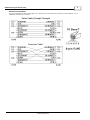
1. Verify the cabling between the PC and the device.
2. Verify the IP address or ID given to the named device matches that of the actual device.
3. Increase the Request Timeout setting so that the entire response can be handled.
4. Verify that the Communications Channel Properties match those used when the device was configured with
Dataforth configuration utility. For more information, refer to the section on "Communication Interface Reset
Jumper" in the hardware user's manual.
5. Cycle power to device.
Unable to write to '<address>' on device '<device name>'
Error Type:
Serious
Possible Cause:
1. The connection between the device and the Host PC is broken.
2. The IP address or ID assigned to the device is incorrect.
3. The interface type, com port or baud rate on device are configured incorrectly.
Solution:
1. Verify the cabling between the PC and the device.
2. Verify the IP address or ID given to the named device matches that of the actual device.
3. Verify that the Communications Channel Properties match those used when the device was configured with
Dataforth configuration utility. For more information, refer to the section on "Communication Interface Reset
Jumper" in the hardware user's manual.
Driver Error Messages
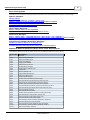
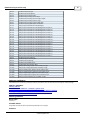
The following error/warning messages may be generated. Click on the link for a description of the message.
Driver Error Messages
Device '<device name>' responded with error '<Error Code>' (Tag '<address>')
Device '<device name>' responded with error '<Error Code>' (Tag '<address>') during Connect
Device '<device name>' responded with error 'Error Code' (Tag 'address')
Error Type:
Serious
Possible Cause:
1. The connection between the device and the Host PC is broken.
2. The IP address or ID assigned to the device is incorrect.
3. The interface type, com port or baud rate on device are configured incorrectly.
Solution:
1. Verify the cabling between the PC and the device.
2. Verify the IP address or ID given to the named device matches that of the actual device.
3. Verify that the Communications Channel Properties match those used when the device was configured with
Dataforth configuration utility. For more information, refer to the section on "Communication Interface Reset
Jumper" in the hardware user's manual.
Note:
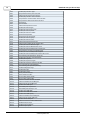
The error code detailed in the message was returned by the Dataforth Data Acquisition Library . For more information, refer to Dataforth Data Acquisition Library Error Code Descriptions.
Device '<device name>' responded with error 'Error Code' (Tag 'address') during Connect
Error Type:
Serious
Possible Cause:
www. kepware.com