1
210
Chapter 4
Information on the operation of the software functions making up the
task was gathered in our dissection of the requirements document in the
last chapter. Information on how the functions operate together should
have come from the description of the overall system operation, which
should also be present in the requirements document. Together, they
should give the designer a big-picture view of the task’s operation.
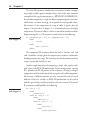
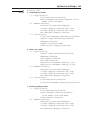
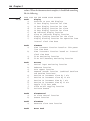
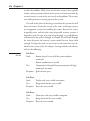
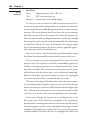
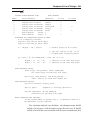
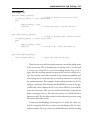
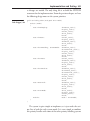
To illustrate the process, consider the Buttons task from our alarm
clock example:
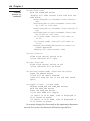
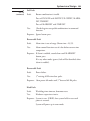
Task3
List 4.1
Buttons
a) Control input monitoring function
b) Debounce function
c) Auto repeat function
d) Command Decode function (combined SetAlarm
and SetTime functions)
e) Routine to increment alarm by 1 min
f) Routine to increment alarm by 20 min
g) Routine to increment Time by 1 min
h) Routine to increment Time by 20 min
i) Toggle 12/24 hour mode
j) Alarm on/off toggling function
k) Initiate Snooze
From our understanding of how the user interface works, and our
understanding of each of the software functions in the task, we know:
1. The control and input monitoring function first detects the button press.
2. The debounce function determines when the button has stopped
bouncing. This prevents the system from trying to execute a
command on every contact bounce.
3. The command decode function determines which command to
execute based on the button pressed, or even if the button press
is a valid command,
4. The appropriate command routine is executed.
5. If the command supports auto-repeat, the command is executed
again at the repeat interval until the button is released.
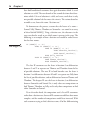
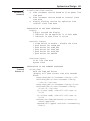
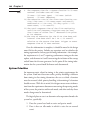
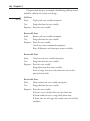
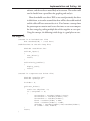
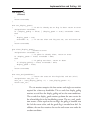
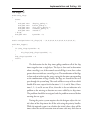
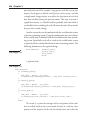
Rewriting the previous description using a pseudocode format, we
have the following algorithm, which outlines the task’s execution.