1
28
Mastercam HSM Performance Pack User Guide
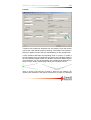
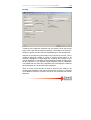
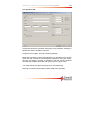
to set different amounts of stock to be left in the horizontal and vertical
directions.
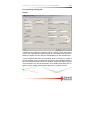
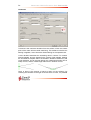
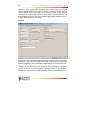
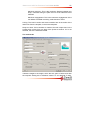
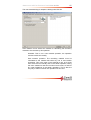
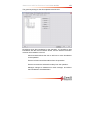
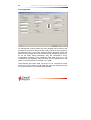
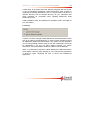
Maximum stepdown is the step in the Z direction.
Order by depth: Checking this checkbox will cause the toolpath to be
linked in order of Z depth, so an entire Z depth is machined before the
next z depth, even if there are several areas. This function should be
used if there are thin walls between areas that have to be machined, or if
it is in a deep and narrow pocket.
Horizontal leads: The Lead radius here is the radius of the lead in/out
from the toolpath, in the horizontal plane. By selecting the checkbox
adjacent to Horizontal lead out radius, it is possible to set a different
radius for the lead out from the toolpath in the horizontal plane.
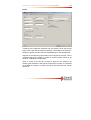
Slope range: Only areas where the slope angle of the surfaces is within
these limits will be machined.
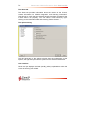
Contact only: If this checkbox is checked, toolpath segments where the
tool is not in contact with the surfaces will be filtered out. With this
checkbox not checked, there will also be contour passes along the tool
boundary.
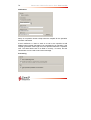
Cutting depth: Here it is possible to specify depth limits for the toolpath,
useful for machining deep pockets, where the upper areas are to be
machined with a shorter tool, and the lower areas with a longer tool. The
depth limits are to the tip or center of the tool (as selected here), even if
Boundaries confine the tool contact points is selected on the geometry
tab.
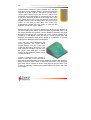
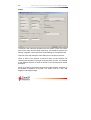
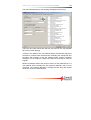
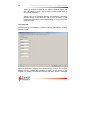
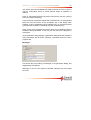
Shallow: Selecting Machine shallow areas enables the check for shallow
areas, adding contour passes for a better surface finish.
Minimum stepdown: This is the minimum stepdown between two contour
passes. This setting overrides the Stepover setting for shallow
machining, described next, so no two contour passes will be closer to
each other in the Z direction than the Minimum stepdown.