1
Activity Generator Version 4 for Microsoft Train Simulator
Page 2
Changing your Locomotive Consist ......................................................................................... 19
Adding Locomotives to the Player Consist .......................................................................... 19
Removing locomotives ......................................................................................................... 19
Flip Direction ........................................................................................................................ 20
View Selected Unit ............................................................................................................... 20
Last Car in Consist................................................................................................................ 20
Set Railcar Fill. ......................................................................................................................... 20
•
How Many Railcars Should be Added to the Activity ................................................. 21
•
Place cars on Industry tracks that won’t be worked ..................................................... 21
•
Place cars on Yard tracks that won’t be worked........................................................... 21
•
Place cars on Yard tracks that WILL be worked .......................................................... 21
•
Allow car placement in Regions that won’t be worked................................................ 22
•
Maximum number of cars to add per track................................................................... 22
Generating a new activity ......................................................................................................... 22
Printing a Work Order .......................................................................................................... 22
Running the activity.............................................................................................................. 23
Distributing Activities you Generate .................................................................................... 23
Note on files and naming .................................................................................................. 24
Problem with packaging some activities........................................................................... 24
Q&A:......................................................................................................................................... 25
Saving Activities you Generate to Run them Again:................................................................ 28
Activity Templates, Routes and Downloads Needed ............................................................... 28
Known Issue with Activity Generator version 4 or later, and some earlier templates. ............ 28
PART TWO: Creating your own Activity Generator Templates ................................................. 30
Step 1: Create the Activity Creation Template .act File (using the Activity Editor)............... 30
1. Place cars on the industry spurs and yard tracks........................................................... 30
IMPORTANT -- Note on placing cars on spurs: .............................................................. 31
2. Place some other cars, of a type that will be delivered to the industries, somewhere in
the activity file ...................................................................................................................... 33
3. Create a new ‘Action’ Event......................................................................................... 34
4. Assign the Pick up Cars Event to each consist placed.................................................. 35
5. Multiple Paths (optional) .............................................................................................. 36
Step 2: Create the Activity .CSV File....................................................................................... 36
Step 3: Edit the Activity CSV File............................................................................................ 39
Editing the “CarType” information ...................................................................................... 40
Possible Car Types............................................................................................................ 40
Loads and Empties, and more specific car typing. ....................................................... 40
Blank UID’s in the Activity CSV File.................................................................................. 41
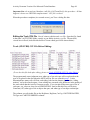
Saving the CSV File.............................................................................................................. 41
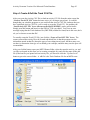
Step 4: Create & Edit the Track CSV File................................................................................ 43
Editing the Track CSV File................................................................................................... 44
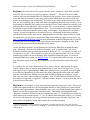
Track (SWLTDB) CSV File Before Editing: ................................................................... 44
RegName........................................................................................................................... 45
RegNum ............................................................................................................................ 45
CarCap .............................................................................................................................. 46
CarTypeWanted ................................................................................................................ 46