1
Activity Generator Version 4 for Microsoft Train Simulator
Page 3
CarTypeShipped ............................................................................................................... 47
AG4 Design note........................................................................................................... 47
TrkLength ......................................................................................................................... 47
TrkType............................................................................................................................. 47
Saving the Track CSV File ............................................................................................... 49
Track (SWLTDB) CSV File After Editing....................................................................... 49
Step 5: Setting the Order in which each Region is reached for each Path in the Template...... 50
If you’ve designed an activity that gives the player a choice of multiple paths and/or
starting points, and the route you’re working with has some switches that can’t be
manually operated (as is the case with the majority of routes), or signals that the player
will need to navigate through (and you don’t want to require the player to use the “...... 50
You can tell Activity Generator which regions will be accessible for each possible path
the player might select when generating an activity using the Activity Template you
created, and the order in which the regions will be reached. Doing this is easier to use
than you might think!........................................................................................................ 50
Click the Set Regions worked and order reached for paths button....................................... 51
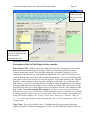
The “Path Region Order” Dialog, new for AG4................................................................... 52
Description of the Set Path Region Order controls........................................................... 53
Select Path to Edit......................................................................................................... 53
Copy From .................................................................................................................... 53
Maximum Length of Player Train at Path Start............................................................ 54
All Regions in this Template ........................................................................................ 54
Tracks in the Region, and car capacity of each ............................................................ 54
Add................................................................................................................................ 54
Remove ......................................................................................................................... 55
Remove All ................................................................................................................... 55
Save Changes to this Path ............................................................................................. 55
Regions Reached via this Path, in Order ...................................................................... 55
Save All to File (.pro) ................................................................................................... 55
Exit................................................................................................................................ 55
Step 6: Set the Car Types that can be used when “Any” Car Type is called for. ..................... 56
Step 7: Distributing the Templates you Create. ........................................................................ 57
Using WinZip to Package your Templates. .......................................................................... 57
Your Rights as a Licensed Activity Generator User............................................................. 60
Adding a Template Guide for your users.............................................................................. 61
Activity Template Creation – Tutorial, Process and Insights ................................................... 61
Template Design Caveats ......................................................................................................... 66
Designing Templates for Routes with Signals and Dispatcher-Controlled Switches........... 67
New for Version 4......................................................................................................................... 68
Credits/Acknowledgements .......................................................................................................... 70