1
Example #1: The INtime Application Wizard – HelloWorld
This exercise introduces the INtime Application Wizard used to
create a simple real-time process. The INtime Application Wizard
assists by adding template code for elements like semaphores,
threads, shared memory allocation, interrupt handling, and client
threads to a new project. The INtime Application Wizard will be
used to create the foundation for the HelloWorld example project.
In the HelloWorld project you will create a thread that executes in an
infinite loop. The thread will sleep approximately 1000 milliseconds
and print the phrase ‚HelloWorld‛ ten times in an INtime console
window, per each loop iteration.
Note: For the sake of brevity, only screenshots of significant
value are shown within the tutorials of this guide.
Using the INtime Application Wizard
Create a directory on your development machine called INtimeApps
to store the examples from this Guide.
1)
Start Visual Studio.
2)
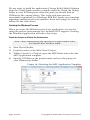
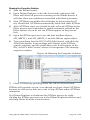
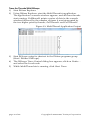
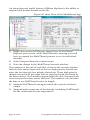
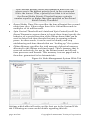
Select File|New|Project to create a new Visual Studio project.
3)
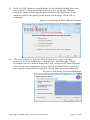
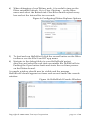
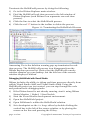
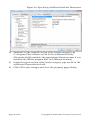
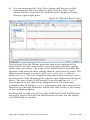
Under INtime Projects, select INtime Application Wizard.
4)
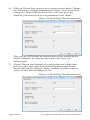
Enter a project name of HelloWorld and set the location (path) to
the INtimeApps directory you created above.
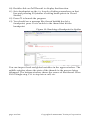
Figure 2: Starting the INtime Application Wizard
page 6 of 46
Copyright © 2005-2009, TenAsys Corporation