1
USERS MANUAL
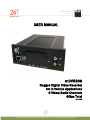
mDVR306
3. OPERATION
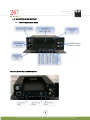
3.1. STATUS INDICATORS
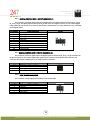
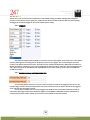
3.1.1. IGNITION LED
This LED is to notify the operator that the vehicle’s ignition has been turned on which will then turn on the DVR.
This LED will be blinking when ignition is turned on and until DVR powers on. This LED will also blink when ignition
is turned off and until DVR powers off.
3.1.2. POWER LED
This LED is to notify operator that system power is on.
3.1.3. ERROR LED
This LED is to notify operator that the system has encountered a problem and cannot continue normal operation.
Please call tech support for troubleshooting procedures.
3.1.4. VIDEO LOST INDICATOR LED
This LED is to notify operator when any of the enabled cameras loses video signal meaning the cable is cut, not
connected or the camera is having a problem.
3.1.5.RECORD LED
This LED indicates if the DVR is recording.
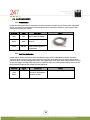
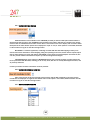
3.2. HDD ON/OFF LOCK
The HDD On/Off lock mechanism is employed to prevent unauthorized operators from removing the media
storage and tampering with video data. Turn key to position “Close” to lock media storage or “Open” to unlock. The
mDVR306 will NOT record video if the lock mechanism is in the “Open” position
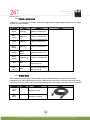
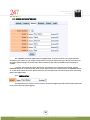
3.3. MEDIA STORAGE REMOVAL
The media storage is hot swappable and can be removed and inserted without turning the ignition off. This process
will take roughly 10 to 20 seconds to complete. The feature is helpful when access to video is needed but vehicle
is still running its’ route. User can remove the media storage and insert a new one so that the needed video can be
retrieved right away.
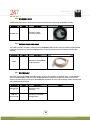
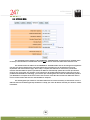
1. Turn key to the “Open” position
This process is necessary so that the mDVR306 can properly close all video/audio files and safely turn
HDD
power off. Remove the front cover plate.
2. Gently pull media storage out from the bay
3. Insert new media storage – Wait for at least 30 seconds (Power LED is OFF) then insert new/original
storage media, re-install the cover.
18
247Security Inc. | 4400 North Point Parkway, Suite # 158, Alpharetta, GA 30022, USA | 1-866-693-7492 | www.247securityinc.com