1
XMOD Rapid Fire Modded Controller User Guide - XBOX 360
RAPID FIRE MODES
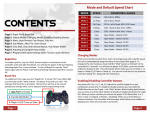
To cycle through the 6 main modes:
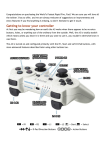
FORWARD: Press & Hold the “A” button and TAP the MODE button.
BACKWARD: Press & Hold the “B” button and TAP the MODE button
The 3rd Player LED will blink to indicate the mode you are in.
To cycle through the different speeds:
- TAP the MODE button.
The 4th Player LED will blink to indicate the speed you are in.
FORWARD:
Hold & Tap MODE BUTTON
BACKWARD:
Hold & Tap MODE BUTTON
MODE BUTTON
RAPID FIRE ON/OFF
There are 2 ways to turn the Rapid Fire OFF:
1- Press & Hold the LEFT TRIGGER and the MODE button at the same time for 2 sec.
2- Press & Hold the LEFT TRIGGER + A + B buttons, all at the same time.
Release the buttons.
The LEDs will blink 2 times.
To turn the Rapid Fire ON:
- Press & Hold the LEFT TRIGGER and TAP the MODE button.
The LEDs will blink to indicate the mode you are in.
RAPID FIRE OFF:
Hold
A + B + LT
simultaneously
RAPID FIRE
ON-OFF:
Hold & Tap
MODE BUTTON
ENABLE - DISABLE MAIN MODES
To enable or disable any MAIN MODES (2-3-4-5-6):
-Turn the RAPID FIRE OFF.
-Press & Hold the B button for 8 seconds.
-Release the B button when the LEDs light up. They will stay solid.
-Tap the MODE button to choose the main mode (2 to 6) you want to enable/disable.
-Tap the “A” button to enable the selected mode.
-Tap the “B” button to disable the selected mode.
-To SAVE & EXIT press & hold the LEFT Trigger and TAP the MODE button.
-The LEDs will flash for 2 sec.
www.xmodelectronics.com