1
Handheld GPS/GSM Tracker GH1201
8.1.1
User Manual v1.06
PIN Code
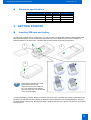
If a SIM card with an activated PIN Code has been inserted into the device, it will not be able to connect to
the GSM network and perform certain functions. Therefore, if you want the device to be fully operational,
the PIN Code must be either removed by using a Mobile Phone, if available.
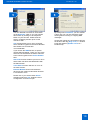
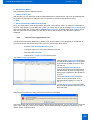
Or, if you wish to enable automatic PIN Code entry by using the program Track Assistant, connect the
device to a PC and click the button Connect. When the device starts the connection to the PC, the program
will check if it hosts a SIM card and if the PIN Code is activated. If it has been activated, the program will
automatically open a window where you can insert the PIN Code. Now the PIN Code will be adopted by
GH1201 and will be always used when the device will be switched on.
Track Assistant Monitoring Tool
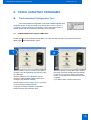
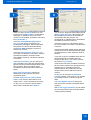
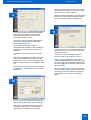
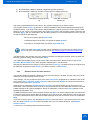
The Monitoring Tool is installed together with the drivers of the
device. You can switch it on witin the program menu Start > All Programs >
Teltonika > Track Assistant Monitoring Tool. A special window will inform
you about the activation of the program.
8.2
MONITORING OF GH1201 USING A PC
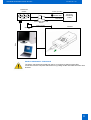
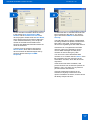
The Track Assistant Monitoring Tool enables the user to manage GH1201 directly from his personal or
portable computer which is connected to a GSM Modem. With a GSM Modem (i.e. Teltonika
ModemUSB/G10 ) connected to the personal or portable computer, you can receive SMS messages with
geographical coordinates from the device and immediately track it on the map.
The quantity of SMS messages is not restricted since all SMS messages available in the Modem may be
stored in the computer memory and, thus, compile the whole history of received or sent SMS messages.
By using the Track Assistant Monitoring Tool you may also request the device for special SMS queries,
which do not need to be memorised because they are already programd within the program.
By using a special tool option, you will be able to set up to ten Geofence zones and send the configurations
with SMS messages by a Modem or record it directly to the device if it is connected.
In addition, you will be able to store the data within the computer, review them or send them to another
person.
21