1
Static IP Routing (No
Bridge Mode)
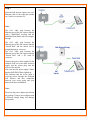
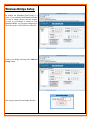
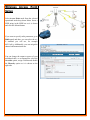
To configure Static IP Routing, select the
Static Routing tab, located under Network
tab. In the Static Routing tab you can
select the Routes tab or the Rules tab.
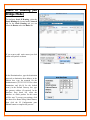
If you want to add static routes just click
on the add symbol as shown.
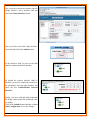
In the Destination box, type the destination
network or destination host address, in the
Subnet box, type the netmask for the
destination net. (255.255.255.255 for a host
destination and 0.0.0.0 for the default
route), in the Default Gateway box, type
the gateway address (if required), In the
Interface drop down list, select the
interface to which packets for this route
will be sent. To accept your settings, click
the Insert New Route dialog Submit button,
then click the IP Configuration pane
Submit button to complete the process.