1
Wireless Point to Point
& Point to Multi-Point
Setup
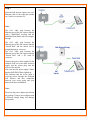
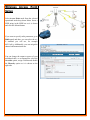
For this example you need 2 or more
multiband radios or other wifi wireless
devices, if you want a bridge network follow
the Wireless Bridge Setup example and
create the wireless bridges. Configure the 1st
device to operate in Access Point Mode,
please read the previous chapter.
Configure the client device to operate in
Access Point Client Mode or Station
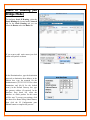
Mode and perform a Site Survey.
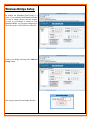
Select AP Client from the Selected
Operational Mode Drop Down Menu.
Click the Site Survey button
Connect with the desired Access Point.
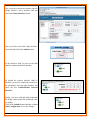
Select the desired ESSID from the Site
Survey Pop-up Menu.
Click the Connect button
As soon as the devices get connected, the
connection status bar informs you about the
link quality and the Signal Level.