1
Introduction
Using Avaya Software Update Manager
Avaya Software Update Manager is used to retrieve software from the web and download it to
appropriate devices in your network. Using Avaya Software Update Manager, you can perform
the following tasks:
●
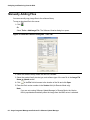
Starting Avaya Software Update Manager. For instructions on starting Avaya Software
Update Manager, refer to Starting Avaya Software Update Manager on page 17.
●
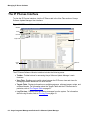
Detecting the download targets associated with devices in the network. For instructions on
detecting targets, refer to Chapter 4: Detecting Targets on page 37.
●
Analyzing the software on the network devices to determine if there are new versions. For
instructions on analyzing device software, refer to Performing Web Analysis on page 86.
●
Retrieving new versions of software from the Web. For instructions on retrieving software
from the web, refer to Retrieving New Versions from the Web on page 86.
●
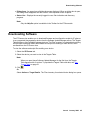
Downloading the new software to the relevant devices in your network. For instructions on
downloading software to devices, refer to Downloading on page 69.
●
Resetting devices in the network as necessary. For instructions on resetting devices, refer
to Resetting Modules on page 81.
To start Avaya Software Update Manager, refer to Starting Avaya Software Update Manager on
page 17.
10 Avaya Integrated Management Release 5.0 Software Update Manager