1
Installing OpenChoice Solutions
Finding Resources
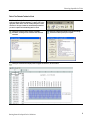
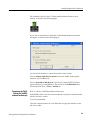
To search for new instruments, click Update.
The TekVISA Instrument Manager automatically detects Serial, GPIB, USB, and
LAN devices operating on the local network.
Making a Search
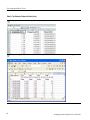
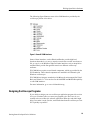
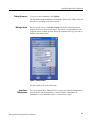
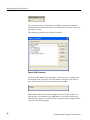
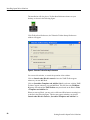
For new search criteria, click Select Criteria. The Search Criteria dialog box
displays as shown in the following figure. The options vary depending on your
computer and the available network. Select the communication type you want to
include in the search criteria.
Figure 7: Search Criteria
For more details, refer to the online help.
OpenChoice
Talker/Listener
You can use OpenChoice Talker/Listener to observe the detailed communication
between the PC and the instruments, to send individual commands to the
instruments, to run commands scripts, to create and save scripts.
Getting Started in OpenChoice Solutions
31