1
Other Messages
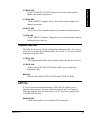
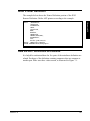
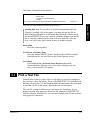
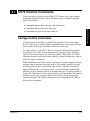
These messages can display if you have either the PRINT370 or
CHANNEL-OUT (BT) adapter.
Printer Sense Codes
8 Operate PRINT370
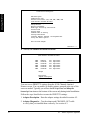
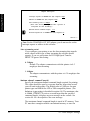
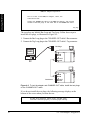
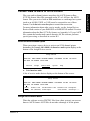
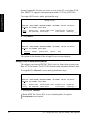
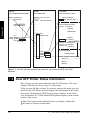
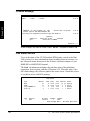
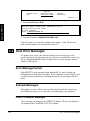
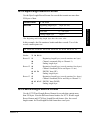
Printer sense codes might display on certain conditions. Sense code messages have this format:
PRxx sense error text CMD:nn LEN:nn
20:04:57
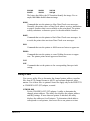
Sense: 00000000 00000000 00000000 00000000
20:04:57
|0000 0000 0000 0000|0000 0000 0000 0000|0000 0000 0000 0000|0000 0000 0000 0000
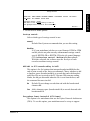
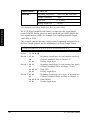
The first message line displays the following information:
P R x x is the printer address (for example, PR0E).
sense error text represents the sense error message text (for example,
Load Check). This message also displays on the Status Line at the top of
the screen.
C M D is the channel command that produced the error.
L E N is the length of the data record.
The second line displays the complete 24-byte sense code. The last sense
code also displays on the Printer Commands menu.
The third line displays the first 64 bytes of the hexadecimal command data.
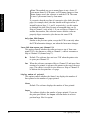
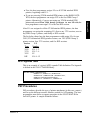
Data Check and Load Check
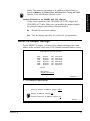
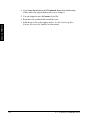
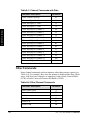
Data Check and Load Check error messages display in the sense code
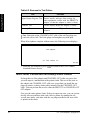
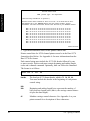
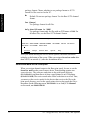
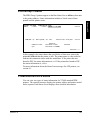
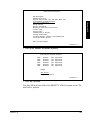
format. This is an example of a Data Check error message:
PR0C Data Check CMD:00 LEN:89
20:04:57
Sense: 04000000 00000000 00000000 00000000
20:04:57
|0000 0000 0000 0000|0000 0000 0000 0000|0000 0000 0000 0000|0000 0000 0000 0000
Data Check errors occur on IBM 3203, IBM 3211, and compatible printers.
They indicate that the printer cannot print a character, usually because the
character is not on the print train or band. If your printer can print only
uppercase characters, use the FOLD command file to fold lowercase characters to uppercase. For more information, look up the sense code in your
printer manual.
126
8.4 - View Error Messages