1
2.2 Getting Started
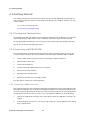
2.2.2.6 Editing DB Connection Information
It will sometimes be necessary to edit database connection information. For example, it may be necessary to change the account that is used to establish the database connection. This is possible only
when not connected to the database in question. There are six steps involved in editing database
connection information.
1.
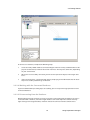
Select the database for which it is desired to change connection information. To open the context menu, right-click on the database, and then choose "Edit" from the context menu.
2.
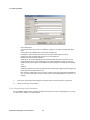
Make the required changes to the connection information. Click on the "Connection Test" button to ensure that the connection works as expected.
3.
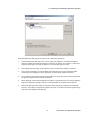
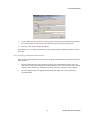
The dialog box shown below will appear if the connection test is successful. Click on the "OK"
4.
Finally, click on the "Save" button in the Edit dialog box.
2.2.2.7 Removing a Database Connection
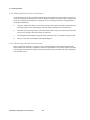
When a registered database is no longer in use, you will probably want to remove it from the DB
Connections panel. To remove a database, select the target database connection. Open the context
menu by right-clicking on the database connection to be removed, and then left-click on "Remove"
in the context menu.
Replication Manager User’s Manual
20