1
Appendix
A 1.2.6 Edge Compensation Tab
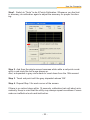
In some case, if it is difficult to touch items at the edges of the touch panel,
users can set adjustment to reach the edges of the screen image.
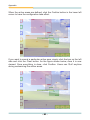
Users can set the stretch percentage for the four edges of the screen by move
the slide bars or click the buttons. Please refer to the instructions below.
Top
If users set the Edge to <Smaller>, eGalax will reduce the horizontal position
of the top edge. If users set the Edge to <Larger>, eGalax will extend the
horizontal position of the top edge.
Bottom
If users set the Edge to <Smaller>, eGalax will reduce the horizontal position
of the bottom edge. If users set the Edge to <Larger>, eGalax will extend the
horizontal position of the bottom edge.
Left
If users set the Edge to <Smaller>, eGalax will reduce the vertical position of
the left edge. If users set the Edge to <Larger>, eGalax will extend the
vertical position of the left edge.
- 81 -