1
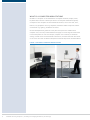
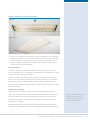
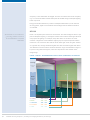
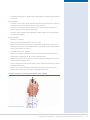
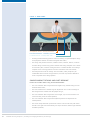
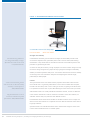
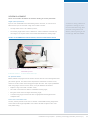
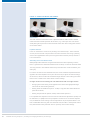
You can use monitor arms to allow for the adjustment of computer screens. They
may be particularly useful when there is limited space on the desk or at a shared
workstation where regular repositioning of the screen may be necessary. If you provide
a support arm, make sure it is easily adjustable, mechanically stable and will allow the
screen to be viewed at an appropriate distance and angle for each user.
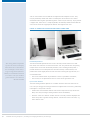
figure 20. Example of a monitor arm and a screen riser
Horizontal placement
‘The viewing distance is dependent
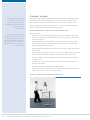
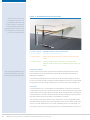
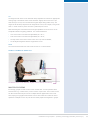
The ideal horizontal position for the screen is directly in front of the user so that
upon the task and the visual display
their head, neck and torso are not turned to one side. This prevents the user placing
and should not be less than 300mm.
unequal strain on one side of the body. However, users working primarily from a
For visual displays used in offices, a
printed document can instead place the document directly in front of them, and
longer viewing distance (400mm to
position the screen slightly off to the side. For tasks involving this type of work, it is
750mm) is recommended as this leads
to less strain on the eyes and allows
greater freedom to move the head.’
ISO 9241-303:2008
recommended that:
»»
The screen and document are positioned as close as possible to each other;
»»
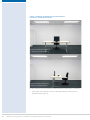
The screen(s) is not placed more than 35° to the left or right of the user.
Eye-to-screen distance
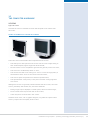
The best viewing distance depends on a number of factors and varies from user to
user. The eyes struggle to converge and focus on objects that are too near, particularly
if the object is at eye level or above.
»»
Position the screen between 400mm and 750mm away from the eyes of the user.
Many users may find larger viewing distances more comfortable;
»»
Place the screen at a distance at which the user can easily read the displayed text.
If the user prefers a greater viewing distance, increase the text size or zoom, e.g.
from 100% to 150%.
62
Guidelines for using computers – preventing and managing discomfort, pain and injury