1
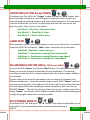
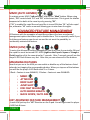
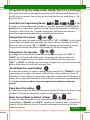
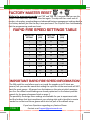
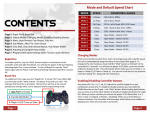
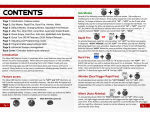
CONTENTS PAGE 1: Rapid Fire & Burst Fire PAGE 2: Default Modes, Changing Modes, Enabling/Disabling Buttons PAGE 3: Sub Modes, Drop Shot, Quick Scope/Auto Aim PAGE 4: Jitter Fire, Jump Shot, Fast Reload, Auto Sniper Breath PAGE 5: Mimic (Auto Akimbo), Advanced Feature Management PAGE 6: Adjusting and programming modes PAGE 7: Master reset, Speed settings table, Rapid fire information BACK COVER: Speed settings table, Function quick reference RAPID FIRE To enable rapid fire, tap the “Mod” bu4on located on the bo4om of the controller under the right thumbs:ck. You will see the player 4 LED start flashing indica:ng Rapid Fire is now ac:vated. To turn off Rapid Fire tap the “Mod” bu4on again and the Player 4 LED will stop flashing indica:ng rapid fire is turned off. You can change the rapid fire speed by using one of the 10 built in pre-‐set modes (see next page), or by programming your own custom speed (see “Programming Modes”). BURST FIRE + To enable burst fire HOLD “Right on D-‐Pad” and tap the “Mod” bu4on. The player 4 LED will then turn on solid. This indicates that burst fire is ac:vated. While ac:ve you can quickly turn the burst fire on/off by tapping just the “Mod” bu4on. The burst fire will fire at the current speed/burst seWngs which can be adjusted within programming mode. Each of the 10 modes has it’s own burst fire seWng, the default seWng for each mode is 3 rounds per burst. PAGE 1