1
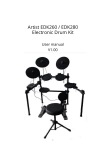
Artist EDK260 / EDK280
Electronic Drum Kit
User manual
V1.00
1
t
Contents
Introduction....................................................................................................................................................................................................... 3
Features .............................................................................................................................................................................................................4
Panel Control .....................................................................................................................................................................................................5
Front panel ............................................................................................................................................................................................... 5
Rear panel ..................................................................................................................................................................................................7
Setting up the whole system..............................................................................................................................................................................9
Setting up the Kick.................................................................................................................................................................................... 10
Connecting the pads, the cymbals, the hi-hat pedal, and the kick........................................................................................................… 11
Connecting the adapter, the headphone, the Amps, and others ........................................................................................................... 12
..
Function............................................................................................................................................................................................................ 13
1.1 KIT ...................................................................................................................................................................................................... 13
1.2 DEMO.................................................................................................................................................................................................. 13
1.3 DRUM SOUND....................................................................................................................................................................................... 14
1.4 SETUP ................................................................................................................................................................................................. 15
1.5 MEMORY.............................................................................................................................................................................................. 17
1.6 CLICK.................................................................................................................................................................................................... 17
1.7 TEMPO................................................................................................................................................................................................. 18
1.8 DEMO MUTE........................................................................................................................................................................................ 18
1.9 DRUM KEY........................................................................................................................................................................................... 18
1.10 PAD HEAD SHOTS AND RIM SHOTS.................................................................................................................................................. 19
1.11CYMBAL BOW SHOTS AND EDGE SHOTS.......................................................................................................................................... 20
1.12 CYMBAL CHOKE ................................................................................................................................................................................ 21
Factory Reset ………………….............................................................................................................................................................................. 22
MIDI Implementation Chart ............................................................................................................................................................................ 23
General MIDI Drums-Note assignments......................................................................................................................................................... 24
2
Introduction
Thank you for purchasing the Artist Electronic Drum Kit. To help you get the most out of your
new instrument, please read this manual carefully.
3
Features
● Pads: 1 snare with rim trigger, 3 tom pads, 3 cymbal pads (EDK280: crash &
Ride pad with rim trigger), 1 hi-hat control pedal, 1 kick trigger
● Voices: 260 voices (EDK260), 280 voices (EDK280)
● Drum kits: 20 preset kits, 10 user kits (EDK260), 20 user kits (EDK280)
● Demo: 20 demo for practise
● Controls: Power Switch, Start/Stop, Setup, Memory, Kit, Drum
Sound/ Level/Pan, Demo/volume, Click, Hi-Hat, Crash, Ride, Hi-Hat
Control, Snare, Tom1, Tom2, Tom3, Kick, Rim, Volume+/-, Tempo+/● Display: LED display
● Connections: Midi Out/Phones/Hi-Hat Control/HiHat/Crash/Ride/Snare/
Tom1/Tom2/Tom3/Kick/Output(R&L/Mono)/Line In
● Power Supply: DC adaptor (9V)
4
Panel Control
Front panel:
⑤
④
①
③
⑥
⑦
⑩
⑧
⑨
13
○
②
12
○
11
○
1 Display the information about the current menu
○
2 Control the volume of the device
○
3 Enter the voice menu
○
4 Enter or quit the memory status
○
5 Start\Stop demo
○
6 Enter the kit menu
○
5
7 Enter the demo practice menu
○
8 Setup the parameters of the current pad
○
9 Adjust the parameters of current menu
○
10 Tempo increase/decrease
○
11 Those buttons match the drum pads
○
12 Turn the click on/off
○
13 Turn the demo practice on/off
○
6
Rear panel:
20
○
19
○
16
○
14
○
17 ○
18 ○
15
○
14 Power switch
○
Switch turns the power on/off
15 DC adapter jack
○
9V DC
16 Headphone jack
○
A pair of stereo headphones can be connected to this jack
17 MIDI OUT
○
It can be connected with the external MIDI sound generator
7
18 LINE IN
○
Connect this to the external sound source
19 OUTPUT Jacks (L, MONO, R)
○
Connect these to your amp or audio system.
20 TRIGGER INPUTS
○
These inputs are to connect the pads, cymbals, kick, hi-hat control
8
Setting up the whole system
9
Setting up the Kick:
10
Connecting the pads, the cymbals, the hi-hat pedal and the kick:
11
Connecting the adapter, headphone, amp and CD/MP3:
12
Function
1.1 KIT:
Press the KIT button to enter the kit menu. There are 20 preset kits and 10 user kits (EDK260) /
20 user kits (EDK280). Use the +/- button to choose the desired kit. The LED will display the current
kit number.
1.2 DEMO:
Press the DEMO PRACTISE button to enter the DEMO menu page. There are 20 preset demo songs
for you to practise. Use the +/- button to choose the desired DEMO. Press the PLAY/STOP button to
play or stop the demo practice.
13
Press the DEMO PRACTISE button again to enter the DEMO VOLUME page. You can use the +/button to change the DEMO volume.
The two pages is in turn by pressing the DEMO PRACTISE button.
1.3 DRUM SOUND:
Press the DRUM SOUND button to enter the DRUM SOUND menu page. There are 260 voices that
can be chosen and assigned to the current pad.
Press the DRUM SOUND again to enter the VOICE VOLUME page. The current pad volume can
be changed by using the +/- button.
Ppress the DRUM SOUND a third time to enter the VOICE PAN page. Using the +/- button to
change the pan value (left or right) for the current voice.
14
1.4 SETUP:
There are four menu pages in SETUP button,
The first is the PAD SENSITIVITY page, you can adjust the pad sensitivity value by using the +/button in this page.
The second is the PAD RIM SENSITIVITY page, if the current PAD has rim, the rim sensitivity can
be adjusted by using the +/- button.
The third is the CROSSTALK page. When striking a pad, it may trigger the sound of another pad.
To cut down this problem, use the +/- button to adjust the crosstalk value.
15
The fourth is the VELOCITY CURVE page, you can use the +/- button to choose the desired pad curve.
The lower the number the easier it is to produce a more powerful stroke. The higher the number a
harder stroke is required (the more sensitive the pad is to velocity).
16
1.5 MEMORY:
It has 20 memory slots to store user kit (10 for the EDK260) the +\- button be used to choose the
memory area.
To operate the Memory Function:
1. Load your preferred sounds for each pad
2. Press "MEMORY" (the dot will start flashing).
3. Choose the location from 21-40 (21-30 for EDK260) using the "+" & "-" keys
4. Press "MEMORY" again
1.6 CLICK:
Press the CLICK button to turn on or turn off the metronome.
17
1.7 TEMPO:
Press the TEMPO+ to increase tempo of the DEMO or metronome. Press the TEMPO -/+ to adjust
the tempo of the DEMO or metronome.
1.8 DEMO MUTE:
Press the ACCOMP button to activate or inactivate the demo mute function. When activating the
demo mute, you will not hear the demo but it will continue to play internally.
1.9 DRUM KEYS:
These buttons: snare / kick / tom1 / tom2 / tom3 / crash / ride / hihat / hihat ctrl / rim, can be used to
preview the sound of the corresponding pad when changing the voice.
18
1.10 PAD HEAD SHOTS AND RIM SHOTS:
Head shot for all pads:
Head shot
Rim shot only for snare:
19
Rim shot
1.11 CYMBAL BOW SHOTS AND EDGE SHOTS:
Bow shot for all cymbals
Bow shot
Edge shot only for crash & ride (EDK280 only)
20
Edge shot
1.12 CYMBAL CHOKE:
Squeezing the rim after striking the cymbal, the sound can be muted.
21
FACTORY RESET
To complete a factory reset of your drum module:
1.
2.
3.
Turn the power off
Press and hold the + and – buttons on the front panel
Turn the power back on
This will restore all settings to the factory settings.
Caution: By doing this you will lose any saved preset drum kits.
22
MIDI Implementation Chart
Please note: This drum kit is designed to work only with GM (general Midi) Standard devices.
Function
Basic
Channel
Default
:
Changed
Default
Mode :
Messages
Altered
Note
Number :
True voice
Velocity :
Note on
Note off
Transmitted
Recognized
10ch
×
×
×
MODE 3
×
×
×
********
***
0—127
********
0-127
***
***********
〇 99H,V=1-127
×
×
〇(99H,V=0)
×
After
key’s
×
×
Touch
Ch’s
×
×
×
×
×
×
×
×
×
×
System Exclusive
×
×
System
:Song Position
×
×
Common
:Song Select
×
×
×
〇
×
×
〇
×
LOCAL ON/OFF
×
×
All Notes Off
×
×
〇
×
×
×
×
×
×
×
Pitch Bend
Control
0-127
Change
:
Program
Change
System
Remarks
:
True Number
: Tune
:Clock
Real Time :Commands
Active sensing
System Reset
All Sounds Off
ResetAl l Controller
Mode 1: OMNI ON, POLY
Mode 2: OMNI ON, MONO
Mode 3: OMNI OFF, POLY
Mode 4: OMNI OFF, MONO
23
O: Yes X: No
START and STOP only
General MIDI Drums-Note assignments
MIDI Note
Drum Sound
MIDI Note Drum Sound
MIDI Note
Drum Sound
35
Acoustic Bass Drum
52
Chinese Cymbal
69
Cabasa
36
Bass Drum 1
53
Ride Bell
70
Maracas
37
Side Stick
54
Tambourine
71
Short Whistle
38
Acoustic Snare
55
Splash Cymbal
72
Long Whistle
39
Hand Clap
56
Cowbel
73
Short Guiro
40
Electric Snare
57
Crash Cymbal 2
74
Long Guiro
41
Low Floor Tom
58
Vibraslap
75
Claves
42
Closed Hi-Hat
59
Ride Cymbal 2
76
Hi Wood Block
43
High Floor Tom
60
Hi Bongo
77
Low Wood Block
44
Pedal Hi-Hat
61
Low Bongo
78
Mute Cuica
45
Low Tom
62
Mute Hi Conga
79
Open Cuica
46
Open Hi-Hat
63
Open Hi Conga
80
Mute Triangle
47
Low-Mid Tom
64
Low Conga
81
Open Triangle
48
Hi-Mid Tom
65
High Timbale
49
Crash Cymbal 1
66
Low Timbale
50
High Tom
67
High Agogo
51
Ride Cymbal 1
68
Low Agogo
If you have any questions, please contact us:
Phone: 1300 489 816
Email: [email protected]
Visit our Support Page:
www.artistguitars.com.au/support
24



![Overture 2 Owner`s Manual [US]](http://vs1.manualzilla.com/store/data/005690862_1-0f7bb48baaf3473aa086657512069e12-150x150.png)