1
agentprofitplanner
Signing In
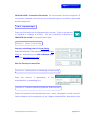
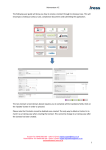
Once you have subscribed and received your password, enter the program via
the ‘Sign in’ tab on the top right hand side of the page, or simply click the
‘Members’ tab. Once ‘signed in’, click the Members tab and click the
‘Create/Edit Scenario’ tab.
Program Structure
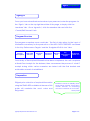
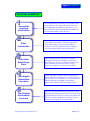
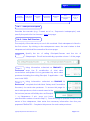
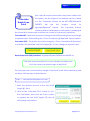
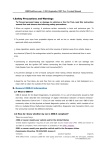
The program comprises seven work-tabs. The first six tabs allow for the input of
information necessary for the production of the KEY OUTPUT REPORTS contained
in the ‘Key Performance Targets’ and the ‘Budgeted Profit & Loss’ tabs.
Analysis
Description
Sales Staff
Structure
Expenses
Input
Ownership
Structure
Affiliation
Fess
Key
Performance
Targets
Budgeted
Profit & Loss
Once entry of the required information has been completed, the user completes
a Break Even Analysis for the business, then commences the process of ‘what-if’
analysis during which various scenarios are tested until the final desired and
achievable scenario is established.
Preparation
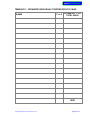
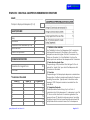
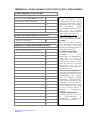
Diligent prior collection of required information
using the TEMPLATES available at the rear of this
guide will maximize the user’s value and
enjoyment.
agentprofitplanner© User Manual v2.1
Business is never so healthy than
when, like a chicken, it must do a
certain amount of scratching
around to achieve an outcome.
Henry Ford
Page 4 of 23