1
Touch Screen Basics (Turbidity )
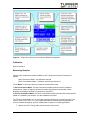
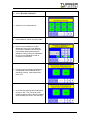
Home Screen
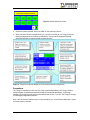
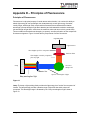
The "Home" screen appears after confirmation of the Optical Application Module. The "Home"
screen provides orientation for the multiple functions of the Trilogy. From the "Home" screen,
select "Calibrate," "Tools," "Mode," or "Help." The "Home" screen is also the measurement
screen.
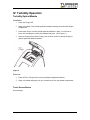
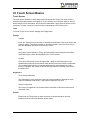
Figure 10: Home Screen When Using Turbidity Module
Calibration
Refer to Section V.
Measuring Samples
There are two measurement modes available on the Trilogy when using the Turbidity Module:
Raw Mode – No calibration required
Direct Concentration Mode – Calibration required – See Section V
Touch “Mode” on the Home Screen to select the measurement mode.
1. Raw Mode: The Raw Mode should be used for qualitative measurement, relative changes in
fluorescence rather than absolute concentration values. Readings are displayed in Relative
Fluorescence Units (RFU).
Trilogy Fluorometer User’s Manual
P/N 998-7210
Page 15 of 38