1
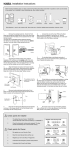
■ Function Programming
17.Code Protection Function
The operation will stop if entering unauthorized codes over 5 times.
The System will re-operate again after 45 sec.
Programming Code (PC)
USER Code (UC)
Detect Left / Right Hand Door Installation
18.Illumination
Enter PC
The LED Keypad will light up when pressing any button for ease of operating in
the dark.
0
Remark : Please run the door-handing identifying process before function set up when
first time installation or default setting restore. It should be remained unlock
while programming.
■ Pass Code & Function Set up
Add New User Code
Enter PC
1. It should be remained unlock while programming.
2. Please run the door-handing identifying process (Refer to programming table)
before function set up when first time installation or default setting restore.
3. Please change default Programming Code (0000) and User Code (1234) before
function set up when first time operation.
4. LED flashes orange slowly while programming. LED flashes green twice with 2
long beeps when correct input. LED flashes red 3 times with 3 beeps when
incorrect input. (You need to wait for 6 seconds or press programming button
when incorrect input, then re-program the system again.)
5. Every programming step should be done in 6 seconds.
6. You can lock/unlock this product by either key or pass code. Please refer to the
following programming table for function set up.
1
Enter New UC
Remark :
Up to 6 sets of User Code can be saved. User Code should be 4-10 digits in length.
Delete An Existing User Code
Enter PC
2
Enter the UC
you want to
delete
Delete All User Code At once
Enter PC
3
Remark : Auto-locking and Keypad locking function will be invalid when User Codes
are deleted. The lock can only be operated by key during the time.
■ Remark
1. We recommend to use alkaline battery in order to stabilize the power supply.
2. Do not mix alkaline battery with regular zinc-carbon ones or mixed brands.
3. Do not use any chemical liquid or lubricating oil with additives to clean the lock
body, it will damage the surface or even mainboard.
4. If there is any problem of the product, please contact your local retailer and send
back the product to us for repair or replacement.
Change Programming Code
Enter PC
4
Enter New PC
Toggle Autolock On/Off
Enter PC
5
Remark : The preset delay-time is 30 seconds, you can change the time by following
instruction.
Repeat the steps to cancel the Auto-locking function.
9
10