1
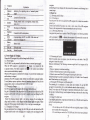
lNote]: Time format options are 12-hour and 24-hour
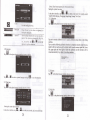
Setting the system time zoile
ln the above interface. rap I ro select a rime zone. For example. select
", Hong Kong, Urumqi" for China.
"(GMT+08:00) Bei.jing, Chongqing,
3.22 Calibration
,* t
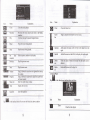
Exit the backlight setting.
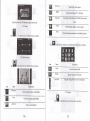
Backlight
f};lffi
Drag leftward to turn down
u
rightward to
penod. The options are always On, l0s, 30s.
lm, 2m and:m. tap
I
or
I
to view the
options in cycle or select one.
3.20Language
a", KX
in the photo browser interface shown as below
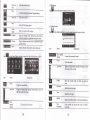
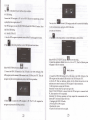
Tap yes to execute calibration or no to cancel calibration md go back to the setting
interface.
Tap no, and the following calibration inledace is prompted. Click the center ofcross
cursor with the touch pen and the cursor shifts from the center, upper left, lower
left, upper right md lower right to hnish the calibration and the interface will
closed automaticaliy to go back to the setting interface.
in the photo browser interface shown as below.
'a
3.23 Factorv
rup
rup Y
o, f
to select a system language and tap
B
[,il
ln
tt.
pt oto browser interface shown as
to save the selection.
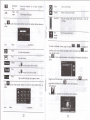
3.21 Date time
,r, t
in rhe photo browser inrerface shown as below.
Setting the system date and time
In the above interface, tap
E
",
E
to set the year, month, day, hour and minute
20
2t
be