1
OrCam User Guide
Version 6.0
Head Unit
The Head Unit features a camera, a microphone, and a wire that connects to the
left side of the OrCam Base Unit. When you first receive the OrCam device box,
you need to assemble the camera mount and connect it to your eyeglasses frame.
Base Unit
The Base Unit is a single, integrated unit that contains sophisticated computer
technology to enable the OrCam device to read text and identify products for you.
OrCam Buttons
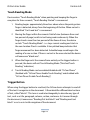
The OrCam Base Unit has three buttons: Power, Volume, and Trigger.
Power Button is a small square shaped blue button, on the right side of the Base
Unit nearest to the socket for the Head Unit cable. This button has four functions:
Power On, Suspending, Waking Up, and Power Off.
Volume Button is the long blue button, on the same side as the Power button. It
has two functions. It is used to change the volume and to wake from suspend. To
change the volume, press the button on either side. You will hear the message
"volume up" up to "volume max" or "volume down" down to "volume minimum".
There are eleven volume levels available.
Page 2