1
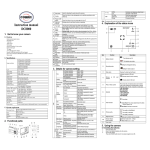
7- Flash indicator
: Force flash.
: Auto Flash: The camera determines if
the flash must be used or not.
: No Flash: The flash is turned off.
8- Picture quality
The quality is fine (Default).
The quality is standard.
The quality is economy.
9- Brightness Alert
10- Normal / Macro
mode indicator
Alert user to hold the camera steadily.
Normal mode (0.5m – infinity)
Macro mode (11cm –18cm)
11- View center
Details for camera setting
Size
Quality
Scene mode
Exposure value
White balance
12M pixel resolution
8.0M pixel resolution
5.0M pixel resolution
3.1M pixel resolution
1.3M pixel resolution
VGA resolution
Fine(Default)/Standard/Ec
onomy
Auto(Default)/Sport/Night/
Portrait/Landscape/
Backlight
+/-2, +/-5/3, +/-4/3,
+/-2/3,+/-1/3 +/-1,
0(Default)
Auto (Default)
Daylight
Cloudy
4
4032 x 3024
3264 x 2448
2560 x 1920
2048 x 1536
1280 x 960
640 x 480
Picture quality set
Scene set
Level of exposure
Automatic white balance
White balance selected for daylight
surrounding
White balance selected for cloudy
surrounding
EN
1.3M=1280x960
VGA=640x480