1
www.studyisland.com
800-419-3191
[email protected]
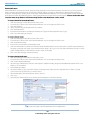
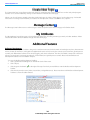
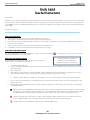
Easy Login Setup
This feature allows admins to create a more u
user-friendly login forkindergarten and first grade users. Note: Only
On schools that have
access to kiindergarten orfirst grade products will have this option.
1.
2.
3.
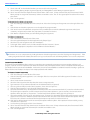
Make sure yourstudents are registered as Study Island users.
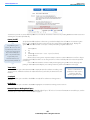
From the Admin Screen,
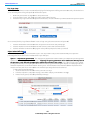
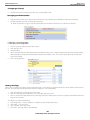
creen, click “Easy Login Setup” underAdmin Functions.
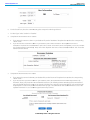
Fill out the Easy Login username and password information, and select whetheryou’d like to enable the password option.
Once activated, the Easy Login feature allows KK-1 users to login using the same username and password.
1.
2.
3.
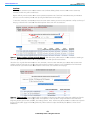
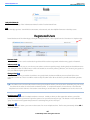
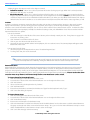
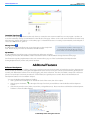
Students will enterthe universal username and password on the main Study Island page.
Students will then click on the first letteroftheirname and select theirname from the list.
Students will eithercontinue into the program orthey will be prompted to entera password.
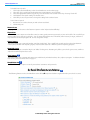
Adjust Student Difficulty
In orderto complete the program, students must “pass” each topic within a subject
ect. This feature allows you to adjust the
percentage that the student needs to meet in orderto pass that topic.
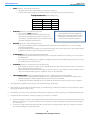
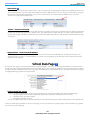
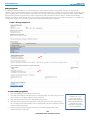
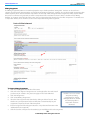
Option 1 – Adjust Passing Parameters: The “Adjust Passing Parameters” feature enables you to adjust the percentage that a
student needs to achieve in orderpass the topics. Adjusting the passing parameters does not affect the difficulty level of
the questions;it only affects the percentage a student must achieve to pass a topic. You can find Study Island’s default
passing parameters by choosing the grade on the left side ofthe page, then choosing the subject. Once the page loads, the
minimum requirements are underthe column “Passing Goal.” The first numberis the minimum number
numb ofquestions that
must be answered, and the second numberis the minimum percentage that must be achieved.
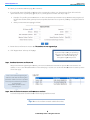
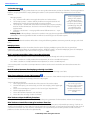
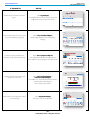
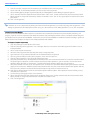
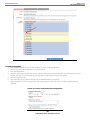
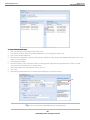
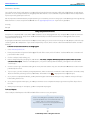
To Adjust the “Passing Parameters:””
1. Check the boxes to the left ofthe names you want to change.
2. In the box adjacent to “Subject to Change,” select which subject you would like to change.
3. Next to “Passing Level,” select the preferred percentage.