1
20
CHAPTER 3. GETTING STARTED
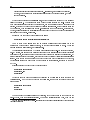
9. The serial driver has started to ask questions about the hardware. A driver is a part of the
kernel that controls a device, usually a peripheral. It is responsible for the details of how
the CPU communicates with the device. This allows people who write user applications to
concentrate on the application: they don't have to worry about exactly how the computer
works.
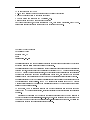
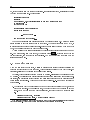
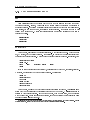
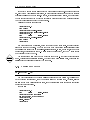
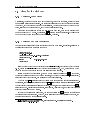
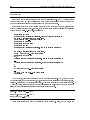
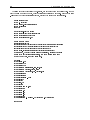
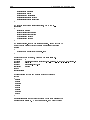
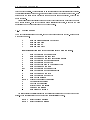
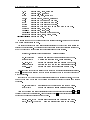
Serial driver version 4.11 with no serial options enabled
tty00 at 0x03f8 (irq = 4) is a 16450
tty01 at 0x02f8 (irq = 3) is a 16450
tty02 at 0x03e8 (irq = 4) is a 16450
Here, it found 3 serial ports. A serial port is the equivalent of a DOS COM port, and is a device
normally used to communicate with modems and mice.
What it is trying to say is that serial port 0 (COM1) has an address of 0x03f8. When it
interrupts the kernel, usually to say that it has data, it uses IRQ 4. An IRQ is another means
of a peripheral talking to the software. Each serial port also has a controller chip. The usual
one for a port to have is a 16450; other values possible are 8250 and 16550.
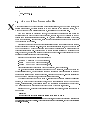
10. Next comes the parallel port driver. A parallel port is normally connected to a printer, and
the names for the parallel ports (in Linux) start with lp. lp stands for Line Printer, although
in modern times it makes more sense for it to stand for Laser Printer. (However, Linux will
happily communicate with any sort of parallel printer: dot matrix, ink jet, or laser.)
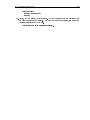
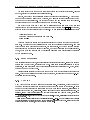
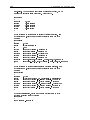
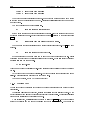
lp0 at 0x03bc, (polling)
That message says it has found one parallel port, and is using the standard driver for it.
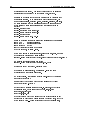
11. Linux next identies your hard disk drives. In the example system I'm showing you, mousehouse,
I've installed two IDE hard disk drives.
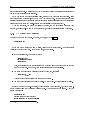
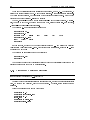
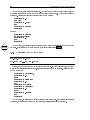
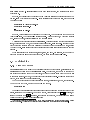
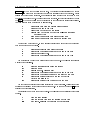
hda: WDC AC2340, 325MB w/127KB Cache, CHS=1010/12/55
hdb: WDC AC2850F, 814MB w/64KB Cache, LBA, CHS=827/32/63
12. The kernel now moves onto looking at your oppy drives. In this example, the machine has
two drives: drive \A" is a 5 1=4 inch drive, and drive \B" is a 3 1=2 inch drive. Linux calls
drive \A" fd0 and drive \B" fd1.
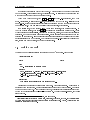
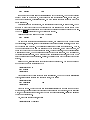
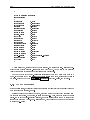
Floppy drive(s): fd0 is 1.44M, fd1 is 1.2M
floppy: FDC 0 is a National Semiconductor PC87306
13. The next driver to start on my example system is the SLIP driver. It prints out a message
about its conguration.
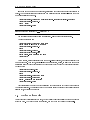
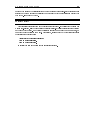
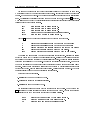
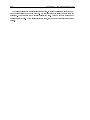
SLIP: version 0.8.3-NET3.019-NEWTTY (dynamic channels, max=256) (6 bit encapsulation enabled)
CSLIP: code copyright 1989 Regents of the University of California
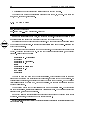
14. The kernel also scans the hard disks it found. It will look for the dierent partitions on each
of them. A partition is a logical separation on a drive that is used to keep operating systems
from interfering with each other. In this example, the computer had two hard disks (hda, hdb)
with four partitions and one partition, respectively.