1
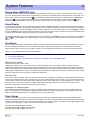
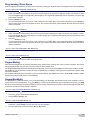
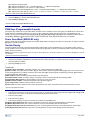
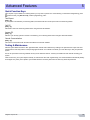
Overview
1
Thank you for selecting a security system from Paradox Security Systems Ltd. This advanced technology security system provides you
with reliable security protection and powerful features that anyone can use without memorizing complex and confusing codes. The
system consists of the control panel, one or more keypad modules, various input devices (e.g. motion detectors, door contacts, etc.) and
various output devices (e.g. bells, sirens, lights, etc.).
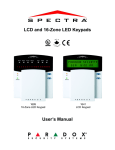
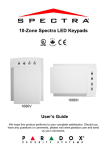
The elegant and user-friendly MG32LCD, MG32I, MG32LRF, MG32LED and MG10LEDV/H keypad modules allow you to easily access
your security system's functions and provide you with an easy-to-understand display of your security system's alarm and operational
status. All of the actions performed in your security system will be executed and displayed through the keypad. Therefore, before using
your security system, we highly recommend that you read this manual carefully and have your installer explain basic system operation to
you.
Basic Operations
Auditory Feedback
When you enter information on the keypad, it will guide you with beep tones that communicate acceptance or rejection of your entries.
You should be familiar with these two keypad beep tones:
Confirmation Beep: When an operation (e.g. arming/disarming) is successfully entered on the keypad or when the system switches to a
new status/mode, the keypad produces an intermittent beep tone (“BEEP-BEEP-BEEP-BEEP”).
Rejection Beep: When the system reverts to its previous status or when an operation is incorrectly entered on the keypad, it will emit a
continuous beep tone (“BEEEEEEEEP”).
Visual Feedback
Keypad Indicator Lights: All keypads include coloured lights which convey the current status of your system. The state of each light
represents a specific condition in your system.
NOTE: Many of the features in your system must be enabled by the installer. If the feature is not programmed, the keypad will emit a rejection beep and
the action will be cancelled. Refer to the System Checklist on page 16 for details.
Overview of the Keypads
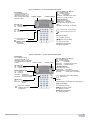
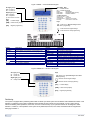
The numbers and keys of the keypad’s screen communicate your system’s status.
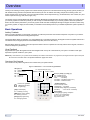
Figure 1: MG10LEDV — 10-zone LED Keypad Module
Off Light (red):
On = Disarmed
Off =System armed
AC Light
On = Power on
Off = Power off
= Press once + [MASTER
CODE] for Quick Menu
Programming)
[TBL] Trouble display
On = Trouble(s) occurring
[MEM] Alarm memory display
On = Alarm(s) occurred
[BYP] Bypass programming
On = Zone(s) bypassed
4
On = StayD Enabled (see page 7)
Partition 1 Status
Partition 2 Status
Arm (red), Sleep (yel), Stay (grn):
On = Partition armed
Off = Partition disarmed
Flash
= Exit Delay
Fast Flash* = Exit Delay (final 10 sec.)
Fast Flash* = Partition in alarm
* Audible Indicators:
Continuous beep= Alarm
Variable beep = Fire alarm
Intermittent beep= Beginning of exit delay
Fast beep
= Final 10 sec. of exit delay
Zone Display:
The keypad [1] to [0(10)] correspond
to zones 1 to 10 respectively
Key Lit: Open or entry delay
Key Flash: In alarm
User Guide