1
Contents
WELCOME TO FLINT .................................................................. 4
Brief Introduction ....................................................... 4
Getting Started ........................................................... 4
Launch Flint ................................................................................ 4
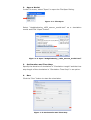
Open a Mode ................................................................................ 4
Set Duration and Time Step ....................................................... 4
Run ............................................................................................... 4
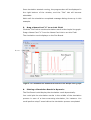
Drag a Name Card “V” to the Axis Field .................................... 4
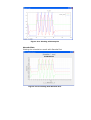
Plotting a Simulation Result in Dynamic .................................. 4
BEGINNING A SIMULATION ....................................................... 7
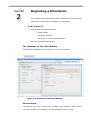
The Elements on the Flint Window .......................... 7
Window Menu .............................................................................. 7
Simulation Window ..................................................................... 7
Tab Menu on the Simulation Window ........................................ 7
Opening a Simulation Model File .............................. 7
RUNNING A SIMULATION ........................................................ 10
Simulation Tab .......................................................... 10
General Settings ........................................................................ 10
Variable Selection ...................................................................... 10
Running a Simulation ............................................... 10
Starting a Simulation ................................................................ 10
Complete a Simulation .............................................................. 10
2