1
CRU-WiebeTech
1. Requirements
Operating System: Windows XP (32-bit), Vista (32- or 64-bit), Windows 7 (32- or 64-bit)
Connections: USB, FireWire (1394a or 1394b), eSATA
Products: WiebeTech USB WriteBlocker, Forensic UltraDock, Forensic LabDock, and Forensic RTX
models
2. Installing Forensic Software Utility
Forensic Software utility can be found on the WiebeTech website
(http://www.wiebetech.com/software/Forensic_Software_Utility.php).
2.1 Windows Installation
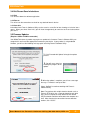
After you’ve double-clicked the Forensic Software Utility install file, a Setup Wizard will appear on your
screen. Click “Next”. After you click “Next” it will take you to a licensed agreement for installing this
software. Read over the agreement and select “I accept the agreement”, then click “Next”. The Setup
Wizard will automatically create folders for Forensic Software Utility. If you would like to install it in a
different folder on your system that’s acceptable, just click “Browse” and select a new location. Once
you’ve decided on where to store the software click “Next”. Shortcuts will automatically be installed in the
Start Menu under a subfolder called WiebeTech. Again, if you’d like to install this in a different area
select “Browse” and choose a different location. After you’ve decided on where to store the program’s
shortcuts click “Next”. Then you can opt to have a desktop icon installed. Make your selection and click
“Next”. After that, the wizard will prompt you to install the software and will give a brief recap of the
different selections you made. Click “Install” and let the wizard complete your installation. Finally, you
can choose to launch the Utility. Click “Finish” and open up Forensic Software Utility.
3. Using Forensic Software Utility
When you open WiebeTech Forensic Software Utility, it will perform an
initial scan for WiebeTech forensic devices.
•
Do not unplug any devices while the utility is scanning.
•
If the scan does not locate a device, click the rescan button.
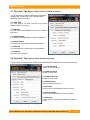
When the scan is finished and the WiebeTech forensic device is detected, Forensic Software Utility is
ready for use. You can view and capture information regarding the WiebeTech Forensic product, the
drive attached to the forensic product, and any HPA and/or DCO regions found on the attached drive.
User M an ual fo r F oren sic Softw are Utilit y ( A9- 000- 0013) REV 1.2
-2-