1
2. HARDWARE SETUP
2. H/W SETUP
Connectors
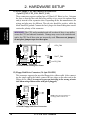
16) System Message LED Lead (2-pin MLED)
This indicates whether a message has been received from a fax/modem. The
LED will remain lit when there is no signal and blink when there is data received. This function requires an ACPI OS and driver support.
17) System Management Interrupt Lead (2-pin SMI)
This allows the user to manually place the system into a suspend mode or “Green”
mode, where system activity is decreased to save electricity and expand the life
of certain components when the system is not in use. This 2-pin connector connects to the case-mounted suspend switch.
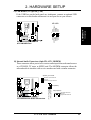
18) System Warning Speaker Connector (4-pin SPK)
This 4-pin connector connects to the case-mounted speaker.
19) Reset Switch Lead (2-pin RESET)
This 2-pin connector connects to the case-mounted reset switch for rebooting
your computer without having to turn off your power switch. This is a preferred
method of rebooting to prolong the life of the system’s power supply.
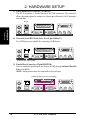
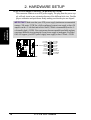
20) System Power LED Lead (3-pin PLED)
This 3-pin connector connects the system power LED, which lights when the
system is powered on and blinks when it is in sleep mode.
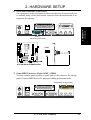
21) IDE Activity LED (2-pin IDELED)
This connector supplies power to the cabinet’s IDE activity LED. Read and
write activity by devices connected to the Primary or Secondary IDE connector
will cause the LED to light up.
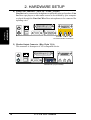
22) ATX Power Switch Lead (2-pin PWR)
The system power is controlled by a momentary switch connected to this lead.
Pressing the button once will switch the system between ON and SOFT OFF.
Pushing the switch while in the ON mode for more than 4 seconds will turn the
system off. The system power LED shows the status of the system’s power.
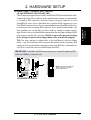
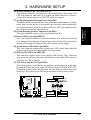
A7V-VM
Ground
Speaker
ExtSMI#
Ground
+5V
ATX Power
Switch*
IDELED
PWRLED+
PWRLEDPWRLEDBReset
Ground
PWRBTN
Ground
IDELEDIDELED+
MSGLED+
MSGLED-
SMI Lead
Speaker
Message LED
Connector
Reset SW
Power LED
* Requires an ATX power supply.
A7V-VM System Panel Connectors
A7V-VM User’s Manual
21