Transcript
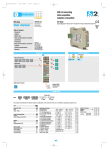
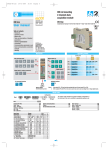
DIN rail mounting dual loop controller/ analogue acquisition module D2 line D2 is a rear panel mounting, Class II instrument. It has been designed with compliance to the European Directives. All information about the controller use can be found in the manuals: ♦ Installation Manual: MI_D2_EN.pdf ♦ User Manual: MU_D2_EN.pdf The Declaration of Conformity and the manuals of the controller can be downloaded (free of charge) from the web-site: www.ascontecnologic.com Once connected to the web-site, search: D2 then click on D2 from the result list. In the lower part of the product page (in any language) is present the download area with links to the documents available for the controller (in the available languages). Quick Guide • ISTR-FD2ENG02 DIN rail mounting Dimensions Declaration of Conformity and Manual retrieval 99 mm 22.5 mm 3.9 in 0.89 in CLICK 2 1 114.5 mm 4.5 in 6.3 mm 0.25 in Terminal connectors 1 clip the upper part of the instrument on the rail 2 rotate the instrument downwards until the click Removing the instrument from the DIN rail Switch the instrument off 4 terminal connectors A B Warning! - Whenever a failure or a malfunction of the device may cause dangerous situations for persons, things or animals, please remember that the plant must be equipped with additional devices which will guarantee safety. - We warrant that the products will be free from defects in material and workmanship for 18 months from the date of delivery. Products and components that are subject to wear due to conditions of use, service life and misuse are not covered by this warranty. Mounting several instruments The instrument must be configured using Controller Explorer (a proprietary free software). The most recent release of Controller Explorer is downloadable from our web site: www.ascontecnologic.com Once connected to the Ascon Tecnologic site, select: Software then click on the row: Controller Explorer. Download the most recent version of the software and, when present, any upgrade to the program. Once installed the Software and the upgrades, run the program, the default communications parameters are: Transmission speed: 9600 bps; Protocol: ModBus; Serial address: 247. 1 Mounted the instruments on the rail, put them side by side so that the male side connector fits into the corresponding female connector When more controllers/instruments are to be installed, keep in mind that the default serial address always is 247. For this reason, always connect/power on only 1 not configured instrument a time, in order to avoid the presence, on the same network, of 2 instruments with the same address. During the configuration, assign to each instrument a different serial address. The "gammadue® and deltadue® controller series Serial communications and configuration software" manual can be downloaded from the web site: www.ascontecnologic.com As for the other manuals, also this one is present in the lower part of the product page. 2 1 3 Wire the 5-pole male power supply and serial communications connector and insert it in the corresponding female connector Power supply voltage: 24Vac (-25...+12%) or 24Vdc (-15....+25%) D Plug with termination resistor for serial comm.s bus (male) 3 OP1 OP2 OP3 Configuration and Supervision Power supply and serial communications bus connector (female) RS485 1 lower the spring slide by inserting a flat-blade screwdriver as indicated N 24V L mV mA 4 IL1 External Shunt 2.5Ω D2 - 31 max. instruments RS485 IN2 NO IN1 Pt100 Acquisition and centralized supervision Power supply switch mV External Shunt 2.5Ω NPN TTL mA Pt100 Local control D2 - 31 max. instruments Terminals 3 Features L Connector protection 22.5 x N + 53 mm 4 When assembled insert the connector protection on both sides. Stripped wire Flat blade screwdriver Tightening torque A-B-C-D Bus/Power Supply L = 7 mm - 0.28 in. L = 7 mm - 0.28 in. 0.6 x 3.5 mm 0.4 x 2.5 mm 0.5... 0.6 Nm 0.4... 0.5 Nm Analogue Loop1 Model: D 2 5 B 5 D - E 9 0 0 / I L M N - O P Q R Line D 2 B 1 2 3 4 5 Output OP1 - OP2 Relay - Relay Relay - SSR Drive SSR Drive - SSR Drive SSR - SSR SSR - SSR Drive Configuration code A 4 + 4 digits index code follows the model (letters from I... R). This code can be used to buy a pre-configured controller. Input type Input type TR Pt100 IEC751 TR Pt100 IEC751 TC L Fe-Const DIN43710 TCJ Fe-Cu45% Ni IEC584 TC T Cu-CuNi TC K Chromel-Alumel IEC584 TC S Pt10%Rh-Pt IEC584 TC R Pt13%Rh-Pt IEC584 TC B Pt30%Rh-Pt6%Rh IEC584 TC N Nichrosil-Nisil IEC584 TC E Ni10%Cr-CuNi IEC584 TC NI-NiMo18% TC W3%Re-W25%Re TC W5%Re-W26%Re Dc input 0…50mV linear Dc input 10…50mVlinear Custom input range [1] Range PV1 Range PV2 -99.9…300.0°C -99.9…572.0°F -200…600°C -328…1112°F 0…600°C 32…1112°F 0…600°C 32…1112°F -200 …400°C -328…752°F 0…1200°C 32…2192°F 0…1600°C 32…2912°F 0…1600°C 32…2912°F 0…1800°C 32…3272°F 0…1200°C 32…2192°F 0…600°C 32…1112°F 0…1100°C 32…2012°F 0…2000°C 32…3632°F 0…2000°C 32…3632°F Engineering units Engineering units I M 0 0 0 0 0 0 0 0 0 0 1 1 1 1 1 1 1 L N 0 1 2 3 4 5 6 7 8 9 0 1 2 3 4 5 6 Control mode LOOP1 O Control mode ON-OFF reverse action ON-OFF direct action PID single reverse action PID single direct action LOOP2 P 0 1 2 3 Output configuration LOOP1 Q 0 ModBus address ModBus address Value Parameter name Default Modbus User Value Parameter name Default Modbus User Operator panel RS485 In the table that follows are listd the parameters of the controller associated to the correspondent serial ModBus address. For further details, consult the manual: “gammadue® and deltadue® controller series Serial communications and configuration software”. Configuration 2nd part 1st part Configuration Cd-Rom RS485 Parameters list Accessories Configuration D2 The product code indicates the specific hardware coniguration of the instrument, that can be modified by specialized engineers only. Basic 2 turn and lift the instrument upwards. Serial communications connection examples Model code Line 2 OP4 NC 50 mm Warning! 1 Connections Configuration and setting Software 2 Then, insert the female 5-pole connector with the termination resistor of the serial communications into the corresponding male connector; Power supply/ comm.s connector C 1.969 in viale Indipendenza 56, 27029 - Vigevano (PV) Tel.: +39 0381 698 71, Fax: +39 0381 698 730 internet site: www.ascontecnologic.com E-mail: [email protected] Termination plug ModBus address Parameter name Value Default Modbus 43 PID Dead Band Inhibited 0 91 Loop-Break delay Inhibited 0 0.0 95 Instrument position Alone 0 Process Value PV 44 Output safety value 0 1 Setpoint (SP) 45 Setpoint low limit Low range 2 Control output (OP) 46 Setpoint high limit High range 3 Target Setpoint (SPT) 47 Slope up Setpoint Inhibited 0 4 Local Setpoint (SPL) 48 Slope down Setpoint Inhibited 0 5 Proportional band (hysteresis ON/OFF) 5.0 or 0.5 50 or 5 49 1st stored Setpoint 6 Overshoot control 1.00 100 50 2nd stored Setpoint 7 Integral time 5.0 50 51 Input filter PV2 measure Inhibited 8 Derivative time 1.00 100 52 Input shift PV2 measure Inhibited 9 Control Output Cycle time 20 20 53 Output stored value 0.0 0 10 Manual reset 50.0 500 93 Loop2 Setpoint selection Local 0 11 Control output high limit 100.0 1000 97 Enhanced Overshoot control management Loop 0.5 5 12 Control output low limit 0.0 0 13 PID Dead Band Inhibited 0 14 Output safety value 0 0.0 Parameter name 0 Digital ModBus address Parameter Value 0 OP1 digital output status 1 OP2 digital output status 0 = OFF, 1 = ON 2 OP3 logical output status 0 = OFF, 1 = ON 0 3 OP4 logical output status 0 = OFF, 1 = ON 0 4 Alarms acknowledgement 1 = Alarms acknowledge 5 Forcing the Output status 0 = Not influenced, 1 = Forces the OP status to OFF 6 PV1 measure Hold 1 = PV1 locked 7 PV2 measure Hold 1 = PV2 locked 8 Auto/Man enable for Loop1 0 = Auto, 1 = Man 9 Auto/Man enable for Loop2 0 = Auto, 1 = Man 10 PV1 out of range 0 = Valid measure, 1 = Out of range 11 PV2 out of range 0 = Valid measure, 1 = Out of range Analogue general ModBus address Value 0 = OFF, 1 = ON 15 Setpoint low limit Low range 16 Setpoint high limit High range 60 AL1 alarm threshold 0 0 17 Slope up Setpoint Inhibited 0 61 AL2 alarm threshold 0 0 18 Slope down Setpoint Inhibited 0 62 AL3 alarm threshold 0 0 12 AL1 alarm status 0 = Normal, 1 = alarm 19 1st stored Setpoint 63 AL4 alarm threshold 0 0 13 AL2 alarm status 0 = Normal, 1 = alarm 20 2nd stored Setpoint 64 AL1 Alarm Hiysteresis 0.5 5 14 AL3 alarm status 0 = Normal, 1 = alarm 21 Input filter PV1 measure 65 AL2 alarm Hysteresis 0.5 5 15 AL4 alarm status 0 = Normal, 1 = alarm IL1 logic input status 0 = OFF, 1 = ON 22 Input shift PV1 measure Inhibited Inhibited 0 66 AL3 alarm Hysteresis 0.5 5 AL4 alarm Hysteresis 0.5 5 17 OP3 I/O status 0 = OFF, 1 = ON AL1 Alarm addressing PV1 0 18 OP4 I/O status 0 = OFF, 1 = ON 0 19 Tune Loop1 0 = Disabled, 1 = Run Tune Loop2 0 = Disabled, 1 = Run Output stored value 0.0 0 92 Loop1 Setpoint selection Local 0 68 Enhanced Overshoot control management Loop 0.5 69 5 Analogue Loop2 ModBus address Parameter name User 0 23 96 Default Modbus 16 67 Value AL1 alarm type Disabled User 70 AL1 alarm Latching/Blocking None 0 20 71 AL1 Alarm output Internal status 0 32 NOT OP1 output 0 = Not influenced, 1 = Forces the OP reverse status 72 AL2 alarm addressing PV1 0 33 NOT OP2 output 0 = Not influenced, 1 = Forces the OP reverse status 73 AL2 alarm type Disabled 0 Process Value PV 74 AL2 alarm Latching/Blocking None 0 34 NOT OP3 output 0 = Not influenced, 1 = Forces the OP reverse status 31 Setpoint (SP) 75 AL2 alarm output 35 NOT OP4 output Control output (OP) Internal status 0 32 0 = Not influenced, 1 = Forces the OP reverse status 33 Target Setpoint (SPT) 76 AL3 alarm addressing PV1 0 34 Local Setpoit (SPL) 77 AL3 alarm type Disabled 0 AL3 alarm Latching/Blocking None 0 35 Proportional band (hysteresis 5.0 or 0.5 ON/OFF) 78 50 or 5 79 AL3 alarm output 0 Overshoot control 1.00 100 Internal status 37 Integral time 5.0 50 80 AL4 alarm addressing PV1 0 None R 0 36 38 Derivative time 1.00 100 AL4 alarm type Disabled 0 OP2 OP4 1 81 2 39 Cycle time 20 20 82 AL4 alarm Latching/Blocking None 0 40 Manual reset 50.0 500 83 AL4 alarm output Internal status 0 41 Control output high limit 100.0 1000 90 Autotune activation Stop 0 42 Control output low limit 0.0 0 None OP1 1 2 OP3 Output configuration LOOP2 [1] For instance, other thermocouples types, ∆T (with 2 PT100), custom linearisation etc. 30 Default Modbus User