1
Roll Forward
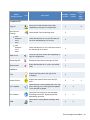
Knowledge Coach – Override response roll forward setting. Allows group members to override roll
forward settings that have been applied to responses in a Knowledge Coach workpaper.
Knowledge Coach – Accept/reject changes in updated content. Allows group members to
accept/reject changes to updated Knowledge Coach content.
Notes/Diagnostics
Delete diagnostics. Allows group members to delete a Knowledge Coach diagnostic, in the event that it is
not relevant to your engagement. For example, you may want to delete the diagnostic for “Workpaper
Missing - This is a new engagement so you should add and complete KBA-201 Engagement Acceptance Form”
if your firm has their own preferred form of this documentation. Typically, reviewers should be given this
staff group right. See Deleting Diagnostics for more information.
Sign Off
Knowledge Coach – Keep program step sign off for workpapers created from existing workpapers.
Allows group members to keep program step sign off information in Knowledge Coach workpapers when
copying and pasting binders, creating new binders, and copying and pasting workpapers.
Content
Add Knowledge Coach titles. Browse to downloaded title packages (*.KCP files) and add the content
for a given Knowledge Coach title to the Knowledge Coach content database on your computer. Give
this right to a person in your firm who has a ProSystem fx account login, and is responsible for
retrieving titles and distributing out to the rest of the staff.
Release/unrelease Knowledge Coach titles. Releasing a Knowledge Coach title that has been added
to the database makes it available to other staff members in your firm so that they can start adding
workpapers to binders from that title. Unreleasing a title takes a title out of circulation for the entire
firm. Give this right to a person in your firm who is responsible for managing the latest versions of
titles.
Insert Knowledge Coach workpapers from unreleased titles. This right allows you to preview
Knowledge Coach workpapers from a given title by inserting them into a binder before a title is
released into general circulation in your firm. Give this right to people who review titles, prepare
binder templates, and generally prepare other staff members for work on audit materials.
For more information on how to add or modify staff group rights, see the "Setting Up Staff Groups" book of
the Engagement Administrator Help.
Getting Title Content
Before you can start inserting Knowledge Coach workpapers in your Engagement binders, you must
download and install the Knowledge Tools industry-specific content that is compatible with the Knowledge
Coach module. Once one person in your firm downloads and releases a title, the rest of your staff will
receive the title via either the login process (when the Office location is selected) or via the
synchronization process between Local File Rooms or with the Central File Room.
Getting Set Up • 4